
Most people are simply asking ChatGPT random questions, generating a few images, writing a couple of emails, and calling it productivity.
Meanwhile, a small group of people are using AI to:
Over the last few months, I’ve been testing tons of new AI tools, features, and workflows, and honestly, some of them feel unfair.
And in this post, I’ll show you some of the most practical AI use cases, from building native Android apps with a prompt to generating 3D models from images and creating music with AI.
With that said, let’s get started.
You may have used a number of AI app builders and AI website builders.
But now, you can build a native Android app inside Google AI Studio.
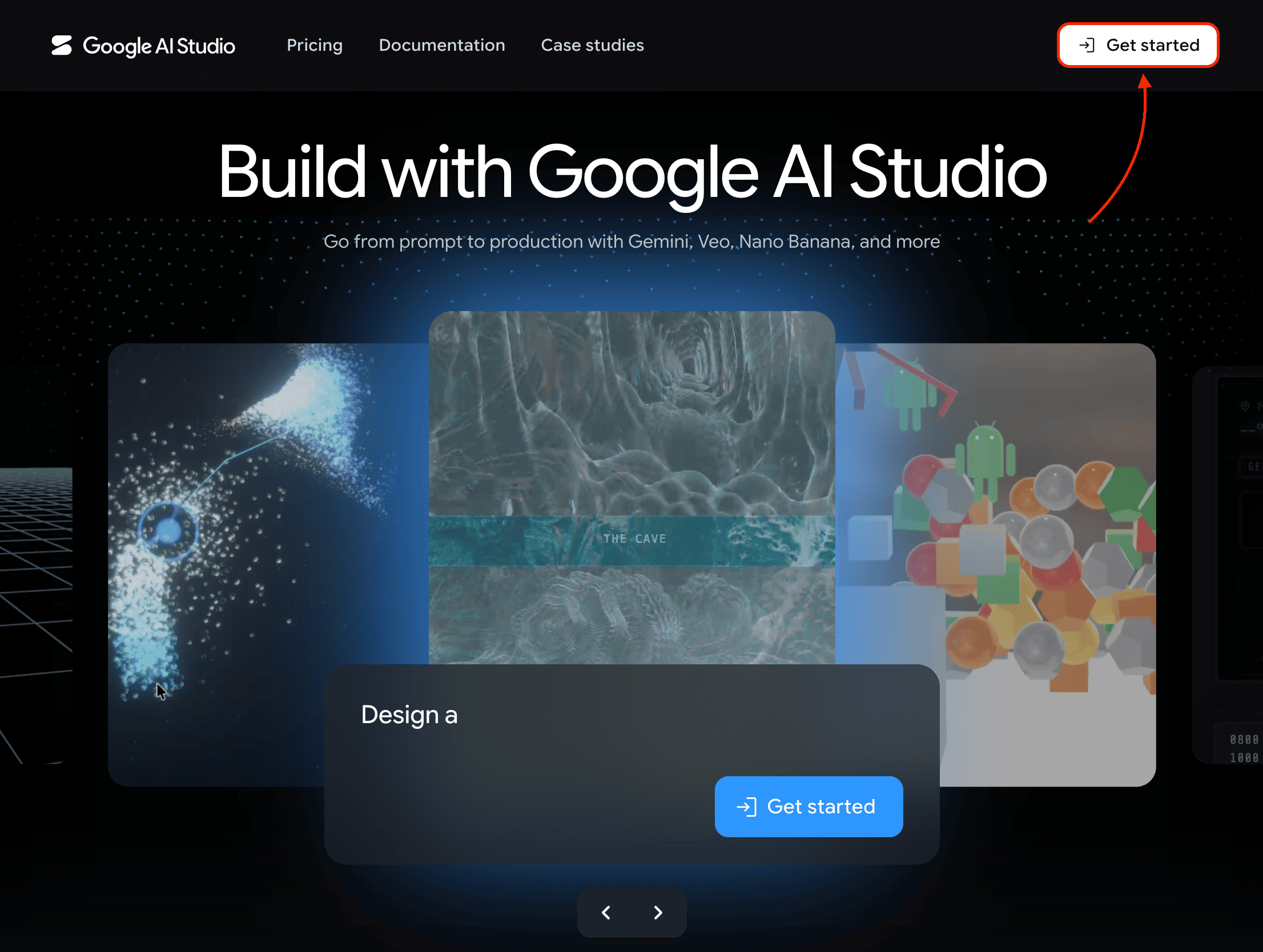
Just visit the Google AI Studio website and create an account if you haven’t already.
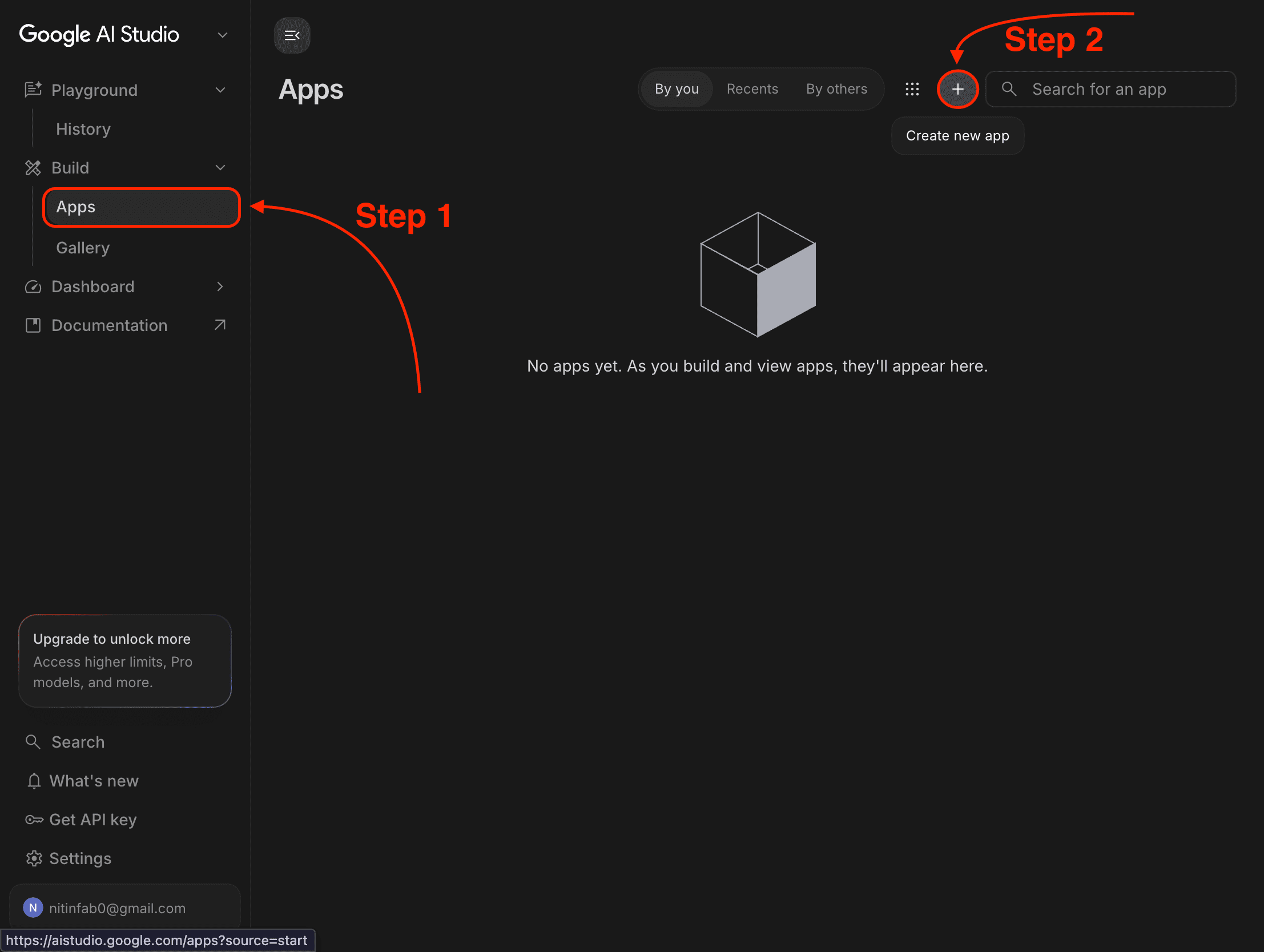
Then navigate to the Build Apps tab and click the “+” icon to create a new app.
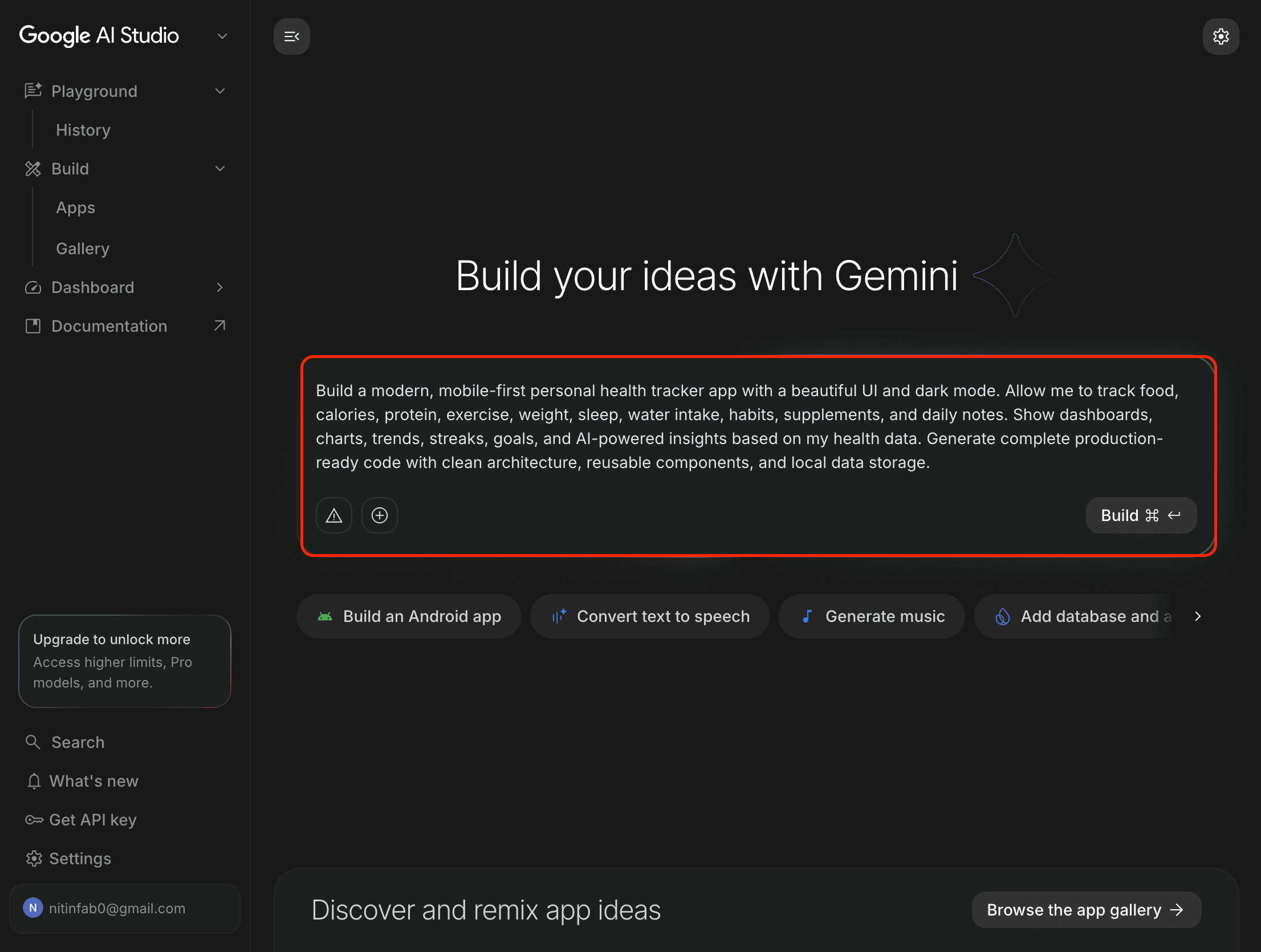
As you can see, I wrote a simple prompt to generate a modern personal health tracker app, and here’s what it generated:
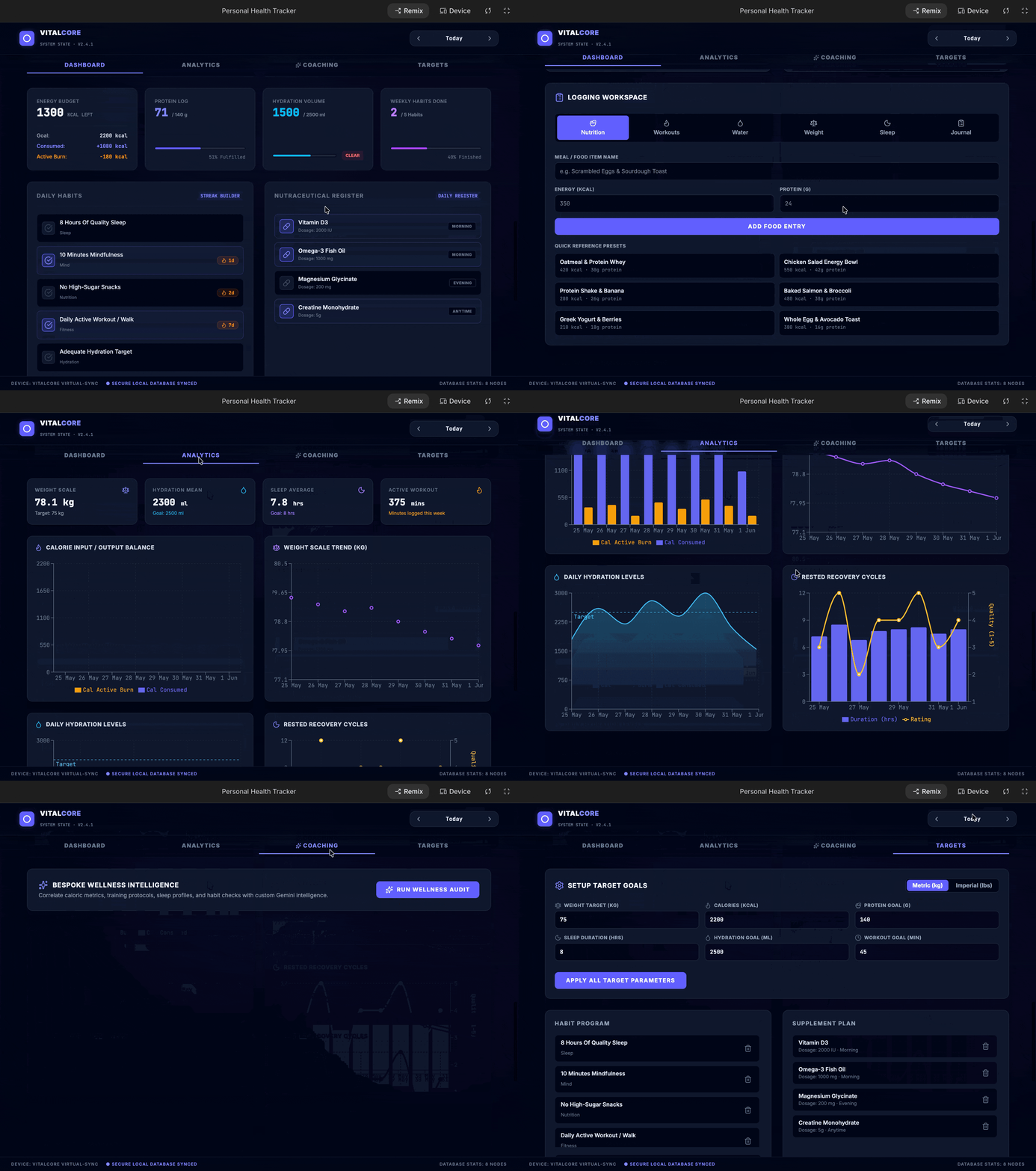
Insanely useful, right?
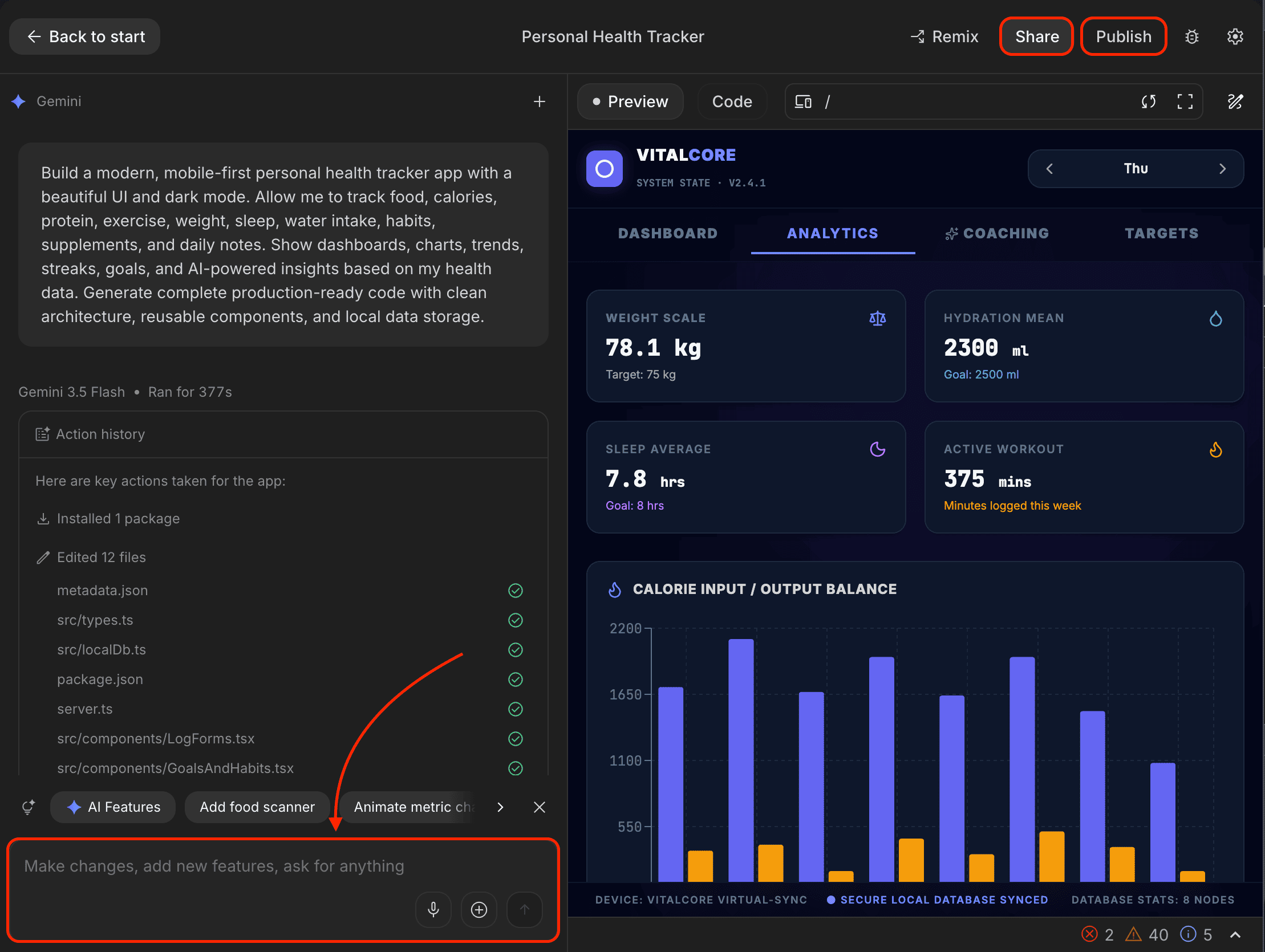
What next? You can make changes, add new features, ask for anything that comes to mind, share your app, and even publish it to the Play Store or install it directly on your mobile device.
Yes, it’s that easy.
In the same way, you can generate a daily task tracker with local storage, an app to track your earnings, or countless other apps for your clients or yourself to solve everyday problems.
Just so you know:
Everything I’ve shared here is something I actually use.
If this post changed how you think about AI even a little, that didn’t happen in isolation. It came from a much bigger shift in how I use AI overall.
That’s why I put that entire system down inside “The (Unfair) AI Workflow Playbook” with everything you need.
It’s the exact set of workflows I use daily to run my work faster than feels normal, and if you apply even a few of them, you’ll save hundreds of hours.
You can spend months figuring this out on your own, or you can steal my entire playbook right now.
You know, I wrote a post about the best AI image generators and another one about the best AI image editors, where I included Leonardo AI.
I’ve also talked a lot about Leonardo AI in some of my other posts since it’s free up to a limit, generates some of the best images, and comes with some insane features.
And now, you can even generate a 3D model right inside Leonardo AI.
Here’s how:
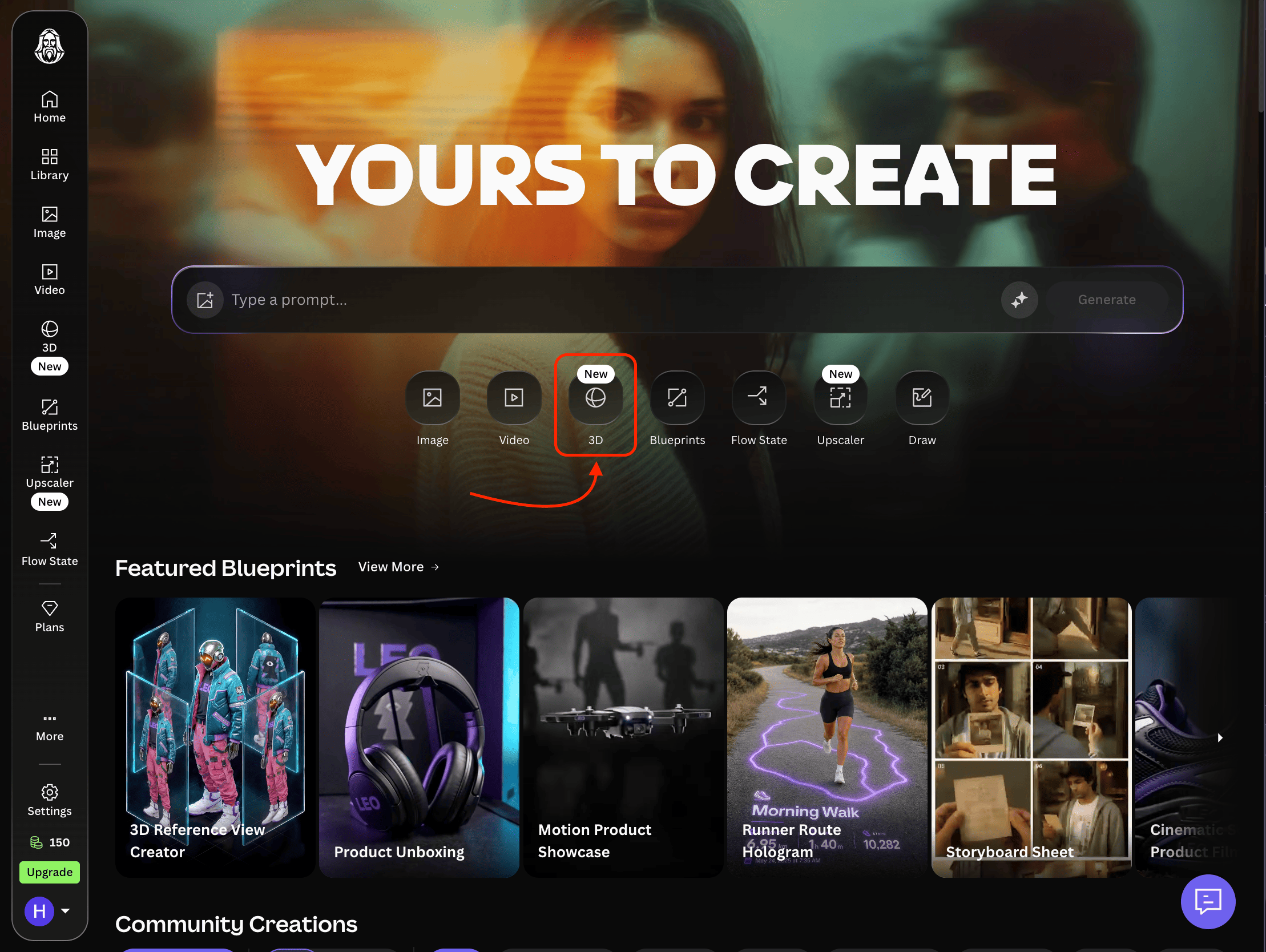
Step 1: Visit the Leonardo AI website and create an account.
Step 2: Select the 3D button right below the prompt box.
Step 3: Upload up to 5 images to create a 3D model and click the “Generate” button.
And after following the above steps, here’s what it generated:
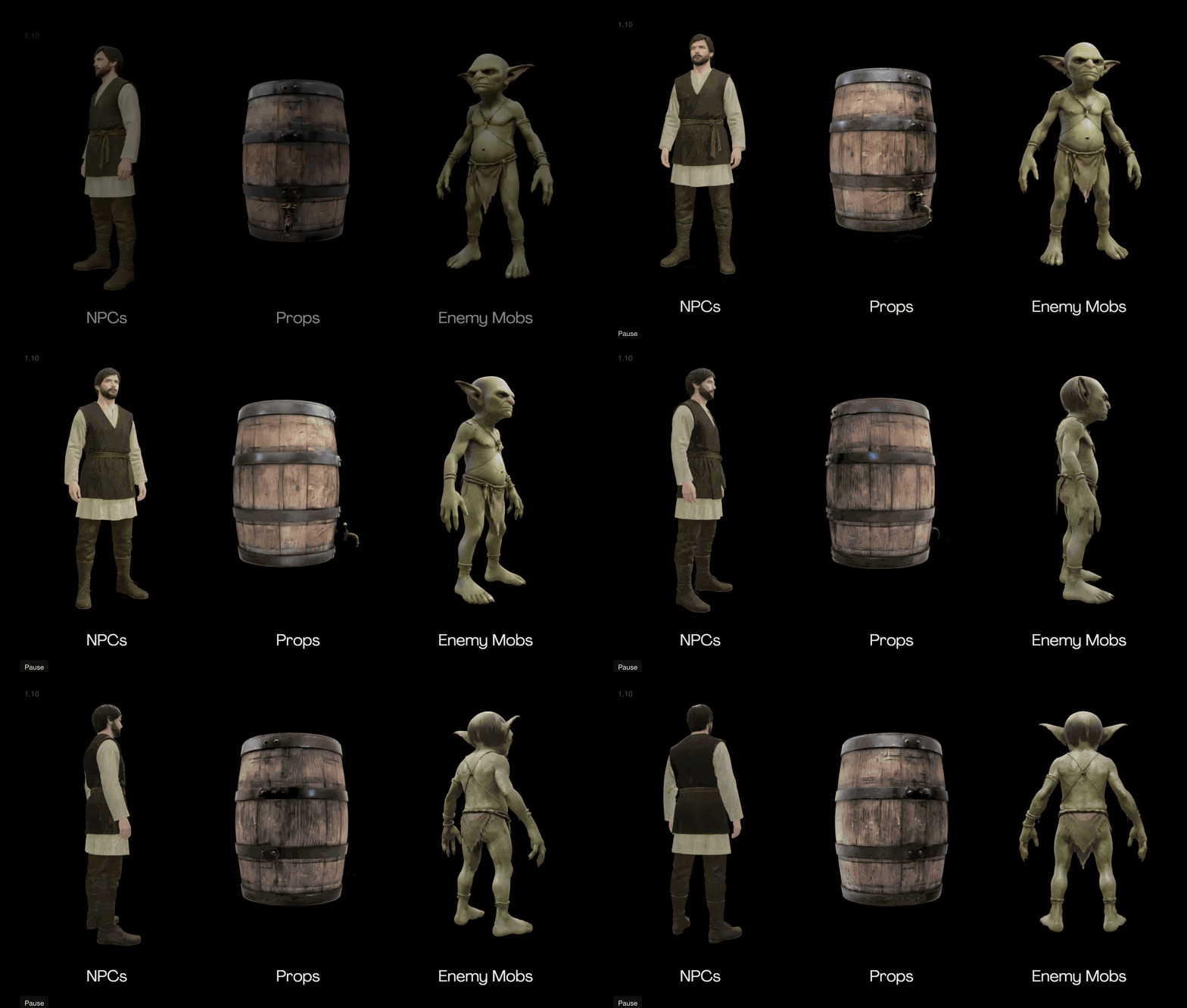
This feature is still new, but you can already use it to generate game characters, product visualizations, and more.
Just to let you know, Tripo AI is a better AI tool right now for generating production-ready 3D assets from prompts, images, or sketches.
It also comes with features like Tripo H3.1 and Tripo Smart Mesh, which generate highly detailed models and solve some of the biggest challenges in 3D asset creation.
Most of us have used Suno AI or Beatoven.ai to generate songs by writing a specific prompt.
But now we have Google’s Flow Music, which lets you chat with the producer, generate full-length songs, build interactive spaces, direct music videos, and more using their frontier music model, Lyria 3.
The best part? You can even publish or share your creations with the world.
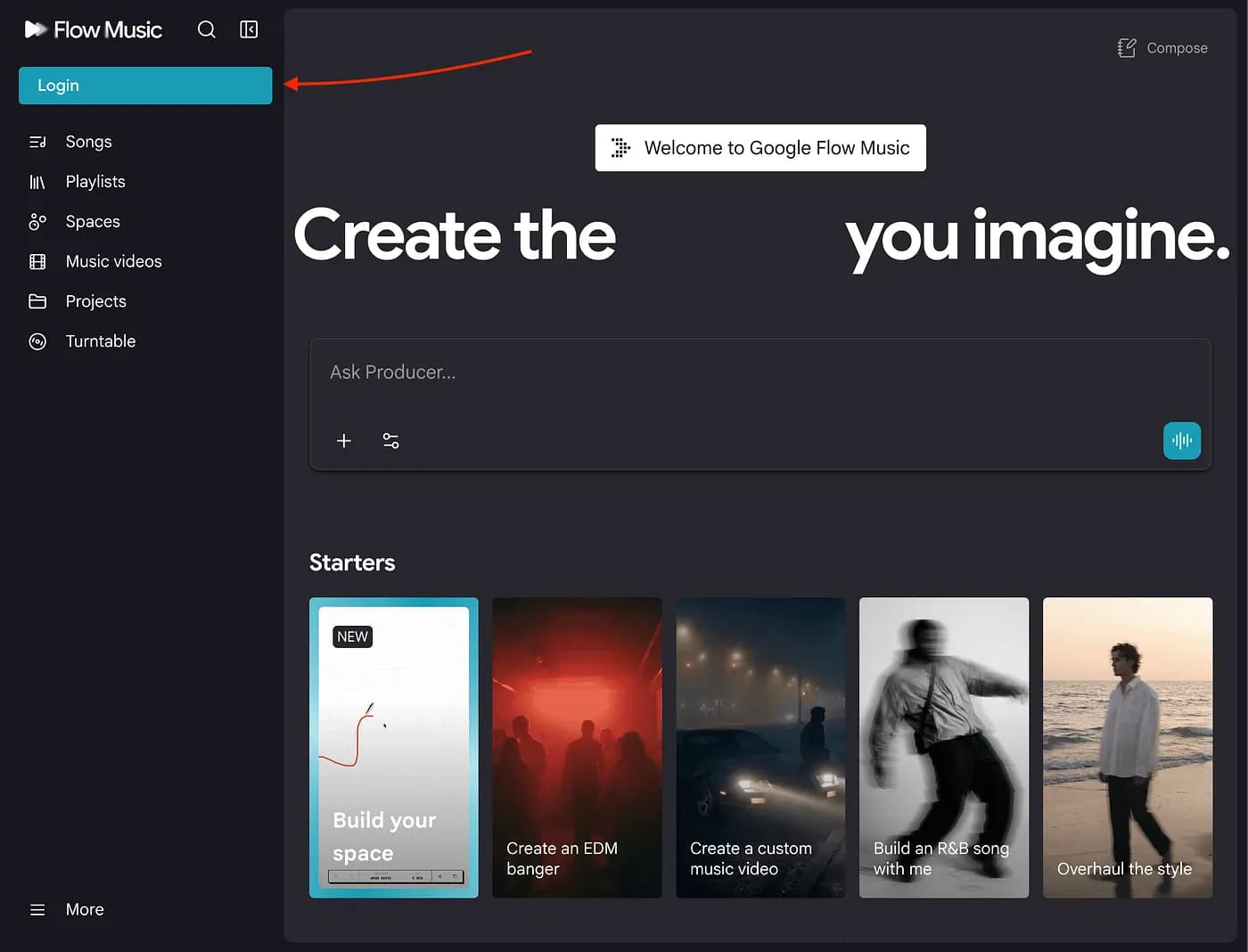
To generate music, simply visit their website and create an account.
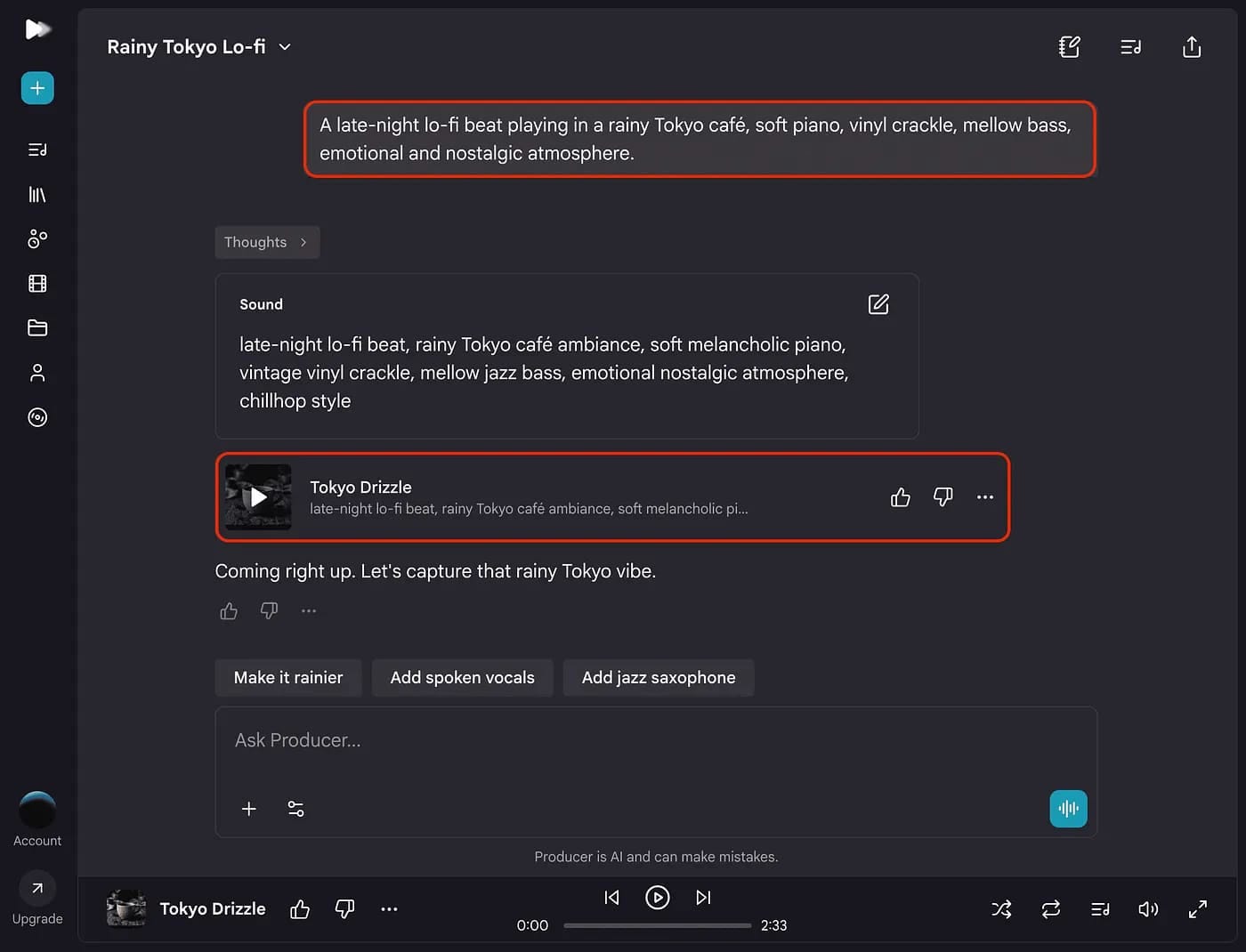
Then, write a prompt as shown above, upload your audio or image, and it will generate music in no time.
They’ve also added more features like creating playlists, spaces, and music videos. You can further prompt it to customize the output based on your mood, genre, focus level, and more.
So if you’re a musician or work in a similar field, you can start using Flow Music.
Note: It’s not perfect yet, but it’s from Google, so you know how much better it will become in the future.
Hope you like it.
If this resonated with you, share it with someone who needs to read it, since most people want to learn practically about AI but won’t access posts like this.
And that’s where you can help someone you care about use AI practically and get ahead.
Also, don’t forget to checkout “The (Unfair) AI Workflow Playbook” where I shared exact set of AI workflows I use daily to run my work faster than feels normal.
Comments
Nothing yet. Say the first thing.
Sign in to join the conversation.