
Let’s be honest: you don’t need to spend $100+ on a photographer anymore just to get a professional-looking profile photo.
We have a number of free AI headshot generators on the internet, but when you try one, you discover that:
You get one watermarked image.
Or you have to wait forever.
Or the tool changes your face so much that you don’t even look like yourself.
Or worse, you get a beautiful-looking AI headshot that looks completely fake when you zoom in.
And honestly, that’s what you never wanted.
Because if I’m using a free AI headshot for LinkedIn, my resume, website, email profile, or personal brand, I don’t want to look like a random AI-generated person.
I want to look like a better, more professional version of myself.
So I went through some of the best free AI headshot generators available right now and looked at what you can actually get without paying. And I found a few that are genuinely worth trying, and that’s what I am going to share here.
Note: This post contains no affiliate links, which means I won’t make a single dollar when you try any of the AI headshot generators below.
My goal is simply to share the best & free AI headshot generators I’ve personally tested that can genuinely save you time and help you create better presentations.
If you found this post valuable or learned something new, consider becoming a paid subscriber to this newsletter if you haven’t. It’s the best way to support my work and keep this kind of content coming.
With that said, let’s get into it.
If you just want the answer, here are the best free AI headshot generators in 2026:
If you already use Canva and want a quick AI headshot with editing tools → Go with Canva AI Headshot Generator
If you want to try and preview 6 AI headshots for free, then pay only if you want to purchase and download the 2K headshots → Try GenerAItion Headshots
If you want maximum control and don’t mind writing a prompt → Use ChatGPT
If you want AI headshots with image editing and multiple reference photos → Use Google Gemini
If you want one free HD headshot without signing up → Try HeadshotPro Free AI Headshot Generator
If you want 4K headshots completely free but can wait → Try BetterPic Free AI Headshot Generator
Before I show you the best free AI headshot generators, let me make one thing clear.
I don’t care if a website says “100% free AI headshot generator” since that doesn’t automatically make it good.
For this list, I focused on these 5 parameters while finding the best ones:
a) Does it actually give you something usable for free? Not just a preview that forces you to pay.
b) Does it still look like you? A headshot can look incredibly realistic and still be useless if it changes your facial structure.
c) Is the output actually professional? I’m talking about realistic lighting, natural skin texture, good clothing, believable backgrounds, and proper framing.
d) How much control do you get? Can you choose the background, outfit, expression, style, and framing?
e) What is the catch? Because there is almost always one.
Some tools limit credits.
Some limit the number of images.
Some put free users in a queue.
And some give you one free image and keep everything else locked.
With these parameters in mind, here are the best free AI headshot generators:
Most people know Canva for presentations, thumbnails, social media posts, and design.
But Canva also has a free AI headshot generator that can turn a regular selfie into a professional-looking headshot.
And you don’t have to leave Canva after generating the headshot. You can generate your photo and immediately continue editing it inside the same platform.
How to generate your AI headshot:
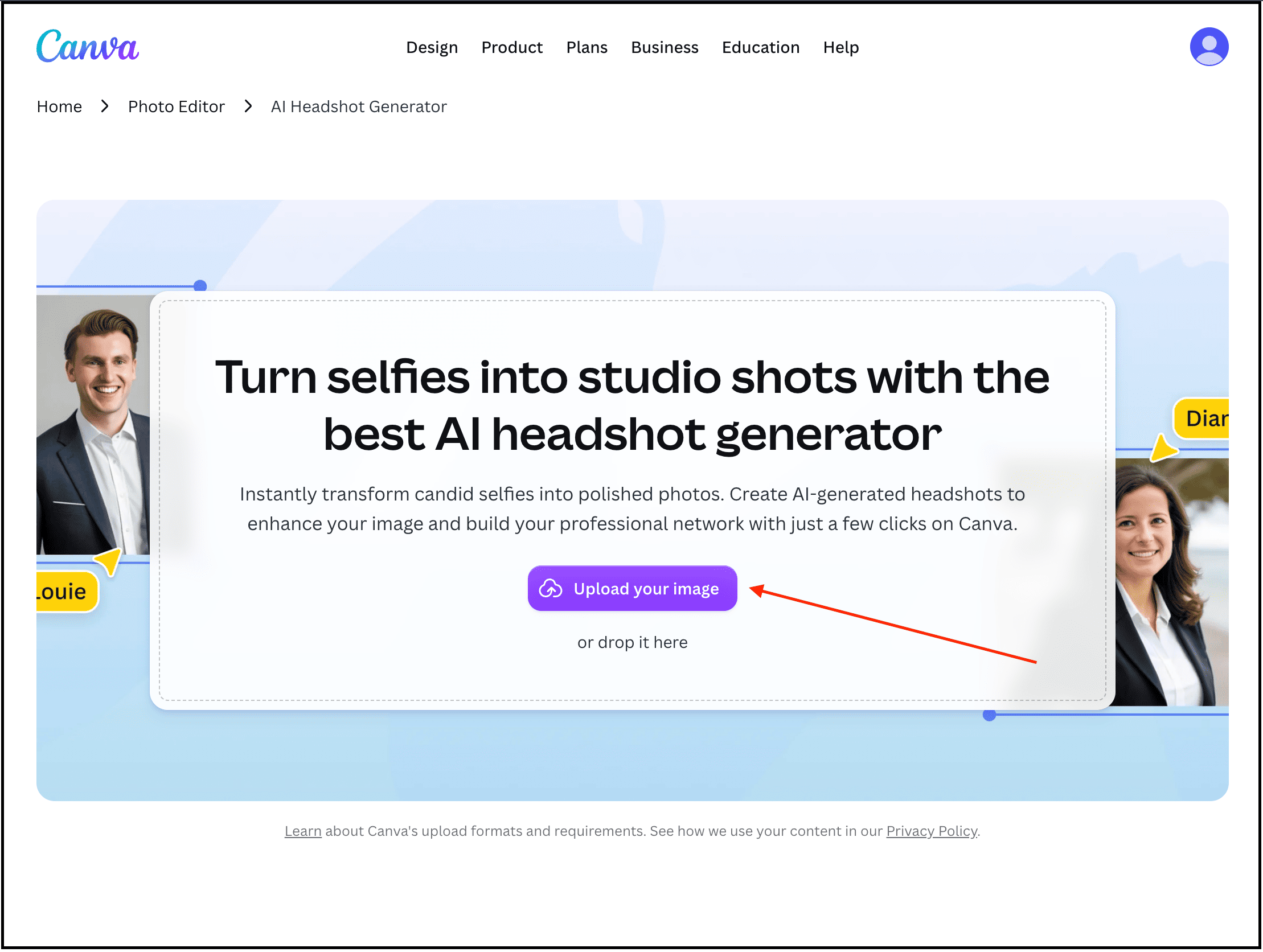
Visit the Canva AI headshot generator page.
Upload your image, add a style, and more.
Generate, and then edit it the way you want.
Here’s the AI headshot it generated for me:
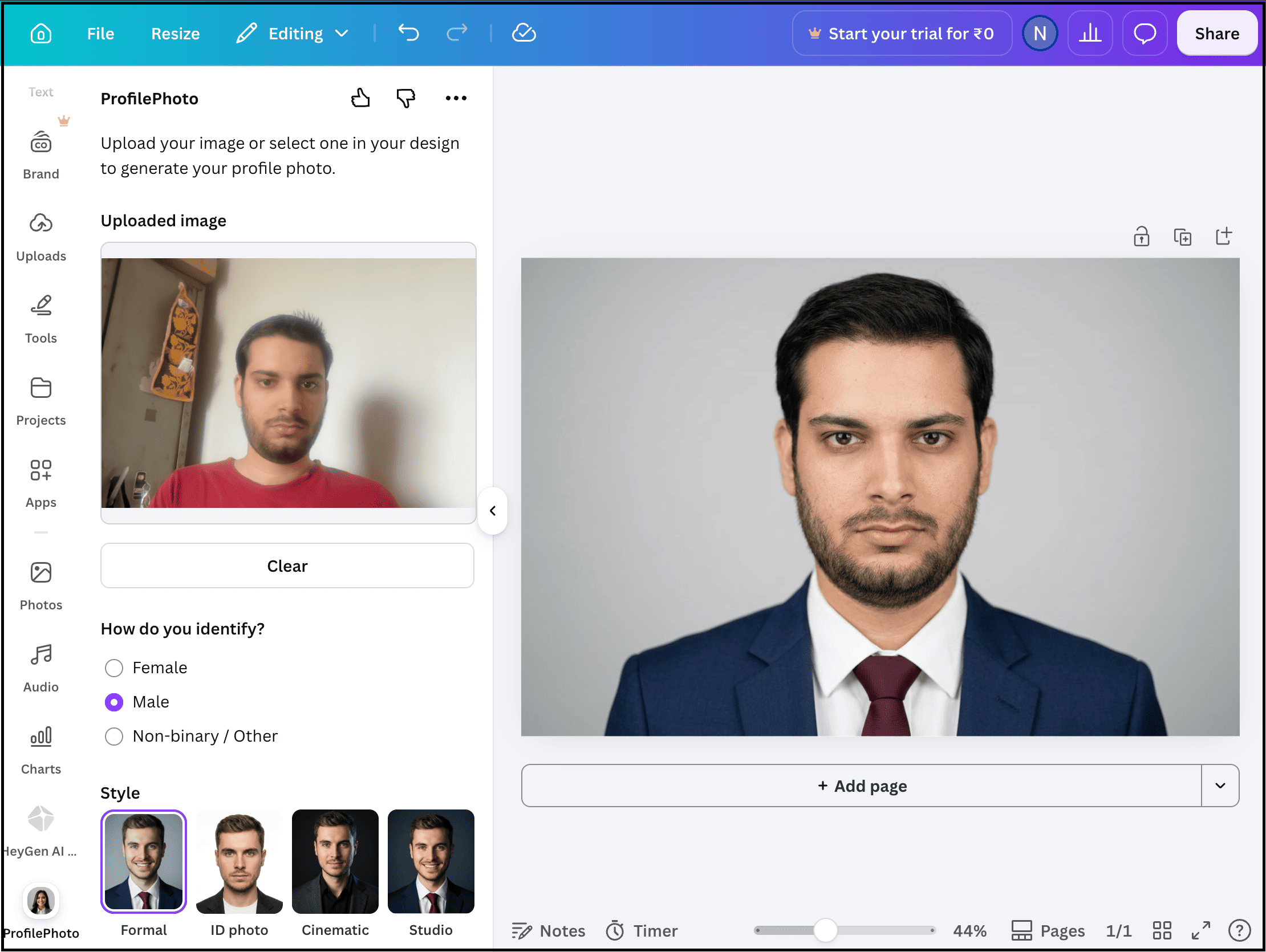
My experience: The first thing I noticed with Canva is that the result was decent, but the real advantage was that it was free, and I could further edit it using Canva.
That’s actually pretty useful because you can remove the background, change the design around your photo, add text, or use the headshot inside another Canva project.
The biggest limitation for me is the free allowance. You only get two credits per day, so you don’t have much room to experiment with different versions. You can wait 24 hours for the credits to refresh, but if you want to test lots of different looks in one sitting, this isn’t the best option.
This headshot generator is built by a real headshot photographer with 20 years of experience in this field.
And that’s what makes it way better than the other free AI headshot generators.
I’m talking about GenerAItion Headshots, here you can try the service and generate/preview your first 6 headshots for free without entering a credit card. However, the generated 2K headshots are not free to download. You need to pay if you want to purchase and download the headshots you like.
So if you want to test a dedicated AI headshot generator before paying anything, GenerAItion Headshots is one of the first ones I’d recommend.
How to generate your AI headshot:
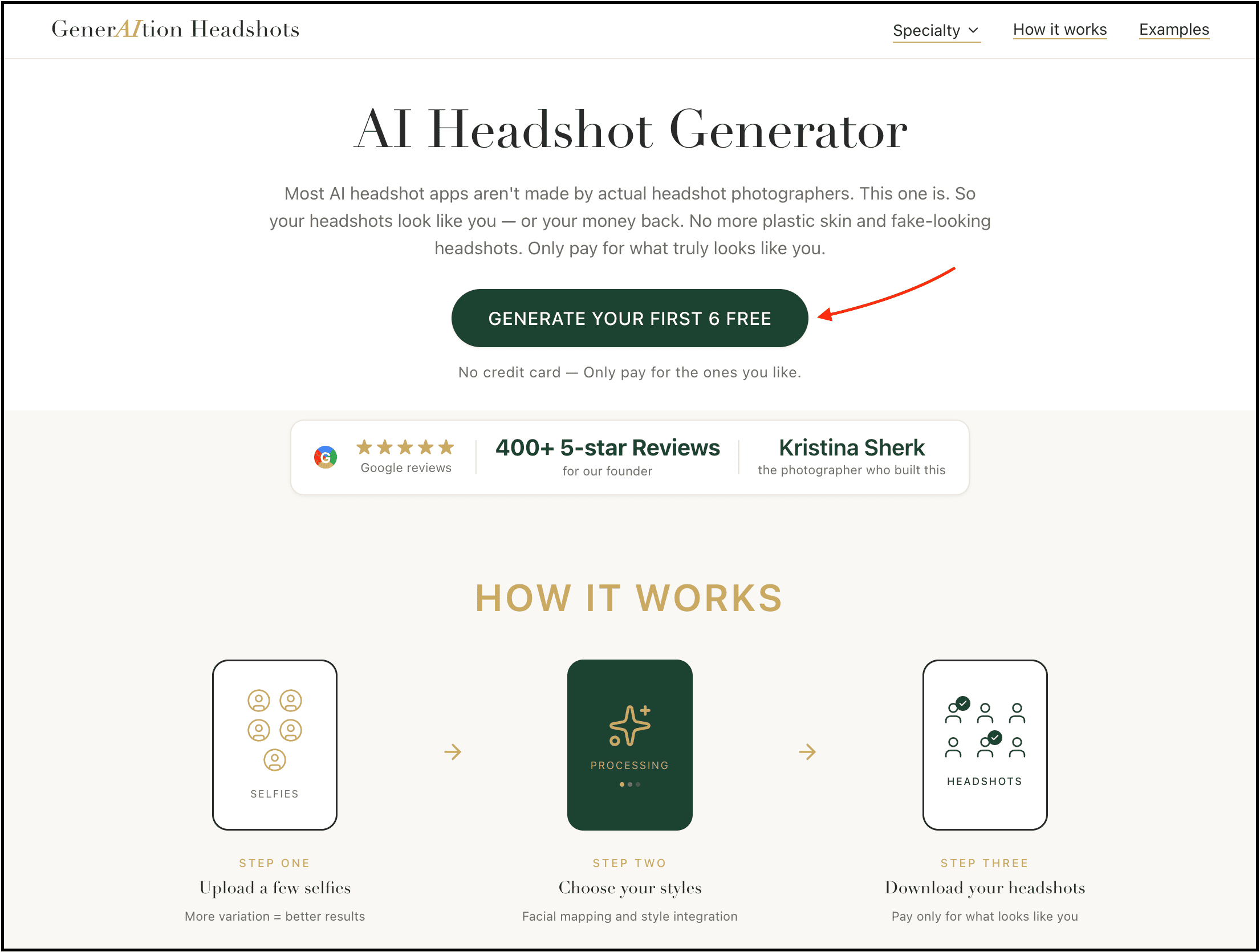
Go to the website and upload a few good selfies.
Choose your preferred styles and let the AI process your photos.
Review and preview the generated headshots to see which ones you actually like.
If you want to download the 2K version of a headshot, you can then purchase the one you want.
Here’s my input image:
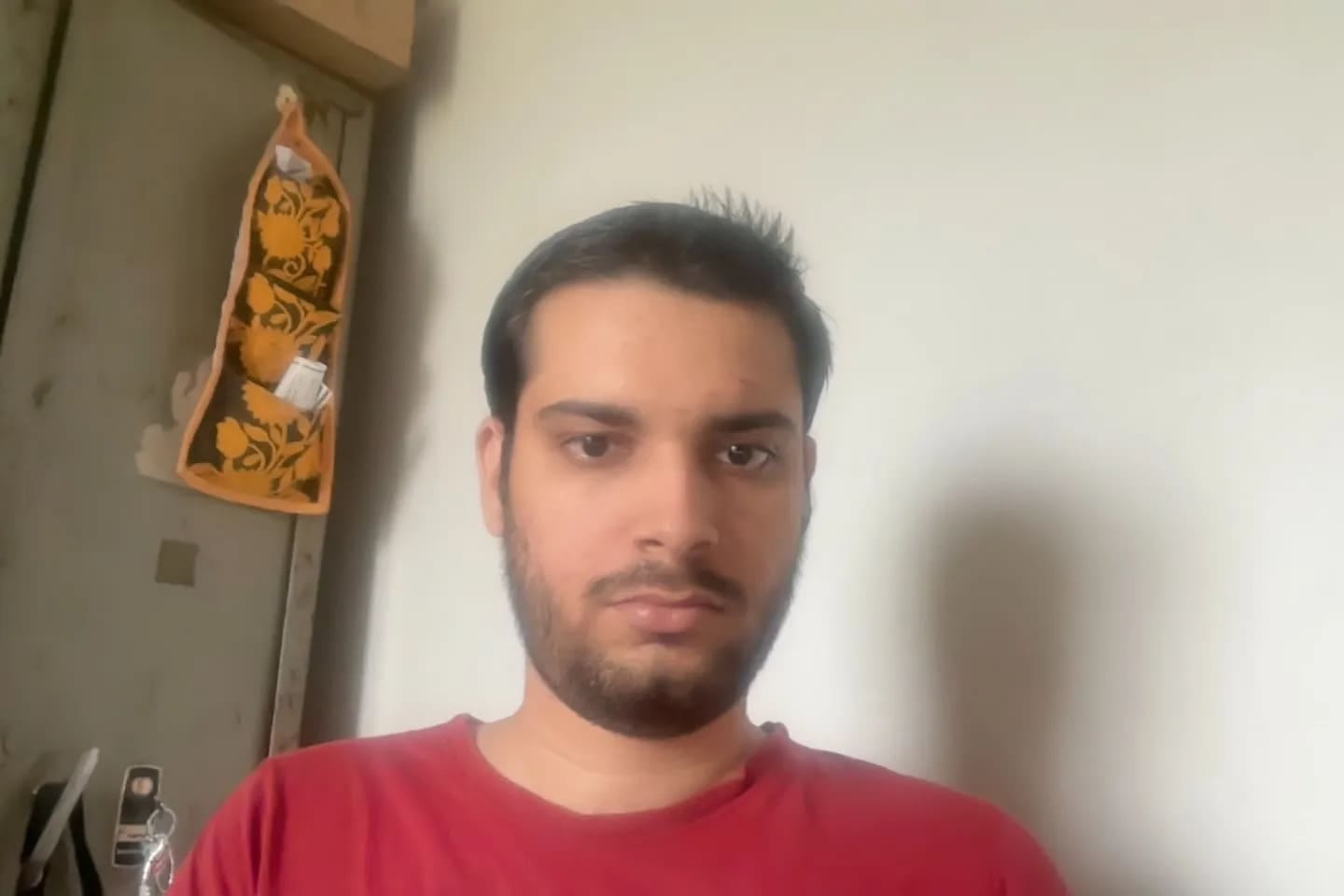
And here are some of the AI headshots it generated for me:
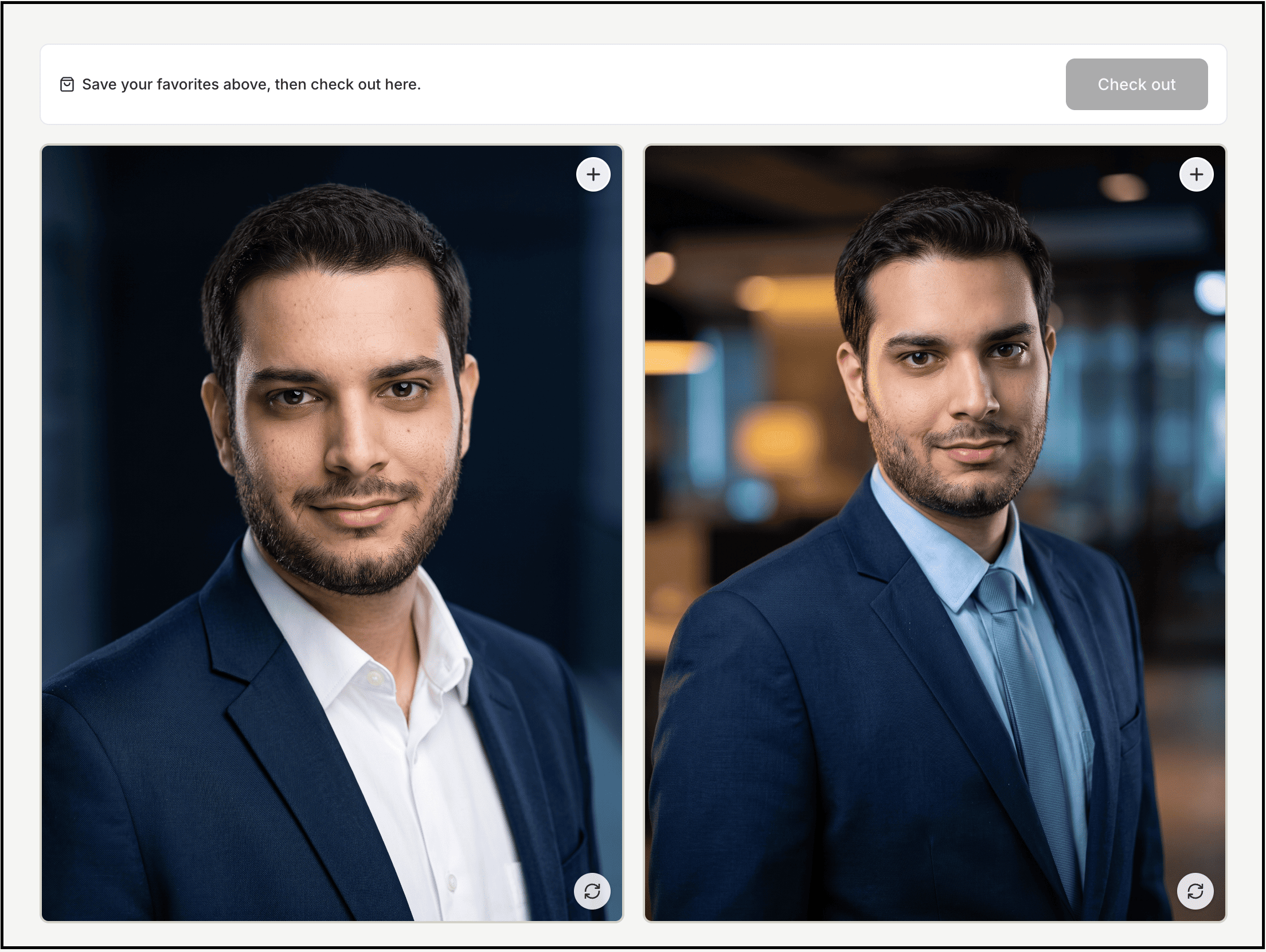
My experience: I was actually impressed by how natural the skin looked here.
A lot of AI headshot generators give you that overly smooth, plastic-looking skin that immediately tells you the image was AI-generated, but I didn’t get that same uncanny valley feeling with these. If you are looking for a super smooth skin look, this app isn’t for you.
What I also liked is that the results didn’t completely change my face just to make the headshot look “better.” They still looked like the image I uploaded. And the fact that I could try the service and preview 6 different headshots for free made the experience much better.
The only thing I didn’t like is that the free previews come with a watermark, and you have to pay $12.99 to purchase and download a single 2K headshot.
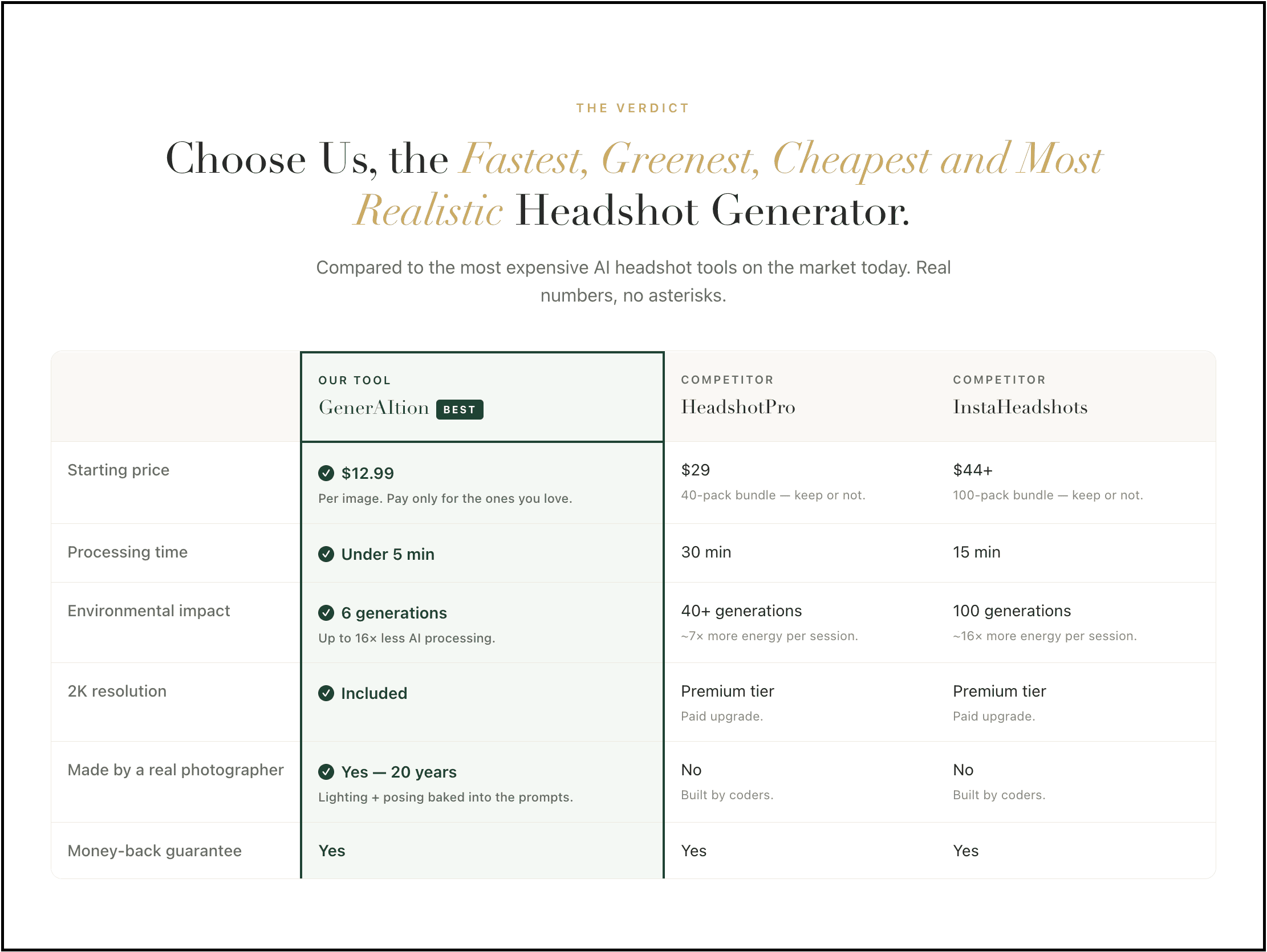
So, to be completely clear: the generation and preview are free, but the actual 2K headshot download is paid. You can try it without paying first and only purchase a headshot if you like the result.
This one isn’t technically a dedicated AI headshot generator.
But ChatGPT’s image generation capabilities make it one of the most flexible ways to create a professional headshot for free.
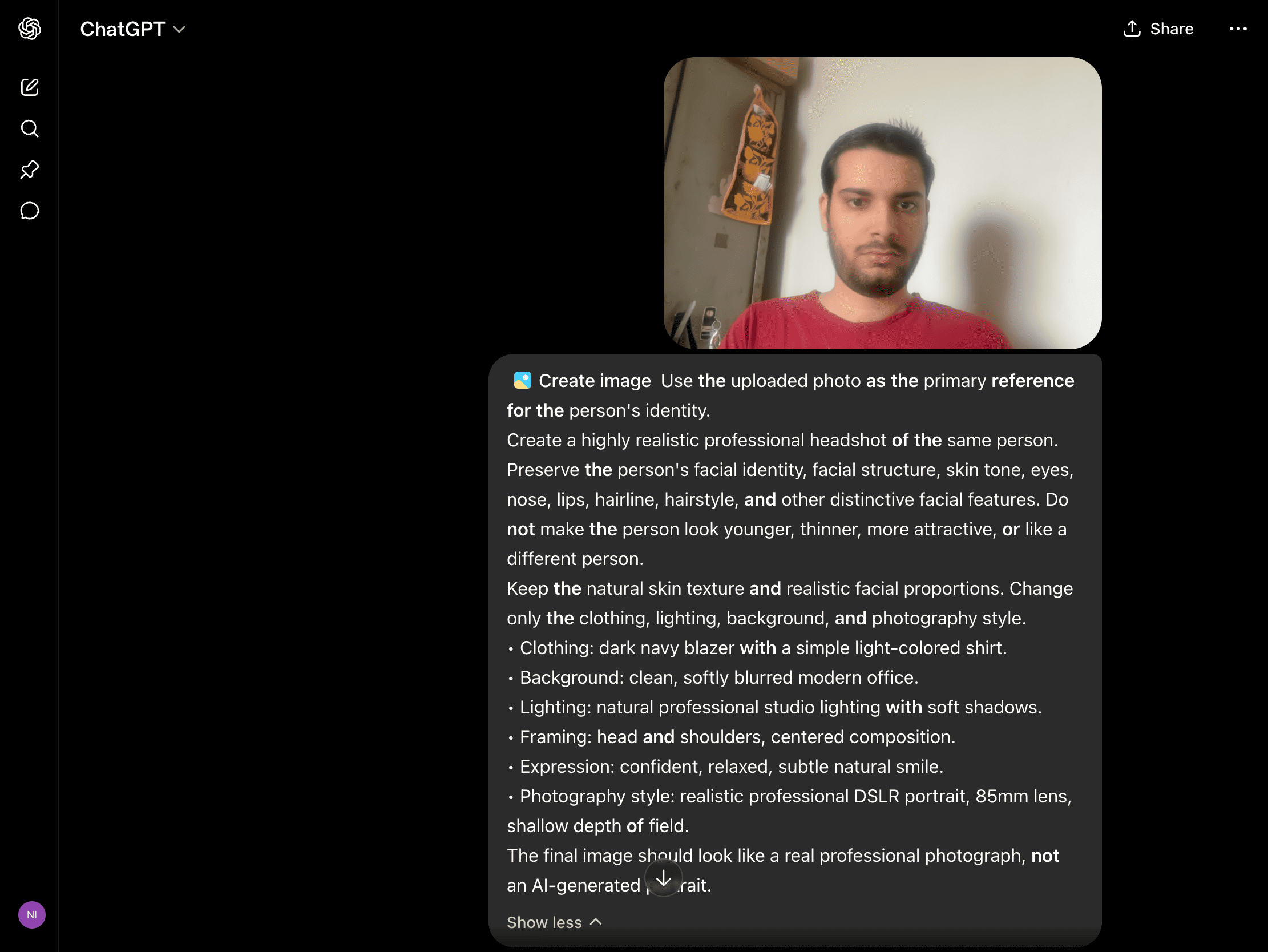
You just need to upload your photo and then tell ChatGPT exactly what you want.
Sure, you can even ask for a corporate headshot, founder-style portrait, LinkedIn photo, startup founder look, creative professional, and more.
Here’s the prompt I used:
Use the uploaded photo as the primary reference for the person’s identity. Create a highly realistic professional headshot of the same person. Preserve the person’s facial identity, facial structure, skin tone, eyes, nose, lips, hairline, hairstyle, and other distinctive facial features. Do not make the person look younger, thinner, more attractive, or like a different person. Keep the natural skin texture and realistic facial proportions. Change only the clothing, lighting, background, and photography style. • Clothing: dark navy blazer with a simple light-colored shirt. The final image should look like a real professional photograph, not an AI-generated portrait.
• Background: clean, softly blurred modern office.
• Lighting: natural professional studio lighting with soft shadows.
• Framing: head and shoulders, centered composition.
• Expression: confident, relaxed, subtle natural smile.
• Photography style: realistic professional DSLR portrait, 85mm lens, shallow depth of field.
Here’s what it generated in my first attempt:
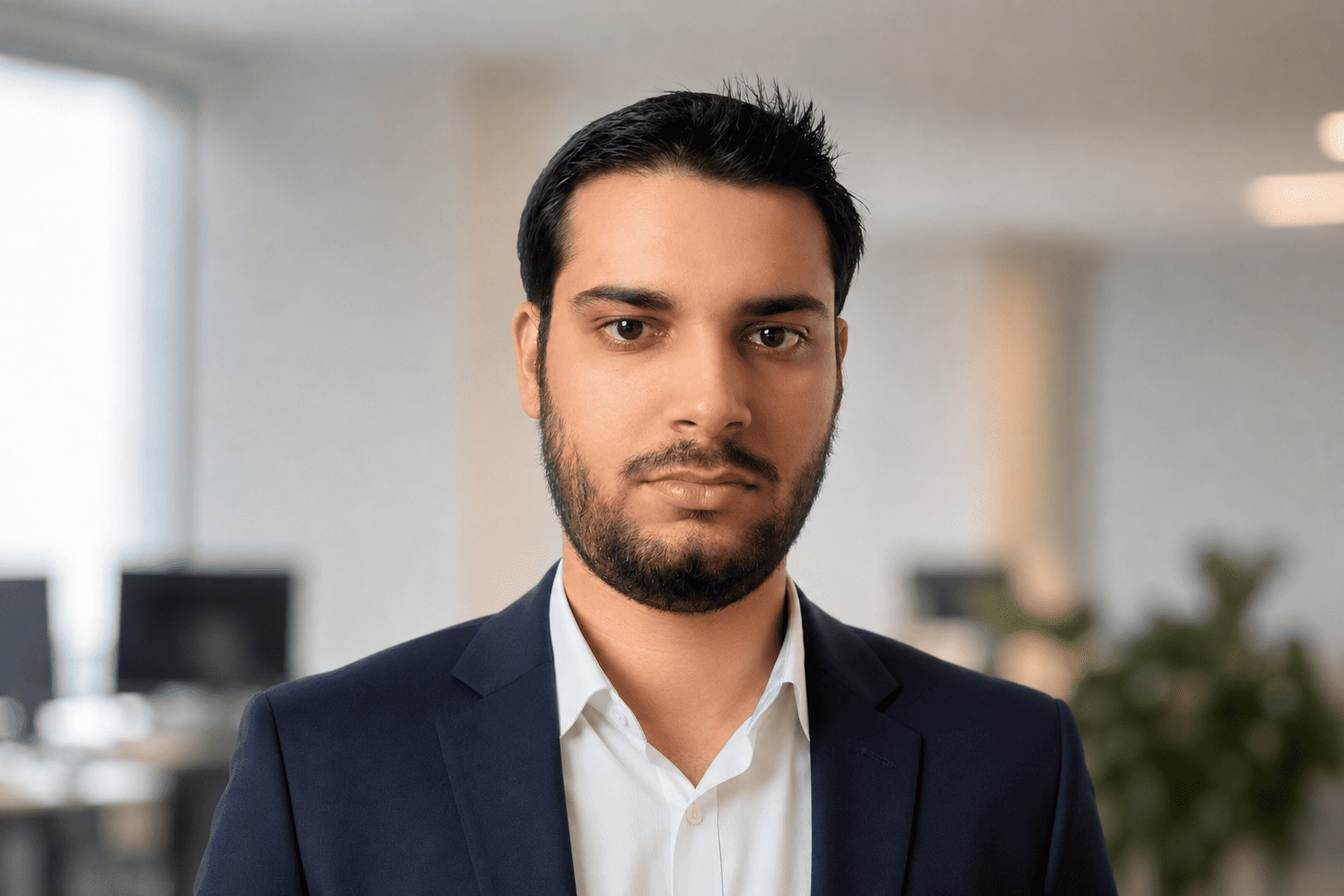
My experience: This is probably the one I had the most fun experimenting with because I wasn’t locked into a specific headshot style.
Here, I can actually tell ChatGPT what I want, and I can also change the background, clothing, lighting, framing, expression, and even the overall photography style while keeping the same person.
And this is where ChatGPT wins over most free AI headshot generators.
If I liked the face but didn’t like the background, I didn’t have to start over. I could simply tell it to change the background and keep everything else the same.
The catch is that getting the perfect result can take a few attempts. Sometimes the image looks incredibly realistic, but the face is slightly different from the original. So don’t expect to upload one selfie and get the perfect LinkedIn photo every single time.
But if you are willing to refine the prompt, I think this gives you much more control than most dedicated free headshot generators.
Gemini is another option I wouldn’t ignore.
Google’s current image generation system, Nano Banana 2, supports image generation and editing, and Gemini lets you upload an image and ask it to modify the image or use multiple uploaded images to create a new one.
That means you can give it more context about what you actually look like.
Here, I tried uploading several reference images and asked it to create a consistent professional headshot.
Here’s the prompt I used:
Use the uploaded photos as references for the same person, and create a realistic professional headshot while preserving the person’s actual identity. Keep the facial structure, skin tone, hairstyle, eyes, nose, lips, jawline, and other unique features consistent with the reference photos. Do not beautify or redesign the person’s face, and create a professional LinkedIn-style headshot with: The result should look like the same person photographed professionally, not an AI avatar.
• Background: softly blurred modern office.
• Lighting: natural window light with subtle studio fill.
• Framing: head and shoulders.
• Expression: confident but natural.
• Photography: realistic DSLR portrait with natural skin texture.
Here’s what it generated in my first attempt:
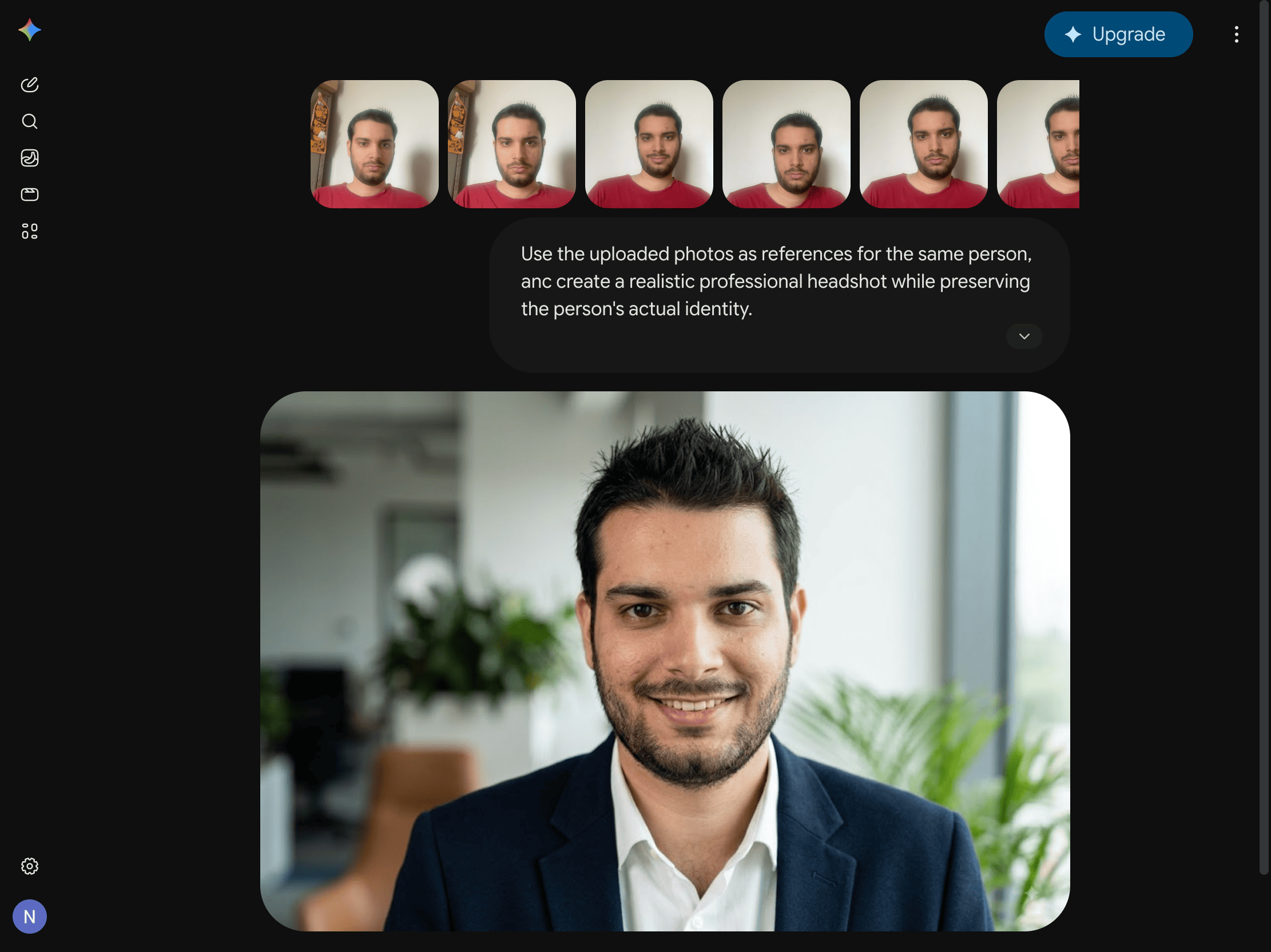
My experience: What I like is that you can even use multiple reference images, describe the exact style you want, edit generated images, and even experiment without paying for a dedicated headshot service.
The catch here is that the consistency can vary. And sometimes the generated image looks great but subtly changes your face, or it doesn’t look enough like you. So you need to write another prompt and keep refining.
This one doesn’t actually generate a headshot for you but provides you with a tool that changes your photo’s background, position, and more, the way you want.
And they clearly state that your free headshot won’t look as sophisticated or photorealistic as their professional AI headshot generator, but it’s 100% free.
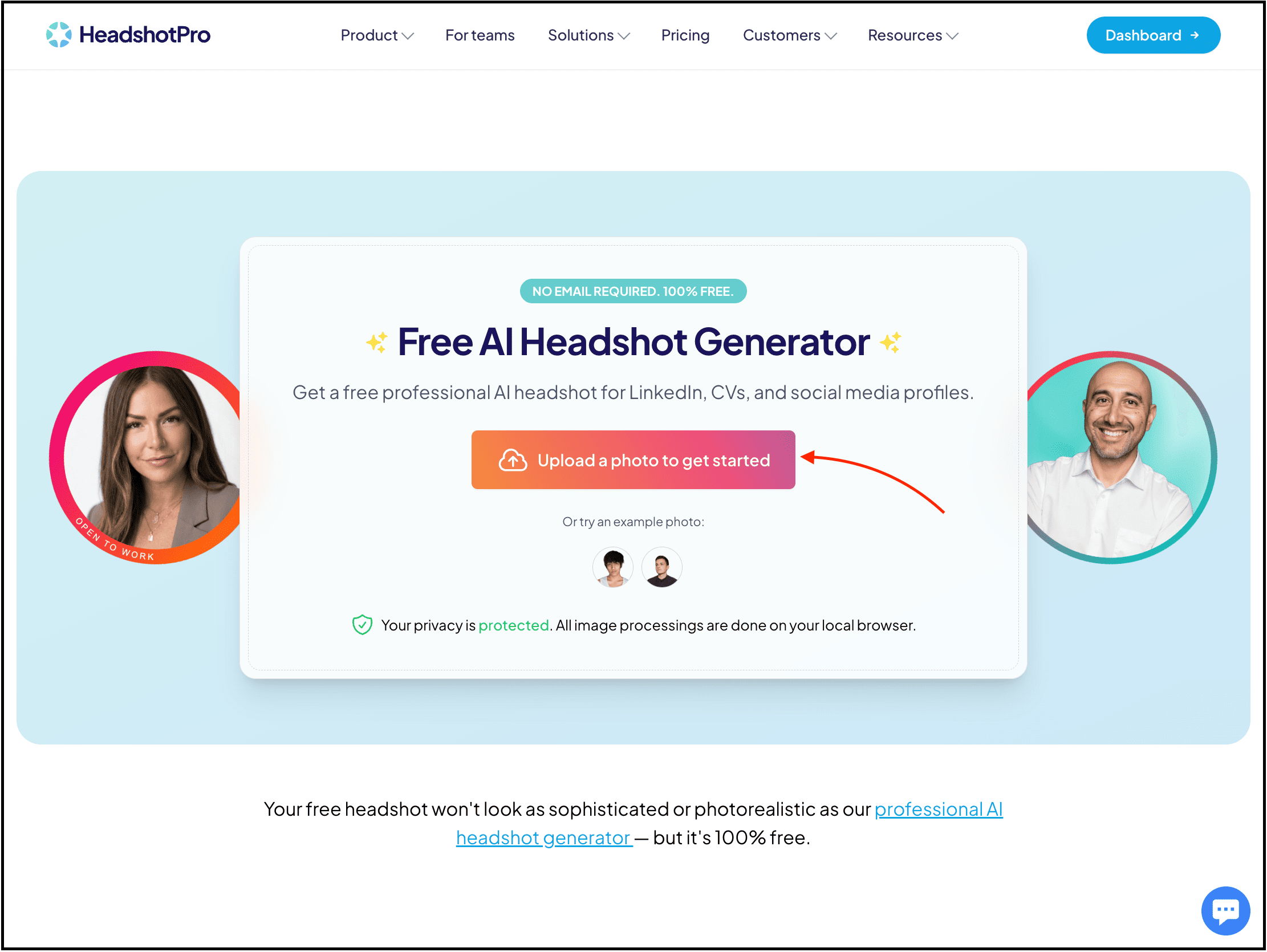
To try it out, simply visit their website and upload your best photo to get a single headshot.
And then you will see that your photo doesn’t change a bit, and you can just change the background, position, and so on.
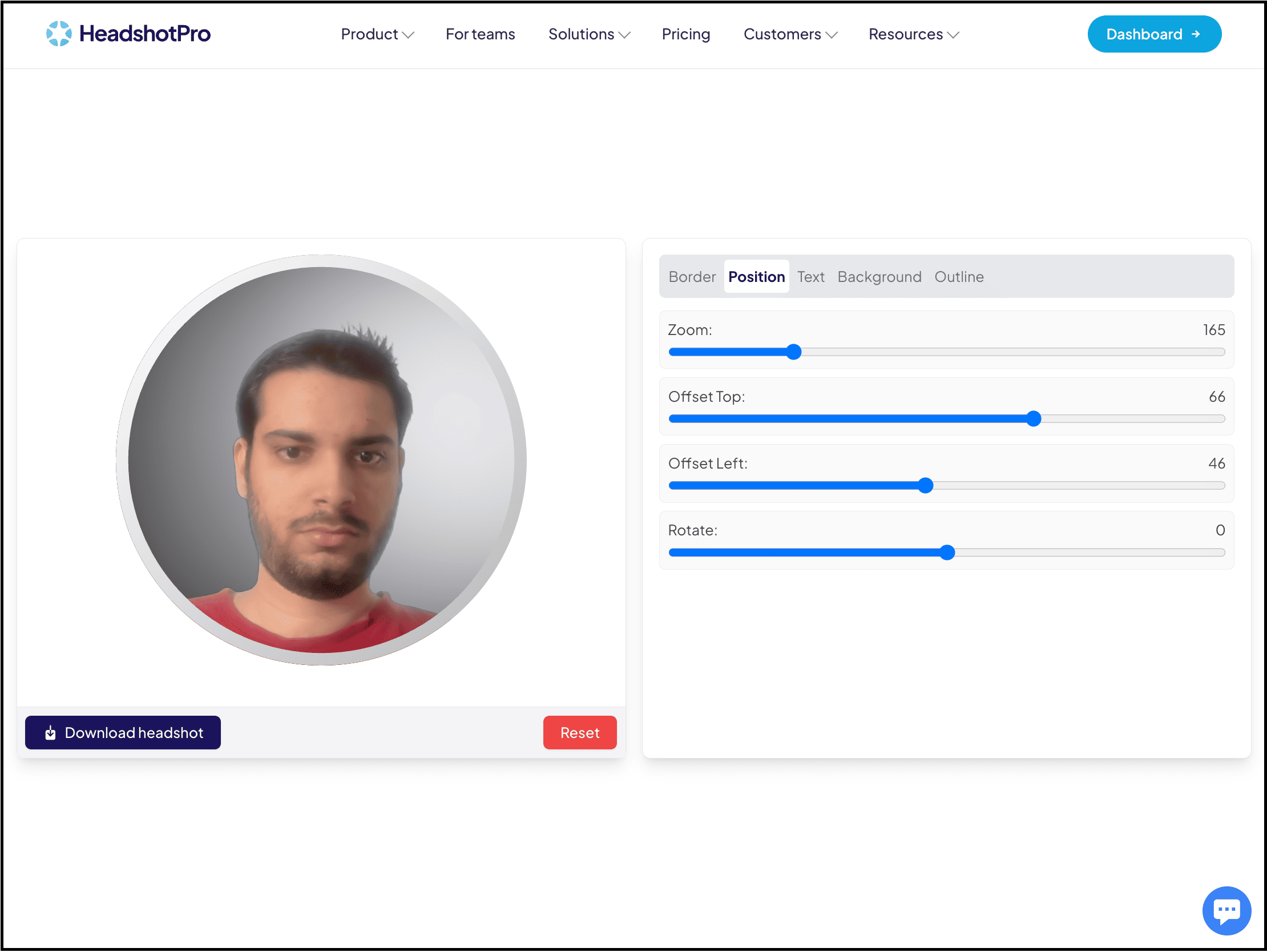
My experience: I initially expected it to generate a completely new AI headshot, but that’s not what it does.
Instead, it takes your existing photo and lets you make changes such as the background and positioning while keeping your actual photo intact.
And honestly, that’s not necessarily a bad thing.
If you already have a decent photo where you like your face, expression, and clothing, but the background looks terrible, this can be much more useful than generating an entirely new AI portrait and hoping it doesn’t change your face.
The result also felt much more like an edited version of my actual photo than an AI-generated person.
And so, this is mainly for individuals who want to change the background or position of their existing headshot, and that’s about it.
Now this one has a very interesting free offer.
BetterPic’s free AI headshot generator can create up to 10 professional headshots in 4K, with multiple outfits and backgrounds, and includes commercial usage rights.
But the main issue here is that the average wait time is about 1 to 3 months to get your headshots.
And that’s the only reason I’ve placed this one at the bottom, since it gives you a free AI headshot generator but takes a lot more time, which most people won’t want to wait for.
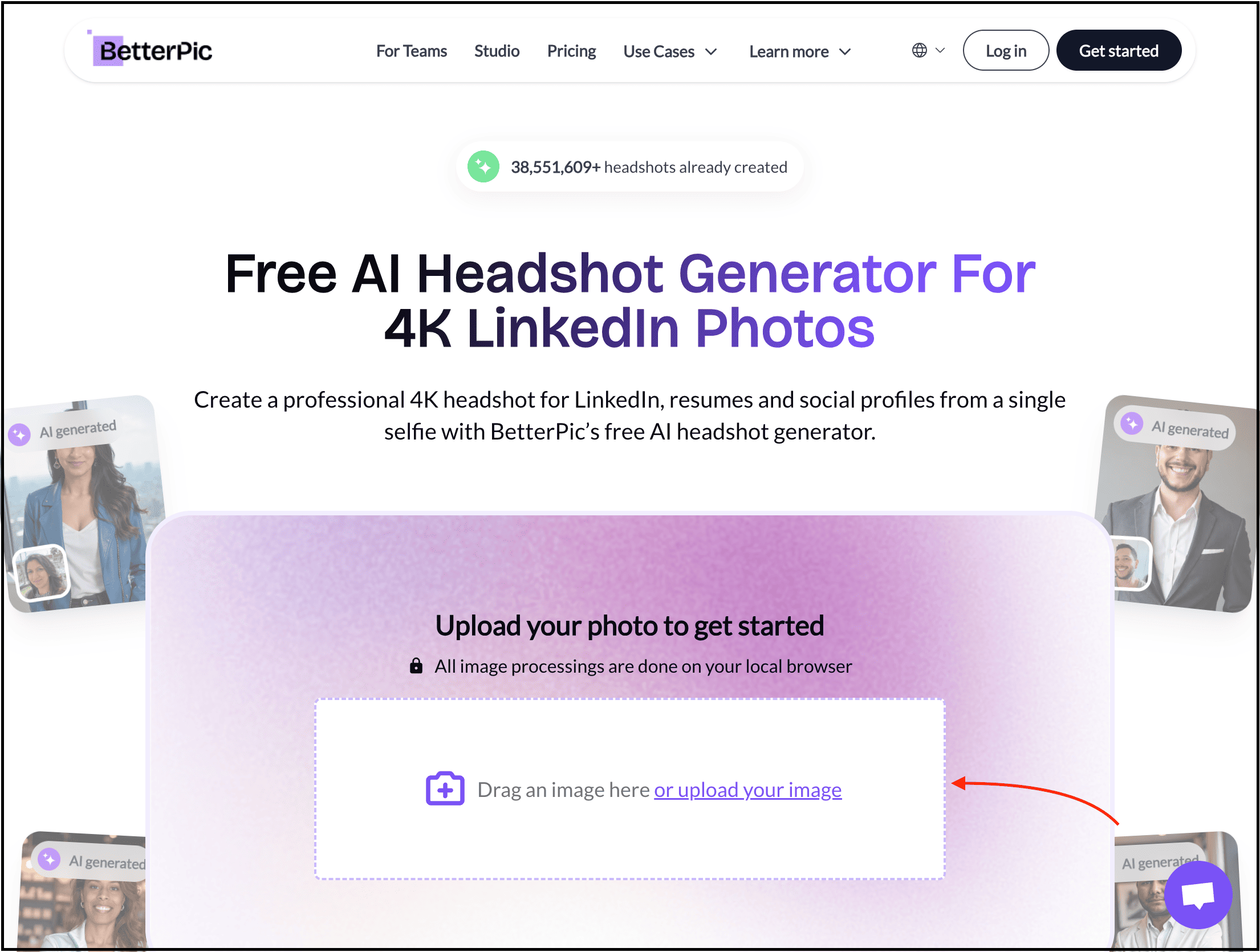
To try it out, simply visit their free AI headshot generator page and then upload your photos.
After that, select the style you prefer and add more details to generate your free AI headshot.
I had to wait too long to get my AI headshots in my email, and here are some of them:


My experience: When I finally got the results, the quality was good enough and looked the way I wanted, but you have to wait for months.
I waited for my headshots to arrive, and this is where the whole “free” offer becomes less exciting. If I need a professional headshot today for my LinkedIn profile, resume, website, or job application, I’m not going to wait months just to get it.
So while BetterPic technically gives you more for free than most of the tools on this list, I would only recommend it if you don’t care about the waiting time.
If you need the headshot right now, there are much more practical options above.
Honestly, you don’t need to.
If you only need one professional profile picture, I wouldn’t immediately spend $50 on any of the best paid AI headshot generators.
I would try the free options first to get exactly what I need.
But if you’re building a personal brand, running a business, applying for jobs, or constantly creating content, then the best paid AI headshot generators can make sense because you’re no longer buying one photo.
You’re buying:
More variations
More outfits
More backgrounds
Better consistency
Higher resolution
Faster generation
More editing control
That’s when paying becomes worth it for you. But don’t pay just because a website tells you it generates “professional AI headshots.” Go through the reviews, check out some of the best posts or videos that talk about the best AI headshot generators and show their outputs, and so on.
Hope you like it.
That’s it — thanks.
If this resonated with you, share it with someone who needs to read it or repost it, since most people want to learn practically about AI but won’t access posts like this.
And that’s where you can help someone you care about use AI practically and get ahead.
Comments
Nothing yet. Say the first thing.
Sign in to join the conversation.