
If you use Google Sheets, there is a formula =AI which invokes the power of the Gemini LLM for you in the context of that sheet. For example, consider this spreadsheet:
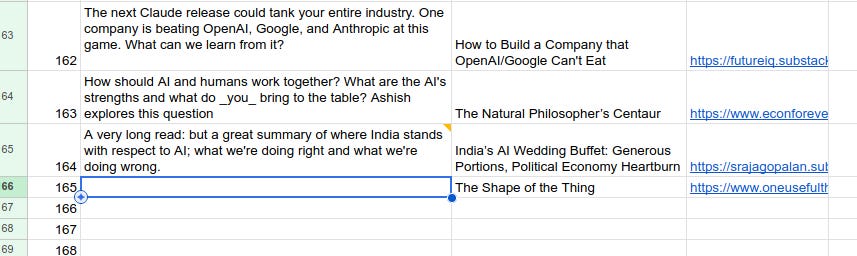
As you can see columns B and C have been filled in with a title and a URL, and column A is supposed to have a summary of the article. At this point, I can simply type =AI(“Generate a summary”, B165:C165) press Enter, and this happens:
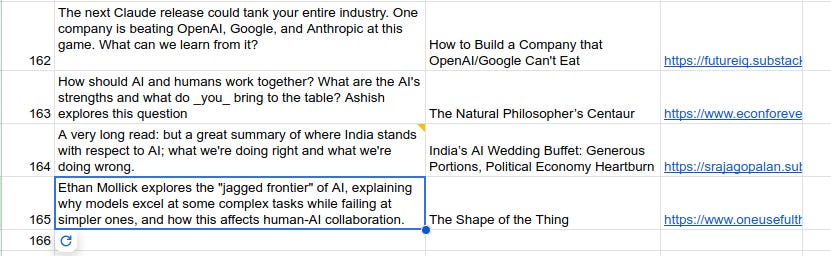
This should feel magical to you. Notice what happened: the prompt doesn’t say what summary I want. But Gemini saw the prompt, and also noticed that I’ve referenced cells B165:C165 in the function, and then used its judgment to determine that I probably wanted a summary of the article in the URL in C165. Then, Gemini actually went to that website, read the contents, generated the summary, and put it in A165.
Now combine this with the power of spreadsheets and formulas. Imagine that I have 100 rows with URLs like these. I can copy the same formula (=AI(“Generate a summary”, B165:C165)) in all those rows (or “drag” or “fill”, assuming you’re familiar with those operations from 20 years of using Excel), and in the next few minutes, Gemini will generate all 100 summaries.
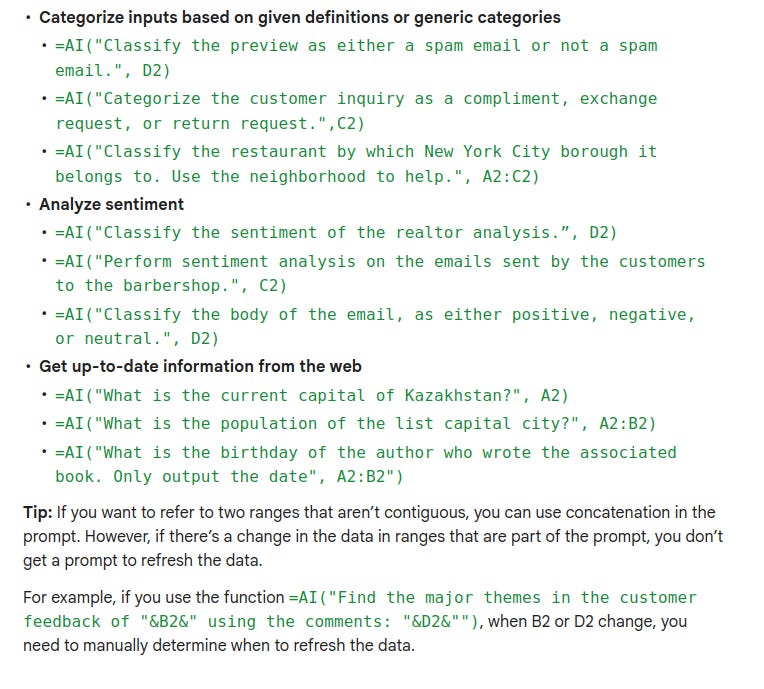
And this is not just restricted to summaries. Here is a bunch of suggestions from Google’s documentation of this feature:
And this is just basic Gemini, which is not the best LLM available today. Claude for Excel is supposed to be even better (but I haven’t used it yet because it is not yet available for Linux).
As with anything to do with Generative AI, always check the output carefully. LLMs hallucinate. This becomes even more important when using it like this in a spreadsheet because it is quite likely that Google isn’t using the best Gemini to generate the results, so the chances of hallucinations are higher. Do not be caught falling asleep at the wheel.
While there are dangers to using AI, for most purposes, I believe the benefits far outweight the risks, so I wholeheartedly recommend using AI as much as possible to get things done. But, it is not easy to do.
I think AI in spreadsheets is one of those features that can be extremely powerful, but we are limited by our own lack of imagination. When using a spreadsheet to do our daily work, we fall back into our old habits of doing things the old way—and we need to constantly ask ourselves can I use AI for this. (Also, of course, “Should I use AI for this?” is another good question.)
No posts
Comments
Nothing yet. Say the first thing.
Sign in to join the conversation.