

In the first part of this series, I covered a few foundational things that changed how I work with Claude Code:
Using root
CLAUDE.mdfiles effectivelyDeep research workflows using Gemini + Google Docs
MCP servers
Skills
Persistent memory using prompts
Read Part 1 Here:
·
May 20

Persistent memory, MCPs, project-scoped context, skills, and the workflows that genuinely save me time.
This article is more practical. These are the workflows I use day-to-day to actually ship faster, debug better, and avoid wasting time fighting the model.
None of this is theoretical. These are things I learned after using Claude Code heavily in real engineering work.
Thanks for reading! If you thinks this post created a impact, feel free to share it across!
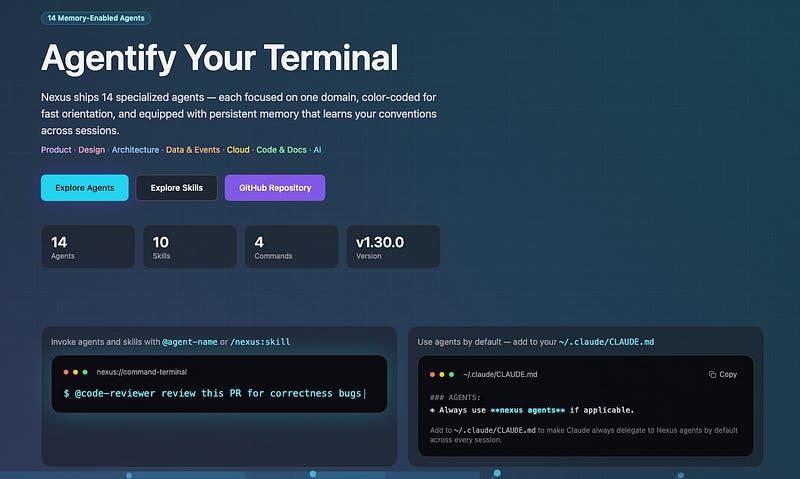
Recently, I moved my internal Nexus repository from a skill-based setup to an agent-based setup.
That single change improved consistency more than I expected.
Instead of relying on one general-purpose assistant for every task, I now deploy specialized agents depending on the work.
For each agent, I define:
Which model it should use
Whether it should have persistent memory
Visual identifiers (color grading) so I know which agent is in action
Purpose-specific instructions and constraints
The biggest problem with generic coding agents is context switching.
A planning task, debugging session, architecture discussion, and deployment workflow all require very different behavior. Yet most people use the exact same agent for everything and then wonder why responses feel inconsistent.
For example:
A planner agent should think carefully, ask questions, and avoid implementation details too early.
A debugging agent should be skeptical, methodical, and avoid making unnecessary changes.
A delivery agent should focus on execution speed and implementation.
This is where memory becomes surprisingly useful.
Claude’s default workflows are good, but they are still general-purpose. In my experience, the biggest productivity gain comes from building agents around the repetitive work you already do every day.
Checkout the nexus agents here:
https://nexus-ai.aayushostwal.com
Comments
Nothing yet. Say the first thing.
Sign in to join the conversation.