
Every time you type claude in your terminal, it starts with zero context. At this point, this is probably the millionth article saying the same thing.
But if you’ve already read that a hundred times, here’s the part most people skip: adding the right context.
One thing I strongly prefer is keeping it crisp. Claude has been trained on an immense amount of data. If you’re stuffing your context with things it already knows, you’re just wasting tokens.
Here’s what I’ve added to my root claude.md file:
First, yes, I’ve added a few repetitive things.
But later I optimized this file to store my personal coding preferences — the tools, MCPs, and workflows I want Claude to use.
The goal here is to optimize for how I code, not to create a perfectly organized, company-wide standard.
Whenever I want to research or learn something new, the old approach was pretty straightforward — read 2–3 articles and then get hands-on.
Now, you can effectively read 50+ articles and condense them into a single, well-structured document.
Here’s my workflow:
First, I go to Gemini and use Deep Research mode to generate a research canvas. Then I export it to a Google Doc.
For example, I recently wanted to learn about LLM evaluation techniques. Gemini generated an 18-page document for me:
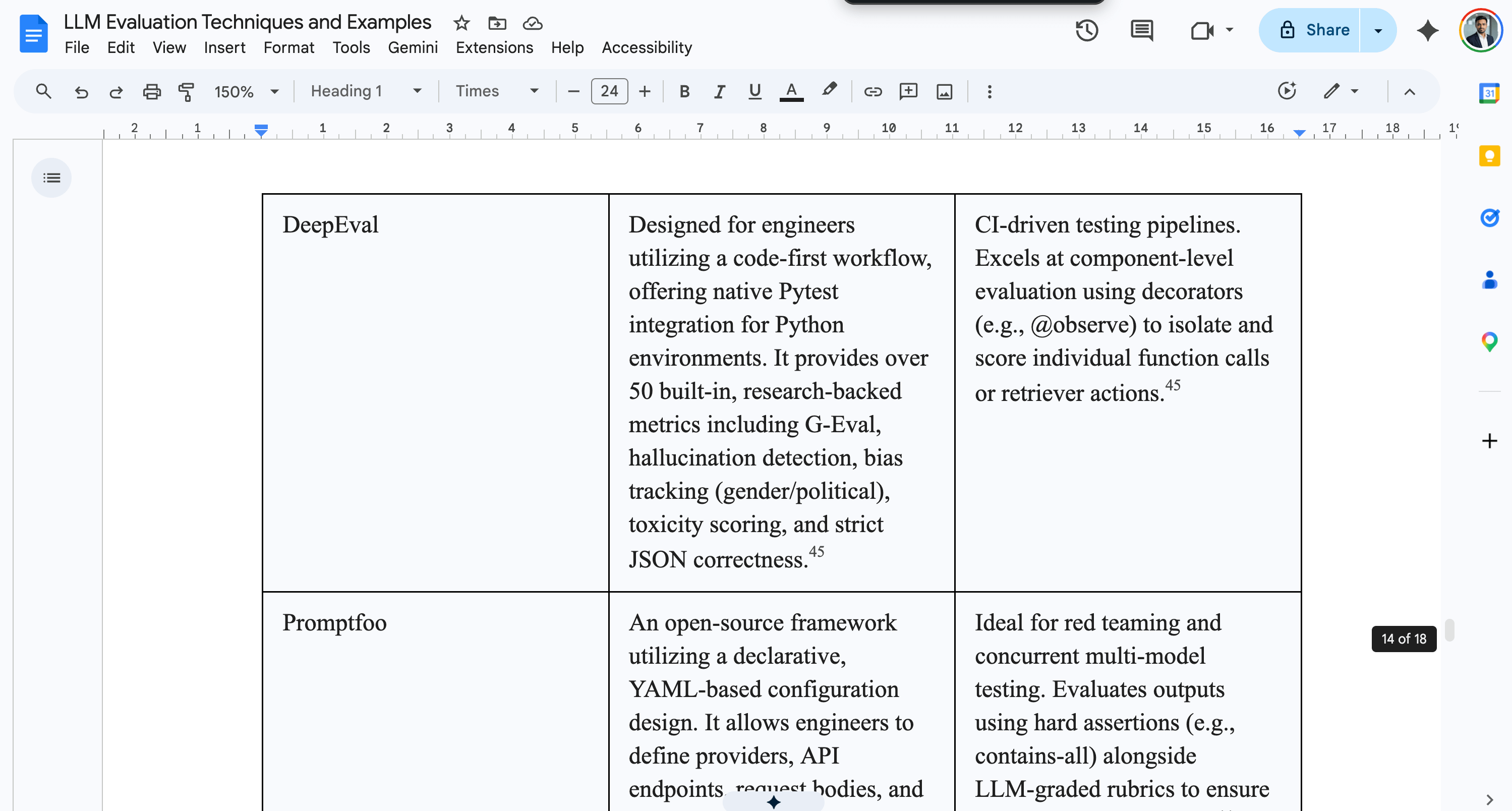
It did make things a little complex and added some irrelevant details here and there. But overall, I’d say I got a pretty solid understanding of the topic I wanted to learn.
Over time, I started trying one more thing: giving the exact same prompt to different models.
You’ll notice that each one gives noticeably different outputs. Some explain things better, some go deeper, and some are just easier to follow depending on the topic.
These are the free (or mostly free) alternatives I regularly use when I’m trying to learn something new.
I don’t know why people keep saying MCPs are dead. To me, they’re definitely not.
I’m a developer. On any given day, I’m writing code, managing AWS infrastructure, maintaining JIRA tickets, replying on Slack, and juggling everything else developers usually end up doing.
So if I want to connect all of these things into a single ecosystem, why wouldn’t I use MCPs?
The context switching becomes dramatically lower. Instead of jumping across ten tabs and tools, I can run a single command and work across multiple systems from one place.
Recently, I was debugging an issue in AWS, and I plugged in an AWS MCP. It genuinely made the process smoother.
It read the logs, fetched the required ARNs, and when I passed an ARN, it already understood what resource I was referring to and how it was configured. That level of context awareness removes a lot of friction when debugging.
Recently, while setting up a new AWS CDK stack, I needed multiple ARNs and endpoints from AWS. Instead of hopping across different AWS console pages, I pulled everything I needed with a single line:
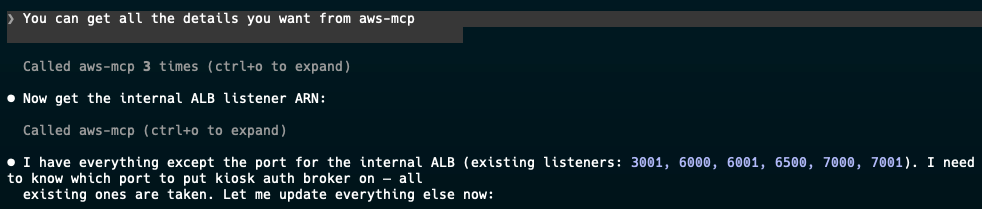
Install your self: AWS MCP, highly recommended
This is actually a pretty powerful concept.
Heavy models like Opus often cost more because of the extra thinking tokens they use. But what if the response you want can be achieved through a predictable chain of thought — one you can define upfront? In that case, the response becomes faster, cheaper, and far more consistent.
That’s where skills become useful.
You don’t always have to write skills from scratch either. There are plenty of community-built ones available on GitHub. Some examples I’ve tried:
You can define in your root claude.md file which skills should always be loaded and what behaviors Claude should follow.
One important thing to keep in mind: skills are not free from a context perspective. By default, Claude reserves only a small portion of the context window for them. So you can’t just keep adding skills endlessly — there’s a tradeoff between capability and available context.
Since I work in a startup environment, it’s pretty common for me to juggle multiple tasks in the same repo.
That creates an annoying problem: either you keep your terminal session alive when switching tasks, or you end up rebuilding the entire context when you come back to an older one.
It’s frustrating — and honestly, expensive from a token perspective.
I ended up using two approaches to manage persistent memory for my agent.
The first one is a /save-context command that writes the current context to a file on disk. That way, when I start a new session, I can simply reload it instead of gathering everything again.
Recently, I started using agentmemory — a dedicated repo for maintaining context across sessions.
Instead of relying on temporary terminal history or rebuilding context every time, I keep the important details in one place and let the agent pick things up from there.6.
If you work across multiple GitHub repos, you already know that every repo has its own nuances.
Different coding patterns, different deployment flows, different tooling, and sometimes even different engineering philosophies.
That’s exactly why you should stop treating every repository the same.
You can define repo-specific rules, skills, and MCP servers for each project. This isn’t a groundbreaking idea — chances are, you’ve already read about it before.
But the real question is: have you actually implemented it?
In practice, most people don’t.
If you’re working in a monorepo, this becomes even more useful. You can add a project-scoped claude.md file for different services or modules so Claude gets the right context much faster.
Instead of re-explaining architecture, conventions, or dependencies every single time, you can simply reference the relevant project context with something like this:
At the end of the day, I don’t think agentic AI is about replacing engineers.
It’s about reducing friction.
Less context switching. Less repeating yourself. Less manually digging through dashboards, logs, docs, and codebases.
Most people are still using these tools like smarter chatbots. But the real unlock happens when you start building systems around them — persistent memory, MCPs, repo-specific context, skills, and workflows that match how you actually work.
None of this is perfect yet. Half of the time, I’m still experimenting.
But one thing is clear: the developers who learn how to orchestrate these tools will move much faster than the ones treating AI like autocomplete.
Comments
Nothing yet. Say the first thing.
Sign in to join the conversation.