
I never liked the term “vibe coding” but you can’t deny that it took over the software industry by storm. While people quickly jumped to the conclusion that AI will replace human engineers, I never shared that sentiment. I did, however, agree with the sentiment that, “AI won’t replace humans but humans who use AI will replace humans who don't”.
To be honest, I’ve never enjoyed the vibe coding experience myself. It felt that the models before GPT-5 were still quite immature — especially for coding tasks — and the tooling was still in its infancy. While vibe coding worked for smaller independent tasks, for anything complex, it took me longer to fix the LLM created mess than it would’ve taken for the actual implementation.
But the AI landscape is constantly shifting, and with the improved models and more capable ecosystems forming around them, we are entering the next phase of AI-assisted engineering, Agentic Development. Before diving into philosophy or workflows, it’s worth grounding ourselves in the concepts and tooling that define this shift.
We’ll start with a few core concepts you’ll use in Agentic Development. If they seem simple, feel free to skim. Some tools appear here by necessity: concepts and tooling evolve together, and it’s quite difficult to discuss one without the other.
Instructions define how your AI assistant should behave. They act as a persistent context layer that shapes every interaction before any prompts or commands are ever executed.
While tools often support repo-level instruction files, the exact filename varies by product (e.g., GitHub Copilot uses .github/copilot-instructions.md). I recommend standardizing on an AGENTS.md as a team convention, and mirroring its contents into each tool’s official file.
Prompt changes meaning with context. In a chat, it’s a message that gives the LLM: context, the expected output, and an approach. In an agent, a prompt file focuses on approach and expected output; context is injected with the invocation so you can reuse prompts for repetitive tasks.
# .github/prompts/angular-component.prompt.md
You are a senior Angular engineer.
When the user types:
  /ng-component {Name} [--path={dir}]
Interpret:
  component_name = {Name}
  path = {dir} (default: src/app/components)
Goal:
- Create a standalone Angular component named {component_name}.
Approach:
- Generate a standalone component with OnPush change detection.
- Include an @Input() "model" with a typed interface.
- Provide a basic template and minimal styles.
Output:
- File tree changes
- The complete .ts, .html, and .scss contents
- A brief usage snippet
Depending on your tool, prompt files can be stored with your code-base for shared access by the team. For example, GitHub Copilot looks for files ending with .prompt.md under the .github/prompts folder.
Commands are the executable actions an agent can take (often invoked via slash commands). Prompts define intent and approach; commands do the work.
In OpenCode, place predefined commands in .opencode/commands; in Claude Code, use .claude/commands.
Skills are a Claude Code specific feature. They enable us to extend Claude's capabilities by defining what a skill can do in a SKILL.md file and accompanying it with relevant scripts or templates. They differ from prompts or commands in the sense that while prompts/commands are user triggered, skills are triggered by the model itself when relevant, based on the Skills description.
There is no similar feature in the other tools at the moment but custom instructions can be used to an extent, to replicate this experience.
# Skill: generate-docs
**Description:** Produce concise API docs from TypeScript sources, synthesizing JSDoc.
**When to use:** After changes to public interfaces or exported types.
## Inputs
- `paths` (string[], **required**): Files or folders to scan.
- `format` ("md" | "html", optional, default: "md"): Output format.
## Outputs
- `docs/` directory containing generated files.
## Safety & Limits
- Read-only access outside of `paths`.
- Do **not** execute arbitrary shell commands.
- No network calls.
## Example
- **Trigger:** "Generate updated API docs for `src/` in HTML."
- **Inputs:**
  - `paths`: ["src"]
  - `format`: "html"
- **Result:** `docs/` with HTML docs.
## Notes
- Ignores non-TypeScript files.
- Skips private/unexported members unless explicitly documented.
Tools enable an AI agent to perform actions on the code-base. For example,
bash enables the agent to run bash commands
grep enables the agent to search for text in the files using regex
While most AI agents have common tools like bash, read, edit, grep, glob, etc., there also might be AI agent specific tools so it is always wise to check the specific documentation.
Note: these are the agent’s built-in tools, not external dev tools like Cursor or OpenCode.
Agent is an AI assistant with pre-configured prompt, model and tools. They can be used to perform specialized tasks or workflows such as code reviews or writing automation tests.
# .opencode/agents/hello-world.agent.yaml
name: hello-world
description: The simplest possible agent—prints a friendly message and shows the workspace.
model: gpt-4.1-mini
tools: [bash]
commands:
  - name: say_hello
    steps:
      - skill: bash
        args:
          cmd: |
            set -e
            echo "Hello from the course-demo agent!"
            echo
            echo "Workspace files:"
            ls -la
            echo
            echo "Done."
success_criteria:
  - Command completes with exit code 0
  - Outputs a greeting and a file listing
Just like prompts, commands or skills; agents can also be stored in the code. The agent files can be kept in .opencode/agents for OpenCode or in .claude/agents for Claude Code.
MCP is an open standard that was released by Anthropic in Nov, 2024. It enables services to expose their data and functionality in a standard way so that AI agents can interact with them. Since then, a lot of applications and services — like GitHub, Figma and Google Chrome to name a few — have released MCP servers which can be connected to agents, allowing agents to interact with those services..
MCP is a broader topic and if it interests you, you can read more about it here.
Now that we've covered the concepts, let's look at some of the tools that make them work in practice. I won't go in too much detail but instead just quickly introduce them for now. I'll share my tool of choice and the rationale behind it in one of the later parts of this series.
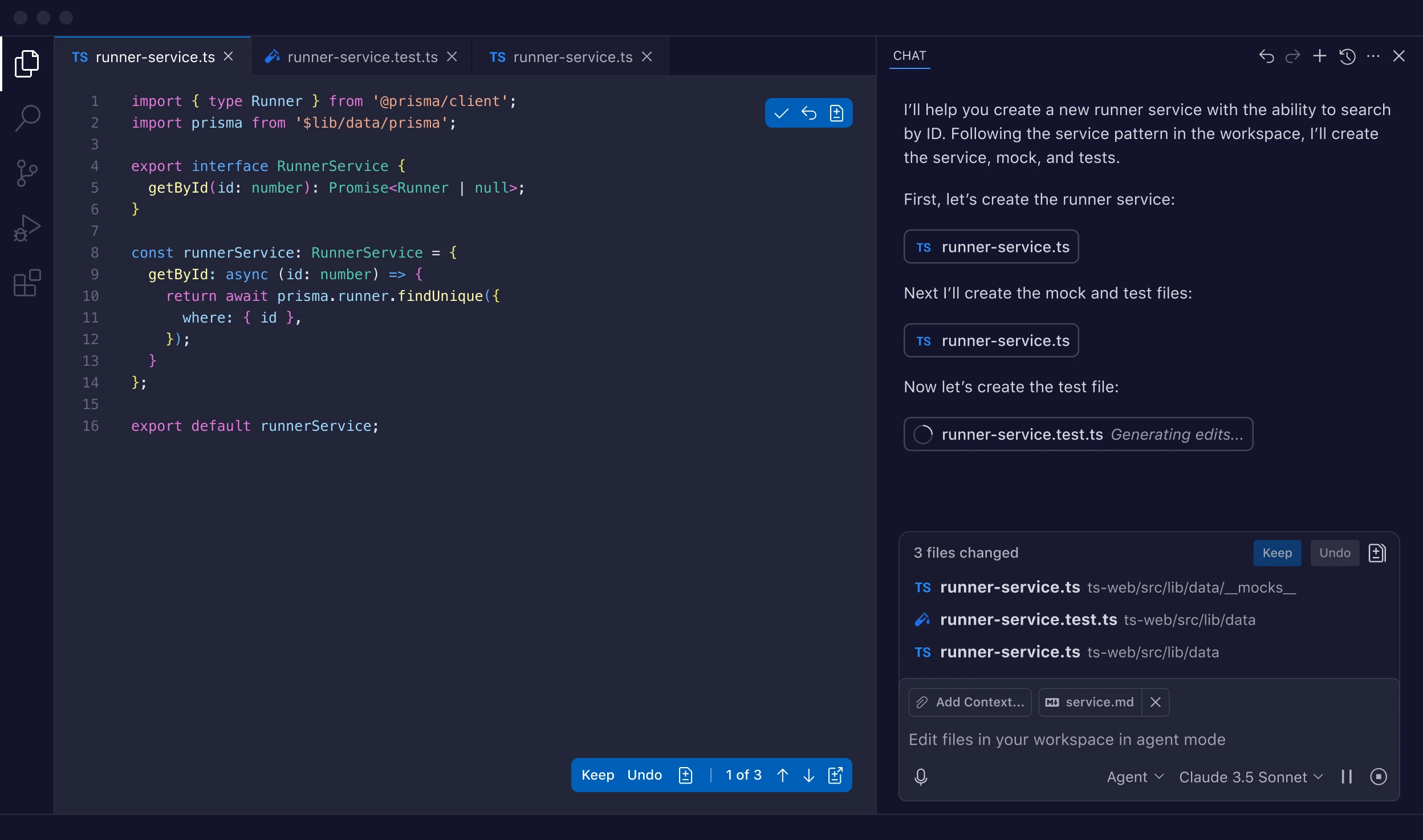
GitHub Copilot is GitHub’s AI agent that is available across multiple platforms. It comes pre-installed with VS Code. It is also available as extension in most popular editors and IDEs. Some of its features like code reviews and agents are also available in the GitHub app or on the web. They also recently released a tui called GitHub Copilot CLI.
But I think what sets GitHub Copilot apart from other products is the ability to summon the copilot from anywhere within GitHub. You can create a GitHub issue and delegate it to a copilot agent to implement it (in the cloud) and create a PR for you. You can also summon copilot to review or modify your pull requests.
You can find out more on their official website.
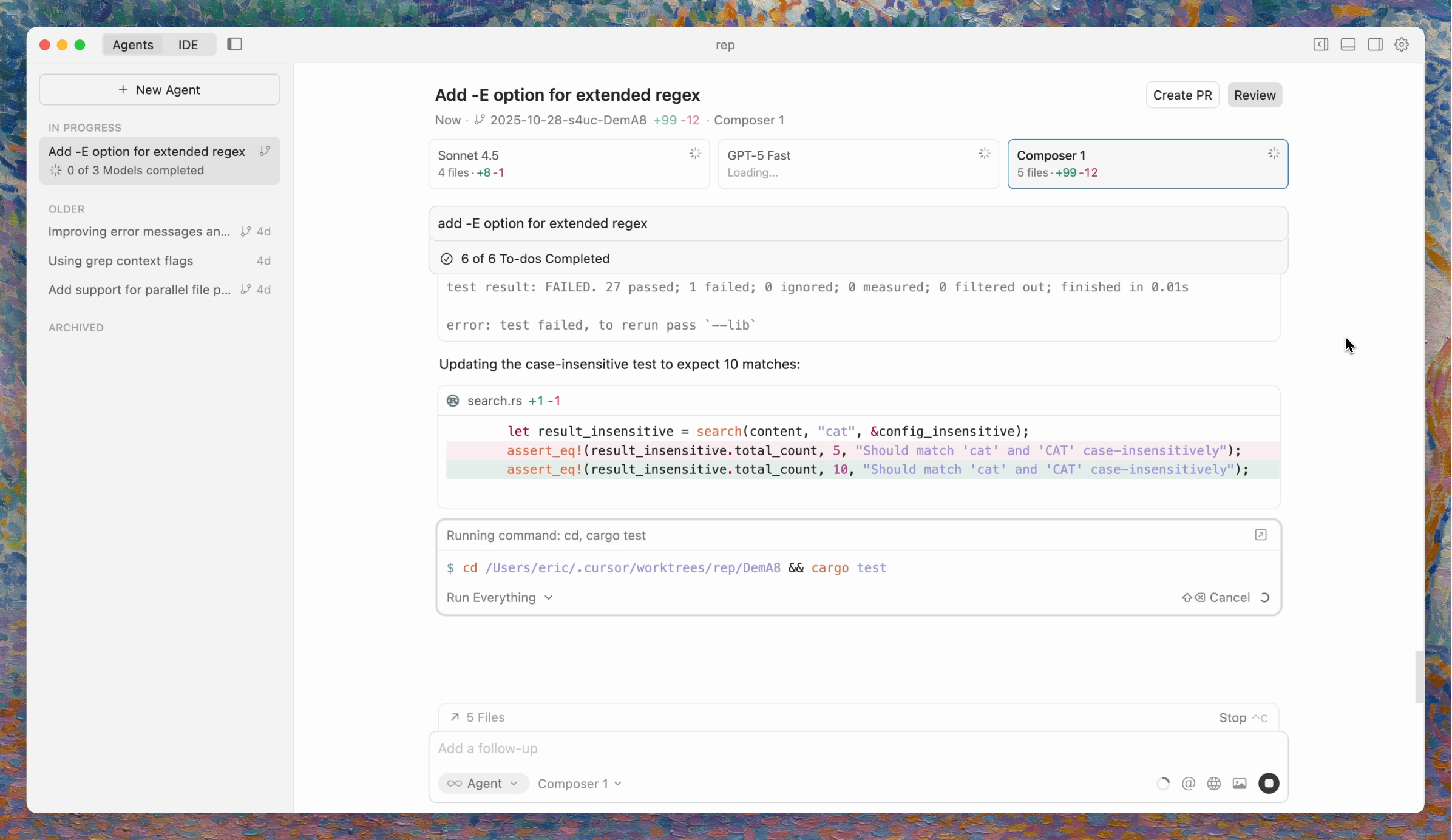
Cursor is one of the OG AI-first code editors. It builds on the foundations of VS Code but with the recent release of Cursor 2.0, offers a lot more. It now supports multi-agent workflows and offers an agent-first user experience (pictured above). Cursor also offers a proprietary agentic coding model — called Composer — which is supposed to be 4x faster than similarly intelligent models.
You can find out more on their official website.
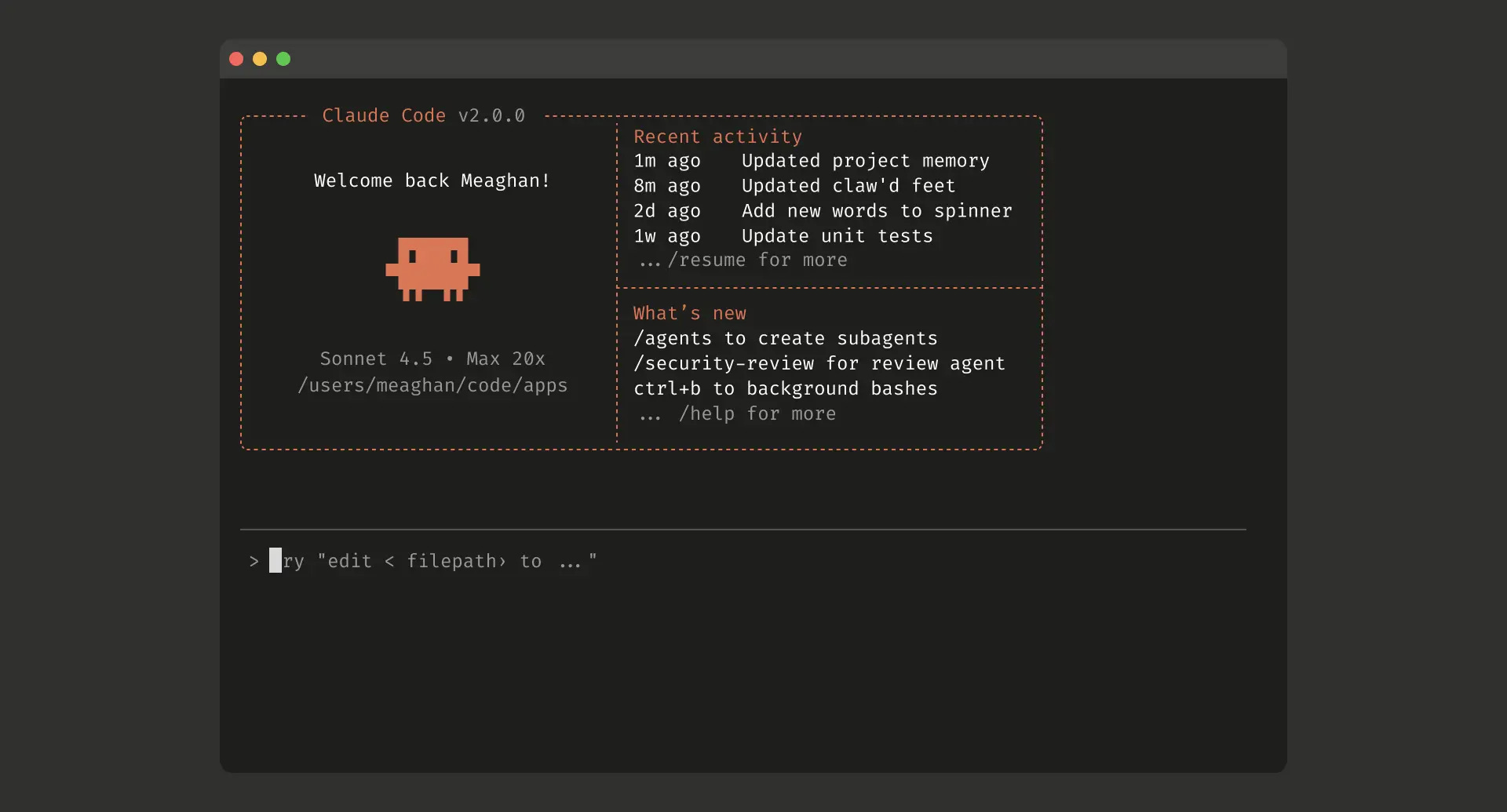
Claude Code is Anthropic’s agentic development environment built for the terminal. It is built around the concept of skills that it automatically invokes when relevant. Working in Claude Code is different from Cursor or VS Code because it feels more like working alongside a tool rather than inside one.
You can find out more on their official website.
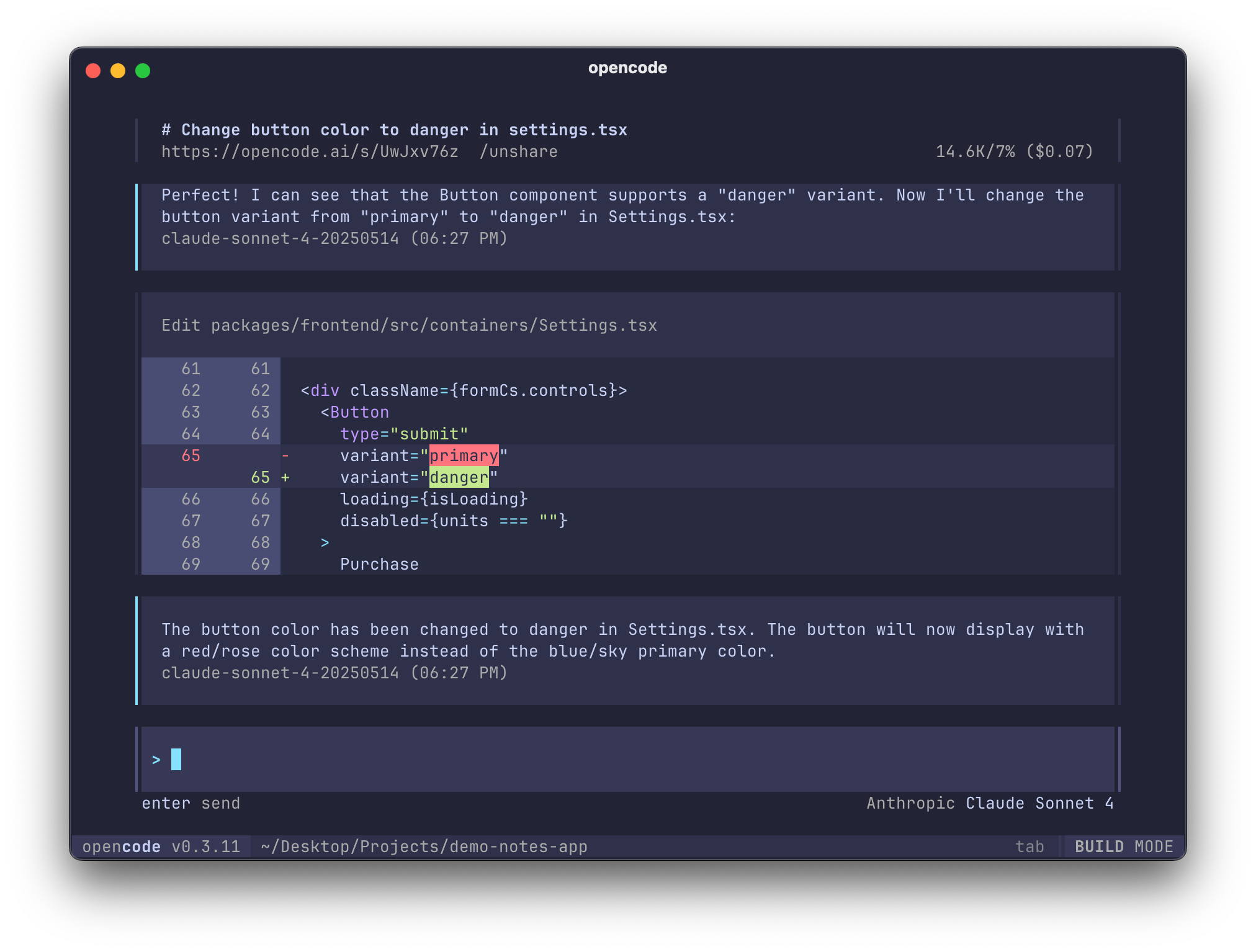
OpenCode is a fully open source, terminal-first, agentic development tool. It gives you control and freedom to use any provider, any model, and any editor. For me, what sets it apart are two things:
OpenCode Zen: A curated list of models that are charged per request.
Ability to share your agentic sessions with others, over the web.
You can find out more on their official website.
Each of these tools represents a step towards a new way of building software. One where developers delegate work, and review outcomes rather than micromanaging every change. Agentic Development isn’t about replacing engineers; it’s about amplifying them.
In the next part, we’ll move from definitions to philosophy — exploring how principles like BMAD, Spec-Kit, and OpenSpec shape the mindset behind this shift, and how you can start building systems that code with you, not just for you.
Comments
Nothing yet. Say the first thing.
Sign in to join the conversation.