
ChatGPT, Gemini, and Claude aren’t your only AI options. To use AI privately for free, you can download local AI tools that run on your computer, not online. You can use them without a subscription, avoiding the risk of having sensitive info ingested into a large language model. The newest versions of private AI tools like Jan run on my 2021 Mac laptop, cost nothing, and are easy to use. They’re a good alternative to costlier AI platforms.
Download and install the free Jan. Other good free alternatives to consider include Msty, AnythingLLM, or LM Studio.
Open Jan and pick an open-source large language model. The model you use impacts the AI’s response style. You can switch anytime. I use the Jan-v1 model.
Close other processor-intensive apps on your computer, like video editing tools. That reduces the likelihood your computer will slow down.
Try your first query. Here are a few quick mini prompts to start with:
“Summarize the pros and cons of using AI for [specific task].”
“Turn my rough notes below into a short summary and bullet points.”
“Turn this angry email draft to my service provider into a constructive message more likely to generate a helpful response.”
Adjust the app’s appearance settings, including font size and shortcuts.
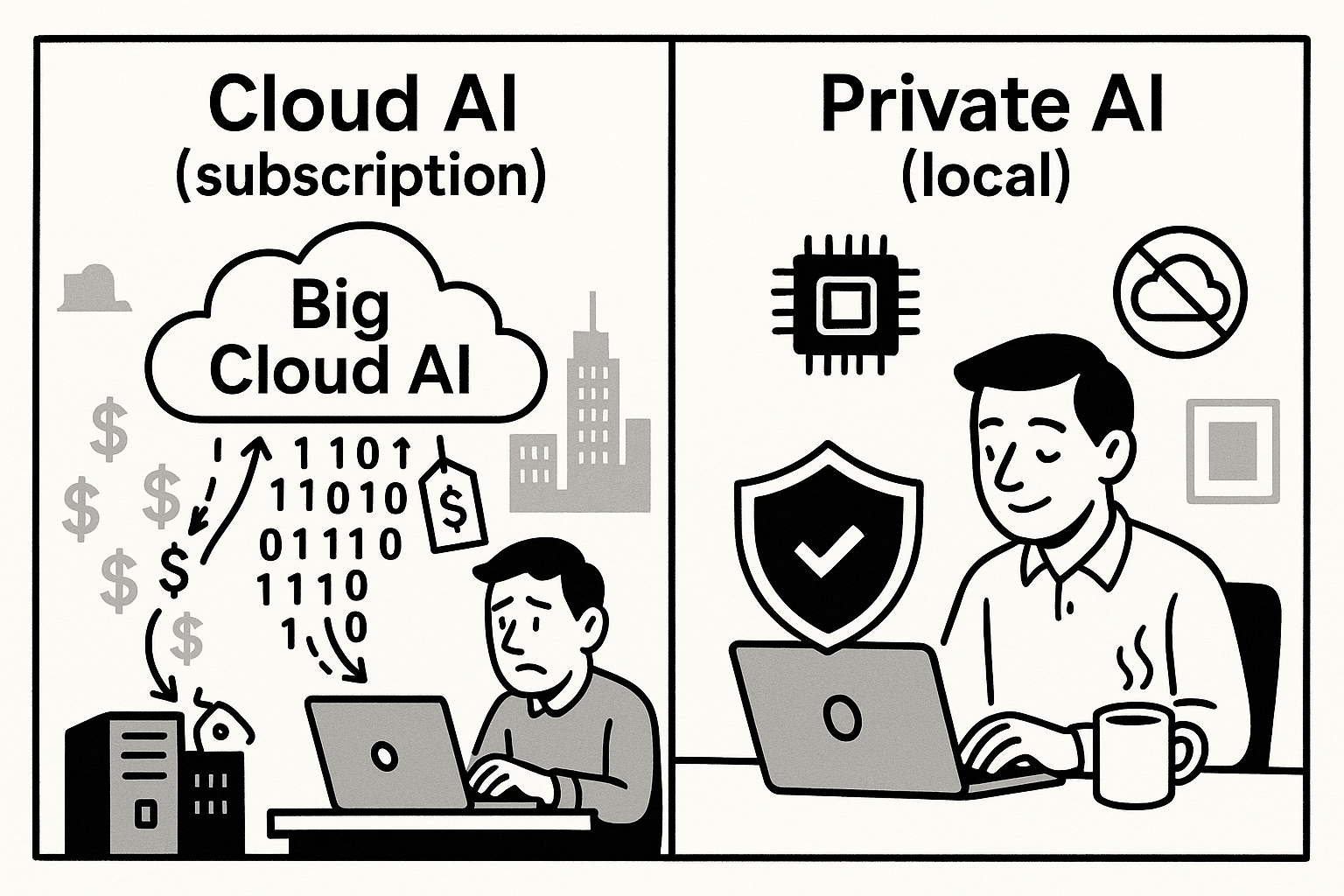
Save money: Avoid subscription fees by running AI models on your own computer. Generate unlimited responses without monthly charges.
Keep your data private. Using private AI on your computer ensures no data is sent to or stored on big tech firms’ servers. No conversations leave your device. You can even run these tools offline.
For sensitive legal, medical, financial or personal issues, ask questions without worrying about your data ending up in a large language model’s training data.
Work offline: Having full offline access is handy whether you’re traveling without WiFi, working in a remote area, or hesitant to trust a random public network.
Experiment with hundreds of open source models. Choose an open source large language model that suits you. Each is trained differently. Some are stronger at certain languages, others specialize in coding. New ones emerge regularly. Switch as often as you’d like. By contrast, ChatGPT, Claude, Copilot and Gemini limit you to the platform’s own models.
Tip: Use LM Arena to compare two models’ responses side by side.
Reduce your environmental impact: If you run hundreds of daily prompts, a local AI app may mean less use of Internet infrastructure and remote data servers.
Platforms: Mac, PC, Linux.
Fast and easy to set up and use. Jan takes a minute to download and install. Using Jan is as easy as using ChatGPT, Claude, or any other chatbot, though you do have to make an initial decision about which model to use.
Assistants. Create customized AI helpers for various purposes. One for translating Chinese, another for coding. Task it to “Act as a software engineering mentor focused on Python and JavaScript. Provide detailed explanations with code examples. Use markdown formatting for code blocks.”
Projects. Organize queries into distinct folders for easy access to subjects of interest without searching through hundreds of threads.
Integrations. Link Jan to Canva, Todoist, Linear, or other tools using MCP (Model Context Protocol) connections.
Documentation and resources. Lots of useful documentation including a handbook and blog.
What’s Next: Jan AI is developing mobile versions for iOS and Android and adding integrations to link Jan to other services.

I’m excited about my summer reading list. I’m starting with Ann Patchett’s Whistler. But I won’t have time for all the nonfiction on my list. In some cases, I’ll use Shortform to catch up on books I’m curious about but haven’t had time to read. I also use it to review what I learned from books I read years ago. I like the biography section, where you can learn about the lives of anyone you’re interested in, from Malala to Leonardo da Vinci.
A lot of summary apps have 5-minute, AI-generated book overviews. Shortform’s human writers and editors produce much fuller guides to nonfiction titles.
In addition to an expert-written overview of key points, with examples, excerpts, and references to related books, you get a 1-page summary and contrasting ideas from other authors. Now Shortform has podcast and article guides as well. Try it free to explore.
Becki Lee, a Senior Technical Writer, uses Jan to explore health questions she wants to keep private.
“I have a chronic illness I’m struggling to get diagnosed,” she emailed me. “So I created an assistant to help interpret test results and brainstorm possible explanations for my symptoms.
Obviously, it’s super important to take this with a grain of salt (a chatbot is absolutely no substitute for a doctor). However, this helps bubble up conditions I can research further on my own, and it also generates questions I can ask my actual doctor.”
The free version of this well-designed app has multiple unique features. Unlike Jan, which is completely free, Msty also has paid advanced features.
A built-in prompt library with hundreds of options.
Special focus and zen modes that strip away side menus.
Create multiple personas, which are assistants with distinct personalities. Each can adopt a different style or approach in answering your queries.
Knowledge Stacks let you import document collections for analysis. These can include PDFs, Word documents, PowerPoints, spreadsheets, lists of YouTube links, or even an Obsidian vault.
Advanced features, like multi-step automations, require a paid subscription. I’ve only used the free version. It’s easy to use, powerful, and well-designed. I chose the Gemma 3 model from Google.
Like Jan, this is a straightforward open-source AI app that’s a good option for novice AI users.
You can upload files for AnythingLLM to summarize
Enable it to make simple charts
Turn on Web search, which requires a free API key from Google.
There’s also a new beta Android version.
Caveat: It’s not quite as nicely designed as Jan, and isn’t updated as often.
This more developer-friendly option is less simple for beginners.
What’s notable: Florent Daudens, an AI expert and educator who used to oversee daily editorial coverage at CBC/Radio-Canada, relies on LM Studio for private AI use.
I asked him why and he said, “It’s practical, with a user/developer-friendly interface, quick updates when new models drop, a server option, and helpful model compatibility info.”
In a LinkedIn post, Florent shared an example of using LM Studio on his laptop. He used Google’s Gemma 3 model to analyze plane photos for extracting registration numbers as an investigative journalist might, without sending data to external servers.
I wrote a related post on private AI mobile apps.
Feature limits. Many special features on other AI platforms won’t work on these private AI platforms. ChatGPT’s new Plug-ins for Canva or Figma, for instance, won’t work with private AI. You may not be able to export results directly to Google Sheets or Slack, as you can with other AI tools.
No interactives or advanced visuals. You can’t create infographics and visual illustrations like ChatGPT’s. No coding and hosting interactive applications, as you can with Claude or Gemini. No advanced searches with detailed citations like those from Perplexity.
Quality variation. Some open-source models have limited or older training data, so results for certain queries may be worse. For ordinary queries and text summarization, this quality difference may not be noticeable.
Slower speed. Depending on your query, you might wait longer with some open-source models than with ChatGPT, Copilot, or other private AI platforms. Speed hasn’t been a big concern for me so far.
Can’t handle as much text at once. A smaller “context window” means that private AI tools may not be able to analyze text blocks as large as those ChatGPT or Claude can handle. Some small language models may resort to skimming longer text. They may also be more likely to hallucinate details if asked for summaries of long, complex documents.
Comments
Nothing yet. Say the first thing.
Sign in to join the conversation.