
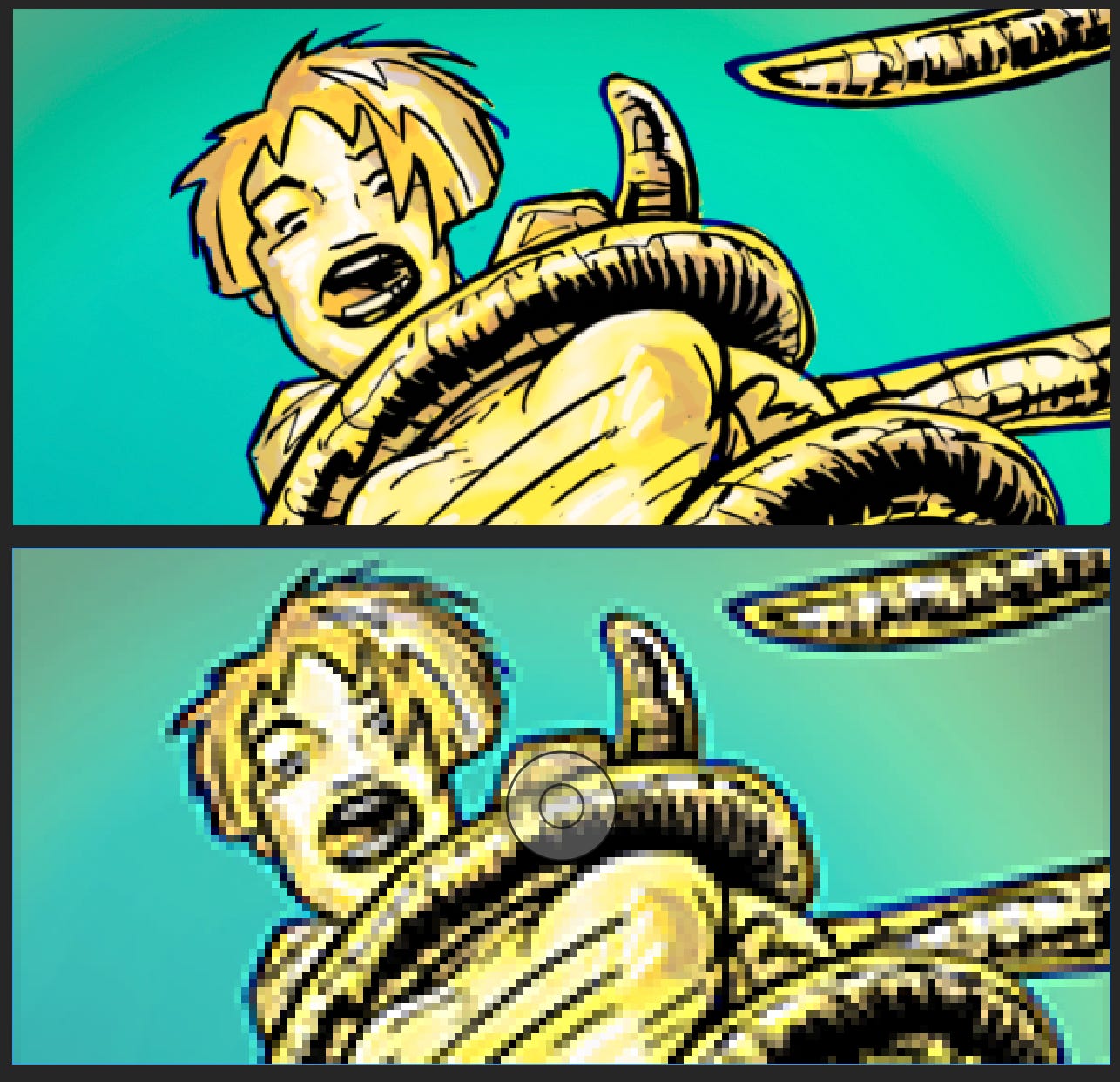
There are many ways to create your comic pages, but eventually, everything goes digital. Even if you work traditionally on paper, you’ll need to bring your art onto a computer—whether by scanning your pages or preparing digital files for print.
Here are a few key points to consider:
High Resolution
Generally 300 PPI or higher—suitable for print.
Web/Screen Resolution
Typically 72 or 96 PPI. Higher resolution won’t improve how images appear on screens.
PC: Right-click the image, select Properties, then Details.
Mac: Right-click the file, select Get Info, and look under More Info.
Most printers output at 300 DPI. Anything significantly higher just increases file size without improving print quality.
Personally, I like working at 450 DPI—a standard once used by major comic publishers. But working at 600 or even 1200 DPI creates unnecessarily large files that can slow down your system and make tasks like lettering and layout more cumbersome.
There are exceptions—archival work, museum-quality reproduction, or high-end photography—but for comics, 300 DPI is typically all you need.
When you send files to a printer, the prepress department will flag any images below 300 DPI. At that point, you’ll either need to replace the image or approve it as-is, accepting the risk of lower print quality.
Once your image is created at a specific resolution, it’s essentially locked in. If you start at a low resolution—like 72 DPI—you’ll run into problems if you later decide to print. Enlarging those files will result in a loss of detail and clarity.
Starting with a higher resolution and scaling down for web use is the safer approach.
While tools like AI upscalers can increase pixel count, they can’t truly recreate detail that wasn’t there to begin with.
Understanding resolution early on saves time, preserves quality, and keeps your workflow running smoothly—whether your work lives on screen or in print.
Keep Creating

Comments
Nothing yet. Say the first thing.
Sign in to join the conversation.