
I love ASCII art, I know it’s also ANSI art, basically text art plus ANSI escape codes for color, cursor movement, blinking, bold text, background colors, etc. But I call it simply ASCII, as at the end of the day, they are all created using colored text characters.
Textual Images and some ASCII tricks
·
January 19, 2024
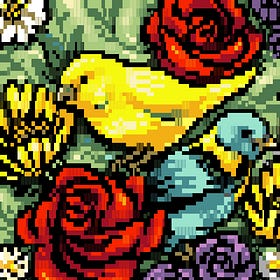
In the early 90’s I was constantly online, just not on the Internet, on the BBS’s or Bulletin board system. You used your modem to dial directly to another computer just like making a telephone call but between computers. The called-up computer ran a BBS program where people could leave messages and files for others. Once you disconnected others could c…
One day, while browsing the TikToks, the almighty algorithm served me this video, and I thought, " That is so cool, I also have access to modern AI coding tools, let’s give it a whirl”.
At its most direct, the app can turn uploaded media into ASCII art. A photograph becomes a field of glyphs. A video becomes a moving grid of characters. Shadows, midtones, and highlights are mapped into different marks, and the app gives the user control over the whole translation process.
The grid resolution can be changed so it looks blocky or increased to resemble the original image or video more closely. The background color can be changed. Brightness can be inverted. The output can zoom, pan, rotate, scale, and shift over time.
The core of the app is the seven-state system. Instead of treating an image as a continuous blur of brightness, the ASCII Dither Filter divides it into seven tonal levels, from deep shadow to highlight. Each level can have its own color and its own uploaded SVG. The app can read colors from the uploaded image or video and apply them directly to the ASCII. It can also extract a seven-color palette from the source media, giving the shadow-to-highlight ladder a palette that belongs to the image itself. If the user wants a more synthetic look, colors can be randomized, cycled, or animated between keyframes.
![brave_41Ifwx58jK.gif [optimize output image]](https://substackcdn.com/image/fetch/$s_!fLi2!,f_auto,q_auto:good,fl_progressive:steep/https%3A%2F%2Fsubstack-post-media.s3.amazonaws.com%2Fpublic%2Fimages%2F5ba57daf-3b26-4fad-a358-20d1707ec5b1_640x731.gif "brave_41Ifwx58jK.gif [optimize output image]")
Animation is where the tool becomes more than a still-image processor. Every major property can be keyframed: glyph sets, colors, zoom, zoom position, rotation, scale, inversion, source-color behavior, and other filter settings. The timeline sits below the main canvas so it can be edited with more horizontal space. Keyframe markers show where changes happen, and a dedicated keyframe list appears when an animation exists.
This makes it possible to build gradual transformations. An image can begin as a tight monochrome ASCII grid, then expand into colored SVG shapes. A video can start with small upright glyphs, then rotate and scale into a more abstract pattern. A palette can jump from source colors into random tones and then interpolate into another saved state.
Video handling follows the same logic. When a video is loaded, the animation timeline adapts to the length of the clip. Scrubbing the timeline also scrubs the video frame, so the filter settings and the source footage stay connected.
Animation can be saved and exported as a WebM video.
If you would like to experiment with video, you can get free videos at Pexels, but any image would do.
This was a fun project, and the code can be found, as always, on Barn Lab’s GitHub page.
No posts
Comments
Nothing yet. Say the first thing.
Sign in to join the conversation.