
Concerns about screen time have reached the office of the U.S. Surgeon General. Teachers report growing difficulties winning students’ attention. And a 2025 study from Toronto’s Hospital for Sick Children found that early screen exposure predicts lower academic achievement well into elementary school. But for all the advocacy that this evidence has inspired, digital technologies continue to win in one domain: administrative convenience. How do we reduce our reliance on them without making the job harder?
When a teacher posts a new assignment to Google Classroom, they know that their students have been notified. They know they’re reaching students who happen to be absent that day. They know the assignment description is accessible anywhere, at any time. They know their students can’t lose it. They know they saved ten minutes by not writing it on the board.
For each of those wins, there are losses. Students who receive notifications for new assignments learn that paying attention to in-class instructions is optional. They learn to rely on software to stay organized because they never have to do so independently. They learn that their presence in the classroom isn’t required.
The convenience these tools afford is real, but so are the costs, and they don’t fall on the same person.
That asymmetry points toward the questions schools should be asking. Not simply: Is this tool appropriate? But: Who is using it, and what does its use cost them developmentally? When you ask those questions, teacher-facing tools and student-facing tools emerge as categorically different objects requiring categorically different standards of evaluation. And that difference becomes most consequential in cases like Google Classroom, where a single tool shapes the experience of both.
One of my favourite resources for evaluating classroom technologies is Everyschool’s EdTech Triangle. It asks teachers to determine if a technology is Disruptive, Restrictive, Supportive, or Transformative before employing it in their classrooms. At the framework’s least desirable end, Disruptive tools needlessly expose students to harmful content, encourage habitual use, and require screen time that serves no clear pedagogical purpose. At the most desirable end, Transformative tools produce outcomes that wouldn’t be possible without the use of the tool: coding, robotics, computer animation, etc. The Triangle is a valuable, research-based hierarchy that I’d recommend to any teacher or administrator trying to think carefully about student-facing technologies.
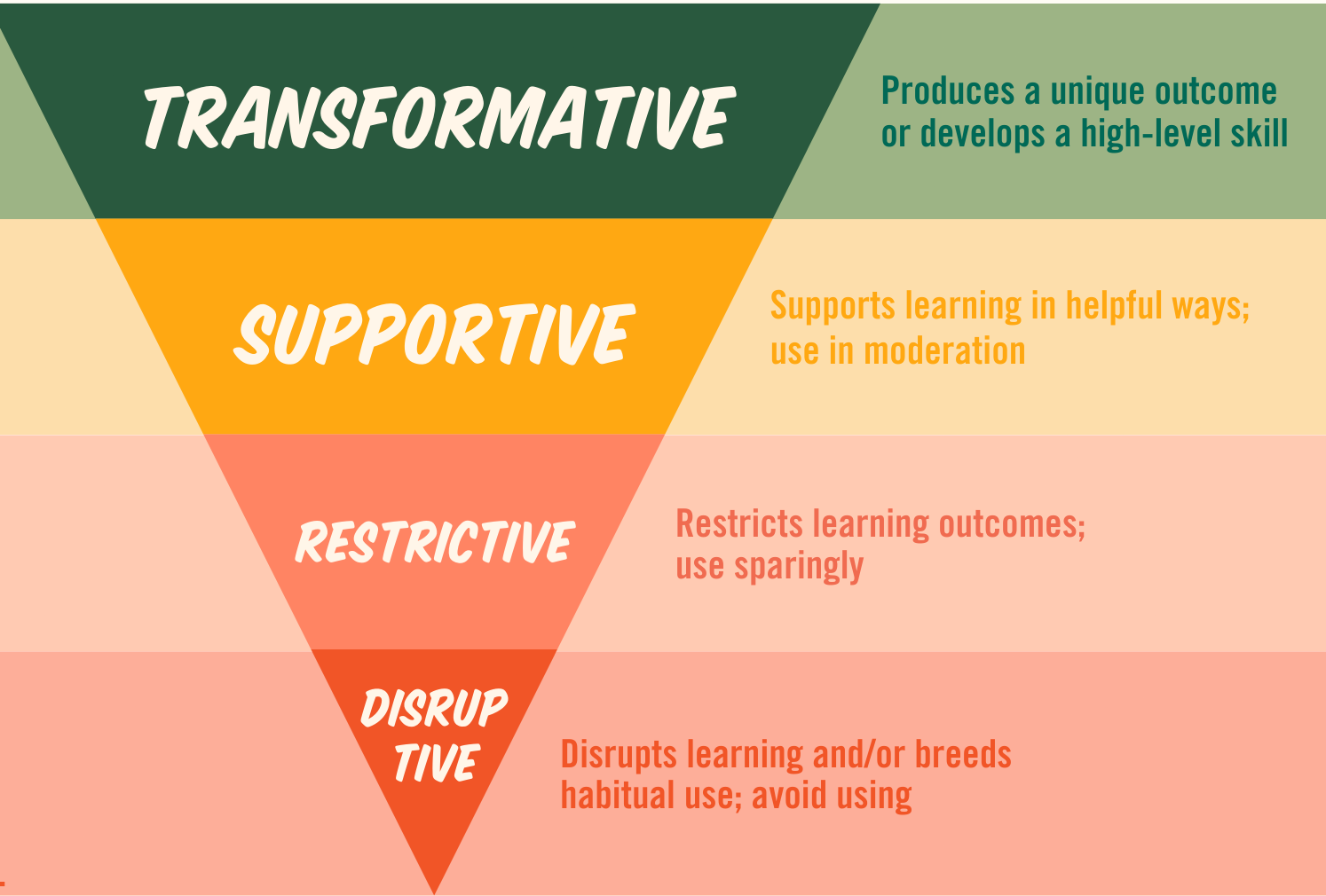
But the Triangle was designed to evaluate tools in students’ hands. It doesn’t have a category for teacher-facing tools, and importantly, it doesn’t evaluate the impact of technologies that start in teachers’ hands but end up shaping student behaviour as well.
When a digital gradebook saves a teacher two hours of arithmetic per week, its utility is obvious. Students’ cognitive processes haven’t been disrupted or displaced, and the teacher’s math skills aren’t a developmental capacity we’re trying to cultivate, so the Triangle’s categories don’t apply. This is the clear-cut example — the gradebook lives exclusively on the teacher’s desk. The more difficult cases are those that migrate off of it.
Learning Management Systems like Google Classroom are the clearest example of this migration. The tool is clearly marketed to teachers on the grounds of efficiency and succeeds in delivering it. But it does so by routing student behaviour through the platform and subtly requires them to outsource their executive function, which they could otherwise build themselves.
Everyschool’s framework doesn’t catch this dynamic. The EdTech Triangle isn’t wrong, but it wasn’t designed to ask who the tool actually faces. In many cases, there isn’t a clear line to be drawn between teacher-facing and student-facing tools at all.
Identifying who a tool faces is only the first question. The second is harder: Whose development does this tool cost, and can they afford it?
Unlike the children we work with, teachers are formed professionals. Their administrative efficiency isn’t a developmental capacity in formation. Time saved on grading logistics, electronic communication, or lesson design can be time returned to the work that requires astute human judgement such as planning, relating, noticing, and adjusting. When a teacher uses a gradebook that automates the calculation of averages, we needn’t be concerned that a cognitive capacity is being atrophied. The teacher’s development isn’t at stake.
Students are in the middle of building the cognitive architecture that underpins everything else. When a tool robs a student of the opportunity to sustain their attention, to exercise their working memory, or to organize their own work, it forecloses the repetition needed to build those key capacities. Digital prostheses don’t just complete tasks, they pilfer our students’ chances to exercise the capacities they need to develop.
Teacher-facing tools should be evaluated for efficiency and professional utility while student-facing tools must be evaluated for developmental cost.
Convenience is an appropriate metric for professional administration, but it’s an error when applied to students. Students’ development must supersede administrative convenience in cases where a tool blurs the line between teacher-facing and student-facing effects.
But first, a clarifying question: Even if this tool is nominally teacher-facing, does its function depend on shaping or replacing student behaviour?
Many tools are sold to administrators as teacher efficiency products, but only become functionally productive by routing student behaviour through the platform. In these cases, the teacher is the customer, but the student’s cognitive process is the tool’s operating environment. We’ll return to the hardest of these cases once the framework is in place.
For now, the clarifying question above helps us determine which set of criteria applies. A tool that passes through students must be evaluated as a student-facing tool, no matter what the vendor calls it. With that established, here are the criteria:
Comments
Nothing yet. Say the first thing.
Sign in to join the conversation.