
Reminder: I’m offering a limited-time 50% discount on the annual plan:
Once you claim it, the discount will be applied forever.
Now, with only $5/month, you will have access to:
200+ deep-dive data engineering articles
practice-spark: 65 LeetCode-style problems to practice Spark SQL/DataFrame
learn-spark/dbt/airflow: CLI tools to master Spark/dbt/Airflow
If you’re a Vietnamese user, please DM me for an upgrade due to payment issues
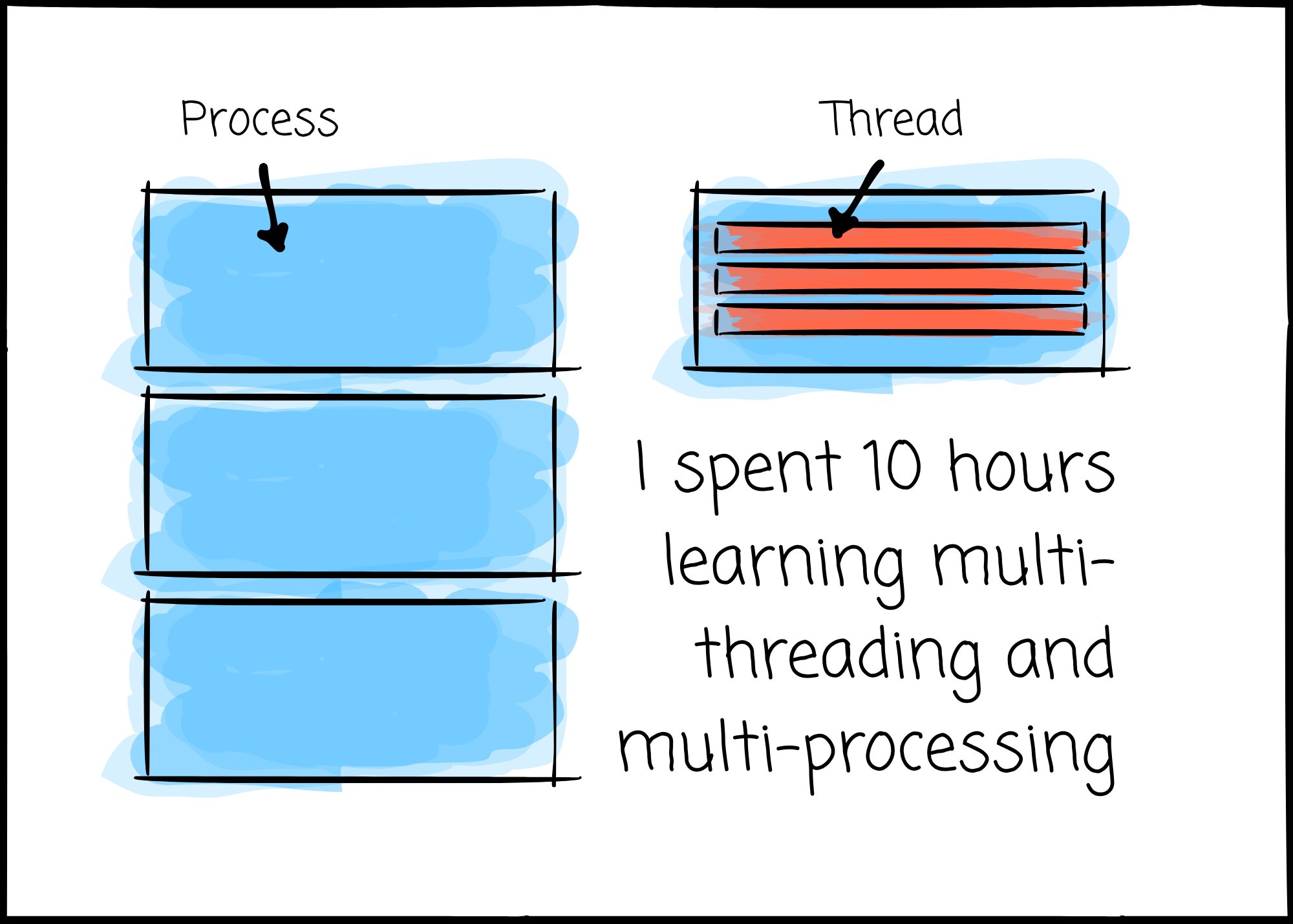
In production environments, whether you process terabytes of data or serve 10,000 user requests per second, optimization ultimately comes down to utilizing your hardware resources as efficiently as possible to achieve the desired results.
To do that, we must understand how things work internally, especially how CPUs are utilized.
—
In this article, I outline my understanding of multithreading and multiprocessing and discuss them in the context of Python, the most widely used programming language for data engineers.
This article is based purely on my understanding. If you notice anything incorrect or outdated, feel free to leave a comment.
Before discussing multithreading and multiprocessing in Python, let’s first review some concepts.
A process is an independent running program.
When you launch a process, the Operating System (OS) gives the process a set of separate resources that it doesn’t need to share with others, including its own piece of memory space.
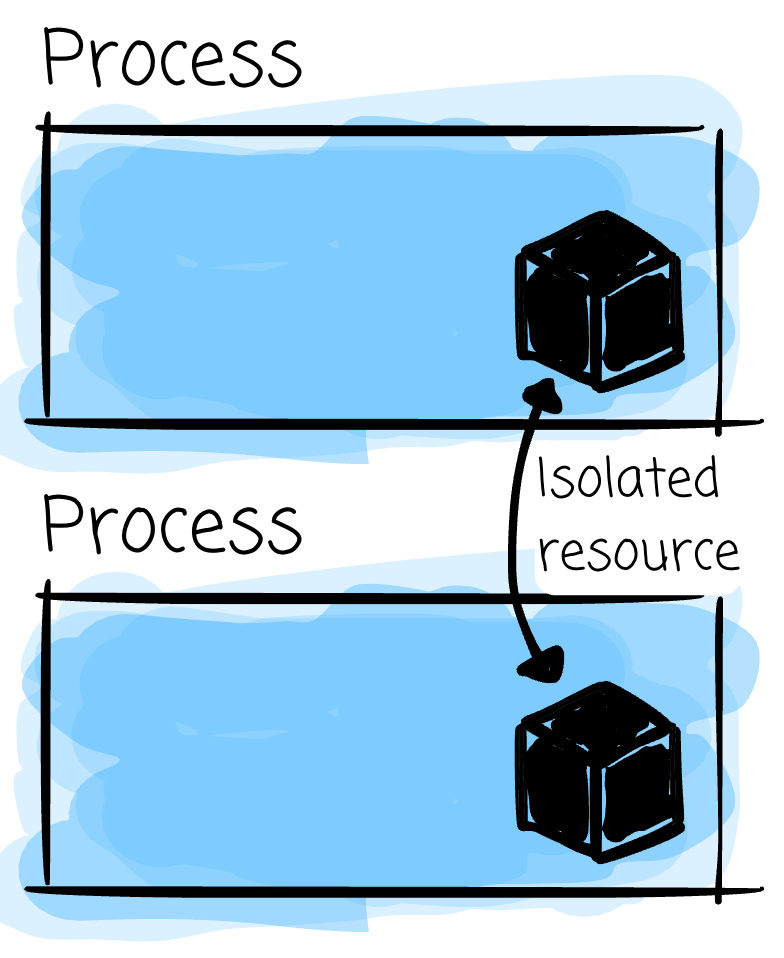
A process never touches RAM directly.
It works with addresses the OS hands it, and the OS decides which piece of physical memory each one points to. So two processes can have data sitting next to each other in RAM and still not be able to access each other’s data. Neither one has an address that points into the other’s memory.
If they want to talk, they have to communicate via an intermediary, the OS, with mechanisms like pipes, sockets, shared memory segments, or message queues.
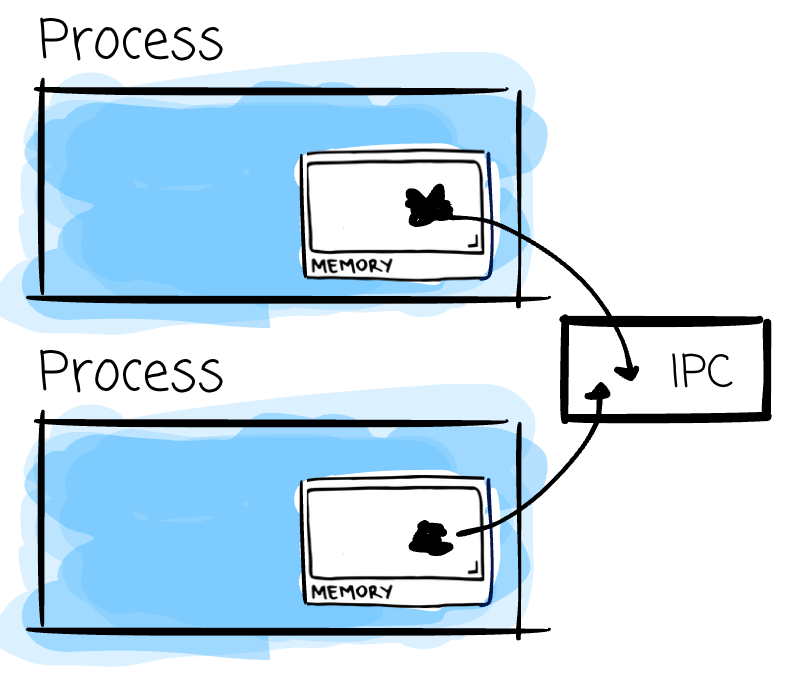
This is called inter-process communication (IPC): data sent from one process must be serialized, passed through an OS-managed channel, and deserialized on the receiving process.
The exception is when you use shared memory; the OS maps the same physical memory pages into both address spaces.
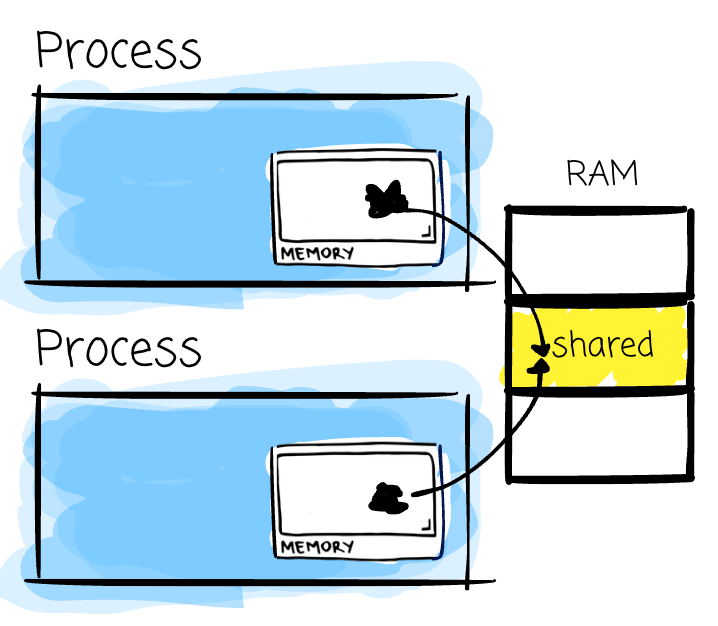
Process A writes to its pointer, process B reads from its pointer, and they're the same bytes in RAM. No de/serialization is needed. The challenge is to ensure that the shared memory is synchronized to prevent a race condition.
A race condition occurs when the result depends on the order in which two actors happen to touch the same variable; one can overwrite the other’s work, or read a value that’s only half updated.
A thread lives inside a process.
A single process can have multiple threads, and all of them share that process resource, including the memory space: the same heap or the same global variables.
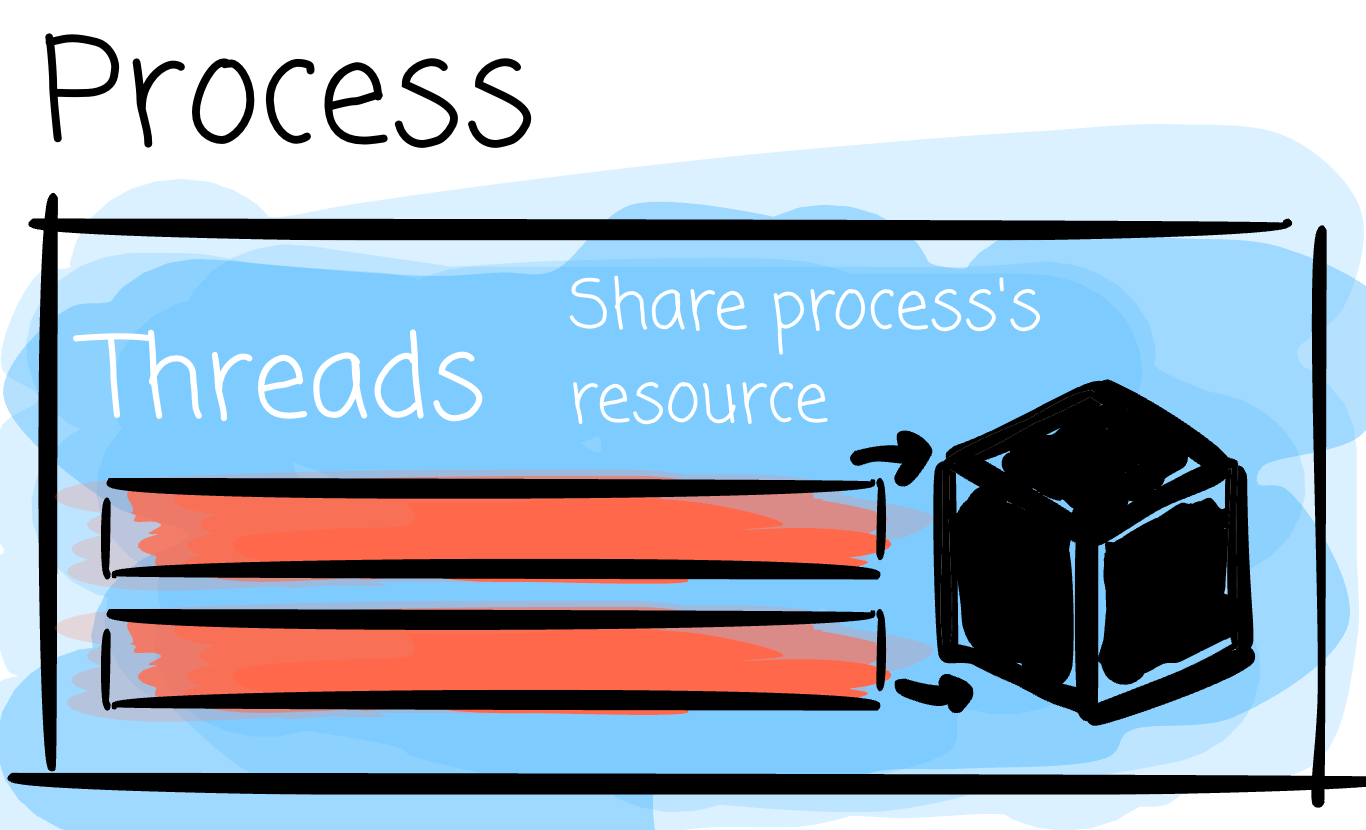
These properties make sharing between threads cheap, as communication incurs less overhead than cross-process communication.
Also, creating a thread is lighter than creating a process.
—
In short, processes give you isolation and safety (two processes can’t see each other’s data → higher security). However, they are expensive to create and talk between.
Threads live inside a process. They share resources. They are cheap to create and to talk between. However, it’s unsafe by default (two threads can edit the same variable at the same time; require a mechanism to coordinate, such as locking)
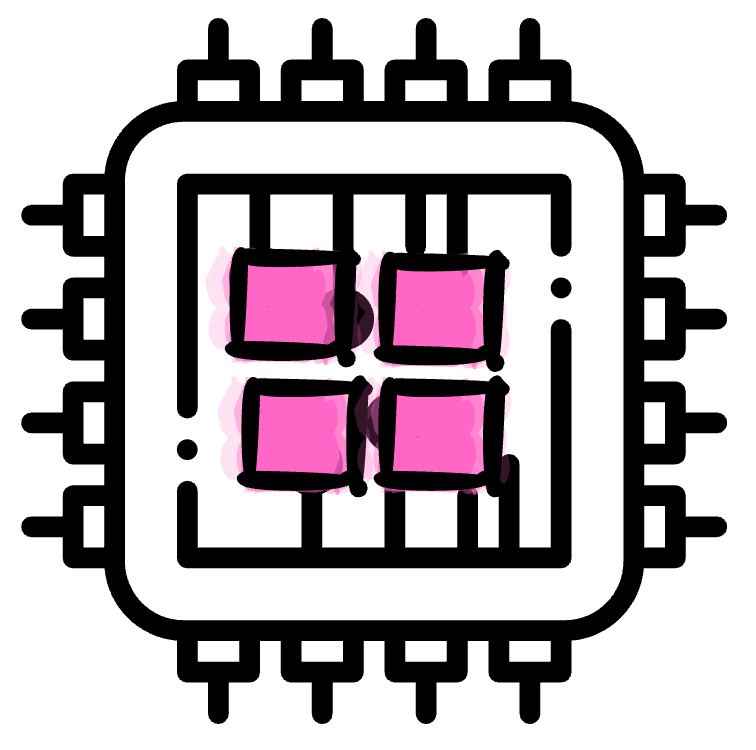
A core is an individual processing unit inside a CPU. It fetches instructions and does the actual computing. A core runs one thread at a time.
Reminder: I’m offering a limited-time 50% discount on the annual plan:
Once you claim it, the discount will be applied forever.
Now, with only $5/month, you will have access to:
200+ deep-dive data engineering articles
practice-spark: 65 LeetCode-style problems to practice Spark SQL/DataFrame
learn-spark/dbt/airflow: CLI tools to master Spark/dbt/Airflow
If you’re a Vietnamese user, please DM me for an upgrade due to payment issues
Multiprocessing means running multiple independent processes, each with its own memory space, that work on different parts of the same problem.
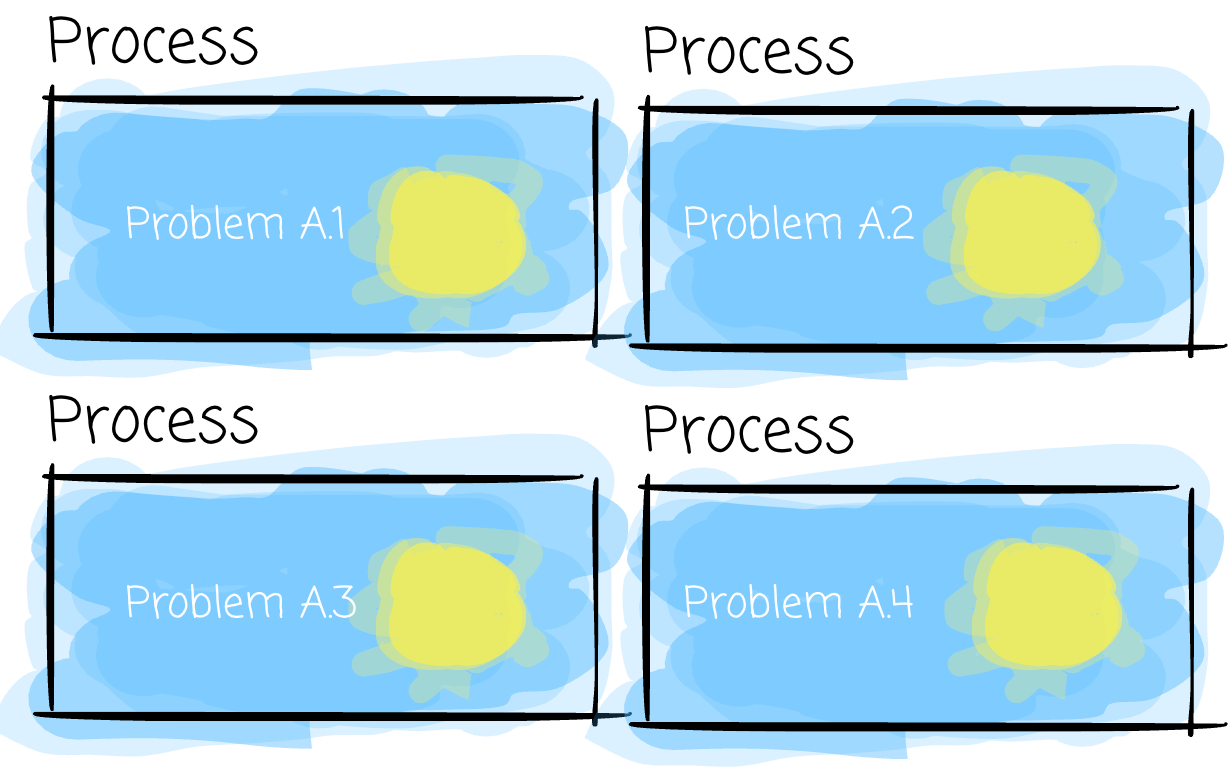
Because each process has its own memory, there’s no shared state to protect. Give them separate cores (assuming there are enough cores), and they run at the same instant, with nothing to coordinate on by default. (If you use shared memory, synchronization is still needed)
You might guess the challenge here. It’s communication.
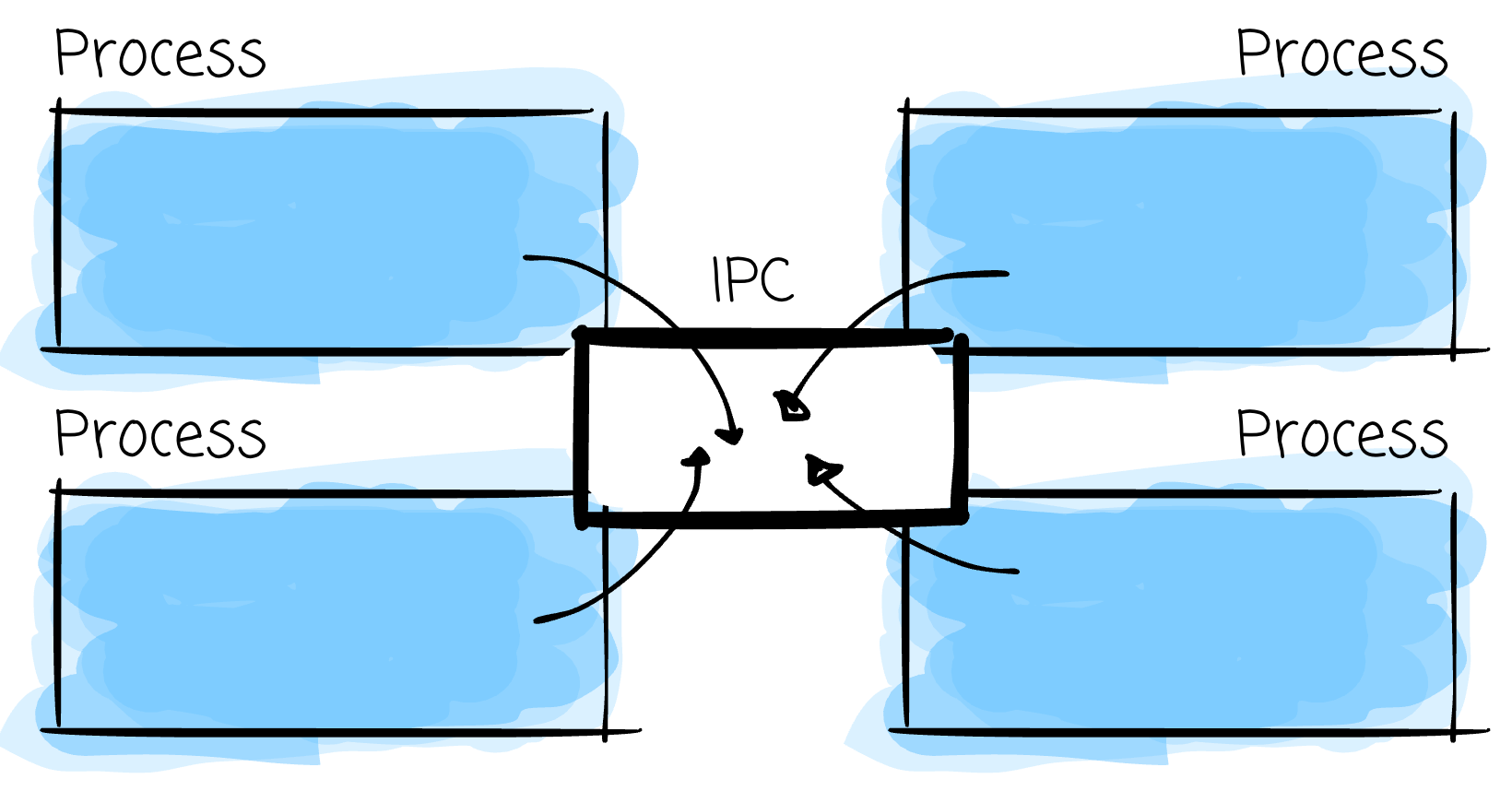
If two processes need to work together, things are not as straightforward, as they have to go through the OS as the intermediary. Pipes, sockets, and message queues charge you per message: for serialization, copying, and deserialization.
Shared memory avoids this, but introduces a synchronization problem instead.
The sharing overhead scales with how much these processes need to communicate.
In multiprocessing, each process can run on a CPU core or even different CPUs
Some high-performance server could have multiple CPUs.
Multithreading means running multiple threads inside a single process, all sharing that process’s resources.
Because they share memory, one thread can access data from other threads; no serialization/deserialization is involved.
But that sharing is the danger.
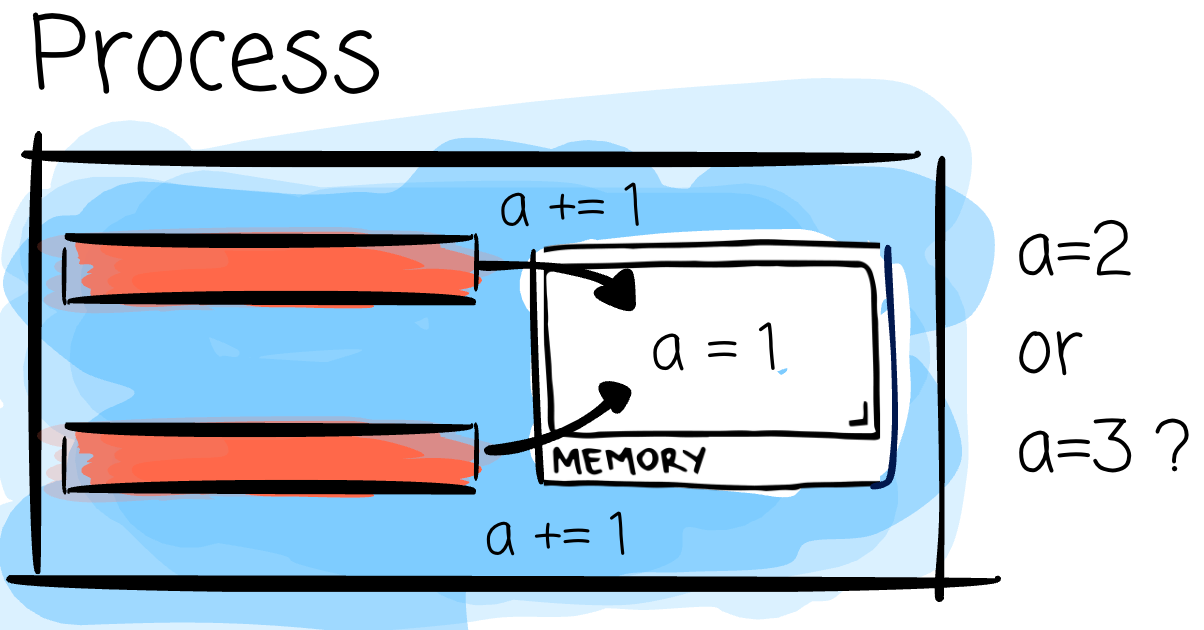
Two threads writing to the same variable without coordination can corrupt it or read a half-updated value (a race condition). This is why every programming language with multithreading support ships some form of lock, mutex, or semaphore; mechanisms whose job is to say “only one thread touches this at a time” and to make sure the next thread actually sees what the previous one wrote.
Multithreading is cheap to set up and cheap to communicate through, but it requires effort to ensure safe data sharing.
If all are read-only, that’s fine; however, if it involves modification, race conditions need to be considered.
In short,
Concurrency is a way of organizing work so multiple things are in progress at once, even if only one of them is actually executing at any given instant. Two or more tasks start and complete in overlapping time slices, but not necessarily at the same time.

Parallelism allows multiple things to happen simultaneously. It has the same shape as concurrency: multiple things in progress at once, but adds a stricter requirement.
The executions must occur at the same time.

After learning the concepts, let’s tie things together.
Multiprocessing gets you parallelism more easily. Each process is resource-isolated, so nothing in the code prevents the scheduler from placing them on separate cores and allowing them to run at the same time.
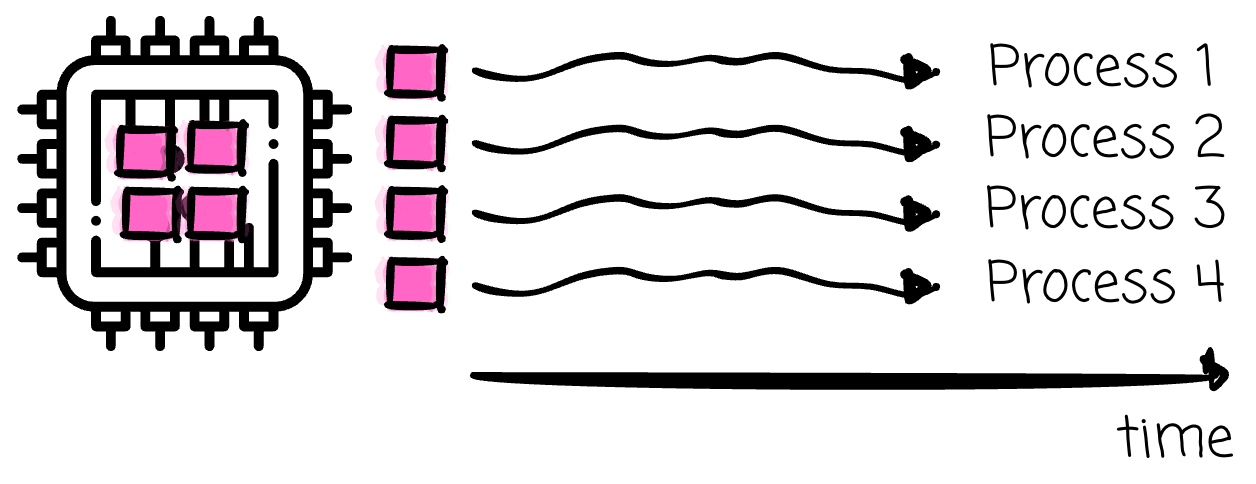
But “more easily” isn’t “by definition.” The number of cores is still what decides. Run 16 processes on a 4-core machine and 12 of them are waiting for a core at any given moment.
Multithreading is interesting.
Imagine we have 4 threads inside one process; they can run:
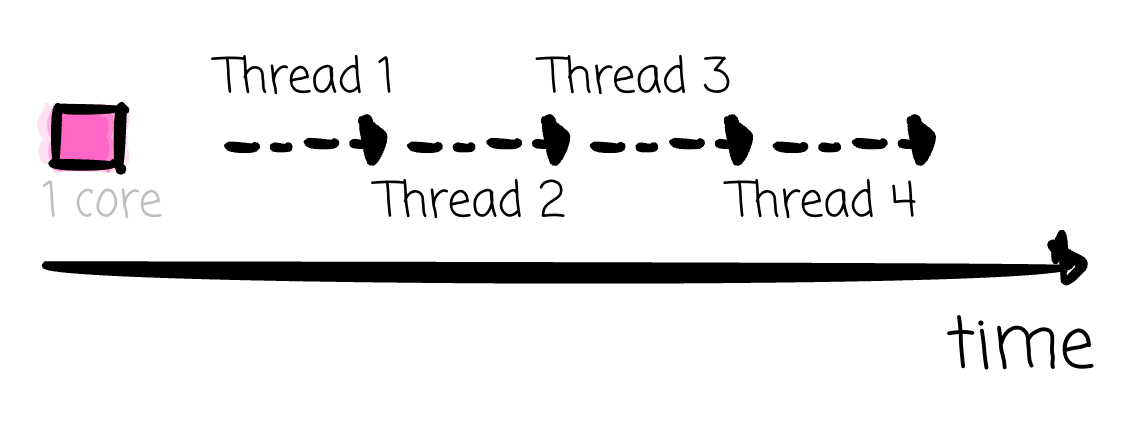
Concurrent only: if those threads run on a single CPU core.
Also in parallel: if those threads could be run on 4 separate CPU cores.
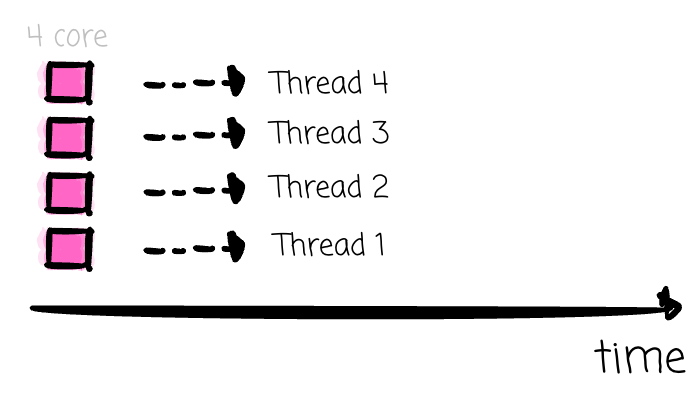
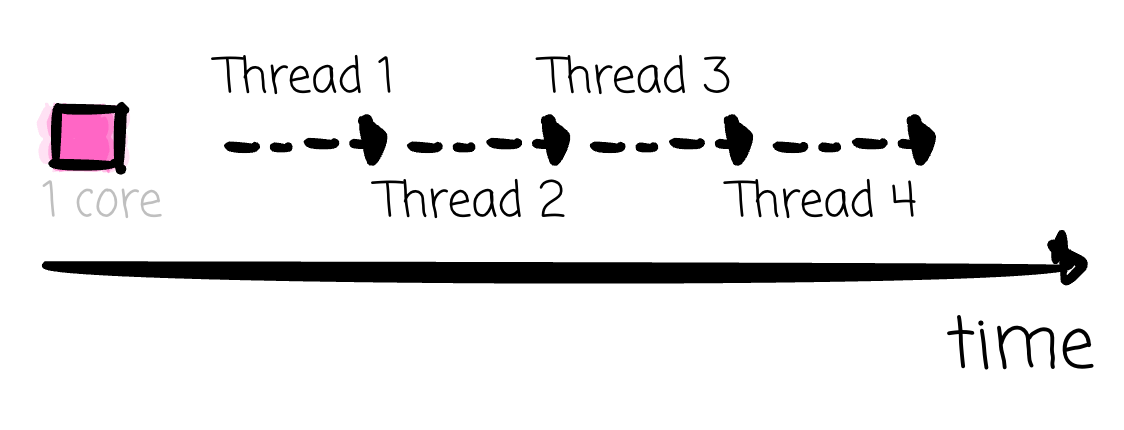
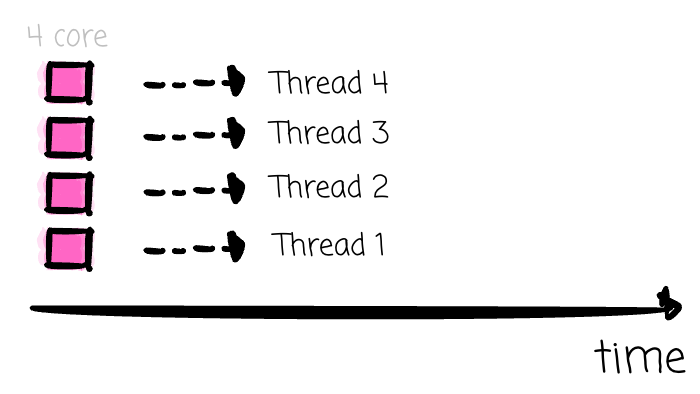
The OS scheduler examines every runnable thread in every process on the system and decides which thread runs on which core. A process can use as many cores as it has runnable threads at that instant, limited by the number of cores on the machine.
If you have more threads than available cores, some threads will need to run on the same core and will alternate: one thread runs for a short time, then the OS stops it to resume another, and so on.
This means that in this case, only a subset of threads achieve true parallelism at any given instant, while the rest remain only concurrent, taking turns on a shared core.
Now, let’s discuss multiprocessing + multithreading in Python
In the standard Python interpreter, CPython, there is a lock called the Global Interpreter Lock (GIL), which ensures that only one thread can execute Python bytecode at any given moment. Doesn’t matter how many cores are sitting free in your laptop. Only one thread is running Python code at a time.
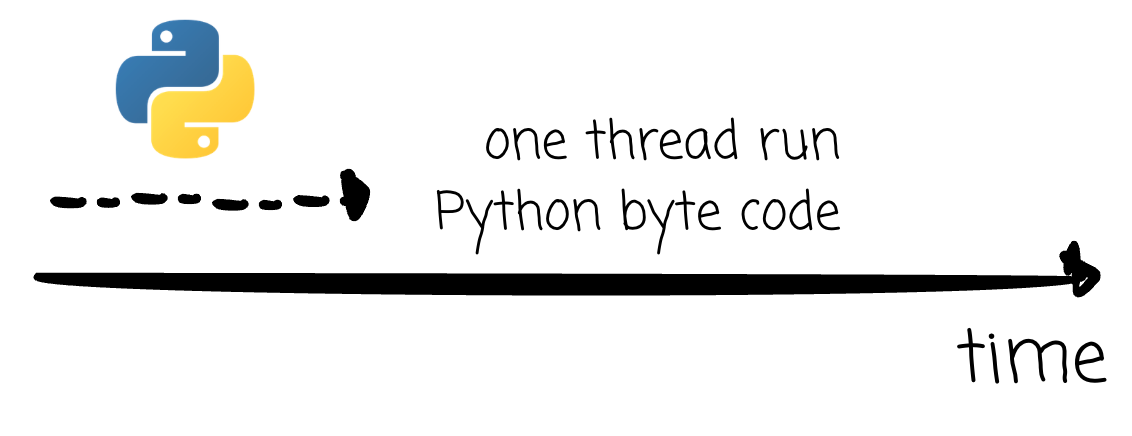
Why CPython single-thread will need a dedicate article :d
A thread releases the GIL lock whenever it is waiting on something outside the interpreter: a network call, a disk read, anything that hands control to the OS and blocks.
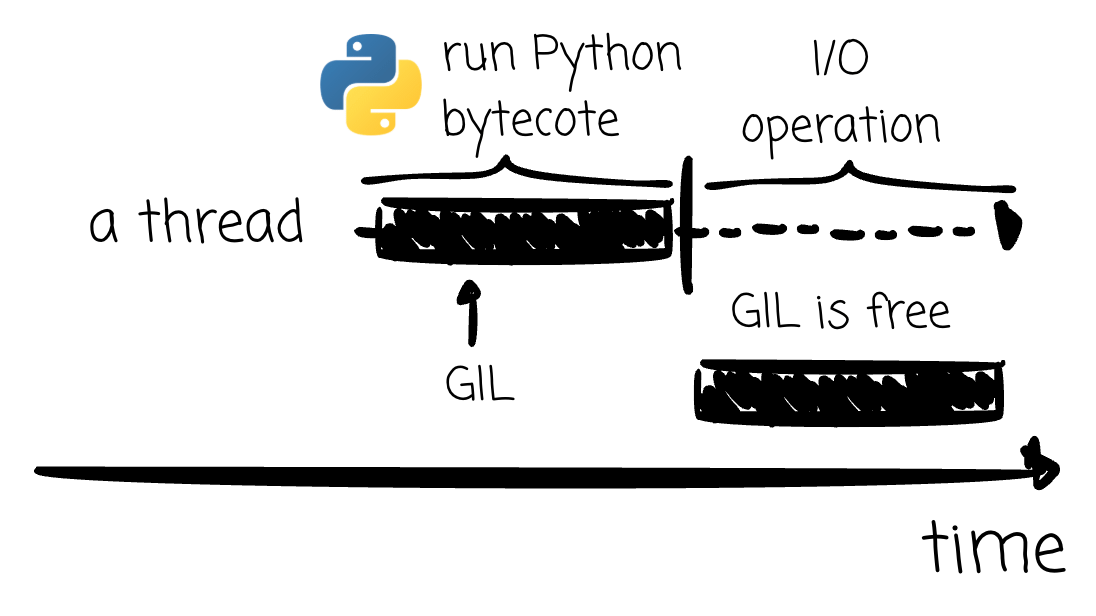
One thing worth knowing, GIL is optional now. PEP 703 added a separate CPython build with no GIL, experimental in 3.13, officially supported in 3.14. It’s a different binary (python3.14t), you have to explicitly choose to use it. Everything in this article about GIL describes the standard build, which is still what you get by default.
But a released lock with nobody to catch it is wasted.
A single thread waiting for a file download releases the GIL, and since no other thread is waiting to use it, it just waits for the response as if the GIL were never a factor.
So, we bring in other threads with multithreading.
The threading module is Python’s interface for creating and managing these threads directly.
Thread(target=some_function) wraps a function as a unit of work. Then calling the start() method hands it to the OS to schedule, and you can have as many of these running “at once” as you like, each one an independent thread the OS is free to interleave with the others.
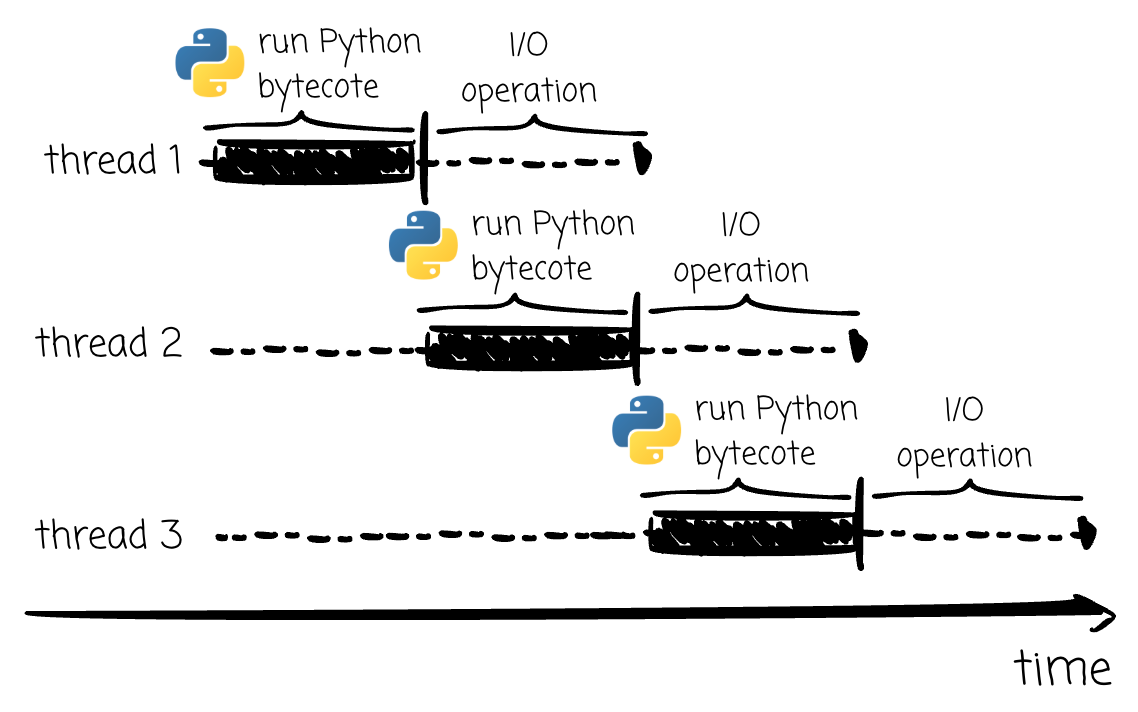
This is the mechanism that actually allows you to have multiple tasks in flight. Without it, you’re back to the single-thread loop from before, one download after another, with nothing to hand the GIL to when it’s released. Now with the threading library, the released lock can be caught by some OS thread.
The described behavior also explains why threading earns its reputation on I/O-bound work but falls apart on CPU-bound work.
I/O-bound code spends nearly all its time waiting for outside, which is exactly the state that releases the GIL. CPU-bound Python code doesn’t wait for anything, so it holds the lock the whole time.
With one exception: libraries like NumPy do their heavy work in C, which doesn’t need the interpreter, so they release the GIL while it runs.
Another observation is that multithreading is a form of concurrency; threads are run in turn.
But “run in turn” doesn’t mean “safe.” It’s tempting to assume that since threads never execute Python bytecode at the same instant, they can’t step on each other so race conditions never happen.
—
The GIL guarantees atomicity at the level of a single bytecode instruction, but a series of instructions is another story.
A simple counter += 1 looks atomic, but underneath, it reads the count, adds 1, and writes it back, three separate steps.
Besides giving up the GIL during I/O, CPython also switches threads that are busy computing.
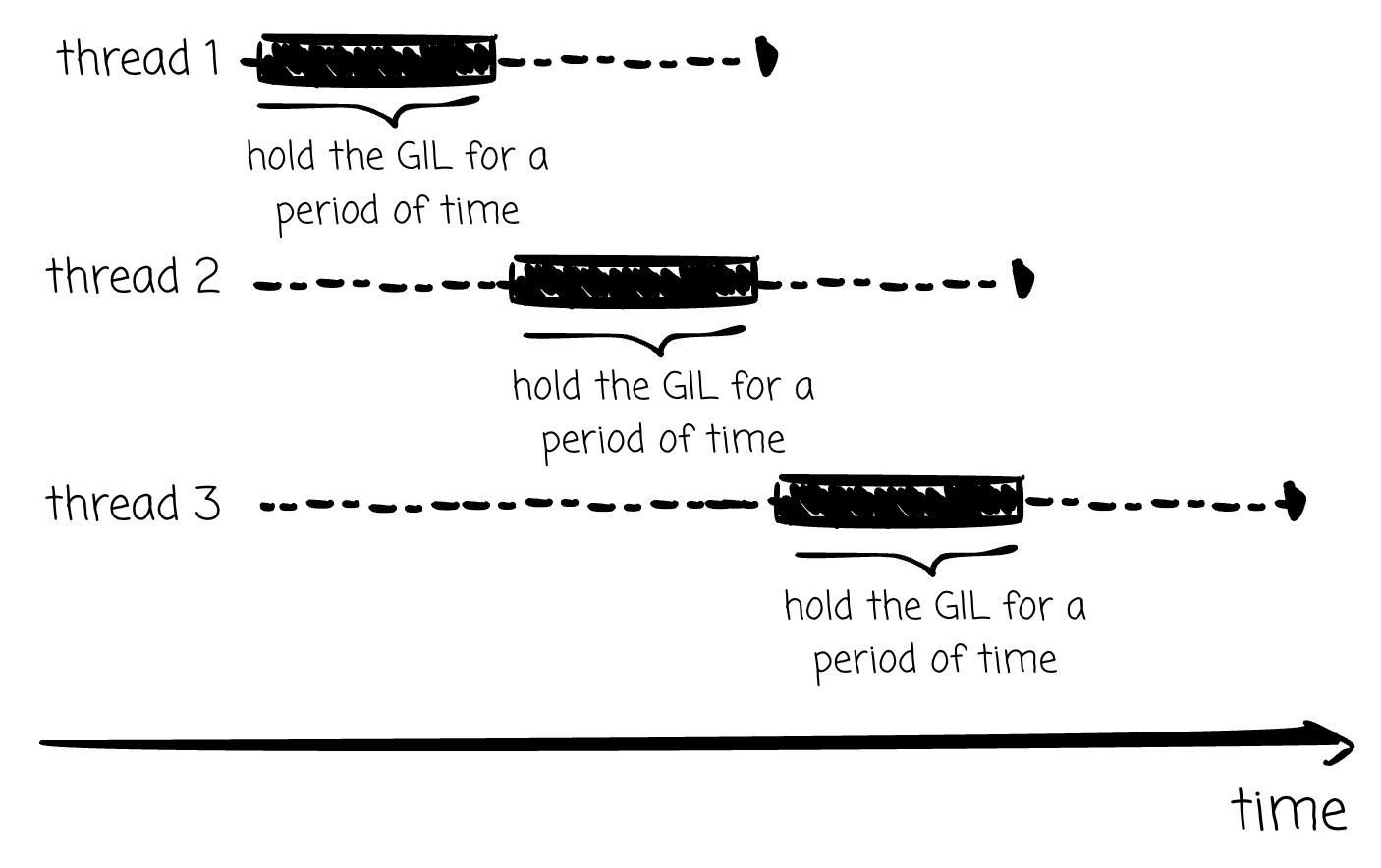
A thread that wants the GIL waits, and after the switch interval (5 ms by default, sys.getswitchinterval()), it raises a flag asking for the lock. The running thread checks that flag between bytecode instructions and hands it over.
That check doesn’t know or care that “read, add, write” was supposed to happen in a single batch. It can land between any two of those steps.
Imagine thread A reads a counter value of 0. Before it adds or writes anything back, it checks the flag, sees thread B waiting, and hands over the lock. Thread B picks it up, runs the full counter += 1, increasing the counter to 1. Then A resumes, still holding a stale 0 from before it was paused, adds 1, and writes 1 back. Two increments happened.
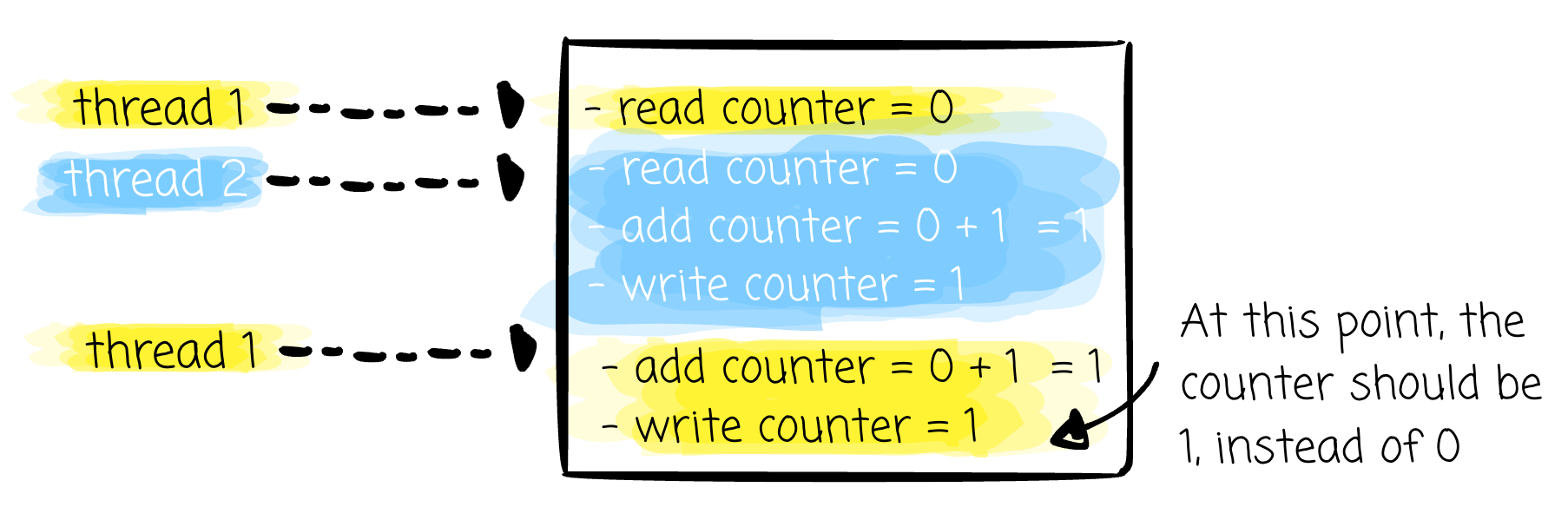
The counter is now 1, not 2.
Thus, in Python multithreading, race conditions can still occur, even though threads can’t run at the same time.
—
I found that there is an optimization in Python 3.10 to the way the GIL is released.
Before 3.10, the release/acquire could occur at essentially any bytecode instruction.
After a specific 3.10 optimization, GIL release/acquire only happens at certain instructions; not every instruction is “releasable” anymore.
For example, given the previous example, the instructions to read the counter, increment it, and write it back don’t contain any eligible release instruction. Thus, the whole process of counter += 1 could happen til the end on a single thread, preventing the chance of a race condition in our case.
Caution: that only holds for this specific case. It doesn’t mean
+=is safe from race conditions in general.
In the scope of this article, I won’t dive into the level of bytecode.
However, saying this does not mean that the optimization in Python 3.10 completely prevents race conditions in a multithreading environment without proper synchronization mechanisms.
Since we just discussed Python’s multithreading, I think we should move on to Python Async, as these two are often confused by Python users.
I will just give an overview of Python Async here, especially how it compares to multithreading.
In simple terms, async processing is a method in which a system handles other tasks without waiting for the current task to finish; when it finishes, the system can switch back (via a notification) and handle the result.
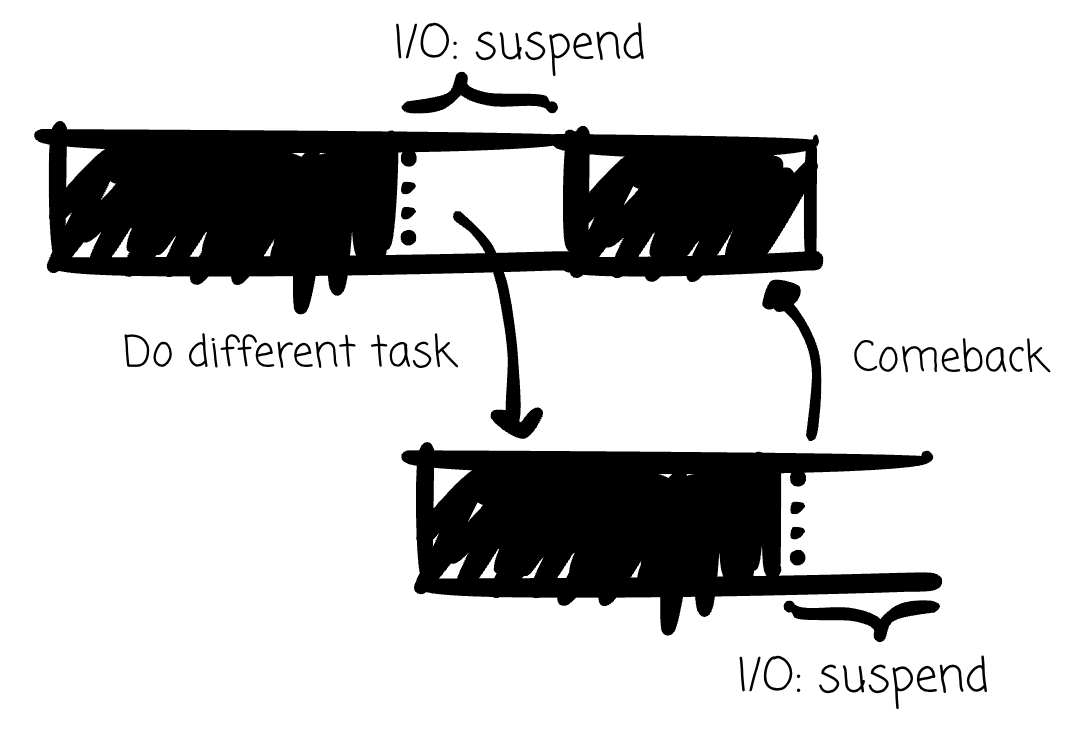
Python’s asyncio library allows users to apply the described method. Given two tasks: one downloads a file from the Internet and the other performs a simple calculation. Async allows jumping to perform a simple calculation while waiting for I/O to complete.
You might wonder: it is quite similar to multithreading, where a download thread releases the GIL, and the perform thread acquires the lock.
The difference is where the work runs. Multithreading spawns multiple OS threads and lets the OS interleave them. Async runs all your tasks on a single thread, and context switching happens within your program rather than in the OS.
You define a set of Async tasks.
Each task has an explicit wait point (the await keyword). But await alone doesn’t hand control back. Control only returns to the system when a task awaits something that actually suspends it: a network call, a disk read, or a timer.
The system here is a single event loop that manages every task. It runs one task until that task suspends, then switches to another and runs it until it suspends, and so on.
While a task is waiting, the event loop isn’t idle; it’s watching for when waiting tasks become ready (e.g., their network response arrives) and resumes the matching task exactly where it left off.
All tasks run on a single thread. Nothing is competing for the lock.
Which also means a blocking call from a task stalls everything.
In short: multithreading gives you real OS-level concurrency, at OS-level cost, with interruption points you don’t control.
Async gives you concurrency at, in theory, lower overhead, as it runs all your tasks on a single thread, with interrupt points you can control.
For CPU-bound tasks, we can do multiprocessing in Python.
The multiprocessing module is Python’s interface for running CPU-bound code in parallel. When initialized, the module spins up new OS processes, each with its own resources and, importantly, its own Python interpreter.
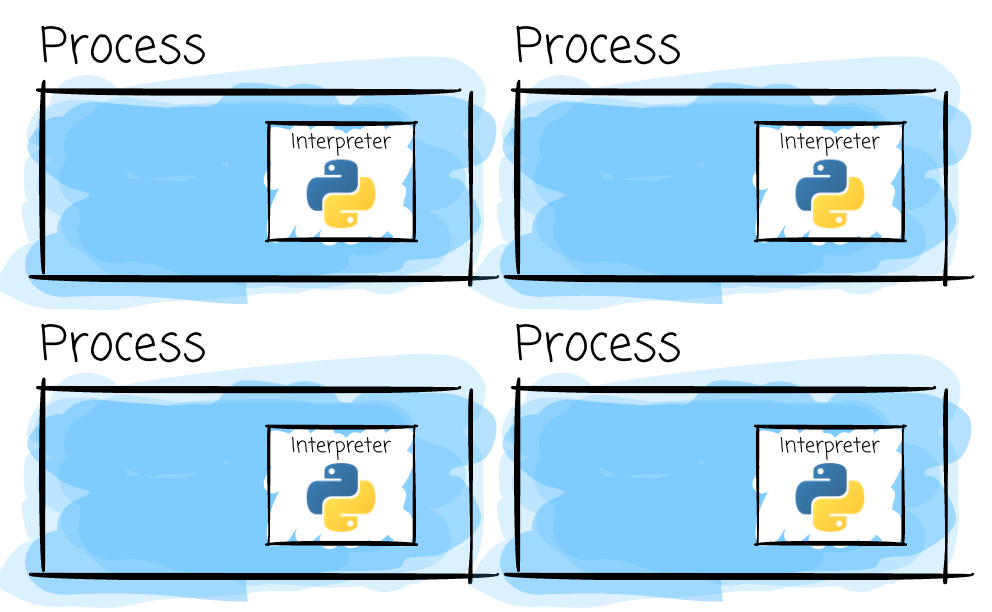
How each process gets that interpreter varies. Python offers a few start methods. Some clone the interpreter that’s already running, which is fast. Others launch a fresh Python process from scratch: re-import your modules and rebuild your state.
There will be N separate Python interpreters, each with its own GIL, completely unaware of the others. Multiprocessing gets around the GIL by simply not sharing one.
N processes, N interpreters, and N GILs. The OS is now free to place each process’s interpreter on its own core, allowing each process to execute Python bytecode simultaneously.
However, the price for true parallelism shows up in two places:
First, starting a process is heavier than starting a thread.
Second, sharing the data requires extra effort. Processes can't hand objects to each other directly. Python's default is to pickle everything through a
QueueorPipe, so you pay serialization on every message. Shared memory avoids that, but only for flat data (bytes and numeric arrays), not arbitrary Python objects.
If your task can be handled faster with more CPU resources (CPU-bound), the multiprocessing module is your choice in Python.
In this article, I shared what I learned about computer threads and processes, multithreading and multiprocessing, and concurrency and parallelism. Then I discussed how multithreading and multiprocessing relate to concurrency and parallelism.
Finally, I moved on to discuss these concepts in a Python context.
Thank you for reading this far. See you in my next article.
No posts
Comments
Nothing yet. Say the first thing.
Sign in to join the conversation.