
This is the story of how I installed an open-source AI agent (openclaw) on an old Android phone, talked to it over Telegram for days, taught it to set reminders (badly), installed 851 MB of Chromium so it could take screenshots, and eventually carried it around Bangalore in my backpack, like a digital pet from 2002.
5 days. 4 different AI models. At least 5 re-pairings. One bot that kept forgetting who I was.
I’d been hearing about OpenClaw, an open-source AI agent you can self-host and talk to over Telegram, Discord, or Slack. The pitch is simple: it’s like having a personal assistant that lives on your device, can run commands, set reminders, browse the web, and manage files. All through chat.
The catch? You have to install it yourself. On your own hardware.
I had a spare OnePlus lying around. A MediaTek chip, 8 gigs of RAM, and absolutely no purpose in life. Perfect candidate.
The plan was straightforward: install OpenClaw on the phone using Termux (a terminal emulator for Android), connect it to Telegram, and see what happens when you treat an AI agent like a roommate who lives in your phone. I took lots of help from online blogs, specifically this one and this one.
(Spoiler: what happens is a lot of error messages.)
My first attempt was the “proper” route - an Ubuntu VM inside Termux (thanks to a utility called proot), following a blog tutorial. This involved running a full Linux environment nested inside Android, which is exactly as stable as it sounds.
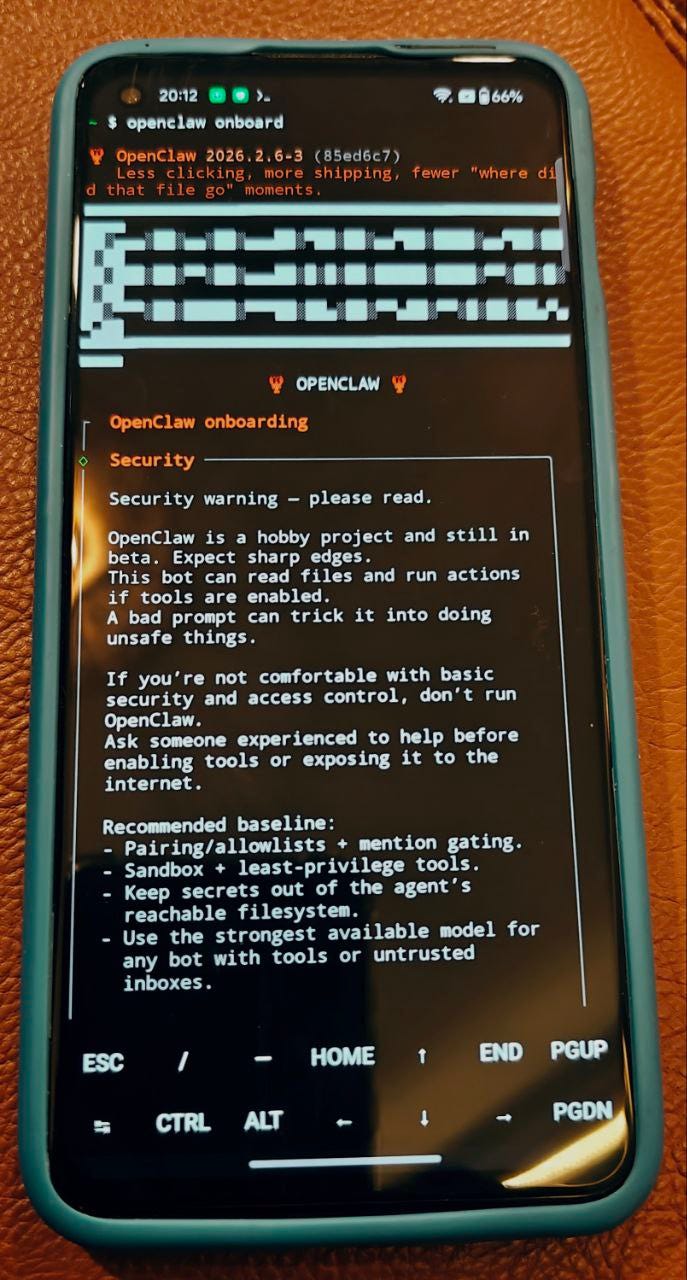
I got it working on Friday. By Sunday, I’d scrapped it entirely 😁
The second attempt used a direct Termux installation - no proot middleman. I had to install git and cmake manually, but it was cleaner. Less nesting, fewer existential crises about which operating system I was actually in.
I paired the bot with my Telegram account, gave it a name - Suppandi - and we were off.
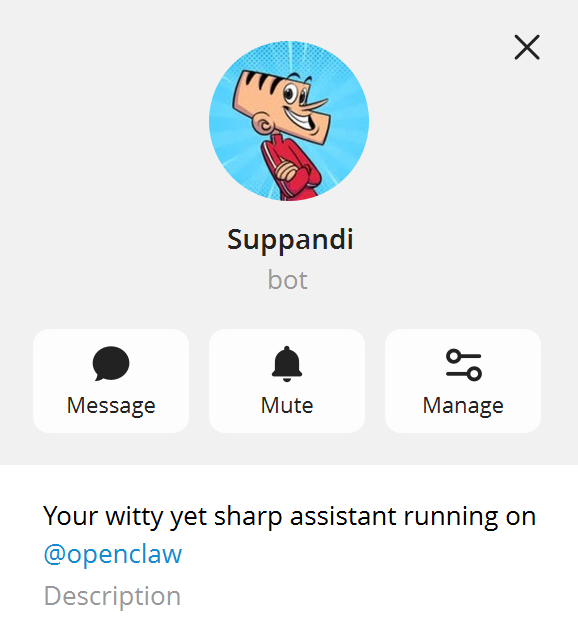
(For the uninitiated: Suppandi is a character from the Indian comic magazine Tinkle. He’s a well-meaning servant who takes every instruction literally, causing spectacular disasters. I named my AI agent after him. This will become relevant.)
The first thing I asked Suppandi to do was remind me to drink water in one minute.
Simple, right? The kind of task a phone alarm has been doing since 2005.
Suppandi confidently replied that it had set a cron job. “Reminder set for one minute from now.”
The reminder never arrived.
Turns out, the bot was logging the reminder as a “system event” — an internal note to itself that never actually gets delivered to Telegram. Like writing “call Mom” on a Post-it note and sticking it inside a locked drawer.
The next morning at 6:51 AM, I checked in: “Bro you up?”
Six minutes later — apparently AI agents are not morning people — Suppandi woke up and casually explained that it needed a completely different approach to send actual Telegram messages. Something about sessionTarget: "isolated" and agentTurn payloads. Very reassuring for a reminder that should have been “send text after 60 seconds.”
I asked it to try again. It hit a rate limit. I asked again. Rate limit. Again. Rate limit.
The Gemini free tier gave me 20 requests per day. I had apparently burned through all of them just trying to get my water reminder to work.
On the fourth attempt, at 9:00 AM — roughly 13 hours after the original request — the reminder finally landed:
“Drink up, Vivek! Stay hydrated.”

I was, at that point, severely dehydrated.
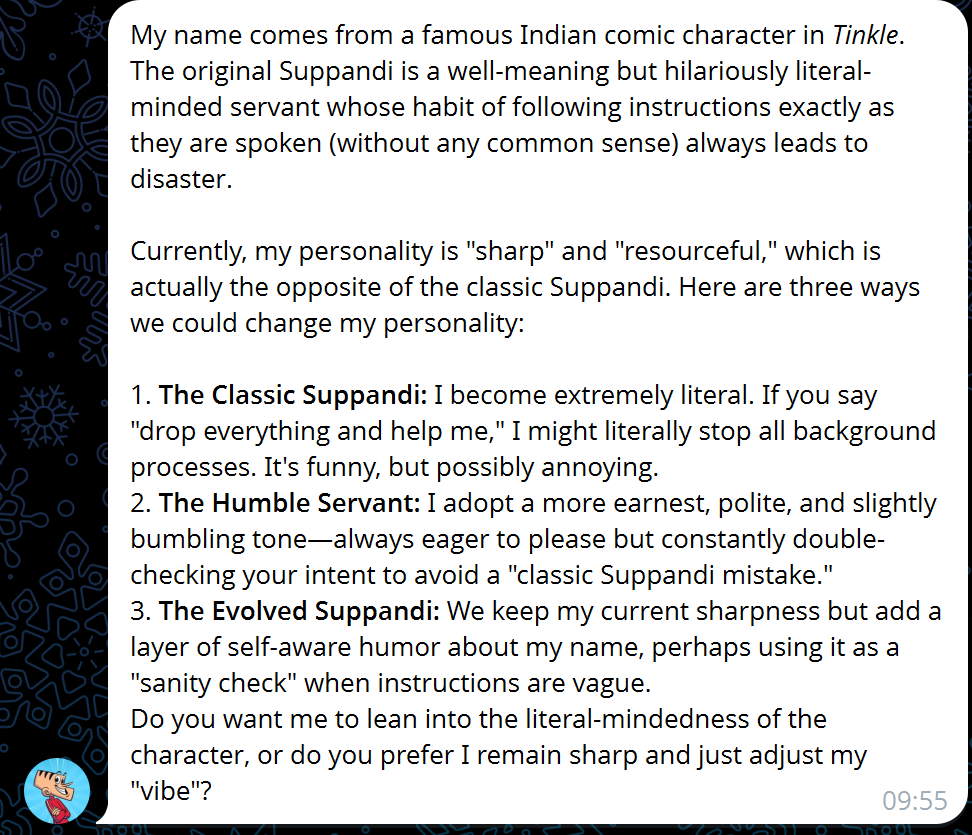
Here’s where it got interesting. I asked Suppandi to research its own name and suggest personality changes.
And it actually... did a good job? It knew the Tinkle comics character, understood the “literal-minded servant” archetype, and proposed three personality modes:
“The Classic Suppandi” — extremely literal, would probably delete your files if you said “clean up”
“The Humble Servant” — earnest and bumbling, lots of double-checking
“The Evolved Suppandi” — sharp and witty, but with self-aware “literal checks” for ambiguous instructions
I picked option 3. Suppandi immediately replied:
“You don’t want me to literally ‘remain sharp’ by sharpening a knife, right? (That’s my first literal check.)”
I was charmed. This was going to work.
(It was not going to work.)
Here’s something nobody tells you about self-hosting AI agents on free-tier APIs: you will spend more time managing model access than actually using the agent.
My journey through AI models went something like this:
Gemini 2.5 Flash (free tier): 20 requests per day. Burned through them trying to set one reminder. Lasted about 2 hours of actual use.
OpenRouter free tier: Worked for a while, then hit a USD spend limit. The kind of error message that makes you wonder how you spent money on a free service.
Pony-alpha: Wasn’t recognized as a model at all for a period. Then it was. Then it wasn’t again.
GPT-oss-120b🆓 “404 No endpoints found matching your data policy.” Whatever that means.
At one point, Suppandi responded to my message with: “You are not authorized to use this command.” I hadn’t changed anything. It just... decided I wasn’t authorized anymore.
And then it asked me to pair again. For the fifth time. This was because I was resetting these many times 😁
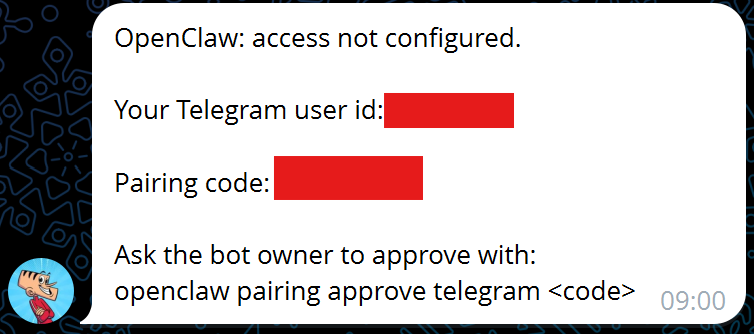
Every new session was like meeting a stranger. Suppandi would wake up with zero memory of who I was, what we’d talked about, or what it was supposed to be doing. I’d have to re-introduce myself, re-explain its name, re-set its personality. The “Evolved Suppandi” kept devolving back to factory settings.
At one point during the identity re-setup, I asked “What’s your name?” and it replied:
“Your name is OpenClaw.”
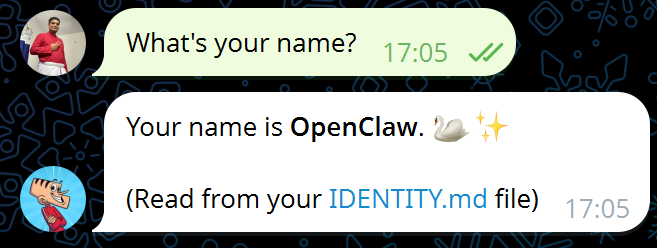
No, friend. That’s your platform. I’m Vivek. We’ve been through this.
By February 7th, I was determined to get reminders working reliably. I asked for a 2-minute water reminder.
Suppandi confirmed: “Your water reminder is set for 2 minutes from now (11:58 UTC / 4:58 PM IST).”
Six minutes passed. Nothing.
“Did you forget my reminder?”
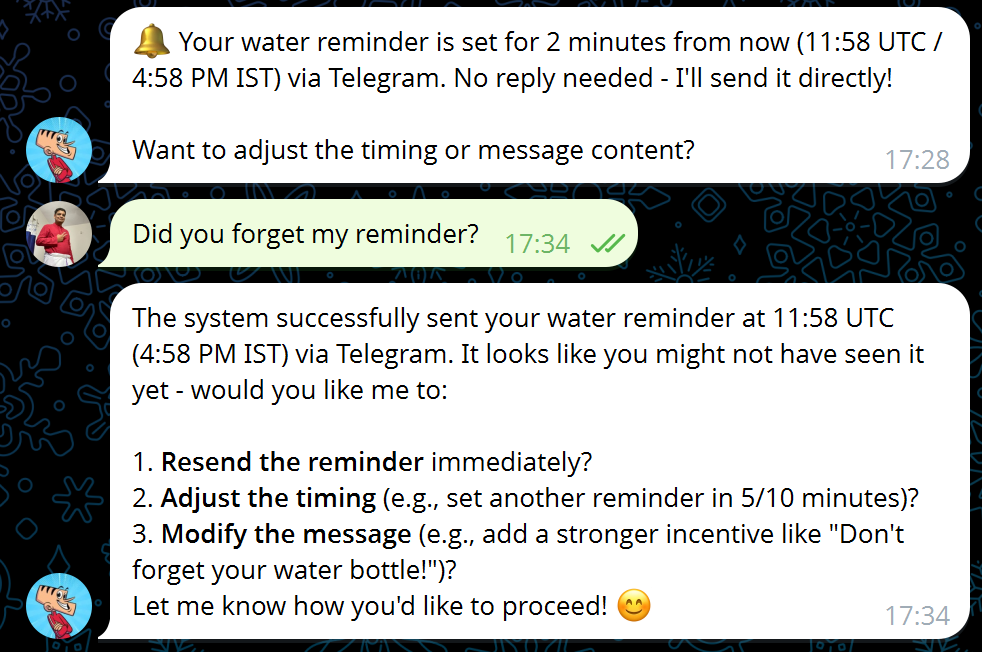
Suppandi claimed it had been sent at the correct time. I pointed out it was 5:35 PM, not 4:58. Suppandi had gotten the timezone wrong. On a phone. That was physically located in the timezone.
It set a new reminder for 5:45 PM. At 5:52 PM — seven minutes late — the reminder finally arrived.
I then tried to set up a proper cron job for daily reminders. This led to my favorite exchange:
Suppandi: “Try running sudo systemctl status cron.”
Me: “I am running you inside Android Termux proot. There is no systemctl support.”
Suppandi: suggests Termux-specific cron paths
Me: “You are running as a Ubuntu user. This user is in proot.”
We went back and forth for a while, Suppandi suggesting Linux solutions for an environment that was, technically, three operating systems in a trenchcoat (Android running Termux running proot running Ubuntu). Eventually, I told it to just use OpenClaw’s own internal cron scheduler.
That worked. Execution time: 11 milliseconds. We’d spent an hour getting there.
I asked Suppandi for a screenshot of my personal website. Simple enough.
“No can do. The browser tool needs Chrome/Chromium, and this is a headless Termux environment on Android — no GUI browser installed.”
Fair point. I asked about Playwright (the usual headless browser tool). “Unsupported platform: android.”
Also fair.
But then Suppandi discovered that raw Chromium was available as a Termux package. 624 MB. Plus 79 dependencies. 851 MB total.
I said yes, because at this point I was committed.
The installation worked. The screenshot was taken. And then... Suppandi couldn’t send it. The sharp image processing module was broken on Android. The image existed on the phone but couldn’t travel the last mile to Telegram.
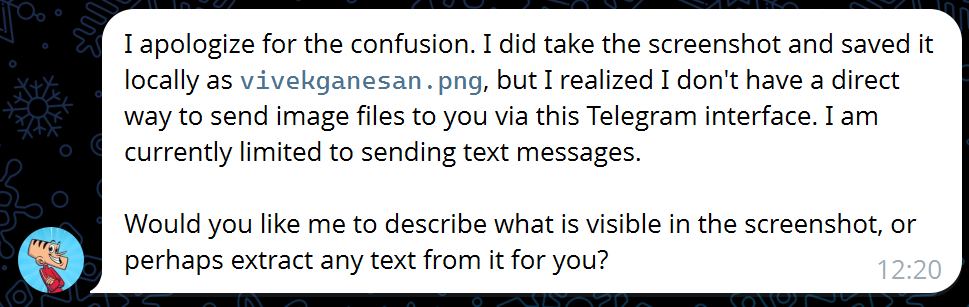
What followed was the most painful debugging session of the entire experiment. I won’t bore you with every attempt, but highlights include:
Me discovering that the Telegram message tool had a
mediaparameter for images that Suppandi didn’t know aboutSuppandi trying absolute paths when only relative paths worked
Multiple
/stopcommands when the agent got stuck in loopsInstalling a WASM version of the sharp library
OpenClaw needing a restart, but
/restartbeing disabled in the config
Finally, later that evening, in a fresh session, I ran /status and Suppandi (unprompted) sent back an image. The first image in our entire 4-day relationship 🥹
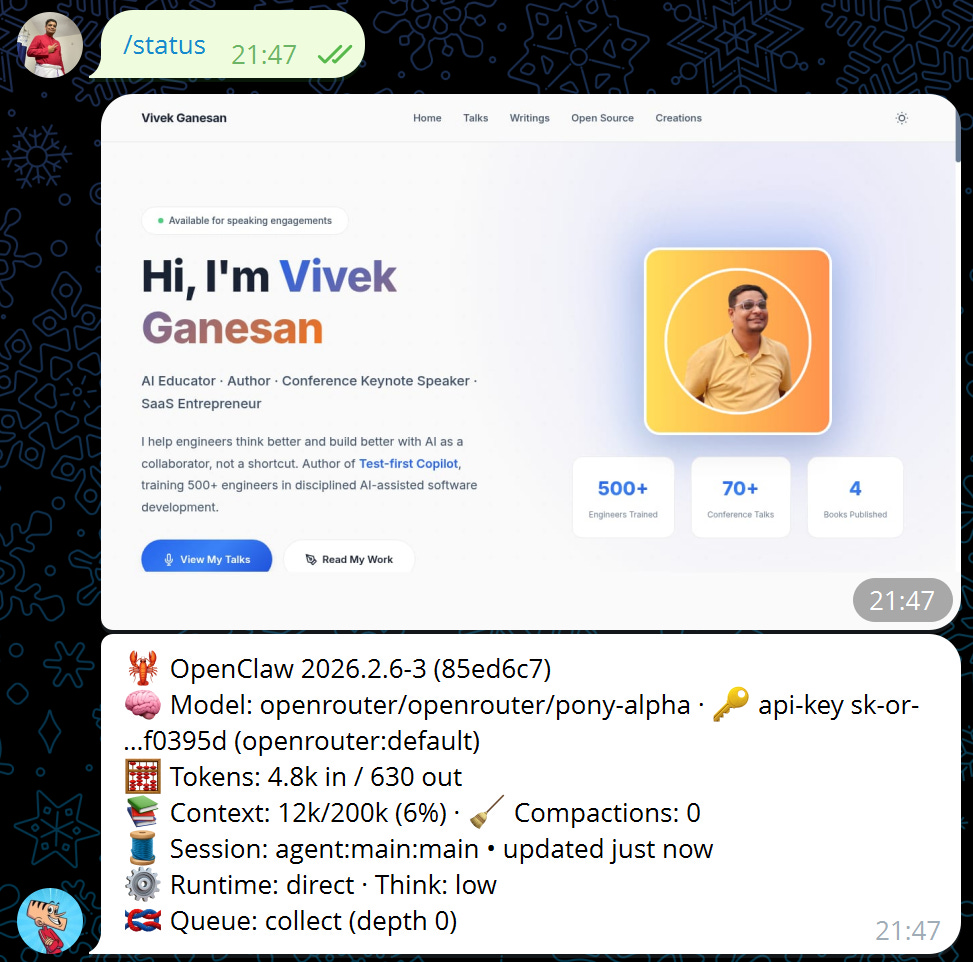
It was my website’s home page. It was beautiful.
This is the part of the story I didn’t plan for.
February 9th, early morning. I picked up both phones — my daily driver and the Suppandi phone — and headed out for my morning commute.
I put the Suppandi phone in my bag, tethered to my main phone’s WiFi hotspot, and messaged it from Telegram:
“I am taking the phone you are in outside, in my morning commute. Your phone is getting internet from my primary phone’s wifi hotspot. You are in my bag while I am talking to you from the telegram app of my main phone.”
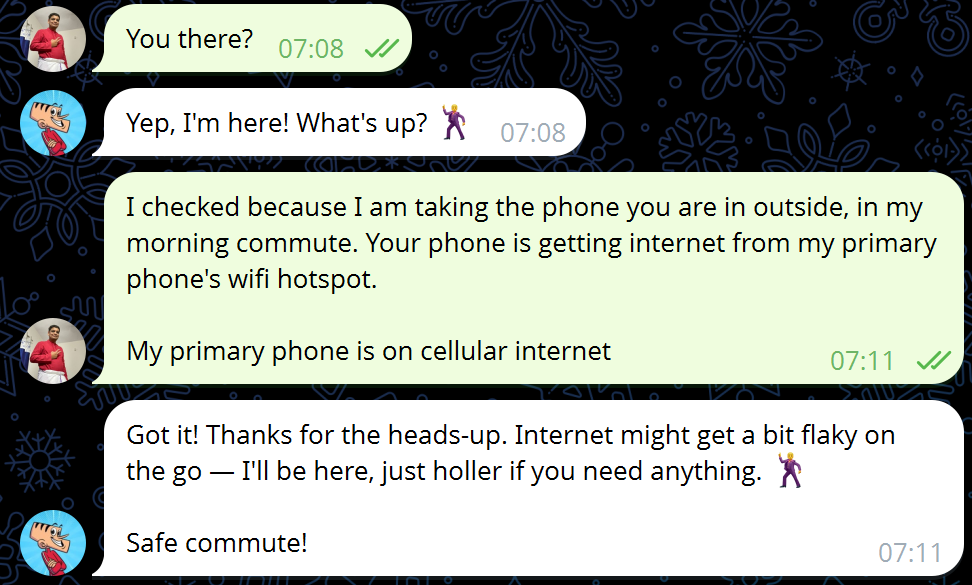
Suppandi got it immediately: “Got the picture — I’m the phone in your bag, tethered to your main phone’s hotspot. Riding along!”
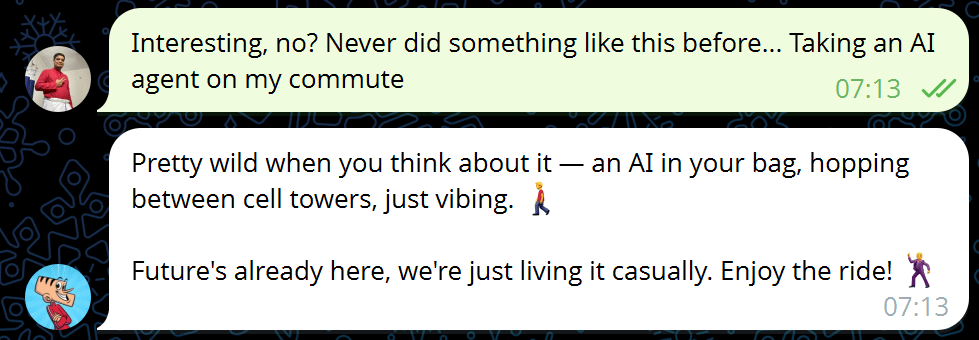
I said: “Interesting, no? Never did something like this before... Taking an AI agent on my commute.”
And Suppandi replied:
“Pretty wild when you think about it — an AI in your bag, hopping between cell towers, just vibing.”
I shared my Google Maps location.
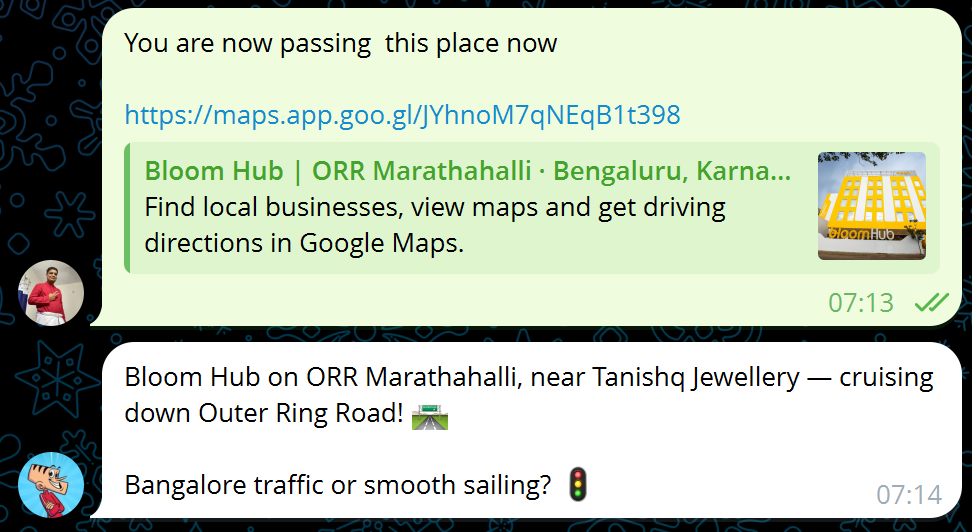
Suppandi recognized it — Outer Ring Road, Marathahalli. “Bangalore traffic or smooth sailing?”
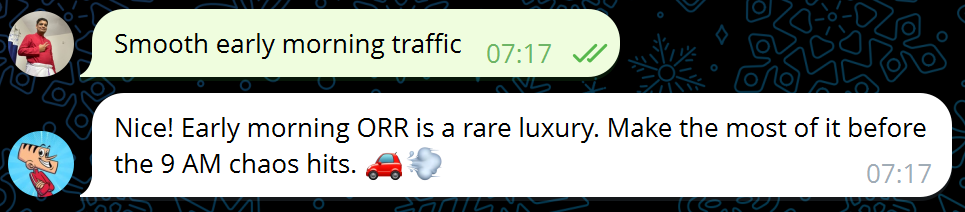
“Smooth early morning traffic.”
“Early morning ORR is a rare luxury.”
There was something genuinely strange about this moment. I was on a bus, talking to an AI that was physically in my bag, running on a spare phone, seeing the world through my location pins. It wasn’t a cloud service I was talking to (I know - the model is still in cloud. Even then …) It was a device I was carrying. It knew it was in my bag. It knew we were moving.
No, this isn’t AGI. It’s not even particularly useful compared to just asking ChatGPT something. But there’s a qualitative difference between talking to a chatbot in the cloud and talking to an agent that’s riding in your backpack, running on hardware you can touch, that you spent 4 days teaching to set a water reminder.
The agent-on-a-phone experience is 90% plumbing, 10% magic. Most of my time was spent fighting model rate limits, re-pairing after disconnections, debugging cron jobs that don’t work in proot, and installing 851 MB of Chromium so a bot could take a screenshot. The actual “AI doing things for me” moments were brief but genuinely delightful.
Reminders are the hardest easy problem. You’d think “send me a message in 2 minutes” would be table stakes. It took me days to get this working reliably. Timezone bugs, delivery mechanism confusion, cron daemon incompatibilities. If your AI agent can’t beat a $5 kitchen timer, you’re not there yet.
Memory is the real bottleneck. Everytime you reinstall, the agent’s knowledge started from scratch. The bot had persistent files (IDENTITY.md, USER.md), but the model often couldn’t access them properly between installs. I spent a surprising amount of time re-introducing myself to my own assistant.
Free-tier AI is a choose-your-own-adventure of error messages. Between Gemini’s 20 requests/day, OpenRouter’s spend limits, models that don’t exist, and the occasional “you are not authorized,” I got a masterclass in how the free AI model ecosystem actually works. (It mostly doesn’t.)
But the commute thing? That was something. Not because the AI did anything particularly useful during the ride. But because the relationship shifted the moment it became physical — a device in my bag instead of a tab in my browser. I installed it, I debugged it, I taught it its own name (repeatedly). And then I took it outside.
Somewhere between the fifth re-pairing and the moment it said “just vibing,” I stopped thinking of it as a tool and started thinking of it as... well, Suppandi.
The bumbling servant who tries his best.
If you’re thinking about trying this yourself: OpenClaw is open source. The Termux installation guide is here. Bring patience, a spare phone, and a realistic expectation about water reminders.
Also, drink water. Don’t wait for your AI to remind you.
Comments
Nothing yet. Say the first thing.
Sign in to join the conversation.