
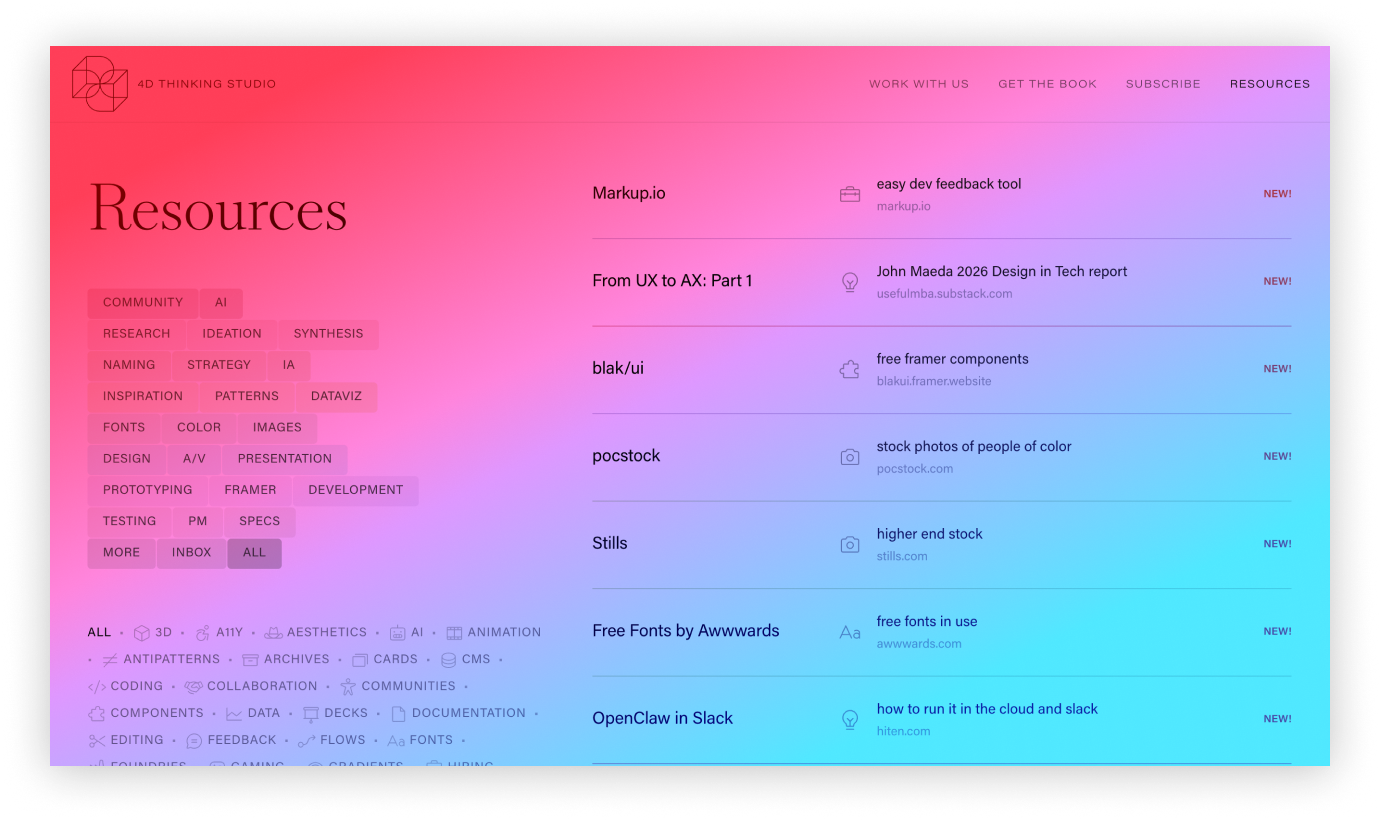
This weekend I used Claude to convert my Notion database of 350+ bookmarks into a resources page on my Framer site (with a Chrome extension to easily add and edit them). There are so many new tips and tools to keep up with, especially with AI changing EVERYTHING, so this is a feed/toolkit of new, favorite, or niche resources. Add it to your own bookmarks: 4Dthinking.studio/resources
(I’d been squirreling links away in Notion for years, but Gabby Lord’s great site and newsletter of design resources made me realize that a public Notion URL, while efficient, was a missed opportunity.)
It only took a day, and I thought some other people might want to do something similar so here’s the prompts and process I used.
I wanted a cool web page to display my links with custom sorting and filtering. I wanted a Chrome extension to add the items, since all the tools I still use regularly have extensions. I wanted tagging as part of the bookmarking, so I didn’t end up with another Inbox of saved links to process. And later in the process I realized I needed an easy way to edit the items or delete dead links.
Think: What are all the steps in your current workflow, and how could they be better?
I started in Claude.ai — not a Project or anything, just the regular chat. With all the talk of “prompt engineering,” it’s easy to feel like you don’t have that skill, but YOU CAN JUST ASK CLAUDE. Look at how dumb my prompts are, and things turned out perfectly:
how could i build a custom chrome extension that lets me grab a url, add tags, and save it in a public resources database like omglord.comok, can you make the modal have fields for title, blurb, phase, link, date added, and then a checkbox for “fav”? i would like the web interface to be part of my Framer site if that’s possiblehow do i load the extension in chromecan you make Tags optional, and make Phase an autocomplete single select from the following attached options (in the same order):where do i get the firebase api keyi don’t see Build → Realtime Databasein framer, do i add an Embed component or a Code Blockhow do i get these existing resources into my db (csv attached)
Just those 8 prompts above and I had a working demo! A Chrome extension, a Firebase database, and a Framer embed (none of which I had ever created before).
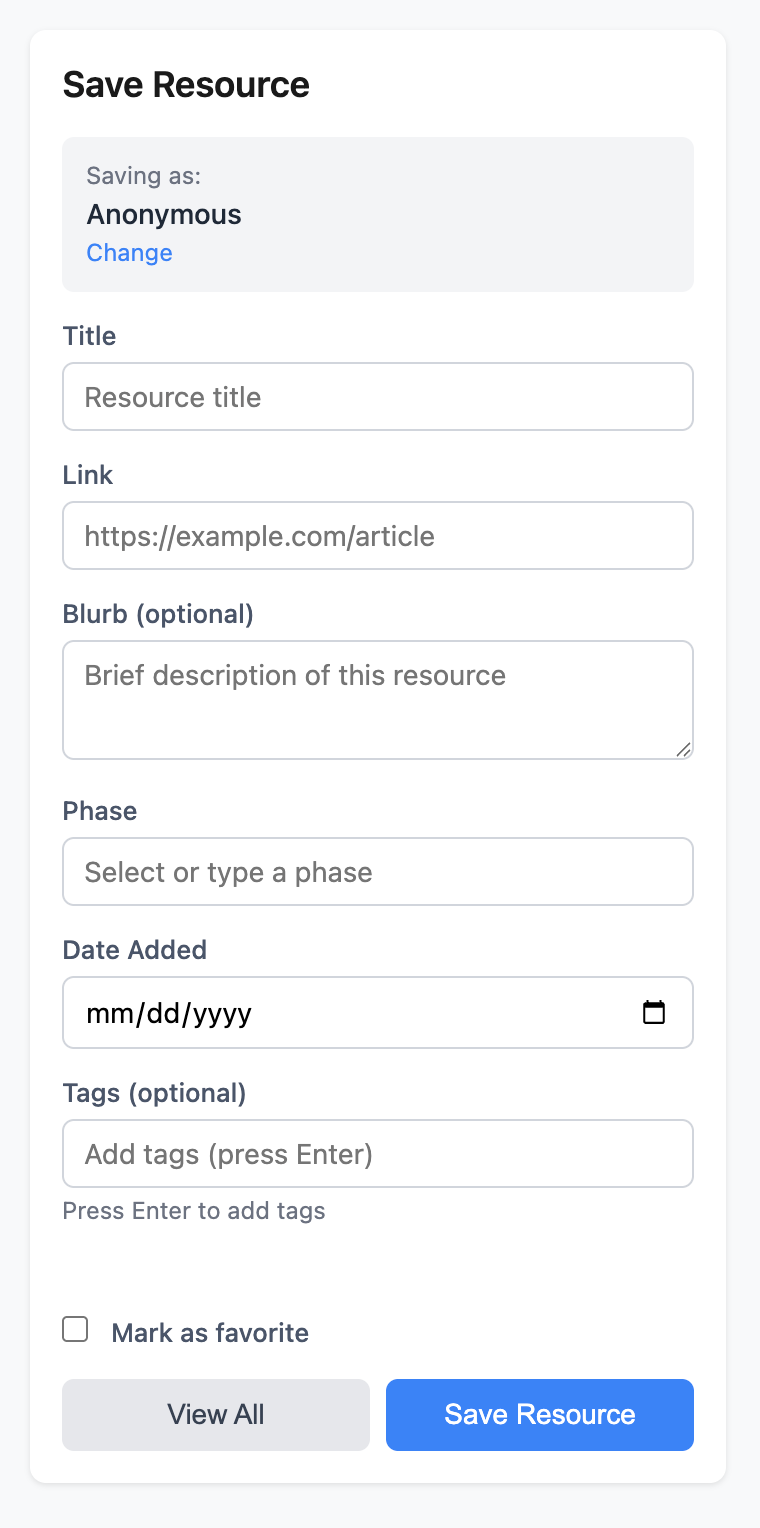
Once the prototype worked, I went into Figma to decide how I wanted it to look.
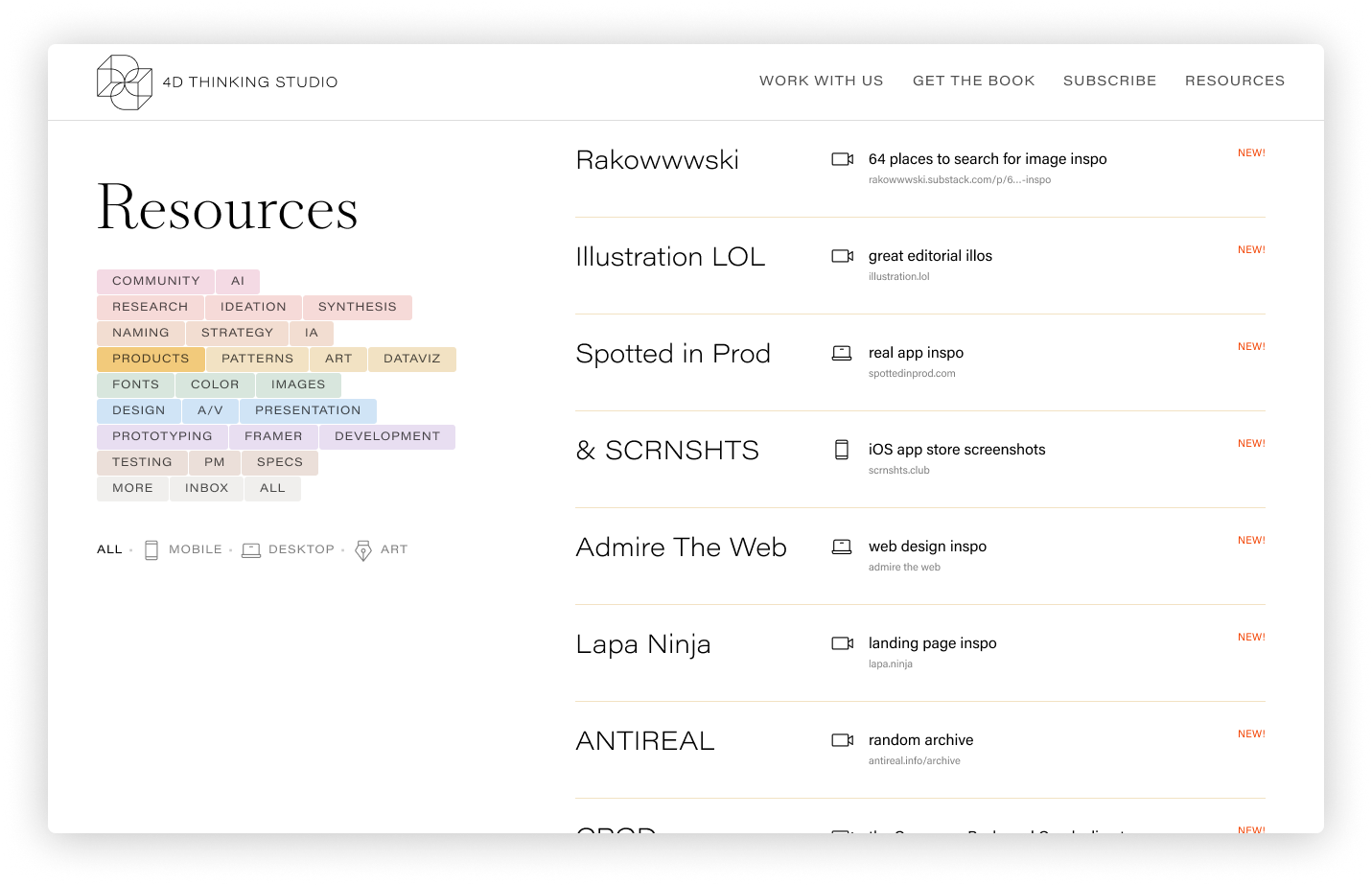
And then back to Claude for more fixes and questions
for the framer component, could it look like this?[many rounds of detailed design feedback, e.g. please reduce the space between the phase tags to 1px, and put each row on its own line like in the bulleted list]oops i forgot to upload the mockup with the hover colorsis 4d-minimal.tsx the new code to cut/pastewhat are all the other .tsx files in the /framer-variants folder for?
if i want to delete a resource later, what’s the easiest way to do thatoption 3 would be great, yes. also, for the filter tags below the phase tags, please use this design. Also, my site uses Millionaire for the serif and Acumin for the sans. See the CSS on https://ericaheinz.com/ and please set the framer extension up to use those fonts[more rounds of bug fixes]i updated resources.csv locally, how do i update firebase again?
Here I finally switched to Claude Code, which just edits the files in a folder directly, bc I got tired of downloading the file before copy/pasting into Framer
i need to update the firebase database with new tags. what’s the easiest way to do that[many more rounds of bug fixes and design tweaks, trying not to get mad] e.g.the tags seem to be missing from the data now. i used the csv importer to firebase, are they being seen as part of the URLs in the csv?A/V is the phase, animation is the tagwhat do you mean run it oncecopy.tsx still not working. please compare to this version from yesterday that was workingNO, don’t edit copy! that’s the one that was working! update 4d-minimal.tsxwhere is the firebase console browsernothing is pasting, is there any other way to do this?the fields look like they have the right name, but the type field is missing. can’t i just rename the column titles in the CSV and reimport? why is the type field not being importedyes change to categoryhere is the new csv. can i go ahead and import it to firebase?why do i have to run these stupid scripts? i didn’t have to do that beforei have the csv open in Numbers, i can also just do a find and replace to change values before importing, or reformat the dates. i’m not a developer i’m a designeryou built this importerit was in a different chat with youok it’s working now. whew!
One afternoon and one morning of work:
Build > Design > Iterate is the new process. Function first. Nuances next. Then endless iteration, and a much more polished product. When roles collapse (like Gary Chou talked about in my last podcast interview), you can get through dozens and dozens of iterations without saying a word.
Be lazy! Ask Claude things you would normally go research or do, and it will often do work or suggest options you didn’t think about. (e.g. I asked if the list could animate in, and it asked what kind, and I normally would run off and do the research myself, but I said “where can i see examples of that” and it offered to build a demo of 3 options). Ask it “the easiest way” to do something, and it will often tell you about new tools (like Firebase for databases) or suggest feature ideas you hadn’t considered (like a View All page in the extension to edit/delete links)
Be excited! I don’t know if these fast-food tools are rotting my teeth, but I definitely would not have gotten this project finished on my own. It’s cool to know I can now build Chrome extensions, and more
Any questions? Was this useful? LMK and I’ll do more.
Thanks for reading Think in 4D! This post is public so feel free to share it.
No posts
Comments
Nothing yet. Say the first thing.
Sign in to join the conversation.