
Introduction
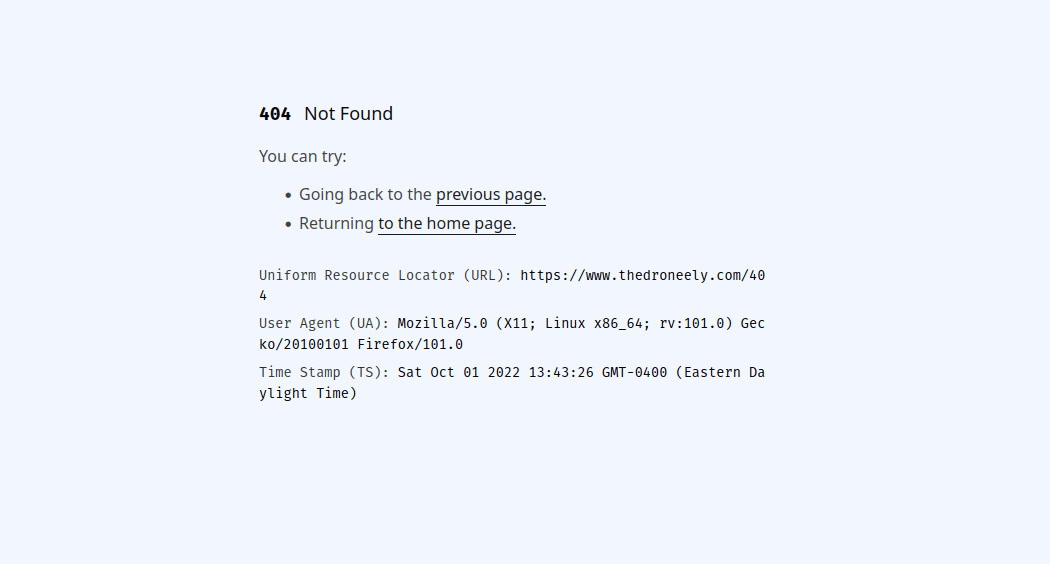
A recent look at my web server configuration revealed that my error pages were
set up in an odd way. From the base route of a domain, it’s possible to iterate
over each error page starting with /400, /401,
/402, /403, /404 and so on. I guess that my
past
My initial personal nginx
configuration is from years ago.
self wanted to verify an error page’s content and existence.
It did seem like more was going on but upon further investigation, these error
pages were just statically generated HTML (HyperText Markup Language). They
were made with HTML and XML (Extensible Markup Language) utilities many
moons ago.
Just as there are too many books to read in a lifetime, there are
too many programs to try out in a lifetime. If you look
online it’s easy to get the impression that making a website is rocket
science. The reason for this is obvious — almost all discussions online are
oriented towards engineers working in the industry. The reality is that a
website or even an “application” can be as simple as a single HTML text file.
The blessed ways of crafting and delivering a website have become beyond the
pale complicated, but composing HTML is still as simple as it always was, and
perhaps even easier thanks to some improvements in the
HTML specification.
HTML and XML Utilities
HTML and XML utilities or html-xml-utils are a simple set of programs for
manipulating HTML and XML files. Here’s the master list that describes the
purpose of each utility taken right from the
readme.
text
asc2xml      -  convert from UTF-8 to &#nnn; entities
hxaddid      -  add IDs to selected elements
hxcite       -  replace bibliographic references by hyperlinks
hxcite-mkbib -  expand references and create bibliography
hxclean      -  apply heuristics to correct an HTML file
hxcopy       -  copy an HTML file while preserving relative links
hxcount      -  count elements and attributes in HTML or XML files
hxextract    -  extract selected elements
hxincl       -  expand included HTML or XML files
hxindex      -  create an alphabetically sorted index
hxmkbib      -  create bibliography from a template
hxmultitoc   -  create a table of contents for a set of HTML files
hxname2id    -  move some ID= or NAME= from A elements to their parents
hxnormalize  -  pretty-print an HTML file
hxnsxml      -  convert output of hxxmlns back to normal XML
hxnum        -  number section headings in an HTML file
hxpipe       -  convert XML to a format easier to parse with Perl or AWK
hxprintlinks -  number links & add table of URLs at end of an HTML file
hxprune      -  remove marked elements from an HTML file
hxref        -  generate cross-references
hxselect     -  extract elements that match a (CSS) selector
hxtoc        -  insert a table of contents in an HTML file
hxuncdata    -  replace CDATA sections by character entities
hxunent      -  replace HTML predefined character entities to UTF-8
hxunpipe     -  convert output of pipe back to XML format
hxunxmlns    -  replace "global names" by XML Namespace prefixes
hxwls        -  list links in an HTML file
xml2asc      -  convert from &#nnn; entities to UTF-8
These 28 programs (primitives) allow you to do a lot of magic with HTML (and
XML). If you’re on a Linux distribution this package exists on
Debian,
Arch,
Alpine
and others as
html-xml-utils.
Basic Templating
The web was initially designed with the purpose of passing documents around.
Below is a modern skeleton of a basic
index.html
The file name index.html is a convention that pretty much all web servers
recognize. If it exists, the web server will process it automatically.
document.
html
<!DOCTYPE html>
<html lang="en">
  <head>
    <title>The Document</title>
    <meta charset="utf-8" />
    <meta
      name="viewport"
      content="width=device-width, initial-scale=1"
    />
  </head>
  <body>
  </body>
</html>
The document type is HTML with a language attribute set to English, the <head>
includes the title, character set and viewport while the <body> begins the
rest of the document and ends it with a closing </body>.
The package html-xml-utils has a program
hxincl that allows augmenting that
base index.html document. Here’s what a rough template of those error pages
look like using the inclusion directives of hxincl.
html
<!DOCTYPE html>
<html lang="en">
  <head>
    <meta
      name="viewport"
      content="width=device-width, initial-scale=1"
    />
    <style>
      <!-- include "index.css" -->
    </style>
  </head>
  <body>
    <article>
      <section>
        <h1>
          <code>
            <b>
              <!-- include "error.code.html" -->
            </b>
          </code>
          <!-- include "error.title.html" -->
        </h1>
      </section>
      <p>You can try:</p>
      <ul id="action">
        <li>
          Going back to the
          <a onclick="window.history.go(-1); return false;" href="/">
            previous page.
          </a>
        </li>
        <li>Returning <a href="/">to the home page.</a></li>
      </ul>
    </article>
    <script>
      <!-- include "index.js" -->
    </script>
  </body>
</html>
Running hxincl on this template expands the contents of the included file
directives which are conveniently just HTML comments. It expands into a final
artifact: the error code value and title, along with a traditional separation of
concerns for CSS (Cascading Style Sheets) as index.css and JavaScript as
index.js. The source code of an error page shows the full expansion.
shell
hxincl -f -x template.htmlThe -f flag removes all comments after the expansion and the -x flag
enforces XML conventions when generating
void elements.
The program hxnormalize can be
used to format and pretty print the final HTML document.
Conclusion
This was a very simple demonstration and hxincl can be used much more cleverly
with substitutions. There’s no props, slots, or template inheritance but I
thought it’d be rather nice to demonstrate that you don’t need complex tools to
start generating HTML.
Comments
Nothing yet. Say the first thing.
Sign in to join the conversation.