Kubernetes is an open source container orchestration tool promising a catch all solution to issues that arise when deploying applications. Kubernetes creates a framework that models how infrastructure and services should interact.
The industry is trending in a direction where a
lot
Tech marketing works its
wonders.
of people will be running k8s (Kubernetes) setups in
one form or the other. Let’s exploit Linux Containers (LXC) as a mock
infrastructure and create a local k8s cluster to experiment.
The Base System
We will use CentOS Linux
version
Pinning down
moving targets (versions) prevents you from losing your mind if something breaks
and things do break.
8.1.1911 as our base system for a
cluster running k8s version 1.17. You can download the CentOS version of
choice using lxc-create.
shell
lxc-create -n k8s-centos8 -t downloadIn my case the rootfs for lxc is
built
In
ideal scenarios, transitioning between a chroot, container, virtual machine,
and bare metal should be easy.
with docker using a
Dockerfile. We
docker export
to obtain the container’s filesystem. This build bootstraps openssh-server and
python for ansible to quickly setup the clusters.
dockerfile
FROM centos:centos8.1.1911

RUN dnf -y update

RUN  dnf install -y --setopt=install_weak_deps=False \
  openssh-server network-scripts python3

RUN  systemctl enable network
RUN  systemctl disable kdump

RUN  usermod -p "$(uuidgen)" root

COPY centos8/files/ifcfg-ens3 /etc/sysconfig/network-scripts/ifcfg-ens3
COPY common/sshd_config /etc/ssh/sshd_config

RUN mkdir -p /root/.ssh
RUN chmod 700 /root/.ssh
COPY common/authorized_keys /root/.ssh/authorized_keys
RUN chmod 400 /root/.ssh/authorized_keys
The Container Configuration
For Kubernetes to work inside the container, we’ll need to tweak its lxc
configuration. This is a
setup
This should
work on Debian and Arch Linux based systems.
for the base
container k8s-centos8 in /var/lib/lxc/k8s-centos8/config.
ini
# Uncomment the following line to support nesting containers
lxc.include = /usr/share/lxc/config/nesting.conf

# Distribution configuration
lxc.include = /usr/share/lxc/config/common.conf
lxc.arch = x86_64

# Allow access to all cgroups
lxc.cgroup.devices.allow = a

# Set proc mount to read and write
lxc.mount.auto = cgroup:mixed proc:rw sys:mixed

# No capability drops
lxc.cap.drop =

# Bind host kmsg for oom killer
lxc.mount.entry = /dev/kmsg dev/kmsg none defaults,bind,create=file

# Apparmor unconfined and allow nesting
lxc.apparmor.profile = unconfined
lxc.apparmor.allow_nesting = 1

# Network configuration
lxc.net.0.type = veth
lxc.net.0.link = lxcbr0
lxc.net.0.flags = up
lxc.net.0.hwaddr = 00:16:3e:e0:c3:1d
lxc.rootfs.path = dir:/var/lib/lxc/k8s-centos8/rootfs
lxc.uts.name = k8s-centos8
Kubernetes Cluster Installation
The base system is now ready.
Create
You can
add -B overlayfs -s onto the end of the lxc-copy command for super fast
cloning.
a master node and
three
If you have a
domain defined in
/etc/default/lxc-net then you can ping a running container by
name.
worker nodes by cloning the base system.
shell
lxc-copy -n k8s-centos8 -N k8s-master
lxc-copy -n k8s-centos8 -N k8s-node1
lxc-copy -n k8s-centos8 -N k8s-node2
lxc-copy -n k8s-centos8 -N k8s-node3
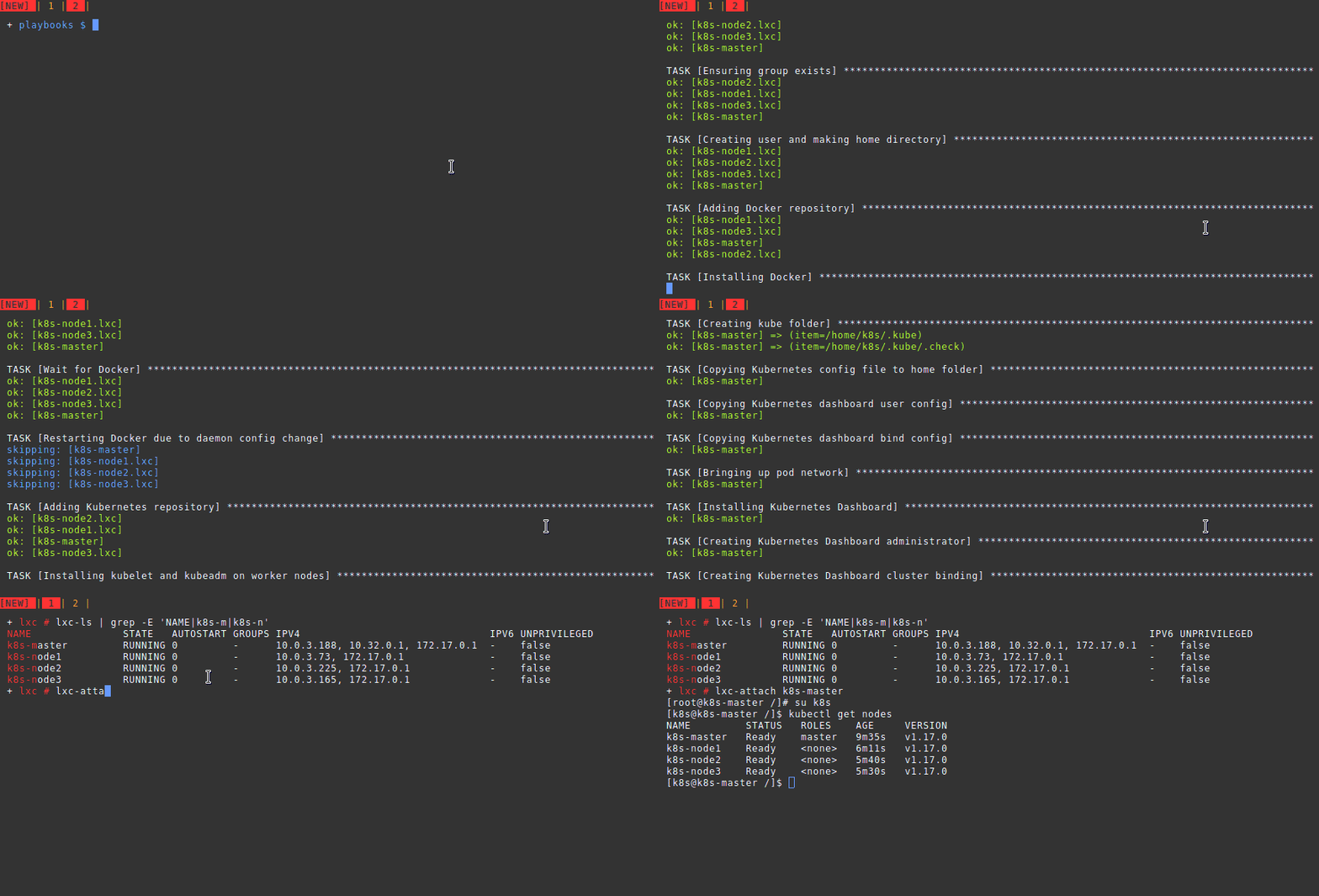
Manually setting up each system is troublesome. We automate the rest using
this
ansible
playbook.
This playbook is a
distillation of the standard installation documentation, with the addition of
the
Kubernetes Dashboard.
Comments
Nothing yet. Say the first thing.
Sign in to join the conversation.