
API v1 end of life was announced June 30, 2023
Vultr is a VPS (Virtual Private Server) hosting
platform that uses KVM (Kernel–based Virtual Machine) virtualization. Signing
into their website over and over again to make a snapshot can be tedious. Let’s
automate this process using
bash, and
systemd timers.
Vultr offers an excellent
API (Application Programming Interface) that
lets you programmatically orchestrate a web based hypervisor dashboard, right
down to account payments. We will use this API to automatically create
snapshots.
Update: Vultr’s
snapshots
Other low level
methods for snapshotting exist. This is merely a nice
convenience.
used to be free, but
the pricing changed
to $0.05/GB per month. Keeping this in mind the script below sets an
initial
Vultr used to support up to 11 free
snapshots.
limit of 11 snapshots.

First let’s set up the variables that our script will use to create and rotate snapshots.
bash
#!/bin/sh -eu

Key='YourAPIKEY'
SnapshotLimit=11
SnapshotCount=$(curl -s -H "API-Key: $Key" https://api.vultr.com/v1/snapshot/list | grep -o SNAPSHOTID | wc -l)
Fields=$(curl -s -H "API-Key: $Key" https://api.vultr.com/v1/snapshot/list | grep -o '"' | wc -l)
LastSnapshotField=$((Fields - 24))
LastSnapshotID=$(curl -s -H "API-Key: $Key" https://api.vultr.com/v1/snapshot/list | grep '"' | cut -d '"' -f $LastSnapshotField)
We are using command substitutions with curl. Let’s add our API key and set
the snapshot limit to 11. The API will respond in json. We can install
jq but I’ll use the tools that are available
to process the output. First, we’ll get the current number of snapshots using
grep and wc.
bash
SnapshotCount=$(curl -s -H "API-Key: $Key" https://api.vultr.com/v1/snapshot/list | grep -o SNAPSHOTID | wc -l)Then use the same technique to get the number of fields in the json output
delimited by ".
bash
Fields=$(curl -s -H "API-Key: $Key" https://api.vultr.com/v1/snapshot/list | grep -o '"' | wc -l)Since we have an upper snapshot limit of 11, we also need to know the ID of
the oldest snapshot. This will allow us to destroy that snapshot when we reach
the limit automatically. I already know that the oldest snapshot ID is always
28 fields away from the end of the delimited json output.
bash
LastSnapshotField=$((Fields - 28)Finish up by using grep and cut to extract the oldest snapshot ID.
bash
LastSnapshotID=$(curl -s -H "API-Key: $Key" https://api.vultr.com/v1/snapshot/list | grep '"' | cut -d '"' -f $LastSnapshotField)Execute a simple if statement to destroy that snapshot when necessary. Nothing
fancy.
bash
if [ "$SnapshotCount" -eq "$SnapshotLimit" ]
  then
    curl -H "API-Key: $Key" https://api.vultr.com/v1/snapshot/destroy --data "SNAPSHOTID=$LastSnapshotID" || exit 1;
fi

curl -H "API-Key: $Key" https://api.vultr.com/v1/snapshot/create --data 'SUBID=YourSUBID';
Our full script now looks like this and is complete.
bash
#!/bin/sh -eu

Key='YourAPIKEY'
SnapshotLimit=11
SnapshotCount=$(curl -s -H "API-Key: $Key" https://api.vultr.com/v1/snapshot/list | grep -o SNAPSHOTID | wc -l)
Fields=$(curl -s -H "API-Key: $Key" https://api.vultr.com/v1/snapshot/list | grep -o '"' | wc -l)
LastSnapshotField=$((Fields - 24))
LastSnapshotID=$(curl -s -H "API-Key: $Key" https://api.vultr.com/v1/snapshot/list | grep '"' | cut -d '"' -f $LastSnapshotField)

if [ "$SnapshotCount" -eq "$SnapshotLimit" ]
  then
    curl -H "API-Key: $Key" https://api.vultr.com/v1/snapshot/destroy --data "SNAPSHOTID=$LastSnapshotID" || exit 1;
fi

curl -H "API-Key: $Key" https://api.vultr.com/v1/snapshot/create --data 'SUBID=YourSUBID';
Let’s drop this into a systemd service at
/etc/systemd/system/vultr-snapshot.service.
ini
[Unit]
Description=Create Vultr Snapshot

[Service]
Type=oneshot
ExecStart=/usr/local/bin/vultr-snapshot
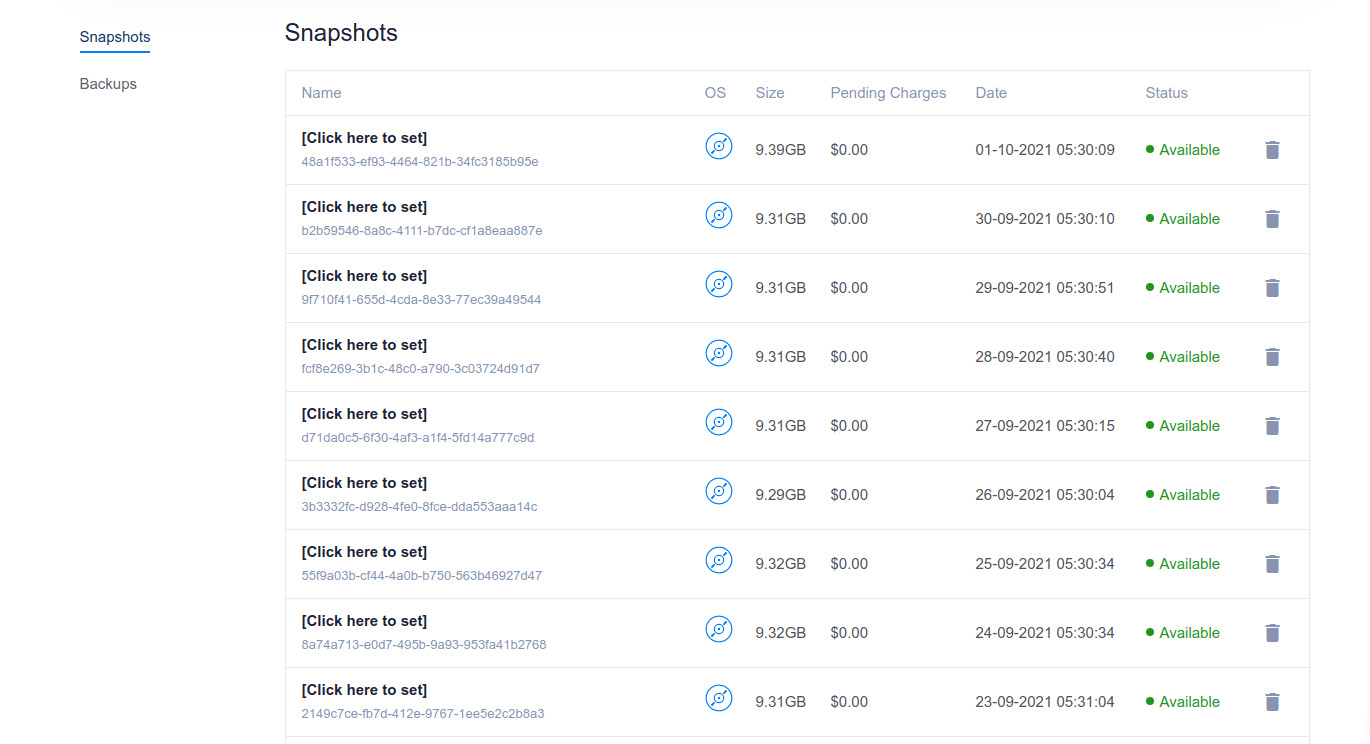
Then run it using a timer at /etc/systemd/system/vultr-snapshot.timer. This
timer runs the script at 5:30 AM every morning.
ini
[Unit]
Description=Create Vultr Snapshot

[Timer]
OnCalendar=*-*-* 05:30:00
RandomizedDelaySec=60

[Install]
WantedBy=timers.target
That’s it. This is a quick way of supplementing your normal backups with automatic Vultr snapshots.
Comments
Nothing yet. Say the first thing.
Sign in to join the conversation.