

How often does your pipeline break due to data quality? How often does your main point of conversation with your downstream users look like, “Man, this data frame has fewer rows than expected”?
If your answer is “more than I'd like,” we can quickly fix this by building a data quality checker.
You can keep up with the post and code by pulling the repo on your own machine. Here's the GitHub link https://github.com/gmedeiros-caylent/spark-data-quality.
We will build a validator that's easy to use at runtime. I want a Validator object that receives a dataframe and a list of rules that the data should comply with.
Something like this:
validator = Validator(df=df)
validator.add_rules(
     has_nulls("column_name"),
     has_values_between_range("col", [min, max])
     not_empty(),
     values_match_regex("col", "regex")
)
validator.validate()
Just a simple, easy and “no excuses” method to check for data quality.
Then, the Validator returns a report like this:
7 passed, 2 failed
--------------------------------------------------
PASSED:
✓ has_nulls_station_id
  Details: Column 'station_id' has no null values
✓ has_values_in_range_temperature
  Details: All values in column 'temperature' are within range [-50.0, 50.0]
✓ has_values_in_range_humidity
  Details: All values in column 'humidity' are within range [0.0, 100.0]
✓ has_values_in_range_pressure
  Details: All values in column 'pressure' are within range [900.0, 1100.0]
✓ has_values_in_range_wind_speed
  Details: All values in column 'wind_speed' are within range [0.0, 200.0]
✓ has_min_rows_5
  Details: DataFrame has at least 5 rows
✓ values_match_regex_station_id
  Details: All values in column 'station_id' match pattern '^ST\d{3}$'
FAILED:
✗ has_unique_values_station_id_timestamp
  Details: Columns 'station_id, timestamp' have duplicate values
✗ has_nulls_temperature
  Details: Column 'temperature' contains null values
This validator will work with native PySpark calls like filter, count, etc. It won't be a fast checker, but at least you'll start somewhere.
First, we're going to need a String Enum for ValidationStatus:
class ValidationStatus(Enum):
    """Enumeration for validation status."""
    PASSED = "PASSED"
    FAILED = "FAILED"
Then, we'll need a model for a single validation result:
class ValidationResult(BaseModel):
    """Model representing the result of a single validation rule.
    :param rule_name: Name of the validation rule
    :type rule_name: str
    :param status: Status of the validation (PASSED or FAILED)
    :type status: ValidationStatus
    :param details: Detailed description of the validation result
    :type details: str
    :param criticality: Criticality level of the validation rule
    :type criticality: RuleCriticality
    """
    rule_name: str
    status: ValidationStatus
    details: str
    criticality: RuleCriticality
These two helpers will build the ValidationReport object, which will return to us the full string with the test results.
It should be a Pydantic base model that receives a list of ValidationResults. Then, we'll create some helper @ properties to validate checks and fails.
class ValidationReport(BaseModel):
    """Model representing a collection of validation results.
    :param results: List of validation results
    :type results: List[ValidationResult]
    """
    results: List[ValidationResult]
    @property
    def passed(self) -> bool:
        """Check if all validations passed.
        :return: True if all validations passed, False otherwise
        :rtype: bool
        """
        return all(result.status == ValidationStatus.PASSED for result in self.results)
    @property
    def failed_rules(self) -> List[ValidationResult]:
        """Get list of failed validation rules.
        :return: List of validation results that failed
        :rtype: List[ValidationResult]
        """
        return [result for result in self.results if result.status == ValidationStatus.FAILED]
    def __str__(self) -> str:
        """Get a string representation of the validation report.
        :return: Formatted string showing passed and failed validations
        :rtype: str
        """
        passed_results = [r for r in self.results if r.status == ValidationStatus.PASSED]
        failed_results = [r for r in self.results if r.status == ValidationStatus.FAILED]
        output = []
        # Add summary
        output.append(f"Validation Report: {len(passed_results)} passed, {len(failed_results)} failed")
        output.append("-" * 50)
        # Add passed results
        if passed_results:
            output.append("PASSED:")
            for result in passed_results:
                output.append(f"✓ {result.rule_name}")
                output.append(f"  Details: {result.details}")
                output.append("")
        # Add failed results
        if failed_results:
            output.append("FAILED:")
            for result in failed_results:
                output.append(f"✗ {result.rule_name}")
                output.append(f"  Details: {result.details}")
                output.append("")
        return "\n".join(output)
Notice that we're using the built-in `__str__` method to create a string representation of the result. This way, we can easily print it.
Basically, the DataValidator object will have 3 methods: __init__, add_rules, and validate.
The initialization receives the dataframe as input. The add_rules() will add a list of Rules objects, and the validate() will enforce the rules.
class DataValidator:
    """Class for validating PySpark DataFrames.
    :param df: The PySpark DataFrame to validate
    :type df: DataFrame
    :param raise_if_fails: Whether to raise an error if any validation fails
    :type raise_if_fails: bool
    :param rules: List of validation rules to apply
    :type rules: List[Rule]
    """
    def __init__(self, df: DataFrame):
        self.df = df
        self.rules: List[Rule] = []
    def add_rules(self, rules: List[Rule]) -> 'DataValidator':
        """Add validation rules to the validator.
        :param rules: List of Rule objects to add
        :type rules: List[Rule]
        :return: The validator instance for method chaining
        :rtype: DataValidator
        """
        self.rules.extend(rules)
        return self
    def validate(self) -> ValidationReport:
        """Run all validation rules and return a report.
        :return: Report containing results of all validation rules
        :rtype: ValidationReport
        :raises: ValueError if criticality is CRITICAL and any validation fails
        """
        results = []
        for rule in self.rules:
            passed, details, criticality = rule(self.df)
            results.append(ValidationResult(
                rule_name=rule.name,
                status=ValidationStatus.PASSED if passed else ValidationStatus.FAILED,
                details=details,
                criticality=criticality
            ))
        report = ValidationReport(results=results)
        critical_failures = []
        for result in report.results:
            if result.criticality == RuleCriticality.CRITICAL and result.status == ValidationStatus.FAILED:
                critical_failures.append(result)
        if critical_failures:
            logger.error(f"Total critical validation failures: {len(critical_failures)}")
            for failure in critical_failures:
                logger.error(f"Validation failed: {failure.rule_name}")
                logger.error(f"Details: {failure.details}")
            logger.error(f"Full report: {report}")
            raise ValueError("Critical validation failures occurred. Check the error log for details.")
        return report
The output of the validate() is the report itself. If some of the rules have a criticality flag and they fail, the validate method will raise an error.
For the rules, we'll have a base Rule object and several factory functions, which will instantiate Rules with a custom check function. We'll override the __call__ dunder method of the class to make the check function be called when we call the class.
class Rule(BaseModel):
    """Model representing a validation rule.
    :param name: Name of the validation rule
    :type name: str
    :param check_func: Function that performs the validation check
    :type check_func: callable
    :param description: Optional description of what the rule checks
    :type description: Optional[str]
    """
    name: str = Field(description="Name of the validation rule")
    check_func: Callable[[DataFrame], tuple[bool, str]] = Field(description="Function that performs the validation check")
    description: str | None = Field(default=None, description="Description of what the rule checks")
    def __call__(self, df: DataFrame) -> tuple[bool, str]:
        """Execute the validation check.
        :param df: DataFrame to validate
        :type df: DataFrame
        :return: Tuple of (passed, details)
        :rtype: tuple[bool, str]
        """
        return self.check_func(df)
Now, let's declare a StrEnum for Criticality:
class RuleCriticality(StrEnum):
    """Enum representing the criticality of a validation rule."""
    REGULAR = "regular"
    CRITICAL = "critical"
Now we can move forward with creating the factory functions. Here's an example of a factory function that checks if nulls are present on a column.
def has_nulls(column: str, criticality: RuleCriticality = RuleCriticality.REGULAR) -> Rule:
    """Create a rule to check for null values in a column.
    :param column: Name of the column to check
    :type column: str
    :param criticality: Criticality level of the validation rule
    :type criticality: RuleCriticality
    :return: Rule instance
    :rtype: Rule
    """
    def check(df: DataFrame) -> tuple[bool, str, str]:
        has_nulls = df.filter(df[column].isNull()).limit(1).count() > 0
        details = f"Column '{column}' contains null values" if has_nulls else f"Column '{column}' has no null values"
        return not has_nulls, details, criticality
    return Rule(name=f"has_nulls_{column}", check_func=check)
Note that the check function must return the result of the check, a brief description of the results, and the criticality of the function.
This will interface with the `validate()` function.
As I mentioned, performance will vary from check to check, because we're using PySpark actions to to validate the data, like counting, for instance.
If your data is huge, you can consider validating just a sample of it.
Finally, if you're unsure of where to use this validator in your pipeline, be sure to read Under The Hood 2, where I discuss the Netflix's Write Audit Publish pattern:
Netflix's WAP guarantees your data quality
·
March 10, 2025
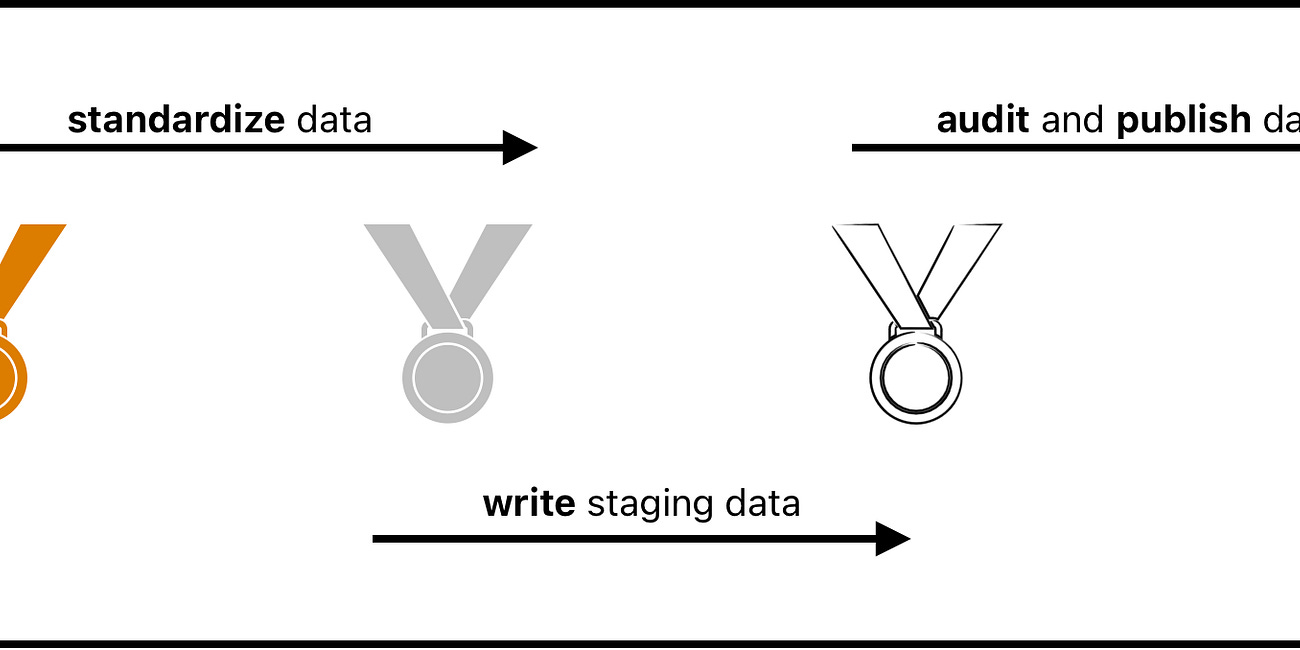
If you hold 10 data engineers in a room and ask them the correct naming convention for the layers of a data lake, odds are you'll receive 11 different answers.
See you later!
Comments
Nothing yet. Say the first thing.
Sign in to join the conversation.