
Every day I post at least one cyber security tip as a “Note”. These are short, easy to understand, quick tips.
But I’ve realised that unless you use the Substack App, or webpage, you would never see these tips, as “Notes” don’t get emailed out, only “Posts” / Articles are emailed out.
To make sure my readers that don’t use the App or webpage don’t miss out, I’m going to publish the best of these short tips over the last two weeks to see if my email readers are interested in receiving these short tips, or not.
Here are a dozen of these short tips from earlier on this month:
This is why allowing your browser to store your passwords is so dangerous. Joe Burns (an ethical hacker, pen tester, and owner of Reformed IT) tells a story of how they accidentally stole all the online passwords from a member of the public.
⬇️⬇️⬇️
Reasons to use a password manager: A password manager will alert you to a Phishing scam.
Password managers auto fill your login details for you, but only if the login URL is correct.
As a Phishing login page will have the wrong URL, the password manager won’t fill in your login details, alerting you that something isn’t right.
Worried about data breaches?
Password managers monitor the web and alert you when your credentials appear in data breaches.
You can then change that insecure password.
They are your personal cyber security team.
If the criminals can snatch your phone out of your hands while unlocked, your smartphone is everything a hacker or cyber criminal needs to steal your whole online life:
🔓 They have access to your email
🔓 They can send password resets to your phone for every online account you have
🔓 They can impersonate you on social media, on text messages, on WhatsApp, and on E-mail.
🔓 Unless you have protected your 2FA app with biometrics (most people have not), then they have all your 2FA / MFA codes as well
Nowadays your phone is the key to everything you have online, keep it safe.
I try to avoid using public WiFi whenever possible, but if I am forced to use it, which is very rare, I always have a VPN turned on.
Do you use a VPN, and if you do which is your preferred VPN product?
Reasons to use a password manager (but not the one in your browser): They save time and effort by auto-filling login details for you, either automatically, or with a couple of mouse clicks.
What do the majority of us do; we reuse passwords over and over again, and we don’t bother setting up 2 Factor Authentication (2FA) for every online account.
The easiest and lowest cost way to massively improve your own cyber security, is to setup 2FA everywhere it’s available, and stop reusing passwords.
Every password should be different. Every online account should be using 2FA.
Reasons to use a password manager (but not the one in your browser): It’s easy to securely and safely share passwords with others if you have a password manager. No more emailing them, or texting them, or writing them on post it notes.
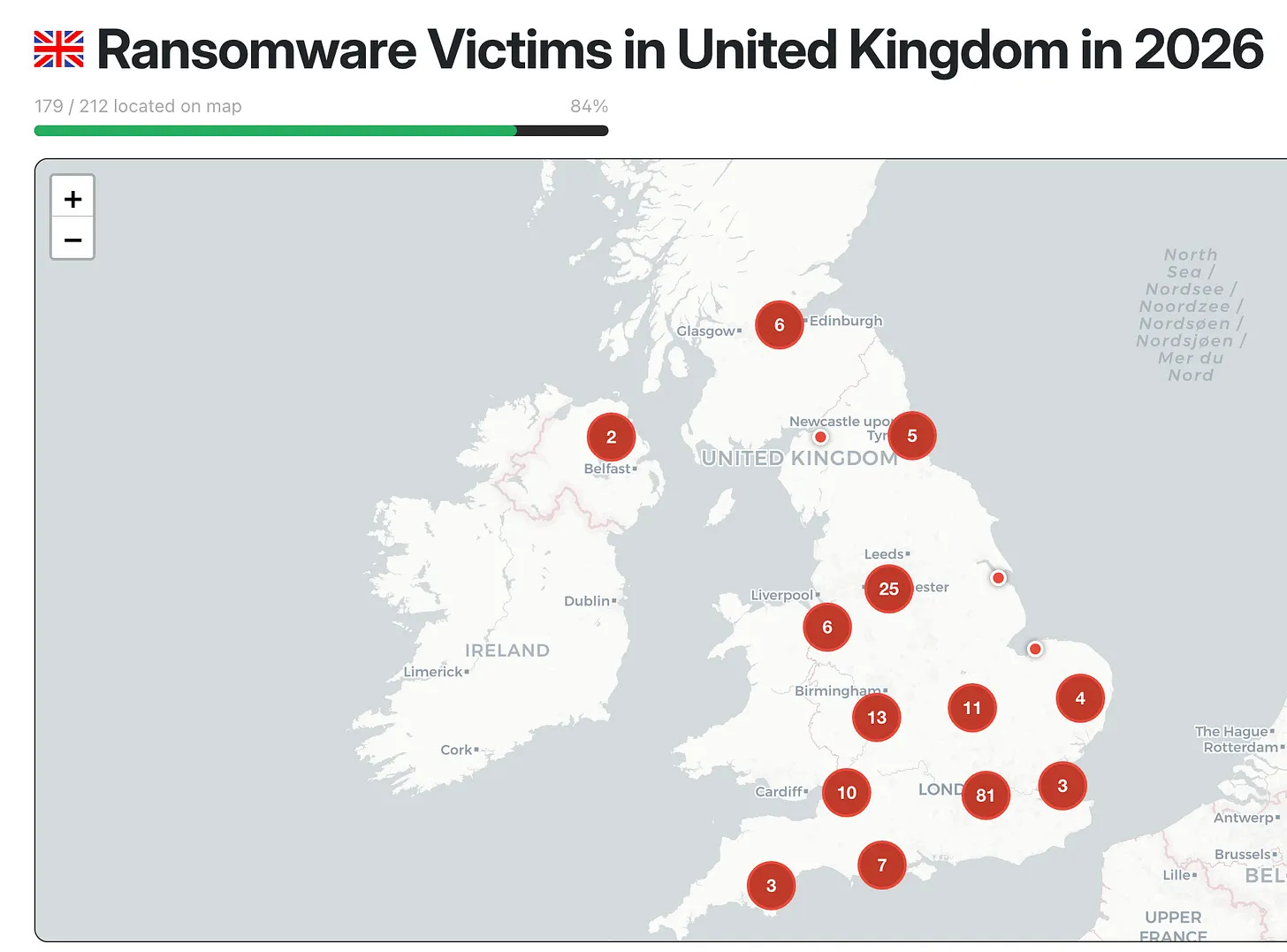
So far this year there has been over two hundred confirmed successful ransomware attacks in the UK. And the actual real number may well be a lot higher than this.
These are confirmed successful attacks that have been published by the attackers, and not all cyber criminals and hackers bother to publish their successes.
A lot of the smaller attacks go unreported by both the attackers and the victims, so are never recorded.
That’s more than one successful Ransomware attack every single day of the year in the UK.
Makes you think doesn’t it.

Cyber security doesn’t have to be hard for small businesses. If you do the following six simple things, you will have massively reduced the chances of you becoming a cyber crime victim.
So my advice is do these six things now (before it’s too late):
➡️ Use Long Strong and Different passwords
➡️ Use 2FA / MFA everywhere
➡️ Don’t let your web browser store your passwords for you, get a proper Password Manager like 1Password or Bitwarden or ProtonPass (two of those three even do free plans)
➡️ Backup your cloud data as Microsoft / Google are not backing it up for you
➡️ Stop using the free MS Defender anti virus, get a proper managed EDR anti virus like SentinelOne
➡️ Learn how to spot a Phishing email or text
Password reuse is very common and is probably one of the biggest cyber threats to individuals out there, as cyber criminals love to use a technique called “credential stuffing”
Credential stuffing is taking previously breached username / password combinations, and trying them on every online serice they can think of. It works because humans reuse the same passord everywhere.
I’ve seen it so many times; individuals and small businesses skimping on cyber security, thinking “the cyber criminals won’t be interested in me / us”.
And then, all of a sudden, it has happened. The ransomware attack. Or the cyber breach.
And it ends up costing them thousands of pounds (or in some cases tens of thousands of pounds).
➡️ STOP reusing passwords
➡️ START setting up 2FA / MFA everywhere
➡️ STOP letting your web browser store your passwords
➡️ START using proper managed anti virus
Do these things before it’s too late. Because you cannot undo a cyber breach or a ransomware attack.
If you find these short tips useful, let me know. If you don’t find them useful, also let me know. If my subscribers like receiving these tips I’ll make it a regular feature.
Chris
#TheAntiVirusGuy
Comments
Nothing yet. Say the first thing.
Sign in to join the conversation.