
There is a lot of mobile phone theft going on in our towns and cities. Criminals on mopeds and e-bikes are snatching unlocked phones out of peoples hands.
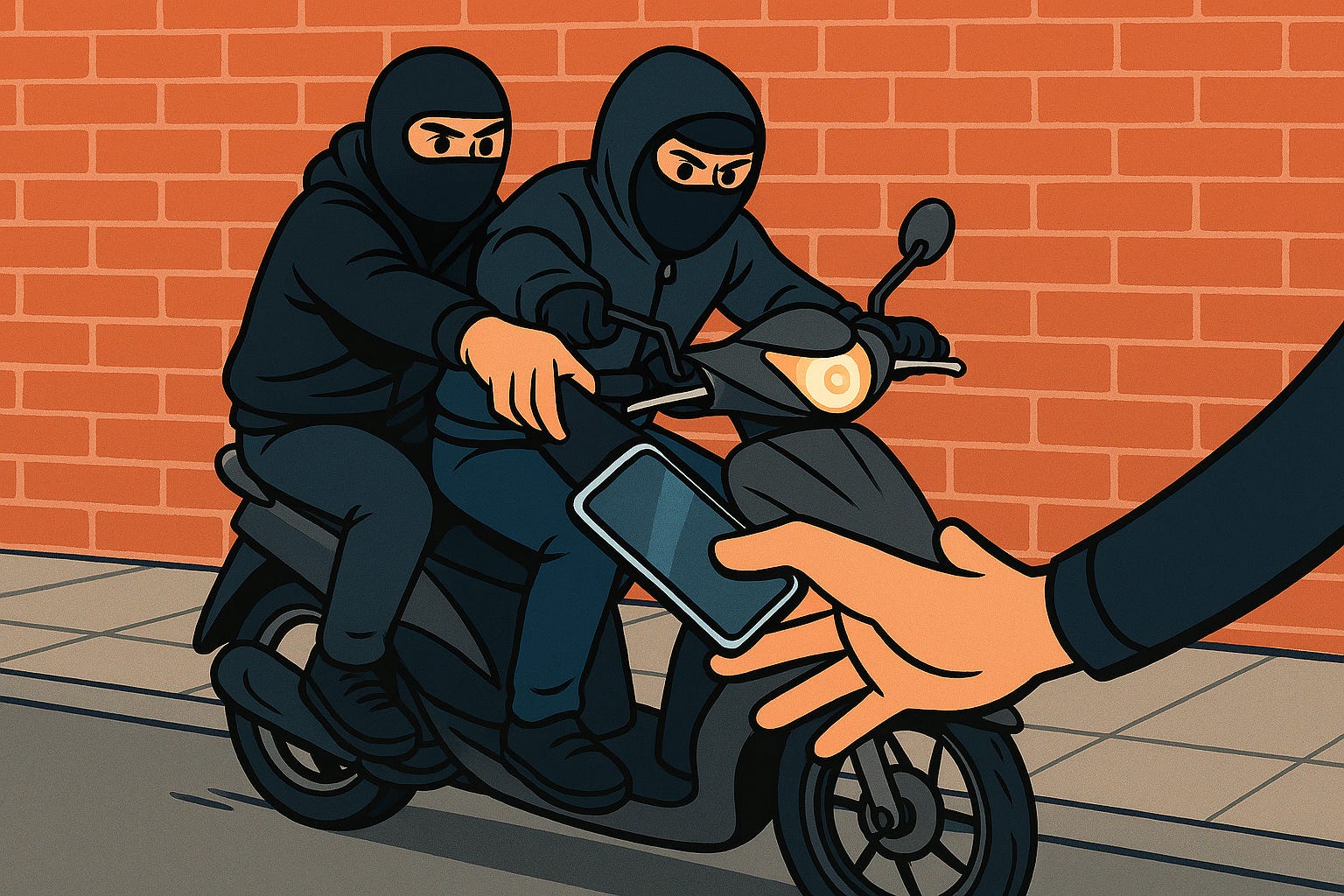
One reason is to get hold of the phone to sell on. But another reason is to get access to your email account.
Your email is the key to all your other online accounts. With access to your email a criminal can put your email address into Paypal, Amazon, etc. and click on the “forgotten password” button. This usually sends an email with a link to reset your password. Then can now change your password.
Bingo, the criminal has now taken over your online account, without knowing the original password. With full access to your Paypal or Amazon account they now have access to your credit / debit card as well.
Make sure you protect both your email app on your phone, and your 2FA / MFA app if you have one, with a biometric lock (face or fingerprint). Most 2FA apps have an option to turn on a biometric lock in their settings. But this is usually “off” by default.
The email app is protected in a different way.
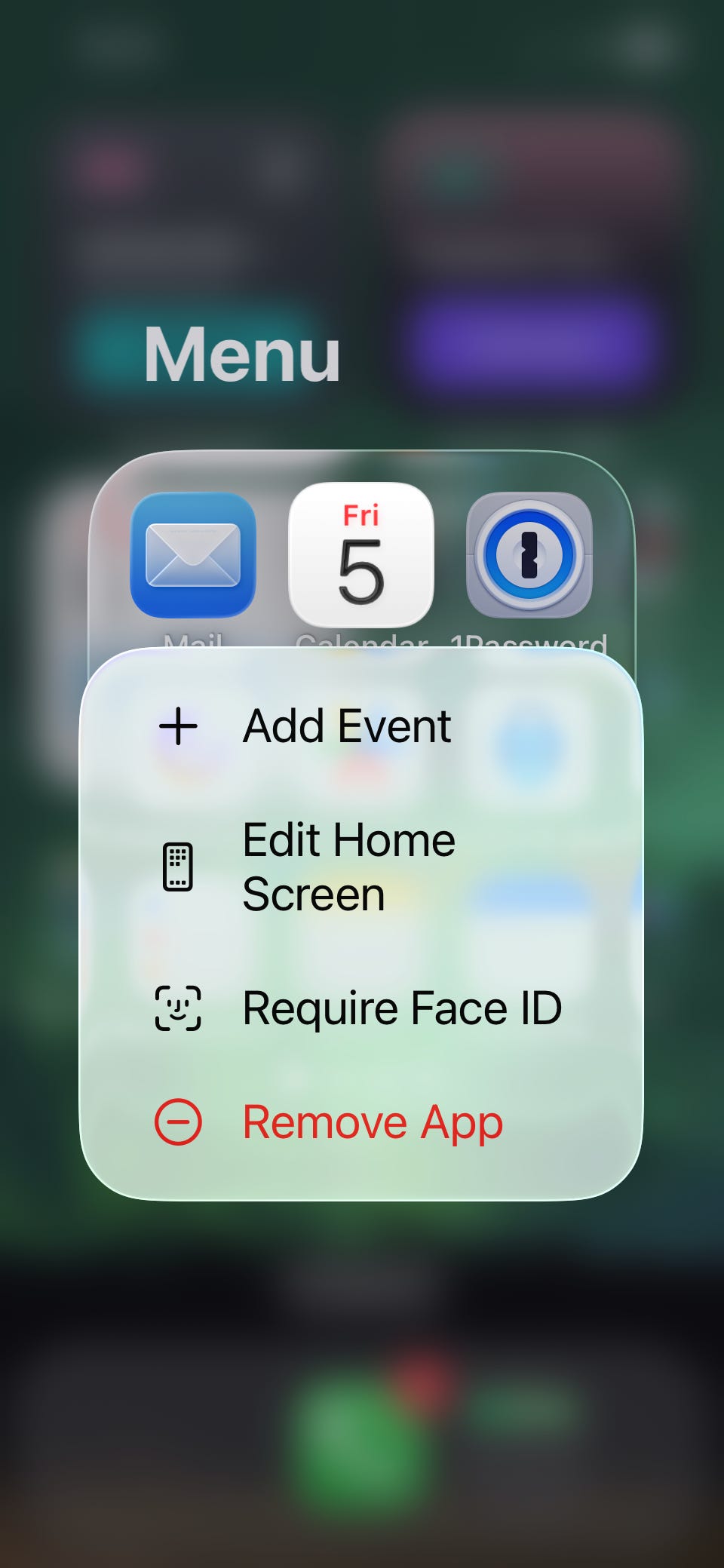
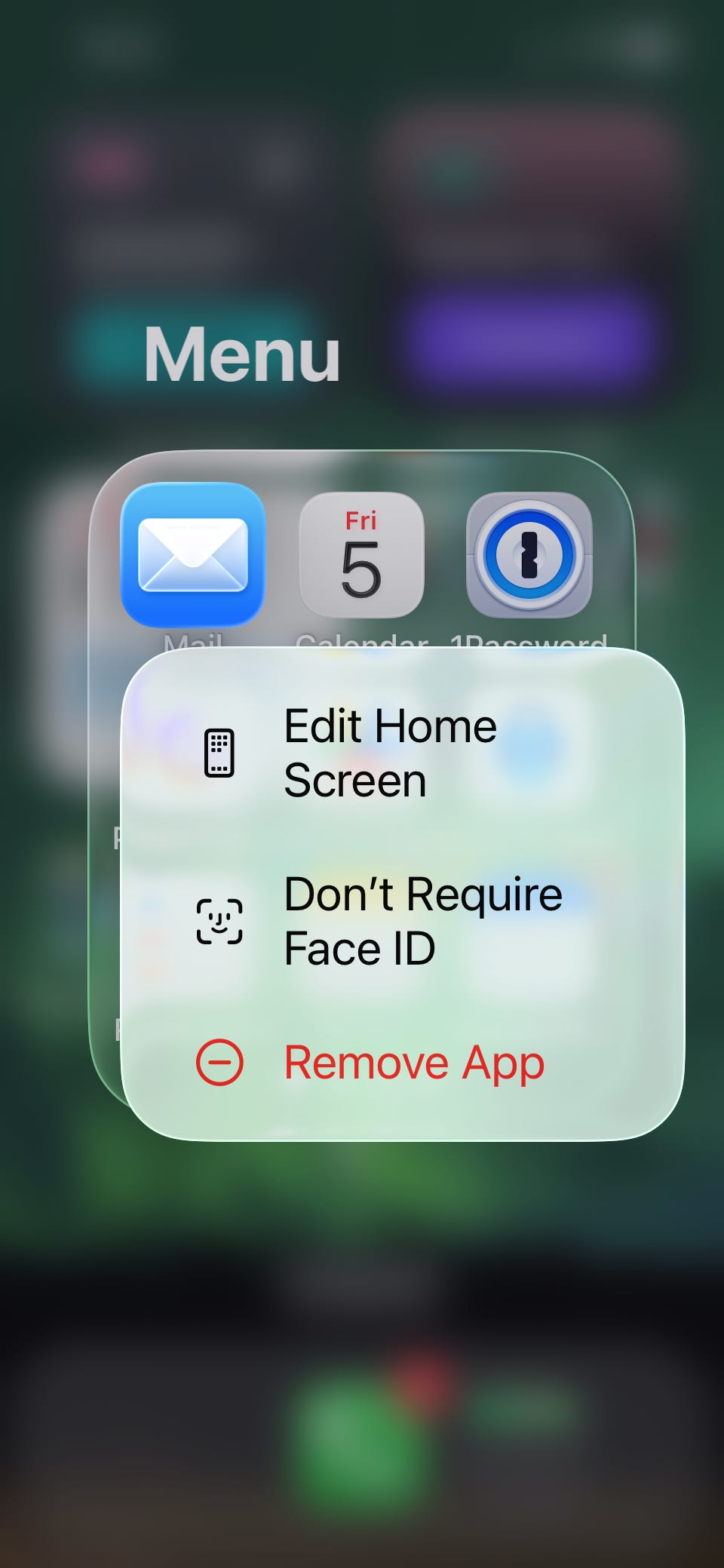
The email apps don’t usually have an inbuilt biometric lock feature, but on iPhone you can do this anyway by holding your finger on the app icon. You then get a submenu with on option to “Require Face ID” or “Don’t Require Face ID”.
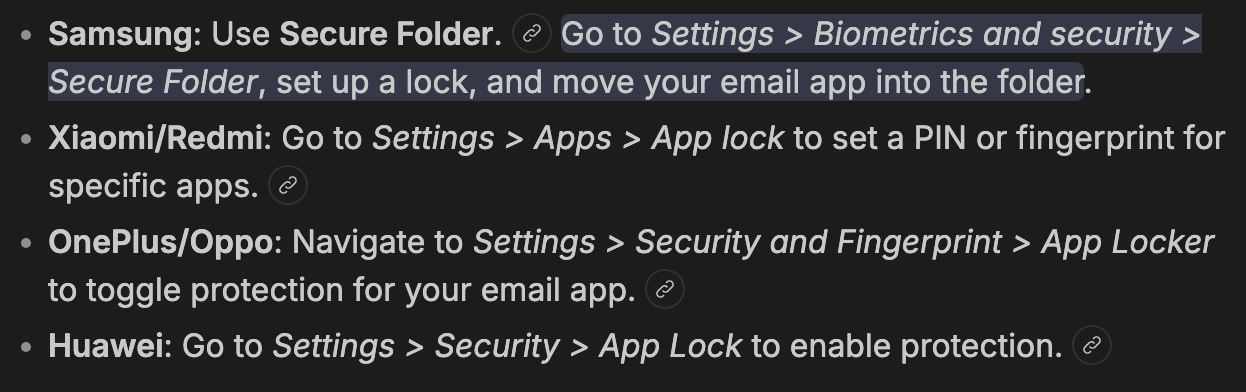
On Android phones the method of locking the email app varies from manufacturer to manufacturer.
If you turn on Face ID or Fingerprint / Touch ID for specific apps like email and 2FA Authenticators, the criminal might have your unlocked phone, but they still cannot access your emails, or 2FA codes, without having your face or fingerprint as well.
Start using biometric locks on your email app (and 2FA app), because unless you do this, snatching your unlocked phone gives the criminals the “keys to the castle”, and more importantly “keys to your castle”.
—
Chris
#TheAntiVirusGuy
Comments
Nothing yet. Say the first thing.
Sign in to join the conversation.