
AI already moved into the office and started taking on work. It’s booking meetings, routing requests, drafting responses, and running customer-facing experiences that used to require entire departments.
I met with Phil Regnault, PwC’s Global and US Adobe Alliance Leader, at Adobe Summit 2026 to understand what AI needs to operate inside a business.
AI is only as good as the knowledge it can actually use.
Take Sourdough Sam AI, which PwC and the San Francisco 49ers built inside the 49ers app. It’s handling player updates, live game context, stadium navigation, and fan support in one system.
PwC calls this model the agentic front office, where client-facing functions operate inside a unified system coordinated by generative AI.
It knows what everything is for, not just where it’s stored.
Phil described it as what he called “the C-3PO of the marketing stack,” a translator across systems.
That’s the architecture PwC published in April 2026 with their Content Knowledge Graph paper. Their version is built for marketing content. A content knowledge graph connects content, relationships, permissions, and performance history so AI understands what something is, where it came from, who can use it, and how it performed.
A team’s knowledge spans decisions, processes, client commitments, project history, operating rules, brand standards, and ownership. Right now, company knowledge lives in people, chats, and meetings that were never written down.
When that knowledge becomes readable and connected, your AI stops working from assumptions and starts working from context. The difference between an AI assistant that gives you generic answers and one that gives you specific, accurate, on-brand responses is almost always the quality of information it has access to.
Your AI picks up how your team thinks by reading everything it can access.
AI becomes part of the business when it can read a process and follow it, read a decision and apply it, and reference a client commitment without you re-explaining everything.
That’s why we built a Company Brain. It’s a shared set of documents that captures how the business operates, synced on GitHub so we all have the most current info and can see version history.
The Company Brain is the operating record of the business. It’s a shared workspace where the team captures how the business runs in a format both people and AI can read.
Here’s what that looks like in practice:
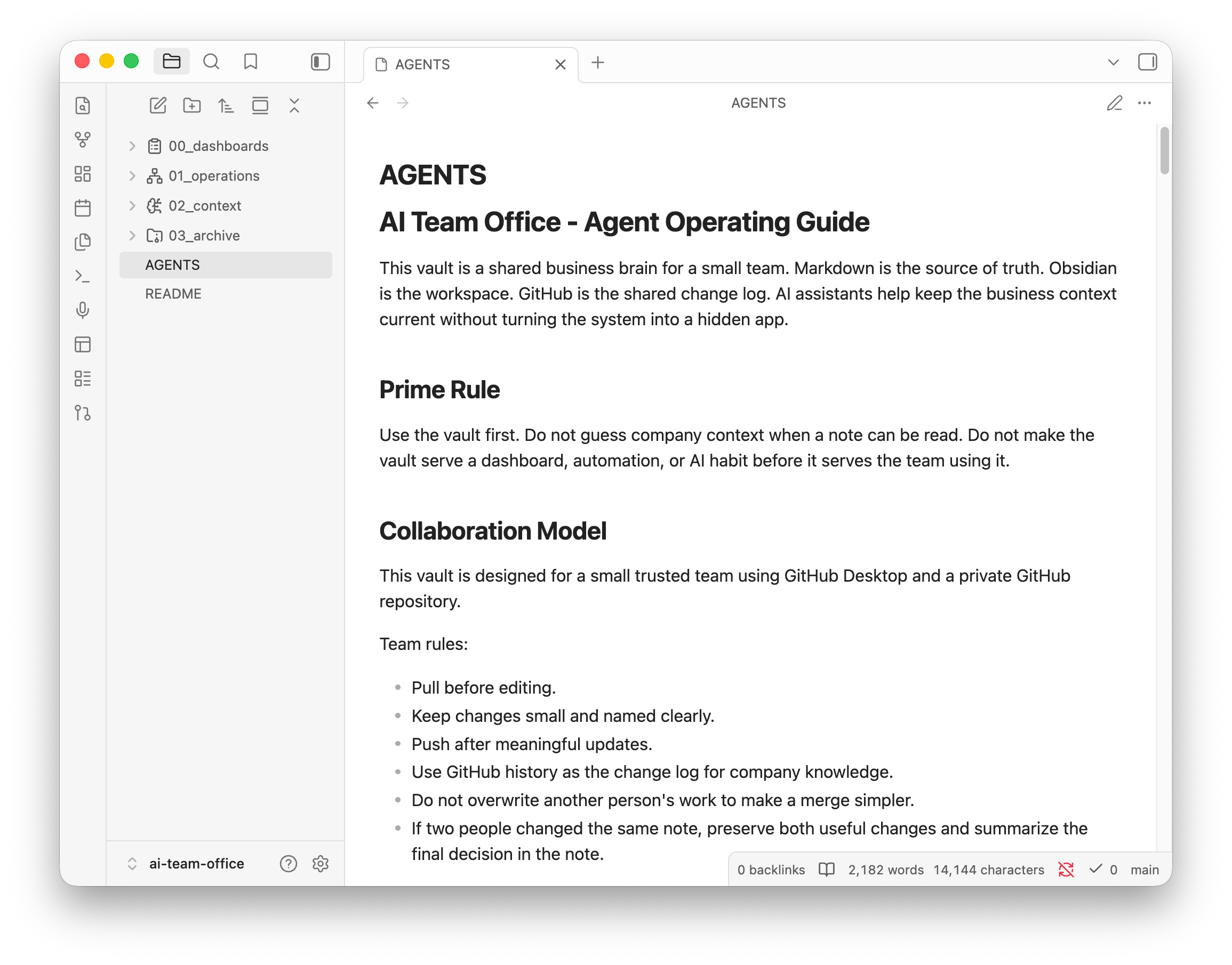
If you want a closer look at the Obsidian workspace behind this system, I broke down the full setup in a previous article:
The Company Brain uses the same foundation. The folder structure looks like this:
/context: company identity, voice, services, and clients/people: team members, roles, working styles, and relationship history/process: how the team handles recurring tasks/decisions: a running log of what was decided, when, and why. This is the institutional memory companies lose every time someone leaves.
If you’ve used RAG before, this goes further. RAG pulls chunks of unstructured text and returns what’s textually similar to your query. A knowledge graph approach uses structured, linked information so your AI navigates a connected map instead of searching a pile of documents.
The Obsidian vault with linked notes is already doing this at the company level, where your AI moves through a connected record of how the business actually works instead of retrieving random paragraphs.
Because those notes are linked together, AI can follow connections between people, projects, decisions, and clients instead of relying on isolated documents.
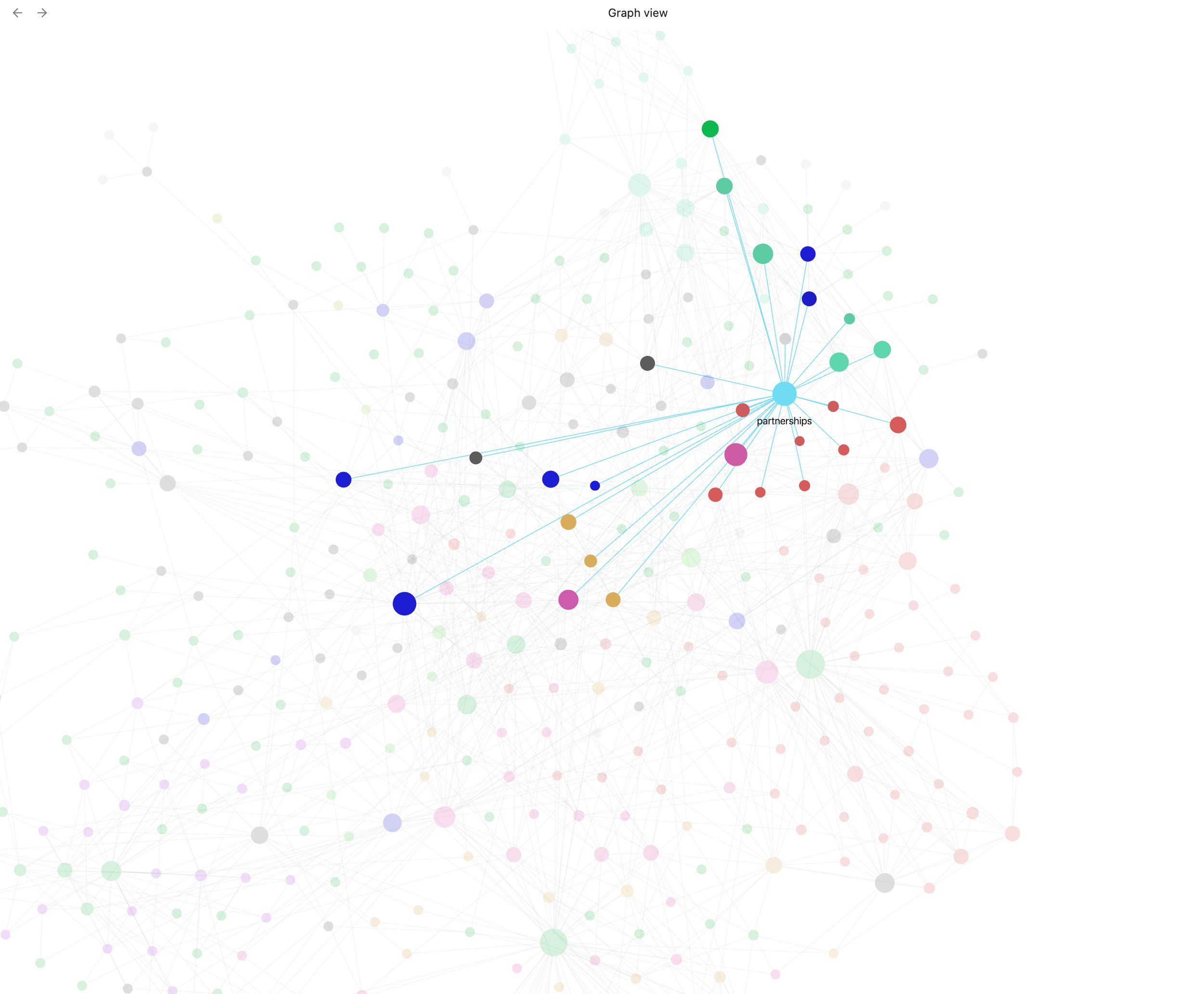
This is the structure that lets AI walk into a meeting already briefed on the client, the project history, and the decisions that shaped where things stand today.
Putting the vault in a GitHub repository means your team’s knowledge gets a history.
Every update gets tracked with a timestamp and an author. When two people change the same file, GitHub records both versions and lets the team decide what stays. The result is a complete history of how company knowledge evolved.
Shared repository for company knowledge
Everyone works from the current version
Important updates get reviewed before becoming official context
Every change leaves a permanent record
Companies lose institutional knowledge when it lives in someone’s head, inbox, or chat history. When it lives in a versioned repository, the knowledge stays long after the person moves on.
A Company Brain stays useful when real work updates it. Taylor Gailey and Bennett Newhook of Outport AI shared examples from the systems they use inside their business.
Bennett’s vault handles outbound workflows and relationship management for the whole team. Meeting notes flow directly into contact records, follow-ups are prioritized automatically, and everyone works from the same relationship history. Client context accumulates through normal work instead of requiring separate data entry.
What stays current:
Meeting notes flow into contact profiles after every call
Follow-ups sort by priority level based on documented rules
Relationship history lives in the shared repository, available to everyone
Client context accumulates in the operating record over time
The system updates from the work itself, so records stay current without anyone doing separate data entry.
Taylor runs a weekly AI review across all vault files. The AI checks for drift before the system goes stale.
What the review checks:
Stale files that haven’t been updated since circumstances changed
Missing links between related notes
Dead links pointing to pages that no longer exist
Notes without clear owners
Processes that changed in practice but not on paper
Decisions that should connect to active projects or client files
The weekly review is the maintenance pass that keeps the brain accurate instead of just large.
When AI handles the repeatable work, your job gets more interesting. Phil described it directly:
“If 80% of your current job is menial tasks and 20% is the core that relies on your expertise, and you can agentify a good portion of that 80%, you increase the 20%. The job becomes more interesting.”
Phil Regnault
PwC’s research with the Association of National Advertisers found that leading marketers deliver 79% greater total shareholder value than their peers. The research draws a clear line between companies that use AI to cut costs and companies that use AI to improve both efficiency and results.
The cost-only version is tempting because AI does make content faster and reduces production time. As Phil put it: “Brands who take those savings and reinvest in marketing experience a compound effect of growth.
Those who take the savings and return them to the treasury are stalling their growth engine.”
AI produces its best business outcomes when the organization uses the extra capacity to make better decisions, create better work, learn faster, and build systems that get smarter every cycle.
That compounding only works when AI has the knowledge required to make useful recommendations, and the Company Brain is what gives it that knowledge to work from.
When your AI has access to a Company Brain, it walks into every task already knowing who the client is and what they’ve been promised, which team member owns which process, what was decided the last time this situation came up, and what the brand sounds like along with which words it never uses.
The companies that document how they work are the ones whose AI compounds over time.
The ones that skip this step hand their AI a blank page on every task, every session, every time.
Businesses have always lost momentum when someone leaves, when a decision gets made verbally and never written down, when the client context lives in one person’s email. A Company Brain turns that knowledge into a shared operating record that AI can actually use, and the compounding starts from the first file you write.
You don’t need a complete Company Brain to start getting value from it.
Start with a small set of files and one team setup session. By the time it’s running, any team member or AI tool can read from the same source and immediately know:
What the business does and who it serves
Which projects are active
Who owns what
Which decisions shaped the current direction
An AI assistant reading that workspace before it drafts, summarizes, or recommends is already more useful than one starting from zero.
Start with the last few decisions your team made. Write down what changed, who was involved, and why you went that direction. That’s your first piece of company context, and it’s the kind of thing your AI can actually use.
Give your AI the context it needs to do the job.
I’m walking through the full Company Brain system in a live workshop on June 17, covering the file structure, GitHub setup, Obsidian organization, and weekly review that keeps it current.
Build your Company Brain with us on June 17: Reserve your spot.
Comments
Nothing yet. Say the first thing.
Sign in to join the conversation.