
You’ve ditched Chrome/Edge and switched to a privacy respecting browser, blocked all tracking cookies, and never give out your email address and phone number. You no longer get those annoying adverts where websites and social media track you, so that the moment you even think about something somewhere, an advert pops up for it elsewhere (that’s called remarketing). You’re feeling like you have finally regained some privacy in your life.
Yet the data brokers are still tracking your every move, and selling your privacy to anybody prepared to pay peanuts for it. How can this be?
In this post we’ll look at a technique called browser fingerprinting, which is another way that these companies spy on you, harvesting your data and selling out your privacy for their profit. There are thousands of them doing it, and it all gets aggregated so anybody can buy the bigger picture. Here’s how they do it…
This is a human fingerprint, with pointers to some of the facets that make it unique.
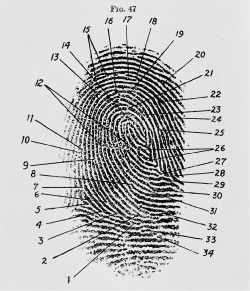
Your browser has more in common with it than you may realise.
If you’ve followed the advice in some of my previous posts such as
Online Privacy: Hiding from the Data Brokers
·
September 22, 2025

I have always been wary of installing apps on my smartphone, and have never allowed such things as Facebook (let alone Facebook Messenger) anywhere near it, nor any banking apps. I restrict my use of those services to an isolated instance on my desktop, where I can carefully curate
and
Internet Searching & Browsing In (almost) Total Privacy
·
July 23, 2024

Let’s start the series with something that most people do a lot of, and leak almost unimaginable amounts of personal data in the process: running search queries and surfing the internet. Much of that data leakage is quite easy to resolve, and that’s what we’ll look at in this article.
and
Bulk Data Collection: Your Personal Data Is NOT Private
·
July 9, 2024

You probably already know that pretty much every online platform or system you use - and everywhere you go - harvests huge amounts of data about you. But you may not fully realise exactly how much data, or what they really do with it.
etc. then you will be well on the way to securing your privacy when browsing the internet. If you’ve not read my previous posts, I encourage you to do so.
Unfortunately though the data brokers have another tool up their sleeves to help them uniquely identify you, and that’s the fingerprint your browser leaves behind. And if you’re not very careful it can be as much, even more, of a unique identifier than the ones on your fingertips.
In the same way that the fingerprint in the image at the top of this post has 34 unique identifying factors, that when combined single it out from millions of other people, so your browser can be queried by any website it visits on 50+ unique identifiers that when combined can be used to single it out amongst millions of other browsers visiting that same website.
So what can you do?
The first thing is to run a test to see how much data you’re leaking, and for this I recommend you go to a website provided by the Electronic Frontier Foundation (EFF) called COVER YOUR TRACKS:
https://coveryourtracks.eff.org/
When you click that link it will automatically obtain your browser’s fingerprint. Unusually though it will share what it finds with you, rather than use it to help build a profile on you.
By way of example, here’s what happened when I allowed it to test my Brave browser configuration. Note in particular the third row in the table, and the first row under Your Results, that say…
Protecting you from fingerprinting? ◕ your browser has a randomized fingerprint
Your browser fingerprint has been randomized…
…because this means that I’m very hard (although not impossible, I could still do better) to uniquely identify for tracking purposes. And from a privacy perspective that’s a good thing.
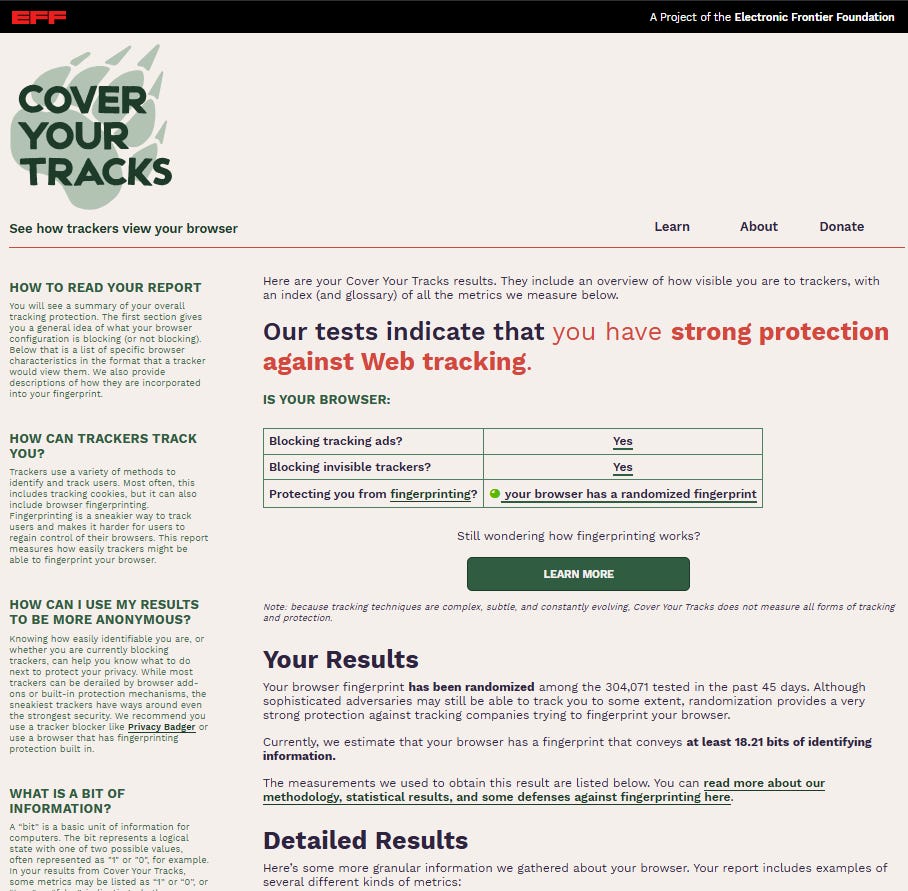
There then follow several pages of detail explaining all the tests that were carried out, along with suggestions as to how I can make things harder still for the trackers if I want. Ultimately this becomes a trade-off based on personal perception of threat model.
One of the many things I do is to run multiple different browsers (although Brave is my default, I also use LibreWolf and others too, as you will know from previous posts) for different purposes. This obviously further alters my browser fingerprint, because I generate more than a handful of different ones on a single device.
For example, Substack editing doesn’t work well in Brave, so for writing this post I use the DuckDuckGo browser. It’s popular and often recommended, although I’m not a great fan of it as I have previously explained in one of the posts above.
But let’s see what the EFF’s Cover Your Tracks test makes of the DuckDuckGo browser? Spoiler alert, look at the third line in the table, and the first row under Your Results, now (and compare them with my result on Brave, above):
Protecting you from fingerprinting? Your browser has a unique fingerprint
Your browser fingerprint appears to be unique…
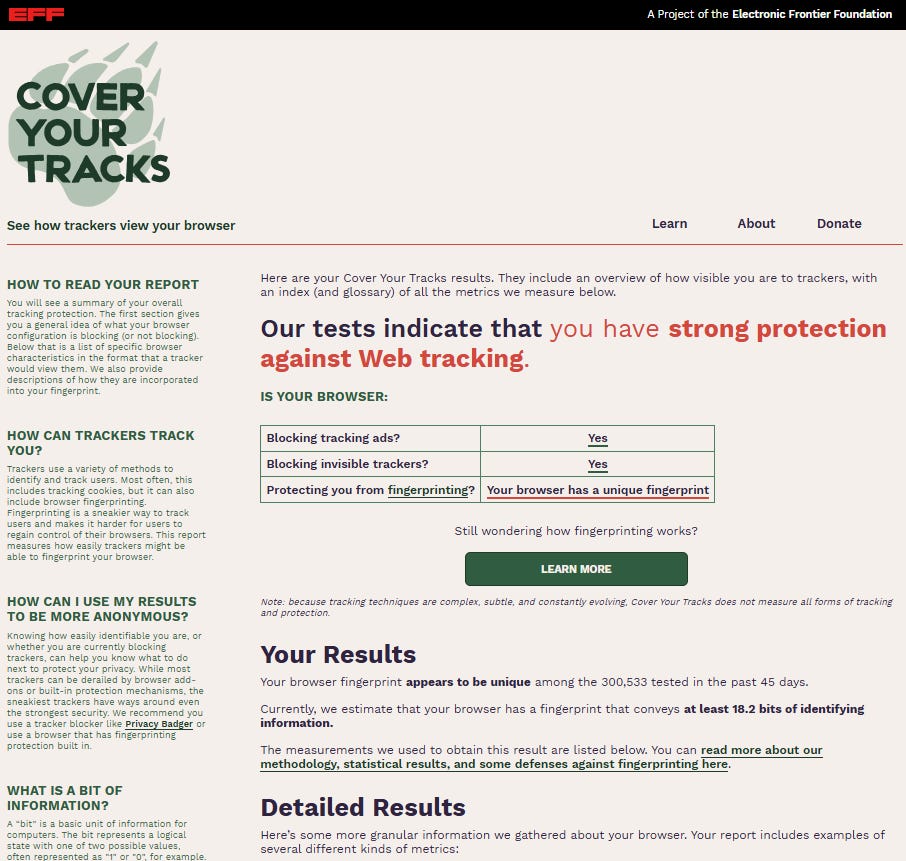
And where privacy is concerned unique is NOT a good thing, because even though I’m well protected against tracking (no cookies etc.) it’s still very easy for data brokers to tie together my activity on any two websites that I visit using this browser simply because of its fingerprint.
I don’t use Edge or Chrome, but if I did their results would be at the bottom of the privacy pile.
Whatever browser you have, I recommend you visit COVER YOUR TRACKS at https://coveryourtracks.eff.org/, check your result, and follow at least some of their advice.
Even prior to that though, my advice would be to start by reading the posts I linked at the start, because if you’re using the wrong browser, search engine etc. then any subsequent fiddling will basically see you trying to make a silk purse out of a sow’s ear. At least give yourself a chance at start with decent silk!
If you want a second opinion then the Am I Unique? research project will be happy to provide it for you: https://amiunique.org/fingerprint
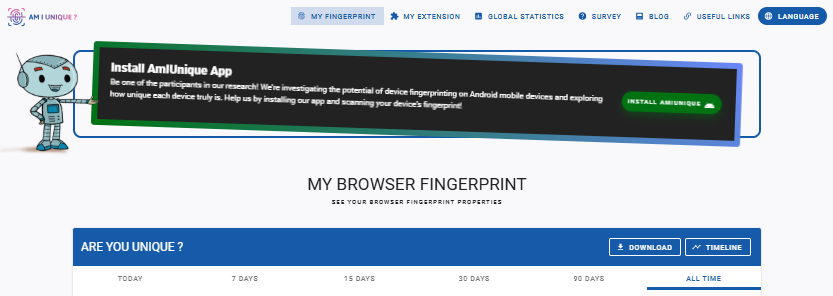
And they’ll give you a lot more details about things than the EFF website above, whilst also offering you the option to check your smartphone’s footprint, although not so much advice on how to improve things.
Use at least one of COVER YOUR TRACKS and Am I Unique? to check your browser’s fingerprint.
Consider testing your smartphone too if you’re a heavy user.
Follow some of the advice given (in both the test reports and my previous posts, so it could include changing your browser) about how to improve your privacy and test again.
Share your success in the comments below. I’ll get a real buzz from knowing that I have helped to improve your privacy, and it will help to motivate other readers too.
Subscribe if you haven’t already, and share this post with others to help them improve their privacy online.
Comments
Nothing yet. Say the first thing.
Sign in to join the conversation.