
Implementing the deactivate/reactivate feature was probably the most daunting experience in my tech journey.
I started contributing to OpenStack as part of the Outreachy program. I knew from the outset that I would be implementing some features from scratch, and I was scared.
Like any new contributor, I spent the first few weeks of my OpenStack Horizon contribution fixing bugs and writing tests.
However, the moment arrived for me to plunge into the depths of the pool. Sink or swim.
This post is a reflection about the decisions I made, the steps I took, and the lessons I learned.
When you choose a project to contribute to under the Outreachy program, you get to see the features you’ll be working on.
I wasn’t sure which one I was going to start with, so my mentor suggested starting with the deactivate/reactivate feature.
The feature allows a user to change an image's status from 'active' to 'deactivated'.
Deactivating an image restricts further instance builds based on it.
I prefer to narrow down things before I begin to work on them. My first step, therefore, was to find resources that talked about the feature I was going to implement.
And the fastest way to do that was to ask my mentor whether she could send me some resources to get started.
She graciously sent some to me.
I spent some time reading through the resources. The deactivate/reactivate feature already existed in Glance (OpenStack’s images service).
All I needed to do was implement it in Horizon.
The Glance docs had even specified the endpoints to use.
I had previously interacted with the Openstack Horizon dashboard when expanding the features displayed in an image drawer.
My initial approach involved incorporating the deactivate/reactivate feature into the "Edit Image" workflow.
This implies that I would include it as an option when a user wished to edit an image on the Horizon dashboard.
When you click the ''Launch'' dropdown on a specific image, one of the options is ''Edit Image''.
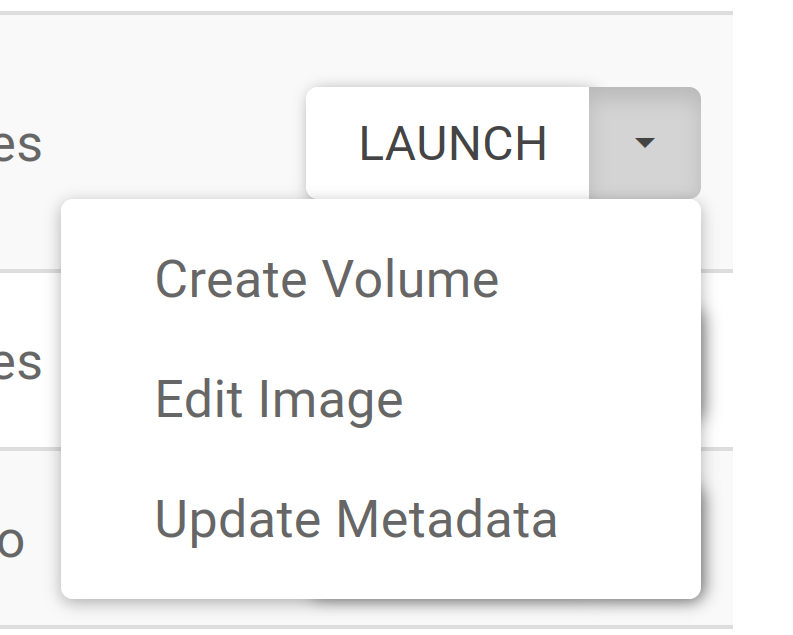
When you click "Edit Image," it opens a modal.
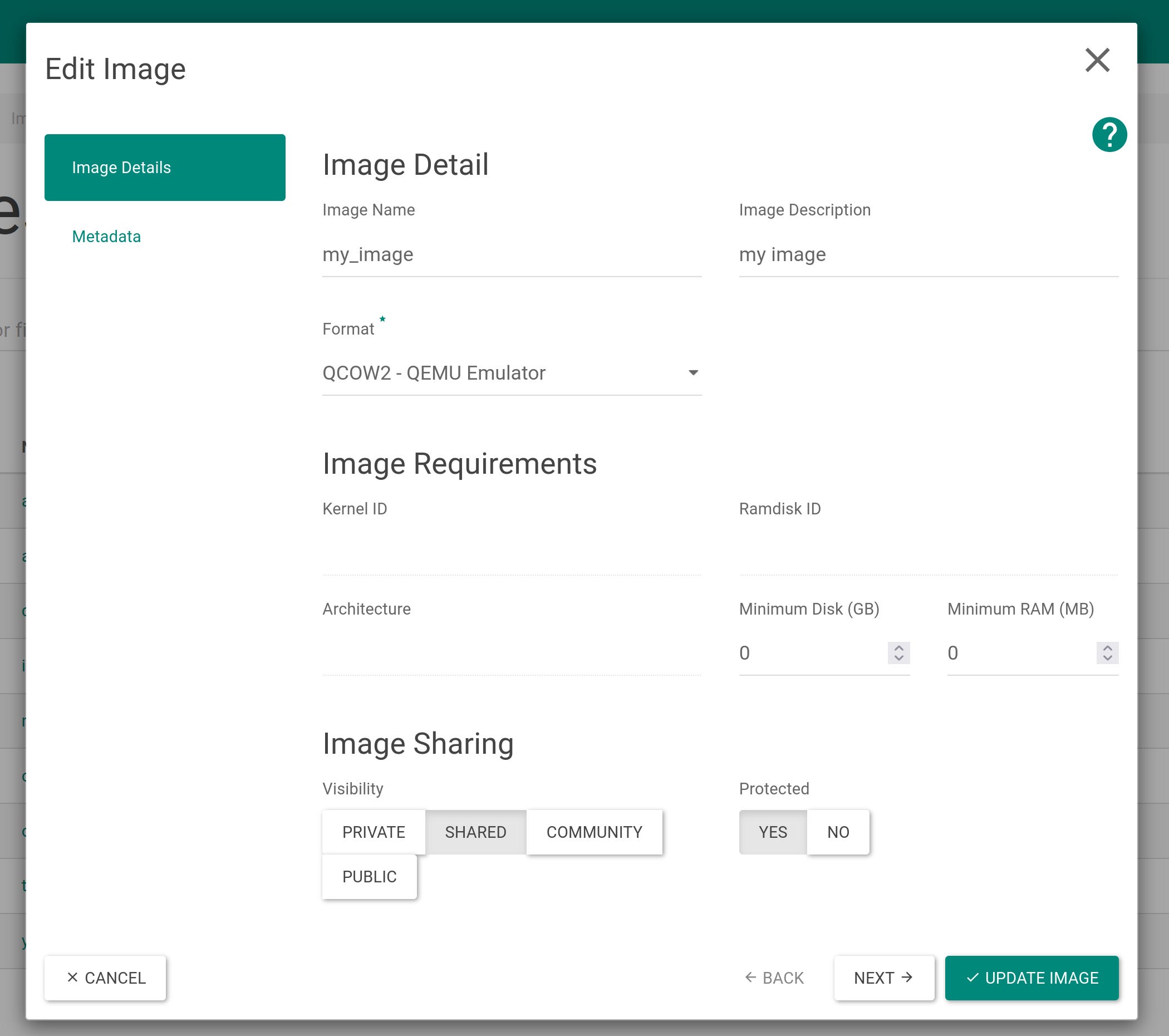
At first, I wanted to create a third tab after "Metadata," which would allow a user to deactivate an image.
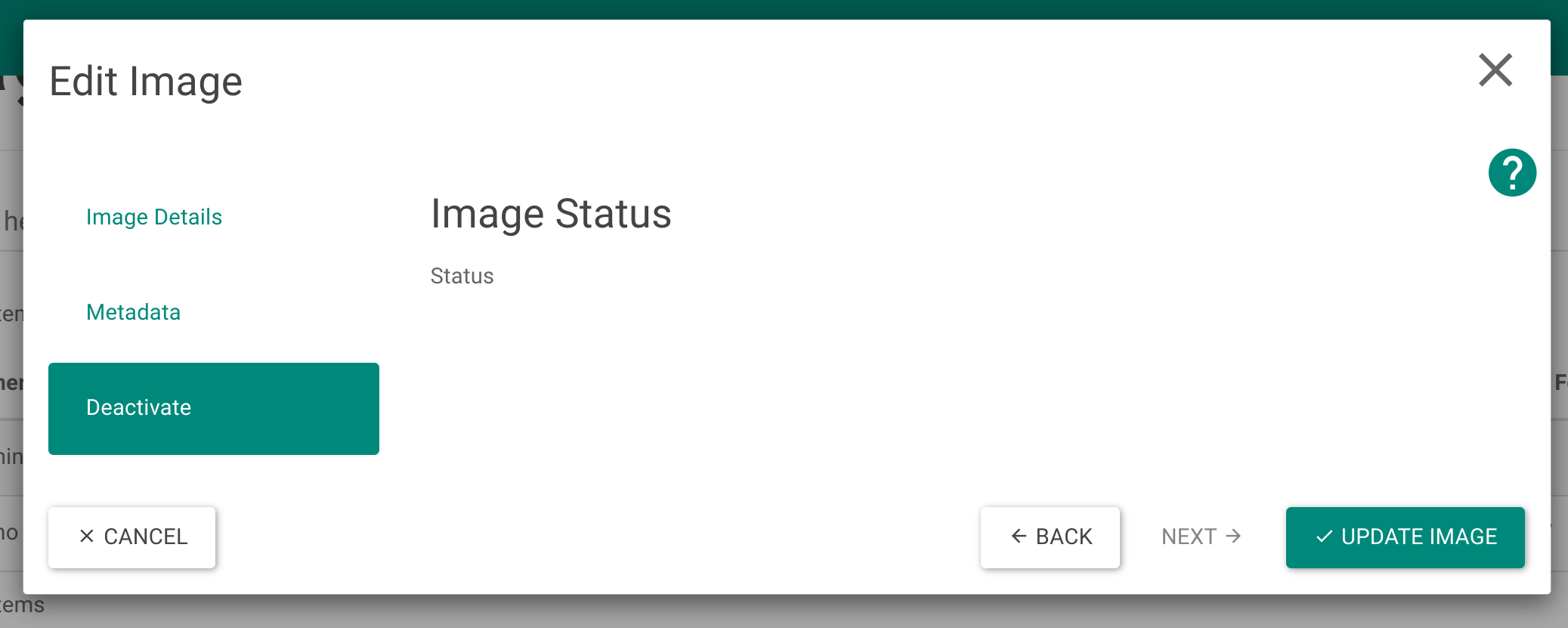
I would then implement the deactivate/reactivate feature as a toggle button. At face value, all I needed was a controller and a view.
Having previously worked with controllers and views, I expected it to be a walk in the park.
This is where the lessons truly began to rack up.
I followed the project structure, and since I wanted to include my feature in the edit workflow, it was obvious that I would add it as another "step."
I studied the other "steps," how the controllers are written, how the different modules interacted with each other, and ensured that I could trace where every variable was defined or imported from.
Eventually, I began to see the patterns, and what needed to be imported from other directories and modules.
Of interest was the static directory
https://github.com/openstack/horizon/tree/master/horizon/static
which defined various templates and how to use them in your code.
After writing the front-end Angular code it was time to implement the back-end functionality, which meant making a call to the Glance API.
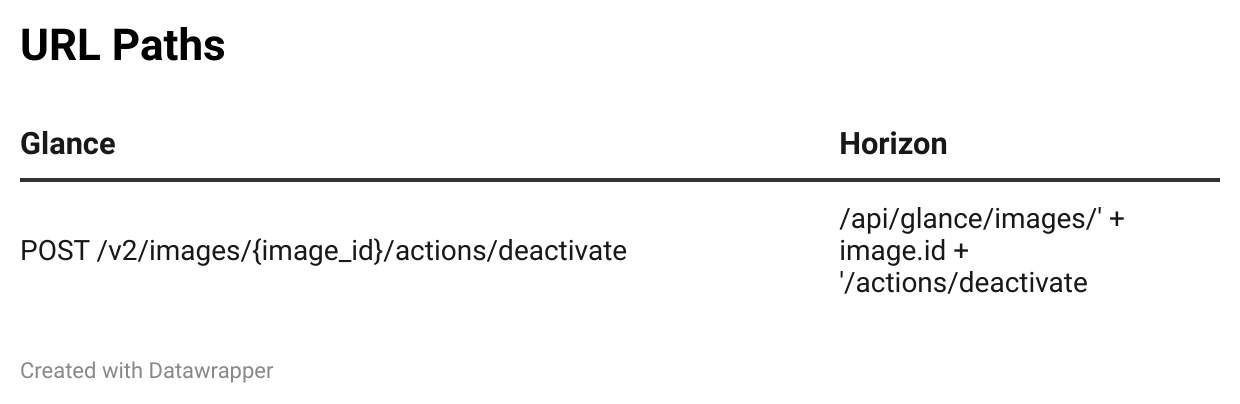
This was a bit of a hassle. The Glance docs recommended using "POST" instead of "PATCH" as the HTTP method, and both Glance and Horizon had different URL paths.
After spending lots of time on this, it was time for the ultimate blocker.
I had implemented the feature fully and explored every possibility I could think of, but the frontend was not communicating with the backend.
I checked the payload on developer tools, and the update was happening on the frontend. Despite calling the API from the backend, no update occurred.
Eventually, my mentor was able to figure out the missing part of the puzzle. We needed to add some more code in a different Django directory for the view to process the POST request made to the "deactivate endpoint."
The feature was now ready to go. Time to merge? Well, not that fast.
Before pushing your code via Gerrit, you need to run some tests. OpenStack uses tox as its standard testing tool.
Once your tests have passed, you also need to check for lint errors. Thankfully, tox will help you identify any lint errors before you push your code.
In the event that you push code with lint errors, Zuul will highlight them too, making sure that only properly formatted and error free code is merged.
A really cool thing I learned was that Horizon’s NPM tests use thresholds to estimate code’s security.
This means that if a particular threshold is passed, the code is flagged. In my case, since I had added more features (which translated to more functions and variables), I had upset the threshold. The short-term solution was to modify the threshold.
Ultimately, writing tests would solve the threshold problem.
I love the fact that OpenStack has all these processes in place—linting, tox for testing, and Zuul for CI/CD. It would be a total mess to try and debug after code has already been merged.
PyCharm has really great linting options and is arguably better at it than VS Code. That said, I understand that there are impressive VSCode extensions to help with linting.
Despite its steeper learning curve, I found PyCharm to be significantly superior.
At a certain point, despite correcting all linting errors, the tests continued to fail. It was time to attempt a different approach.
Instead of including the deactivate/reactivate feature as part of the "Edit Workflow," we decided to implement it as a separate action.
This meant that you could choose it from the dropdown next to "Launch."
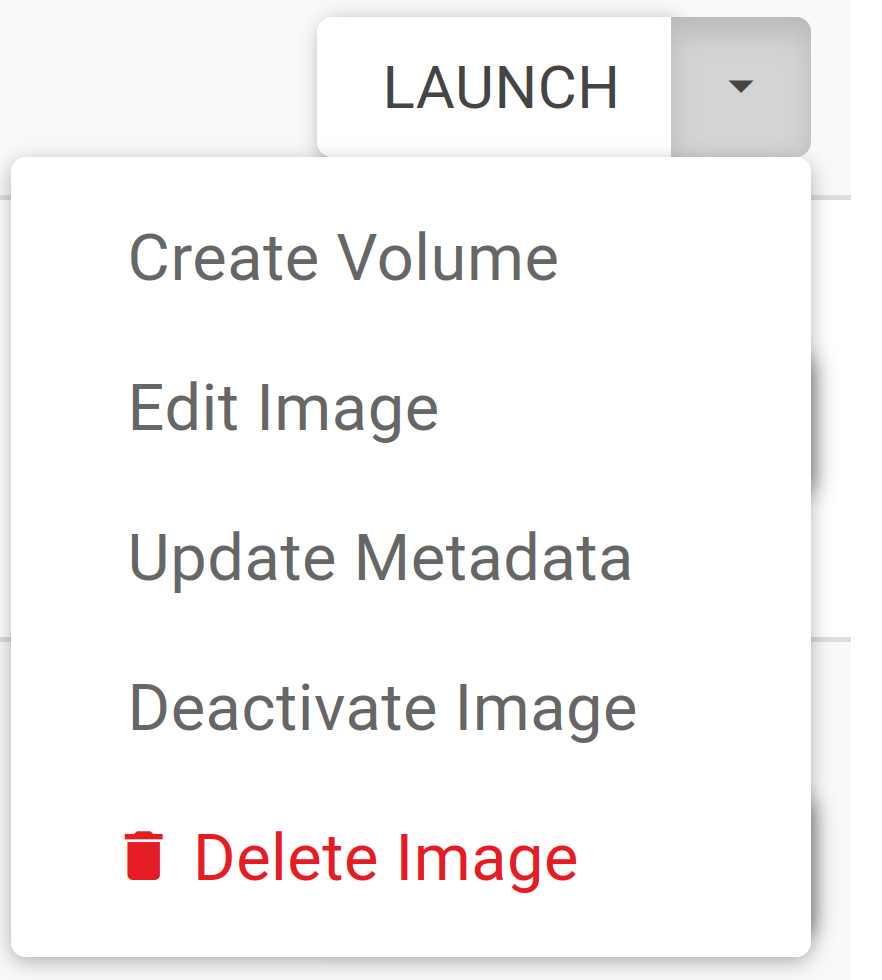
The second approach would also reduce redundancy. The initial approach created an additional call to the API.
The new approach also included changing the commit message to reflect what I was implementing.
The OpenStack Horizon project is huge and complex. There’s still a lot to learn.
I hope these lessons will help you keep some things in mind as you contribute to OpenStack.
On to the next adventure. Writing tests 🚀
Comments
Nothing yet. Say the first thing.
Sign in to join the conversation.