
The Global AI Regulation Tracker is now available as a MCP server.
What that means is that the tracker can now be directly connected to your AI agent (e.g. Claude Chat, ChatGPT, Cursor, etc) to pull country profiles, AI regulation summaries and cross-jurisdiction searches from the tracker straight into your chat.
In other words, your AI agent will be able to leverage the research of the tracker (which covers 200+ jurisdictions, including all US states), to answer AI regulation queries with better accuracy.
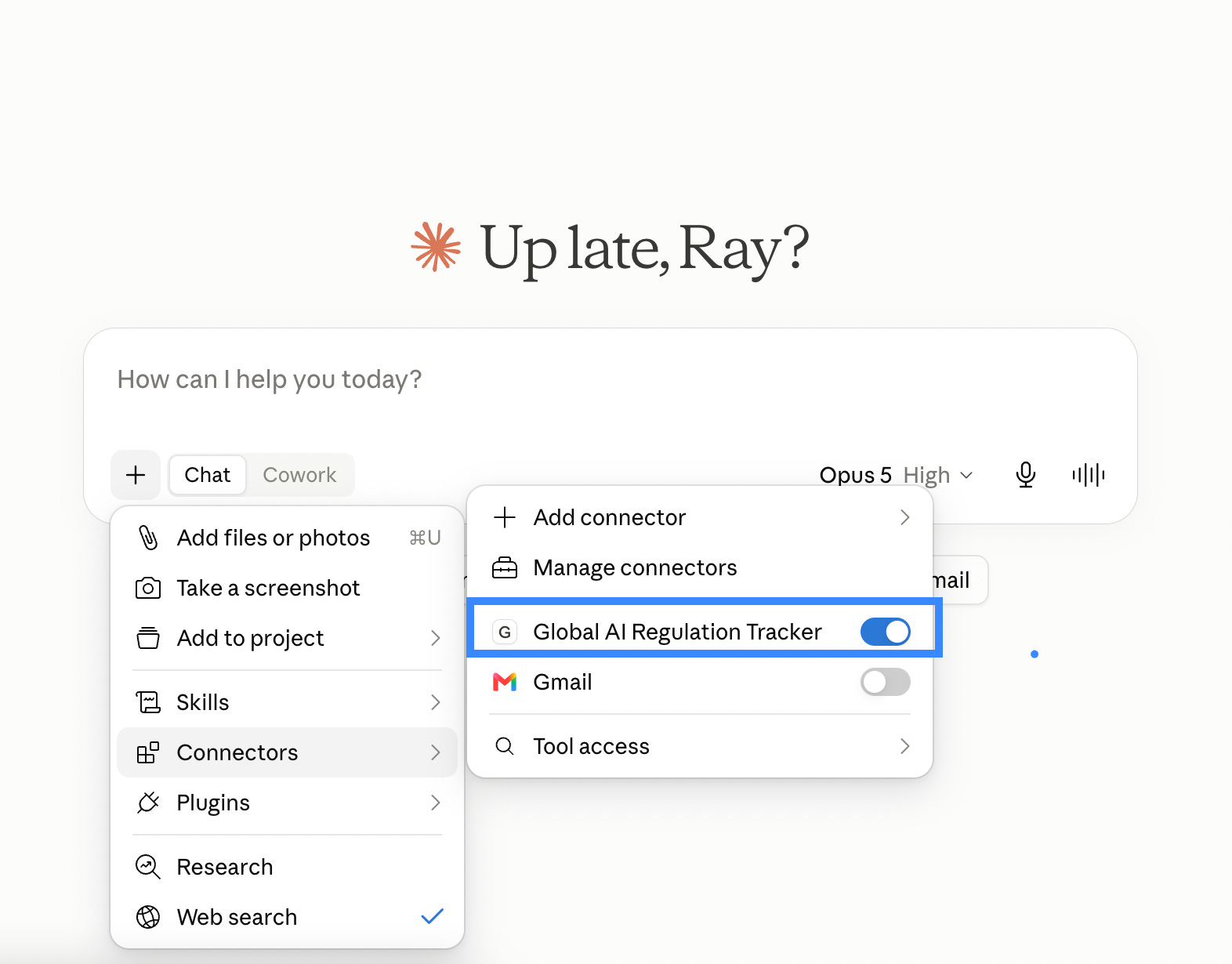
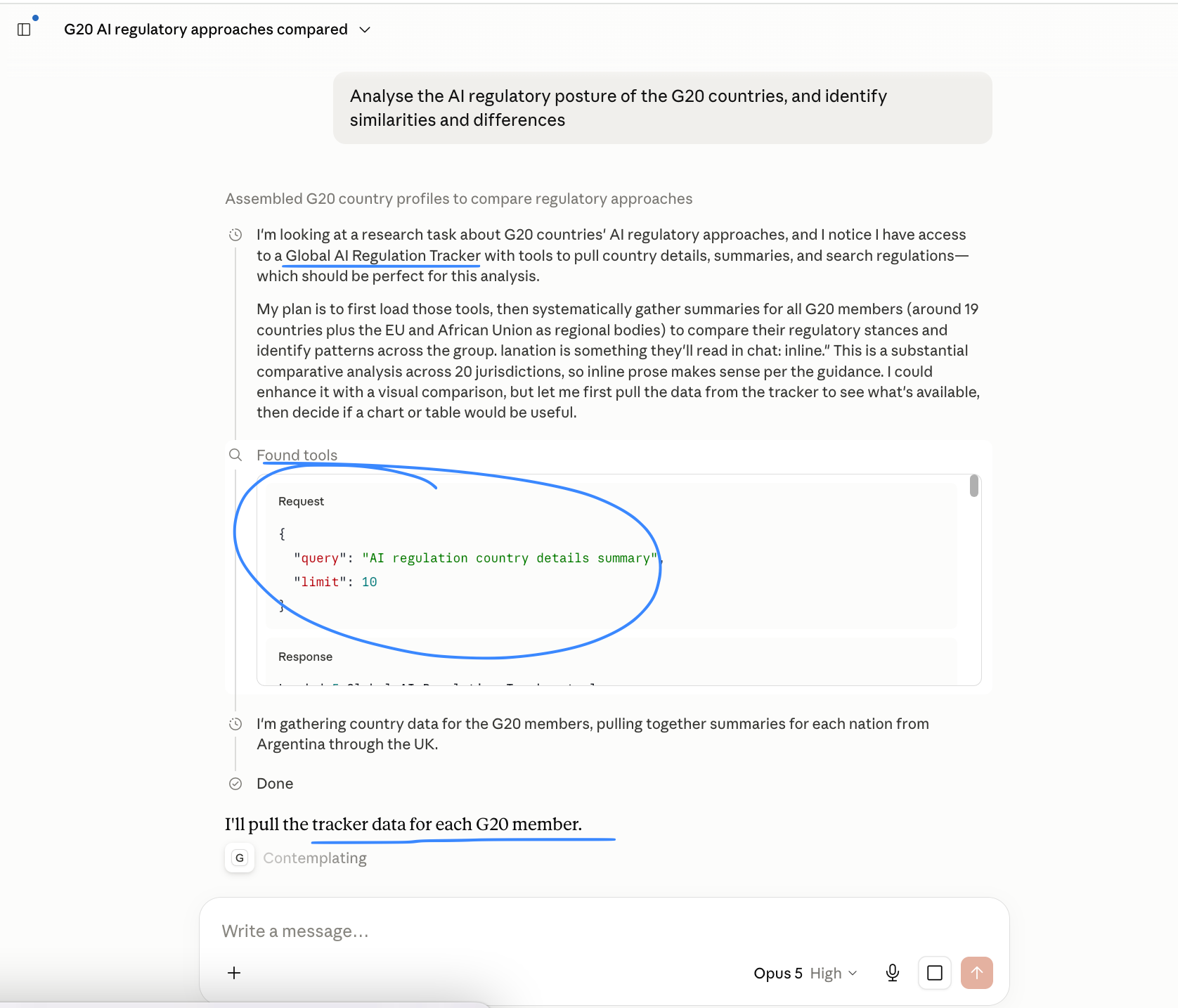
Details in the new “MCP Server” tab in the tracker. See below tutorial demo video.
MCP endpoint: https://mcp.techieray.com/mcp
Transport: Streamable HTTP (JSON-RPC 2.0)
Health check: https://mcp.techieray.com/health
Authentication: Optional. Send Authorization: Bearer <your API key> to unlock the paid tier.
I recommended connecting to Claude Code or Claude Desktop. Implementation instructions below.
Claude code implementation
# Free tier - no API key required
claude mcp add --transport http ai-reg-tracker https://mcp.techieray.com/mcp
# Paid tier - with your API key
claude mcp add --transport http ai-reg-tracker https://mcp.techieray.com/mcp \
  --header "Authorization: Bearer ###INSERT API KEY###"
# Confirm it connected
claude mcp list
Claude Desktop implementation
# Easiest route:
# Settings -> Connectors -> Add custom connector
# URL: https://mcp.techieray.com/mcp
#
# Or edit claude_desktop_config.json directly:
# macOS ~/Library/Application Support/Claude/claude_desktop_config.json
# Windows %APPDATA%\Claude\claude_desktop_config.json
{
"mcpServers": {
"ai-reg-tracker": {
"command": "npx",
"args": [
"-y",
"mcp-remote",
"https://mcp.techieray.com/mcp",
"--header",
"Authorization: Bearer ###INSERT API KEY###"
]
}
}
}
# Free tier: delete the two "--header" / "Authorization" lines.
# Restart Claude Desktop after saving.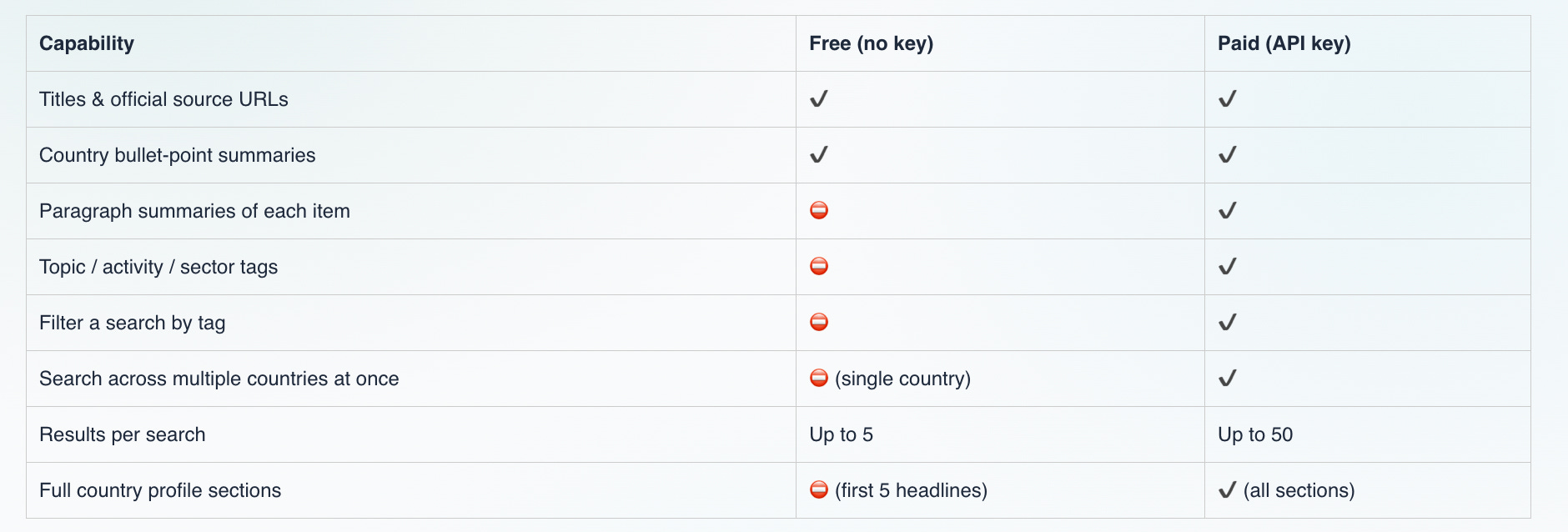
The free tier requires no API key and provides access to essential resources—including item titles, official source URLs, country bullet-point summaries, single-country searches (up to 5 results), and the first five headlines of country profiles—making it genuinely useful for pointing to primary legal materials.
In contrast, the paid tier (unlocked with an API key via a Bearer token) expands these capabilities by offering detailed paragraph summaries for each item, topic/activity/sector tag filtering, multi-country searching, up to 50 results per search, and full access to all sections of a country profile.
For the paid tier, you can obtain a key by signing up the tracker’s API. The same key for the API can be used for the MCP — a “two-in-one” deal!
Once you obtain a key, you submit it as a Bearer token in the “###INSERT API KEY###" part of the above implementation instructions.
Terms apply to your use of the MCP, available here: Commercial Terms of Service. If you wish to cancel an existing paid subscription, please complete this Cancellation Form. Cancellation will take effect at the end of your current billing cycle.
— Ray
No posts
Comments
Nothing yet. Say the first thing.
Sign in to join the conversation.