
Greetings, Tatsu Community!
On May 8, we shipped the first version of Server Quests and Server Shop, both inside the Discord Activity. Custom quests started in Tatsu’s Lounge only as the first community to try them, with the plan to open it up to larger communities outside the Lounge later. The Server Shop rolled out to every server using Tatsu from day one.
Quest system has been around since early Tatsu and for years every server saw the same default goals like “Log in daily” or “chat X times this week”. The same list ran on every server regardless of what the community actually did.
We realized over the years that in reality, every community is different but due to the design of the existing quest system, they are running the same list of quests. A roleplay server isn’t running on the same loop as a trading server and a small chill community doesn’t operate like a 50k-member fan server.
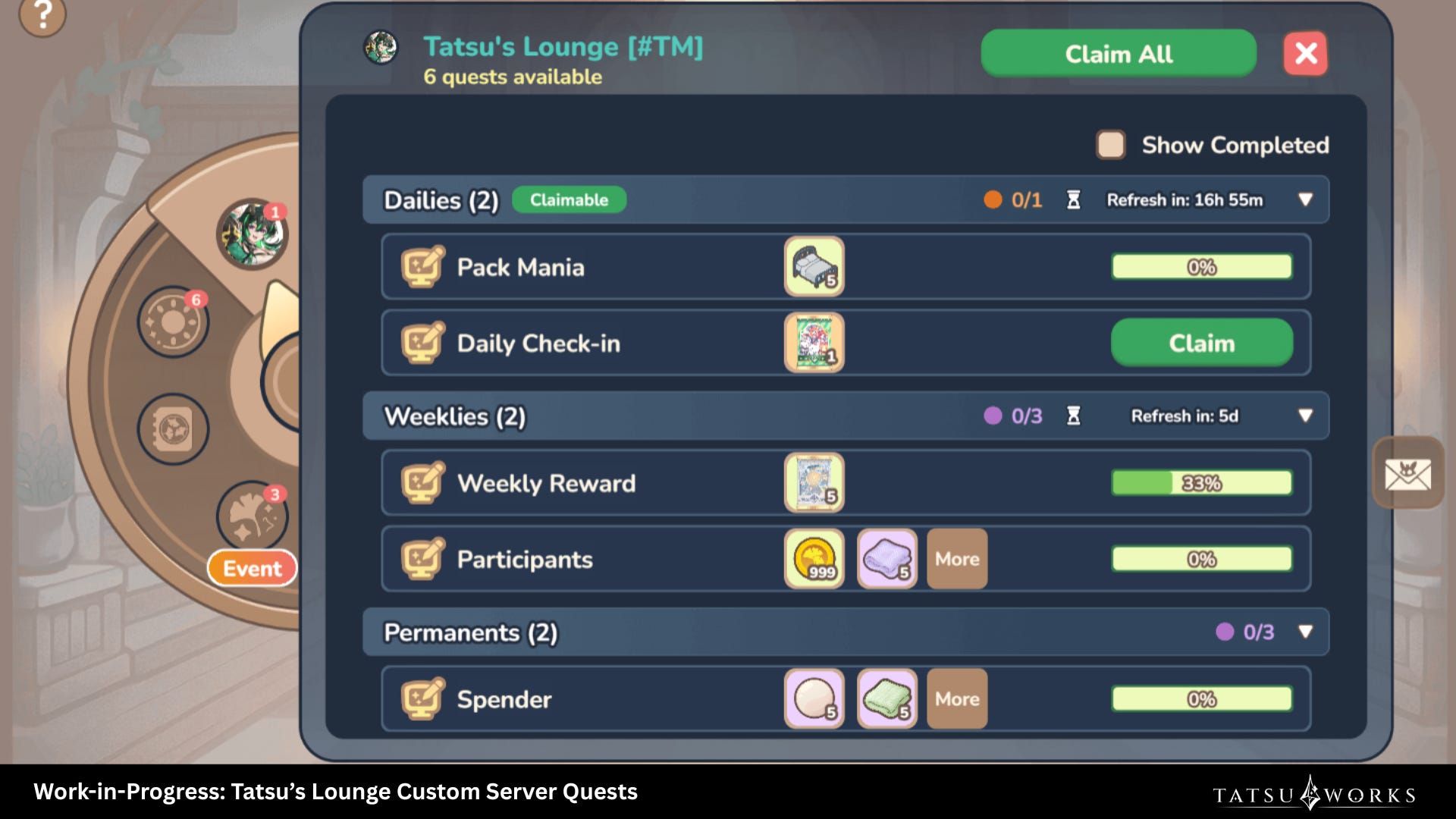
To cater to these different needs, we decided to build custom quests (Server Quests) and have them directly in the Discord Activity. Community owners can write quests that hook into what members already do and pick rewards from a set item pool. Currently it includes login, chat, opening packs, crafting, participating in raffles and triggering raffles.
During this initial release, custom quest creation is live in Tatsu’s Lounge only. We’re using Tatsu’s Lounge as the test community to learn and tighten before opening it up further. Other communities don’t have quest creation yet but we’ll roll it out in subsequent updates.
Up until last week, spending the server currency members earned through levelling and quests meant leaving Discord, opening the tatsu.gg website to use the shop and menu there. To reduce this friction and improve the overall user experience, we moved the shop inside the Activity. This way spending and earning can happen in the same place.
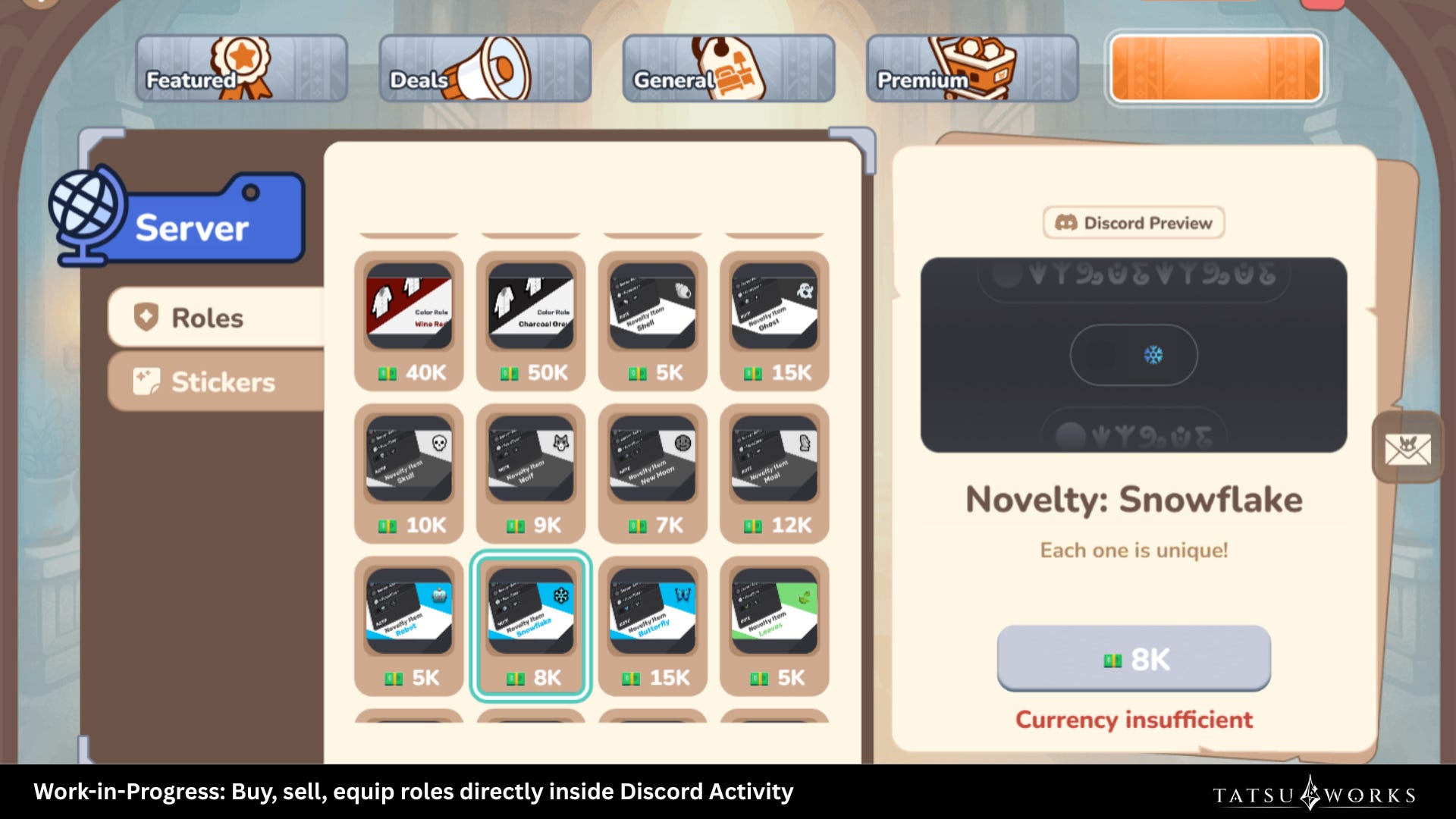
Members can browse role listings and buy them with server currency without leaving Discord, then toggle each role on or off from the Dashboard once it’s theirs. Community owners didn’t have to set anything new up either, since the in-Activity shop reads your existing tatsu.gg server shop config, so the same listings show up in both places.
This one rolled out to every server using Tatsu, not just Tatsu’s Lounge.
After more than a week of both running with communities, we gathered feedback from Tatsu’s Lounge (where custom quests live for now) and from servers using the in-Activity Server Shop to improve them in v1.1.
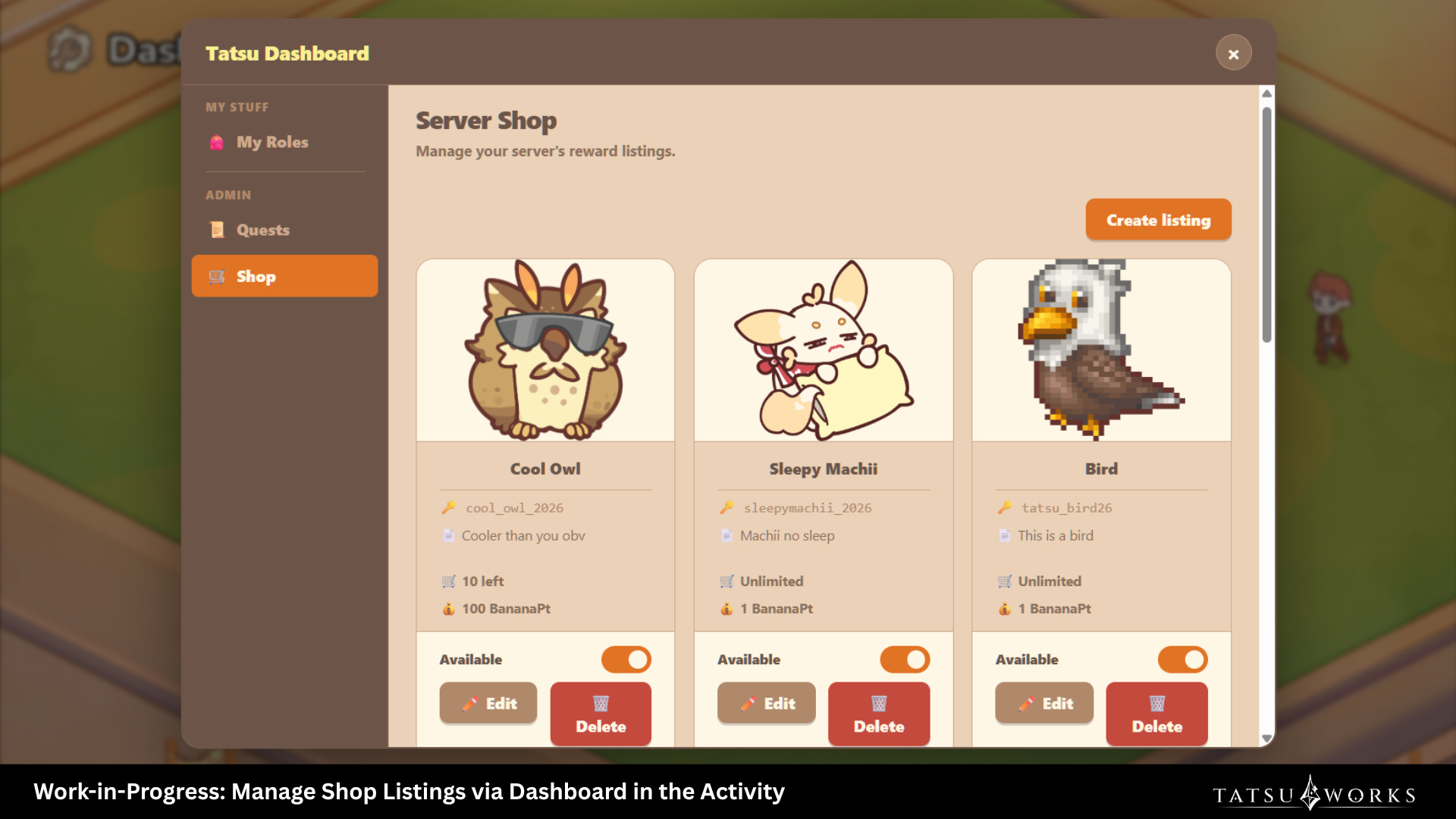
In the first release, community owners still had to leave to tatsu.gg website to manage which roles were listed in their server shop. With this update, we moved the whole admin section inside the Activity itself. Community owners can now create, edit, and delete shop listings without leaving Discord.
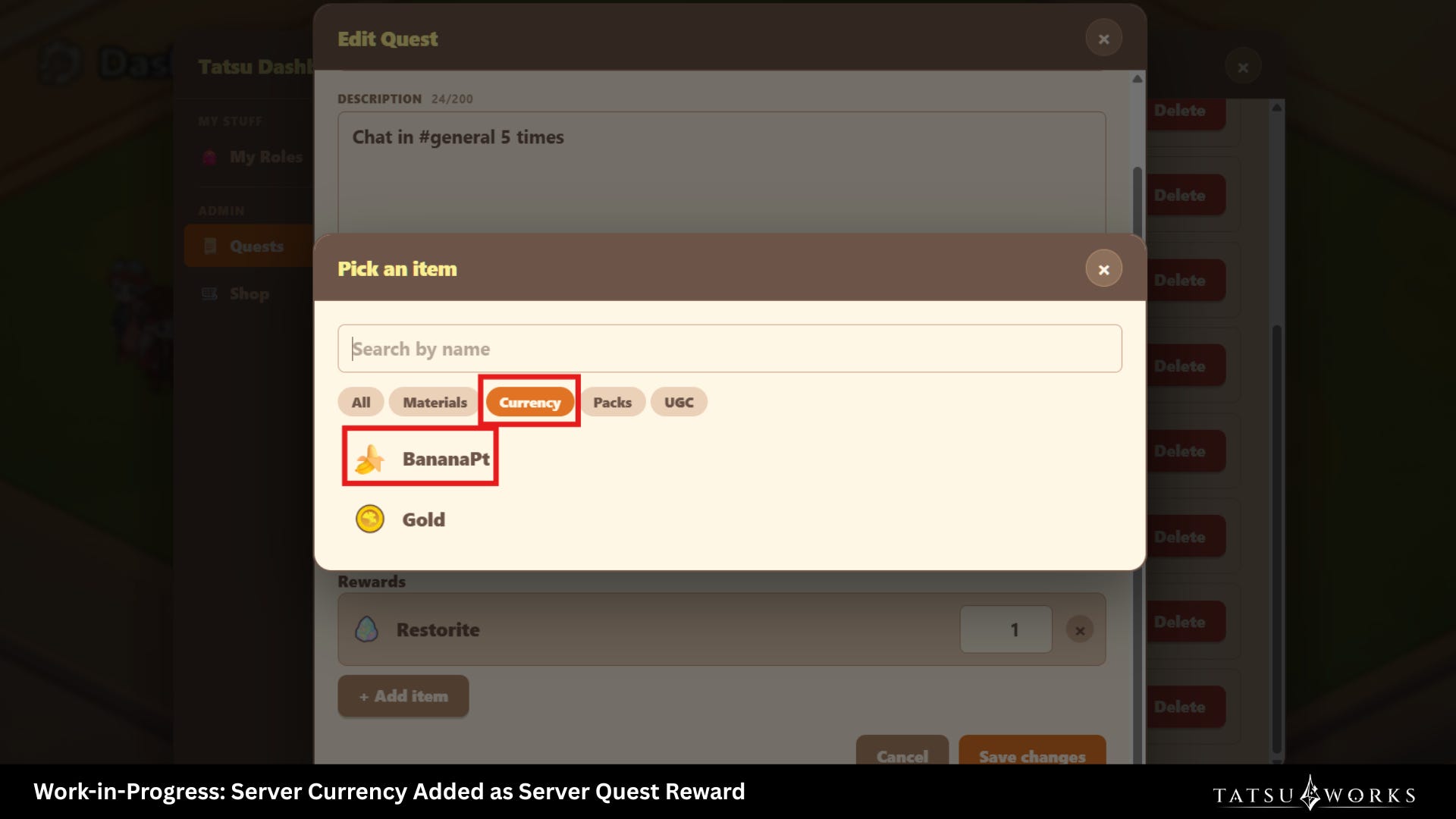
In the first release, quests rewarded items from a specific reward pool. In this week’s update, we added server currency as an optional reward type, so in the future community owners can create their own custom quests and reward their members with server currency, among other things. It closes the loop where community members can complete a quest that the community owners set up, earn server currency, and spend it in the Server Shop without leaving the Activity.
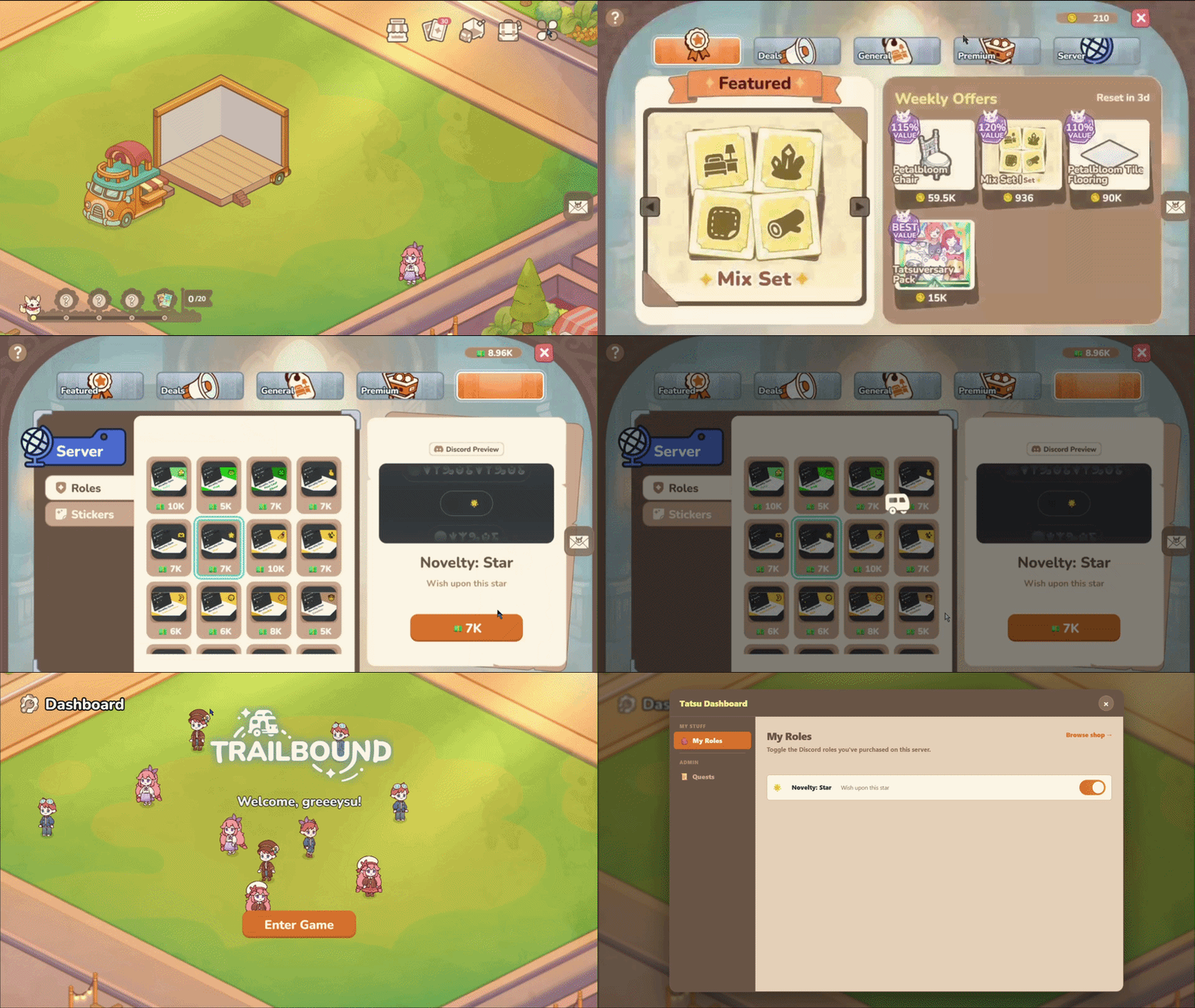
Open Tatsu’s Trailbound Activity to enter the game. Click the menu hub at the top right and pick Shop .
Go to the rightmost tab for the Server Shop listings, and buy the roles you want with your server currency.
To equip a role, exit and reopen the Activity, then click the Dashboard menu at the top left of the Lobby.
Toggle each role on or off from there.
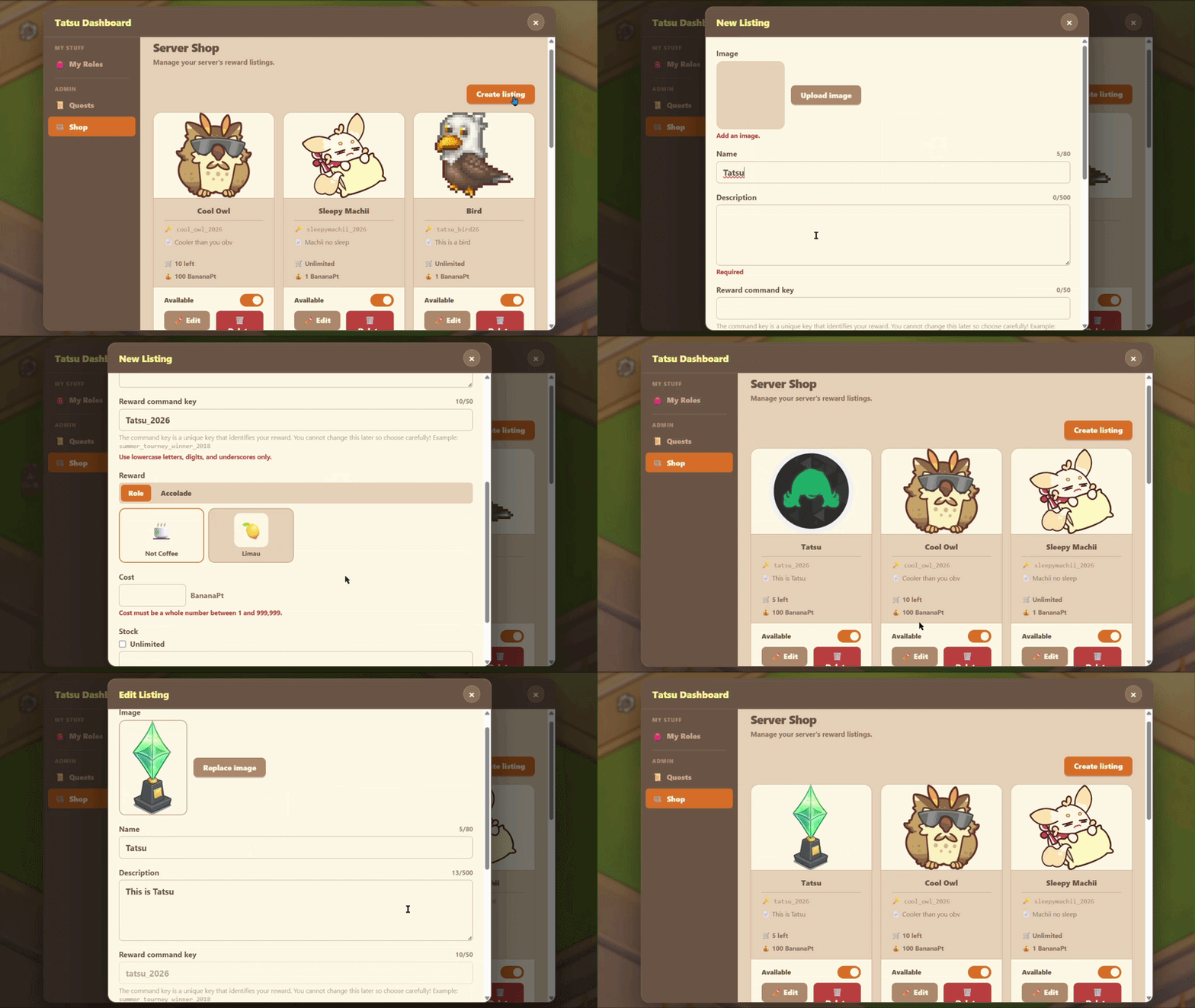
Open the Activity. As a community owner, you’ll see a Dashboard menu at the top left of the Lobby.
Head into the admin section. From there you can create, edit, and delete Server Shop listings without bouncing out to the tatsu.gg website.
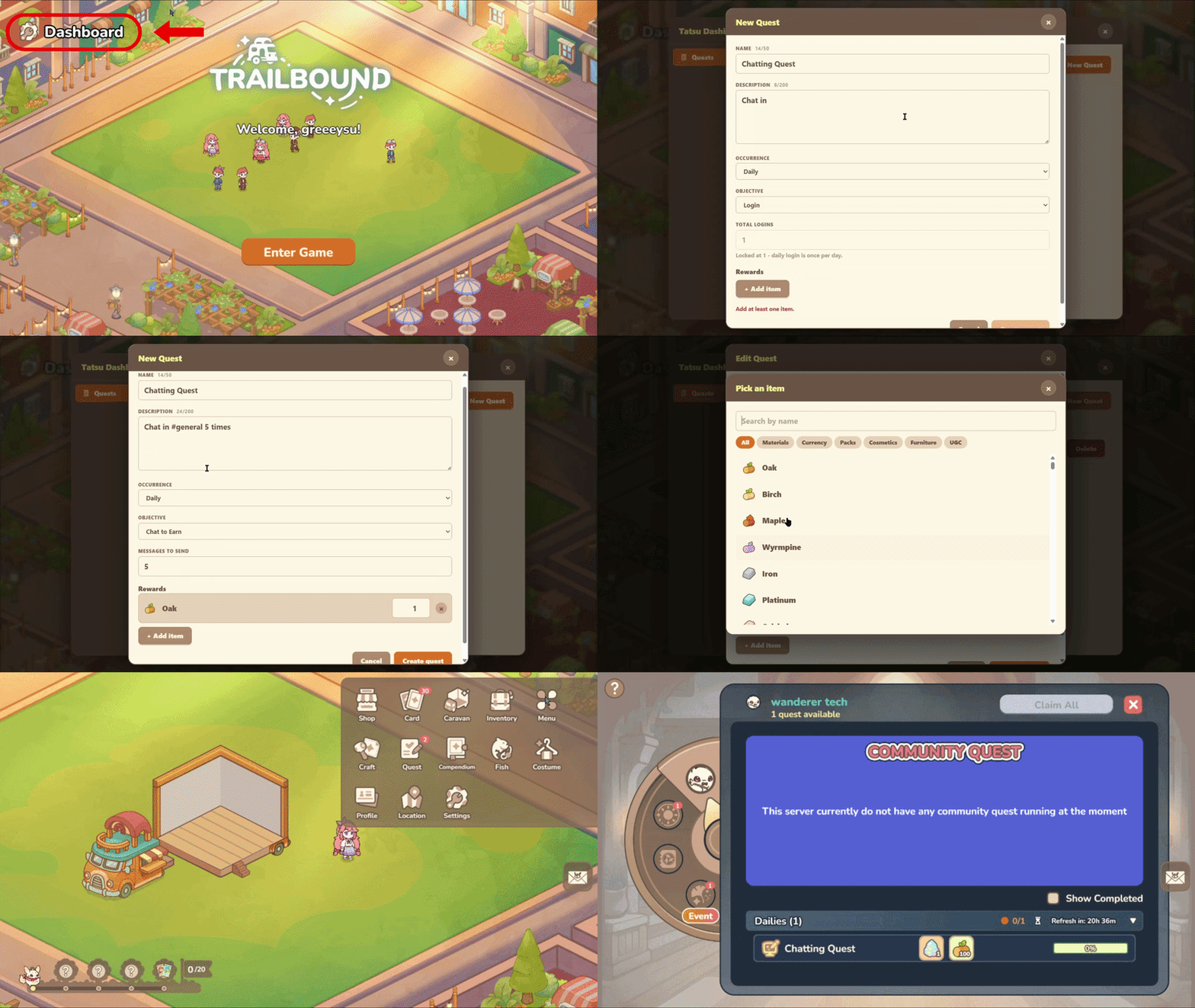
Custom Server Quest creation is currently scoped to Tatsu’s Lounge while we test and tighten things up, but here’s the flow community owners will use once it opens up more broadly.
Open the Activity and head to the Dashboard menu at the top left of the Lobby.
Go into the admin section and start a new quest.
Set a name, description, action type (now including voice activity), occurrence, and pick rewards from the available item pool.
Members in Tatsu’s Lounge see the quest under the Quests menu inside the Activity.
A bunch of stuff from feedback and testing landed in this update to improve the user experience, including:
Server Quests
Deleted quests now disappear from the quest board immediately instead of sticking around until the next reset
Exit confirmation pop-up added when leaving the quest creation tab, so unsaved progress doesn’t get lost on accidental dismissal
Fixed the “Server Points full” error that blocked members from claiming rewards or opening packs
Login issues that were blocking quest access for some members are fixed
Long quest names truncate cleanly with an ellipsis instead of overflowing
Fixed inconsistent spacing on the quest list
Server Shop
Fixed role color not displaying correctly in the in-Activity store
Fixed the empty orange button for Server Shop at the rightmost tab of Shop navigation.
Fixed the trinket pack contents not matching what the compendium displayed
Others
Fixed the issue where the price in one of the Today’s Deals was not set correctly. Everyone affected has already been compensated accordingly.
Community owners using Tatsu can now create and manage their Server Shop listings from inside the Activity without having to visit the tatsu.gg website. Custom Server Quest creation is still Tatsu’s Lounge only for now. If you’re in Tatsu’s Lounge, try completing a quest that gives out server currency as a reward and let us know your experience!
Drop feedback in #🏗️・build-the-trail, we’re checking regularly.
~ CC from Tatsu
Follow us on other platforms!
WEBSITE | DISCORD | INSTAGRAM | X (TWITTER) | TIKTOK | YOUTUBE | FANDOM
Comments
Nothing yet. Say the first thing.
Sign in to join the conversation.