
I am excited to launch a bit of a mini series about designing and building products with AI. In this series we will go through my philosophy, learnings, and the real tangible steps I take to build applications with AI.
By the end of this series you will better understand how new technology is being built and maybe even build something yourself.
In case you missed it — One hope I have with AI, despite all of the genuine and real fear that comes with it, is the democratization of technology.
As I mentioned in a previous article,
“Lean, incredible tech can now be built at scale by non-technical founders and we need to be building it.
We are at a pivotal moment where we can either let corporations rule us into more expensive and shittier products, or we can tip the balance in our favor.
AI gives access. It gives access to non-technical founders and visionaries like myself. — People that hope to have some sort of impact beyond monetary gains. My hope is to harness AI to build tools that enable social action and competitive products that actually add value rather than extract our resources and attention.
Yes you. You can build software…if you want to.
In 2018 I learned Figma — not because I wanted to be a designer, but because I wanted to build a product to support small businesses. I learned it as a means to an end. That learning became the catalyst to a career in technology and a love of problem solving for my users and clients.
AI and Claude Code are just another set of tools. Another paintbrush to make your mark, if you desire.
That said, just because you can build software doesn’t mean you have to. If building doesn’t light you up — opt out or outsource it. Use tools like Grantable for grants, Granola for meeting notes, or Wispr Flow for dictation. Tools that are seamlessly weaving AI into your workflows so you don’t have to.
My intention is not to create more FOMO around building custom software. And to be honest, we are probably headed toward a massive oversaturation of digital products. If your skills and passions lie elsewhere, keep them there. It will serve you well.
But if you want to build — build.
I won’t pretend to ignore the real environmental cost of AI in its current state. Data centers are a tangible consequence worth acknowledging.
For me, this means engaging with AI as intentionally as possible — thinking critically about what I’m building and why. As you’ll see in this series, I work with the LLM to refine ideas and prompts before diving into massive builds. The goal is a net benefit: less compute power, less money spent on tokens, less waste.
I know this isn’t the same as not using AI at all. But for me it comes down to intentionality of my engagement and awareness of my impact.
In today’s article I will share:
my philosophy on using AI
take you through the most intimidating but important part of the process — getting you set up to build with Claud.
Let’s start with my philosophy.
Recently my husband and I launched a dev and design shop, Treetop Labs. Since launching, I’ve had the opportunity to work with a range of clients that need products and features shipped fast.
It is wild. I mean WILD what we are able to build and at the speed we are able to do so. It is unlike anything I’ve ever experienced.
However, what I’ve noticed is that with all this speed is a temptation to outsource everything to AI. Your opinions, your aesthetic and design choices, deep learning and fundamental understanding of the problem you are trying to solve.
While AI has certainly sped up the process of learning, the slow friction of learning is still a vital skill to hold onto as we enter this new world.
AI does not, and should not, replace first-principles thinking.
Google defines first-principles thinking as:
A problem-solving framework that breaks complex issues down into their most basic, fundamental, and undeniably true elements. By removing assumptions and analogies, you reconstruct solutions from scratch — fostering genuine innovation rather than iterating on what already exists.
“Rather than just iterating on what already exists” is the key phrase.
AI’s default is to build from and mimic what already exists. It is trained off past data sets and is somewhat flawed at pulling from new design patterns and even more flawed at creating them.
For example, in the latest iOS update, the search bar moved to the bottom — a day, thumbs across the world rejoiced with gratitude. However, tell Claude to build you a mobile list view and the search bar is always at the top — because that’s the way it’s always been.
This is an admittedly small example, but when building applications these small decisions matter. If we don’t stop to consider our users, their unique problems, and the rapidly evolving design patterns in our world, we end up with products that all look the same and lack innovation and relevance.
When building a product I want to know:
What the environment looks like. Where is the user performing the task. Are they on desktop or mobile? Are they holding a coffee? Is it in a dark or light room? Are they dealing with a customer face-to-face or working from their desk at home?
These details matter and allow software to be tailored to the user while still using common design patterns in accordance with Jakob’s Law to make adoption fast and easy.
In your PJs and not ready for a deep dive? Save the article and come back later. More interested in AI workflows than actual building? Next week we dive into prompts and workflows — that one's for you.
For the rest of you…lets go 🤓
The setup steps below reflect how things work today. If anything looks different when you get there, Anthropic's official documentation is always the most up to date: https://code.claude.com/docs/en/overview#desktop-app
Quick pep talk: The tools I’m about to mention may feel intimidating — but I promise they aren’t. Viewing a terminal file looked horrifying to me at first too. This first step is the hardest part. You just have to start.

Before we set anything up, here’s how it all fits together.
Think of GitHub like Google Drive. It’s where your project lives online — backed up, safe, and accessible from anywhere.
When you want to actually work on your project, you download a copy to your computer. That copy is called your local folder — it’s where you and Claude Code do the work day to day. When you’re done, you push your changes back up to GitHub to keep everything in sync. Similar to editing a Google Doc offline and syncing it when you’re back online.
When you edit the application you can either work on:
Main — the official, stable version of your project — the one that’s always clean and working. ⚠️ Not a great place to build. Any bug that happens here will be experienced by your users.
A branch — a copy you create when you want to build something new without risking the main version. Think of it like making a copy of a Google Doc to try out edits before committing to them. If it works, you merge it back in. If it doesn’t, you delete it and nothing is lost.
A good rule of thumb: one branch per feature. Building a new dashboard? New branch. Adding a search bar? New branch. This keeps your work organized and your main version always stable.
Vercel takes your project and turns it into a live website instantly — so you can share it, get feedback, and see it in action.
Claude Code lives on your computer and does the actual building — writing files, making changes, and pushing everything up to GitHub.
Here’s how to set yourself up:
Set up a GitHub account. GitHub is where your project lives online — backed up and version controlled. Create a free account at github.com.
Download the Claude Code desktop app. This is the version of Claude that can actually build and edit files on your machine. Download it from claude.ai/code, install it like any other app, and sign in with your Claude account when it opens. No terminal, no command line — just a regular app on your computer.
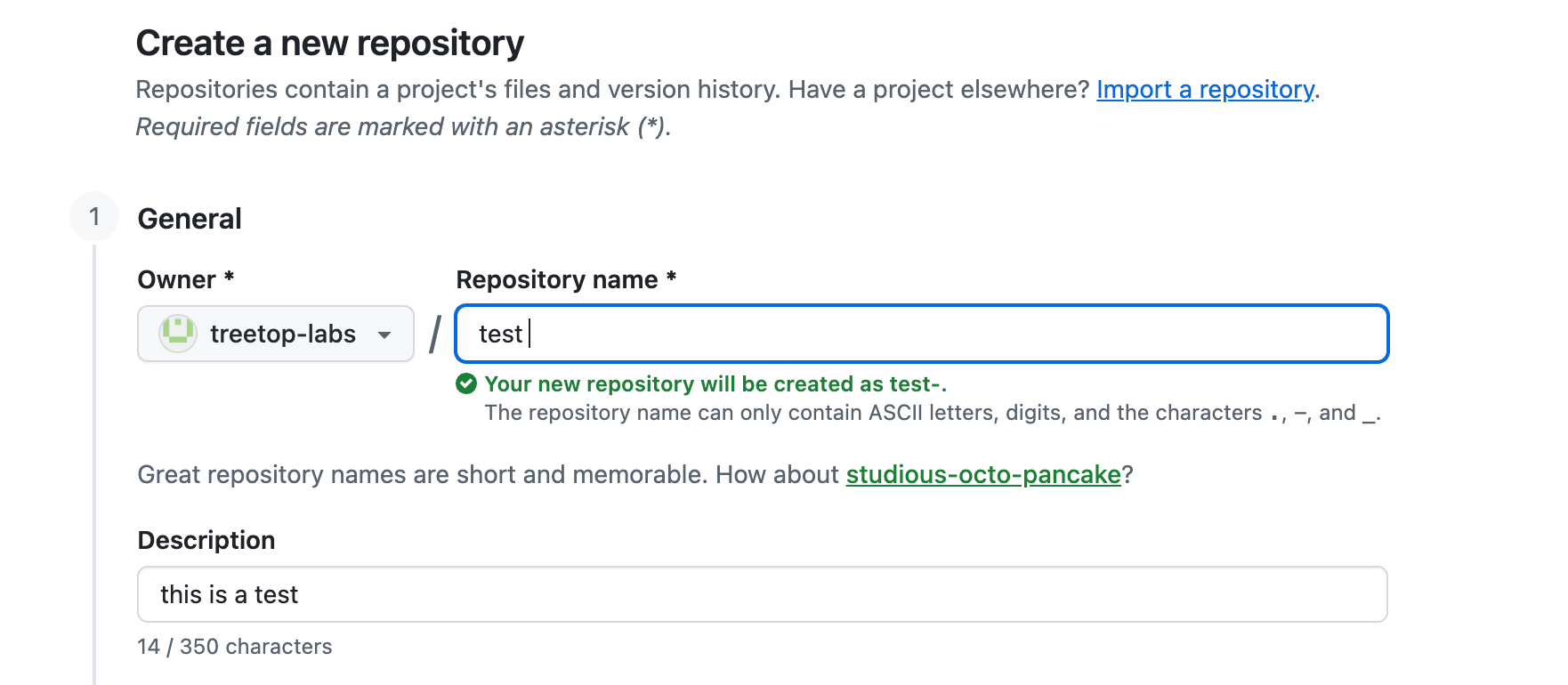
Create your first repository. A repository is a folder for your project that tracks every change you make. Here’s how to make one:
Go to github.com and sign in
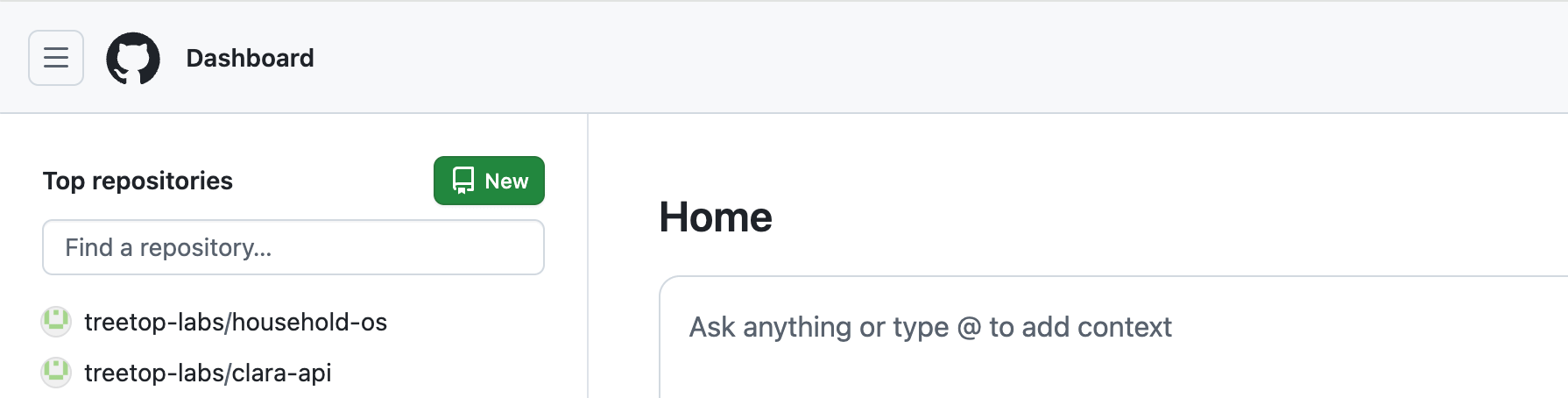
Click the + button in the top right corner
Select New repository
Give it a name. If this is a personal or client project, switch it from Public to Private. Keep everything else as the default and hit Create. Done. Takes about 30 seconds.
Create a project folder for your work. This is where the local copy of your project will live — the working folder Claude Code will actually open and edit. I keep mine in Dropbox so it’s backed up across devices, but your desktop works just as well — anywhere you’ll remember and can find easily. Create a new folder and give it the same name as your GitHub repository so you don’t get confused later. This is the folder you’ll point Claude Code to in the next step.
Open your project in Claude Code. Launch the Claude Code app, and when it asks which folder you want to work in, choose the one you just created. That’s it — Claude Code is now pointed at your project and ready to go. Paste this to get started:
“I am starting a new project from scratch. Please help me get set up. Clone my GitHub repository into this folder, confirm everything is linked correctly, and set up my project folder structure. Do not build anything yet. Ask me any questions you need to get started.”
Set up Vercel. Vercel turns your project into a live website with one click — once you have something to deploy. You’ll use this to share progress and collect feedback. Create a free account at vercel.com and connect it to your GitHub repository. Nothing will show up at a live URL yet, and that’s fine — it’ll kick in the moment your project has something to display.
Tell Claude: DO NOT BUILD any UI yet. UI is everything a user sees — buttons, screens, layouts. Claude will want to jump straight to building it. Don’t let it. Feed it your research first — user interviews, notes, a written brief, whoever you’re building this for and what you’ve learned about them. The more context it has before a single screen gets designed, the less you’ll have to undo later. This one instruction will save you hours.
A mistake I made:
If you haven’t noticed, Claude (chat, not Code) will start building you prototypes as you ask it questions. Sometimes unprompted. Boom — a new app! But, not really…
This happened to me recently and I just started iterating, moving buttons, and refining the UI. If you want a quick mockup or rough proof of concept, this is great. If you are actually trying to build the application, this is not the best way to start.
In my next article, I’ll go through the fun part — refining your idea and building your prompt. This is where the temptation to have Claude Code “just build” peaks!
The next step will require restraint and critical thinking before building. It’s the best way to get where you want faster and more affordably.
For those less interested in building software, the practices I’ll cover apply to all kinds of problem solving. Good prompting is just good thinking.
Comments
Nothing yet. Say the first thing.
Sign in to join the conversation.