
January 01, 2016 , Last updated on October 03, 2024
I'm a polygot pragmatic programmer, I choose the best tool for the job. Following are the list of tools I use on my HP Pavilion Notebook
Mobile
In 2020, I learnt the hard way not to rely on a single phone without backups. But these days, I'm mostly on Android after my iPhone died due to a lack of OS Updates.
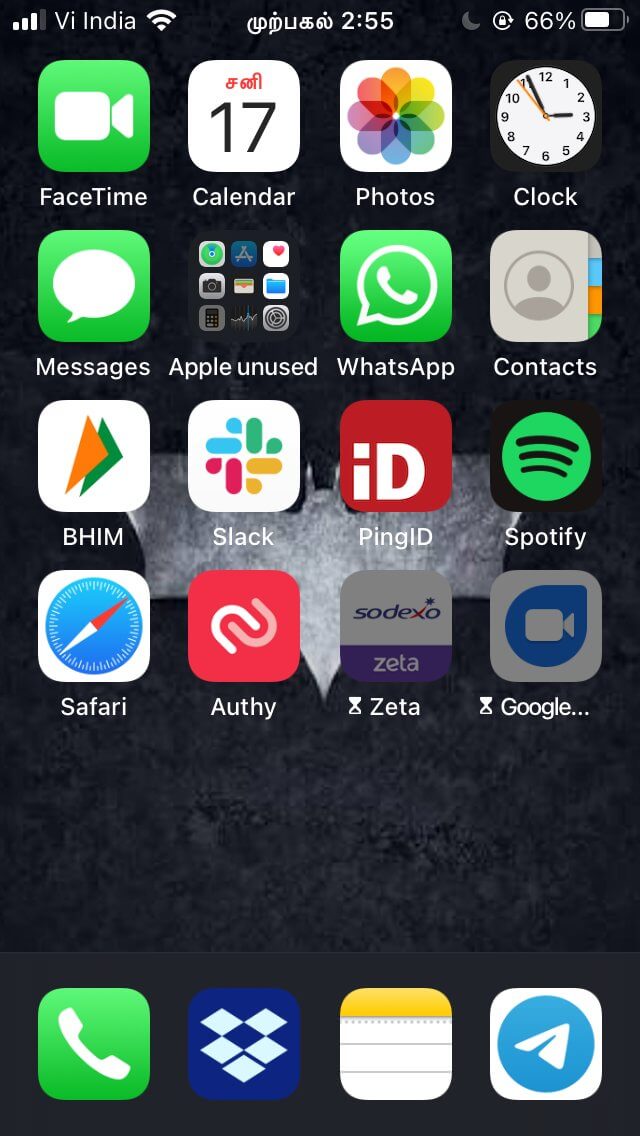
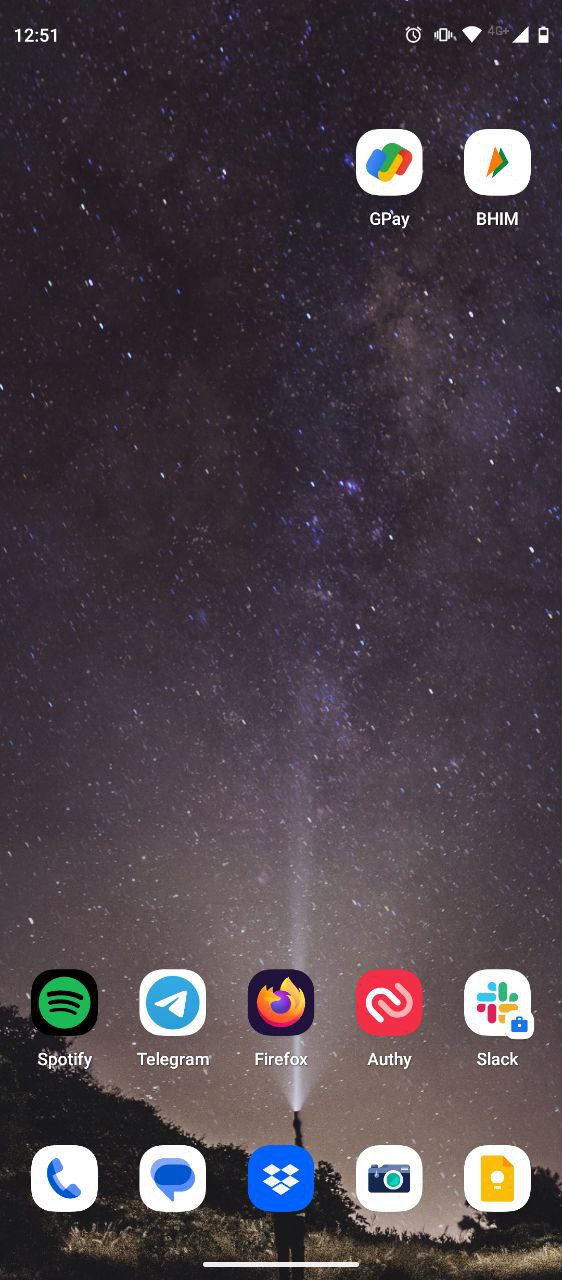
One obvious difference here is the screen size. Other than that, rest all remains the same.
- Utility - BHIM, Gpay(for making payment via phonenumber), Dropbox, Authy(for all 2FAs), Pluxee and Spotify.
- Work - Slack and teams.
- Family - Telegram and Google Meet.
- Necessary evil - what’s app
For everything else, Firefox.
System
Debian OS - Initially, I got started with Ubuntu 9.04 and stayed with it until 11.04. But over a period of time, I got tired of having to keep with the latest version of the OS. I wanted a stable distro that had less releases than Ubuntu. That's when I found out Debian 6. Since then I am sticking with it. I use Debian 10 with Gnome 3 desktop as my primary OS. If you want to try GNU/Linux, I still recommend you to get started with Ubuntu. Switch to Debian once you're familiar with the Linux way of doing things
KeePassXC - To generate and store passwords. I prefer stand alone, non-cloud, open sourced, desktop only password managers. For mobile, I use KeePassDX.
Note taking
- Google Keep: for ephemeral notes.
- Git based journal: for all note taking.
- calendar in pdf: for planning all things with dates.
Browsers & Add-ons
My browser configuration - browser-configurations
- Firefox developer version - for all My personal and casual surfing.
- Chrome - Strictly for development and for chrome only use case.
Text Editor/ IDEs
- VS Code - For all My Node.js/JavaScript/Python works. My configurations here
- Vim/Emacs - the editor that I'm constantly learning. My .emacs config here
DB visualizers
- MongoDB Compass - cross platform GUI for MongoDB
- Sqlitebrowser - GUI for SQLite database when building android app.
Services
- Pinboard - for managing my bookmarked links. For moving the links to my pinboard I use pin-tweet + pintelegram, a telegram bot.
Utility Tools
- Meld - For occasional code comparison. I like its 2 & 3 way comparision between files and folder.
- ">Apparix
- For bookmarking folders in terminal.
After bookmarking you can go directly
to the project by
to project1than painstakingly typingcd ../../github-repos/npms/project1. You can find the resource file that holds all the location details at$HOME/.apparixrc
Comments
Nothing yet. Say the first thing.
Sign in to join the conversation.