
Everyone can vibe code now. That’s not an exaggeration. Product managers are prototyping. Engineers are creating UIs. Non-designers are producing interfaces that look pretty reasonable (only at first glance!).
So the pressure on designers to keep up is real. Move faster. Use AI more. Show your value through speed and output. Be the person who executes quickest.
Design was never supposed to win on execution. The moment we define our value by how fast we can build something, we have already lost. Anyone with a prompt and a bit of patience can build something now. That race is not one we’re going to win, and frankly, it’s not one worth running.
What’s not democratised, what AI genuinely cannot do, is understanding. Knowing which problem is actually worth solving. Knowing how users think about a product, where they get stuck, and what they’re really trying to do underneath the surface request. Knowing why a solution will land or fall flat before you’ve spent two weeks building it.
That’s the job. It has always been.
The difference now is that execution has become so cheap and fast that thinking is the only thing left that actually separates a designer from everyone else with a laptop and a few AI tokens.
And yet what I keep seeing is designers doing the opposite. Skipping the understanding. Going straight to the generation. Measuring themselves by how quickly they can produce a prototype rather than how clearly they understand the problem the prototype is meant to explore.
I get why it happens. We are all trying to rush. But I think we’re solving for the wrong thing, and it’s going to cost the profession more than we realise.
I came across an academic paper recently that put into words something I’d been feeling. It described a tension between two approaches that sound similar but aren’t and I’ll paraphrase now:
Intending the right design, which is about generating the correct output, and designing with the right intention, which means understanding the problem deeply enough that the output actually matters.
AI is exceptional at the first one. Give it a clear enough brief, and it’ll generate, iterate and refine faster than you can review. The second one is still entirely your job. And if you skip it, you end up with a beautifully executed answer to the wrong question.
This is what I mean by prototyping with intent. Know what you’re trying to learn before you build. Have a point of view on the problem before you ask the AI to generate a solution to it. The building can be fast. The understanding has to come first.
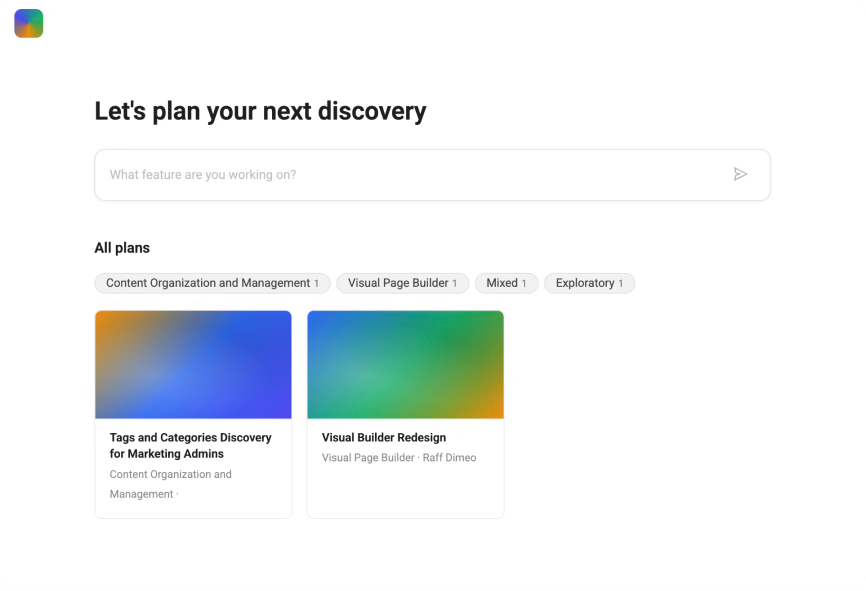
I have put this into practice by creating an internal app for my team called the discovery planner. It’s a chat-based app that guides a designer through a structured conversation before they start building anything. It asks: what problem are we solving, for whom, how do we know it’s real, what does success look like, what are we explicitly not solving. At the end, it generates a one-page plan they can share with their team or use as the brief for the next stage of work.
It’s not trying to replace discovery. It’s trying to make sure discovery actually happens before the prototype does.
And the way I built it is, I think, the most honest proof I can offer that you can move fast and think properly at the same time. You just have to do them in the right order.
Here’s exactly how I did it.
I want to be clear about something before we get into this. This isn’t a new framework. It’s not the double diamond with a rebrand, and it’s not design thinking wearing different clothes. It’s just what I mapped out after finishing the work, written down so it’s easier to follow.
The reason it looks different to what you might be used to is simple: AI changed the distance between thinking and building. That gap used to be long enough that clarity happened by necessity. Now it’s almost nothing. And if you have a thinking partner available at every stage, the speed becomes genuinely useful rather than just dangerous.
So the process is leaner. Problem. Solution. Plan. Prototype. Iterate. Five stages. The first two are entirely about understanding before anything gets built.

I started by describing the problem I thought I was solving. I want to do more discovery before jumping to solutions. I wanted something that could guide me and other designers through it without making it feel like a form to fill out.
I asked Claude to push back on that. To find the gaps, challenge my assumptions, and ask the questions I might be avoiding. This is not using AI to generate ideas. It’s using AI as a thinking partner, which is a different thing and considerably more useful at this stage.
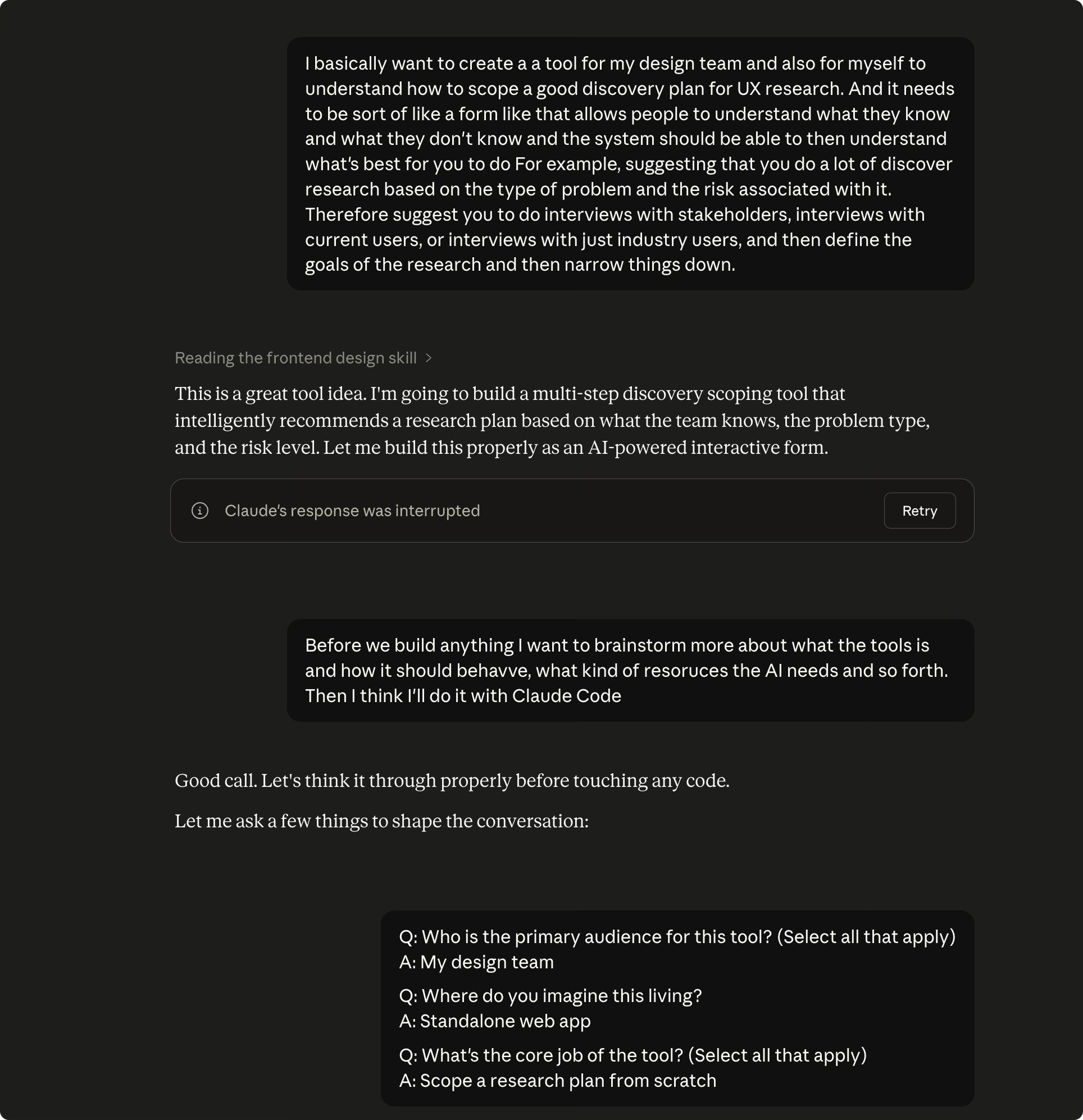
By the end of that conversation, I had a clear problem statement: the team needs help to structures the discovery conversation without replacing discovery. Not a vague intention. An actual statement I could hand to someone that would make it clear what we were building and why.
Then I sketched. Rough shapes, thinking through the flow. What does the user see first? What does the conversation need to do? What’s the output they walk away with? The sketching isn’t about fidelity. It’s about making decisions before you’re inside a tool where changing them costs time.
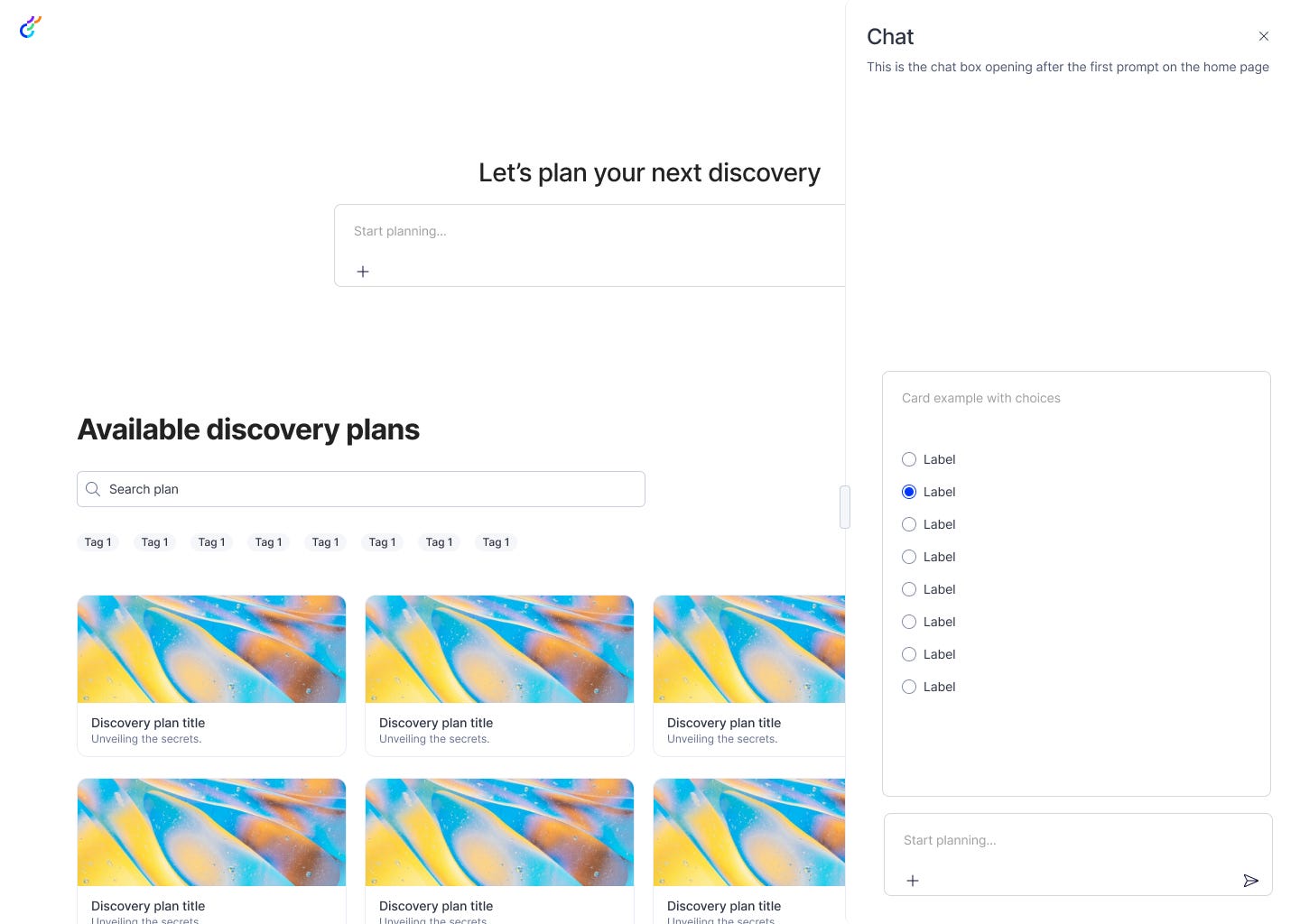
Every conversation went into a different markdown file: the brief template, the conversation flow, and the output template. This enable me to specify clearly how the AI inside the app needed to behave, what questions it asks, in what order, and what it does with the answers.
This is what you feed Claude when you’re ready to build. Without it, you’re vibe coding. With it, Claude is working from your intent rather than guessing. That distinction matters more than most people realise, because the quality of what you get out is almost entirely determined by the quality of what you put in.
I used a starter template built by Yegor Gilyov (link at the bottom) that provides a Next.js and TypeScript foundation for this kind of intent-led prototyping. You don’t need to understand what that means. You need to know it gives Claude a consistent base to build from.
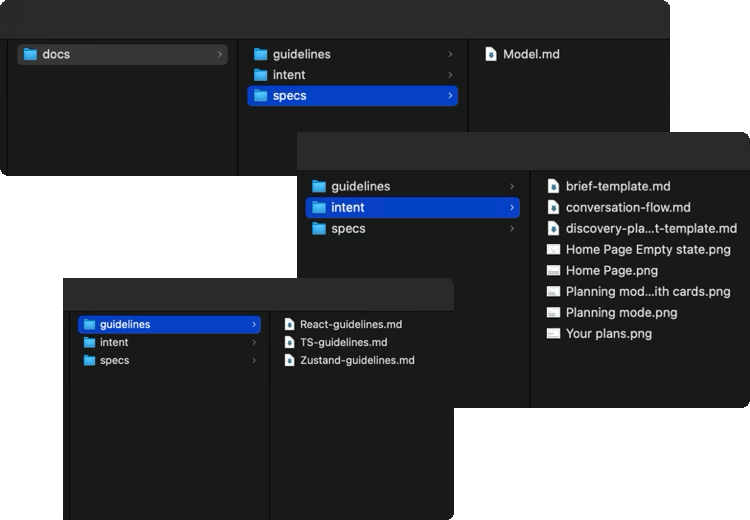
Inside the repo, I set up three folders:
Guidelines. All the technical files that I downloaded from the repo so that Claude knew what kind of app I wanted to build.
Intent. The markdown file with the sketches.
Model. How the app’s AI should behave. Its persona, its boundaries, how it handles different kinds of responses. Claude can help you write this, which is a bit strange and also surprisingly good.
With those three folders in place, Claude Code has everything it needs to build something that reflects your thinking rather than its defaults.
Prototype: build in Claude Code, deploy via Vercel.
I opened Claude Code, pointed it at the repo, and asked it to build the first version based on the intent file. The first output wasn’t perfect. It never is. But it was close enough to real that I could see immediately what was working and what wasn’t.
The quality of your feedback at this stage depends entirely on how clearly you wrote your intent. When you know what you were trying to build and why, you can say “the conversation flow doesn’t match what I described in the intent file, specifically here.” That’s a completely different quality of feedback to “this doesn’t feel right.” It gets you to a good place much faster.
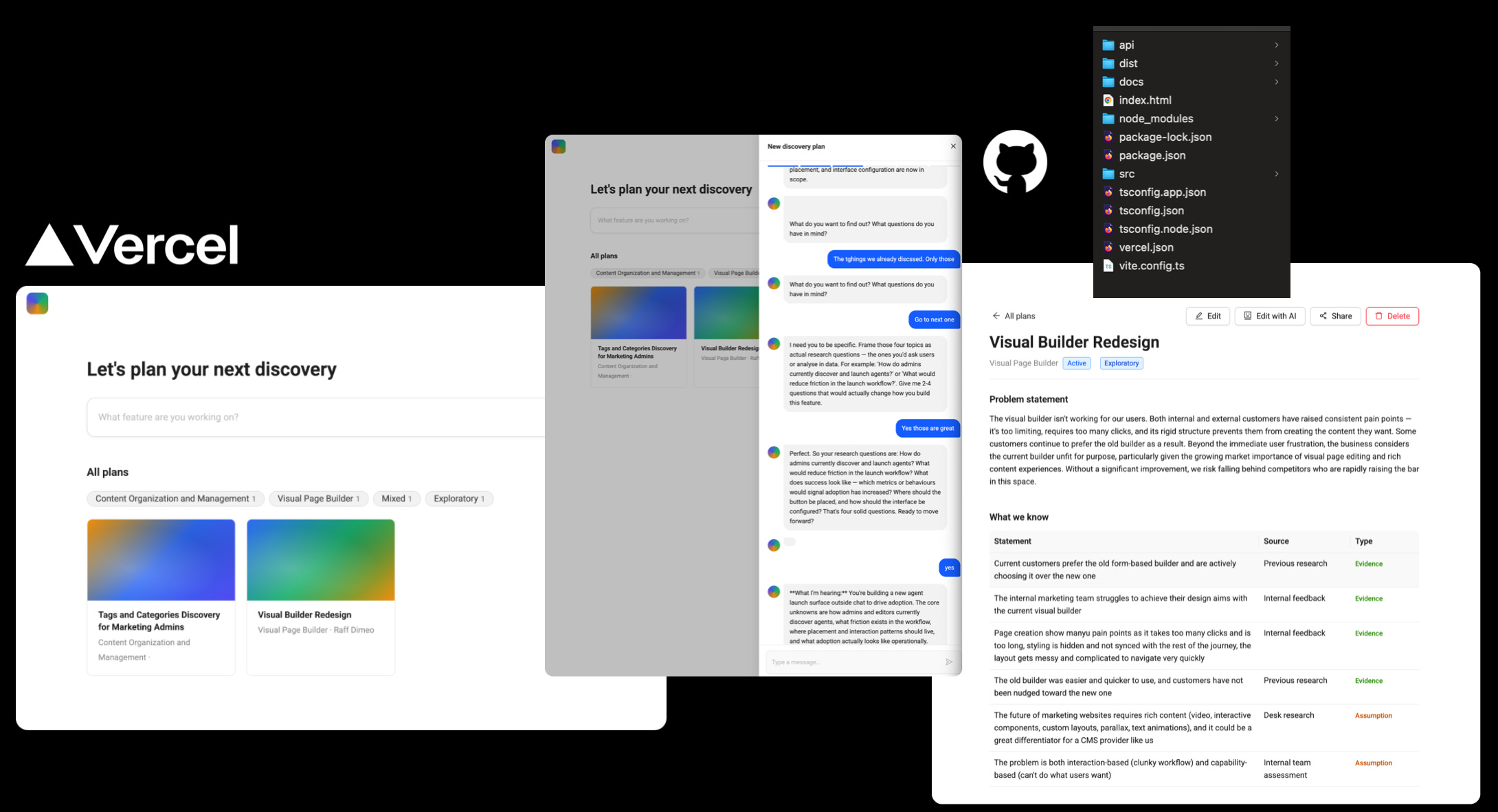
Deployment is through Vercel. Connect it to your GitHub repo once, and every change you push goes live automatically. Five minutes of setup, then it runs in the background.
The discovery planner was live and testable in under a day. Not because I skipped the thinking. Because I did the thinking first, which meant the building had almost nothing to figure out.
The temptation at this stage is to keep tweaking the prototype in response to feedback. Resist it, at least initially. Go back to the intent file first. If the feedback tells you something, it’s usually about the problem statement or the solution idea, not just the interface. Fix the thinking before you fix the build.
If you want to try this yourself.
The starter template is here: https://github.com/YegorGilyov/reality-check
Clone it, set up your three folders, open Claude Code, and start building. If you want to see what my intent file and folder structure actually looked like, drop me a message, and I’ll share it.
And if this is something your team is navigating, designers, who are being pushed to move faster at the expense of properly understanding the problem, send this to someone who needs to read it.
Comments
Nothing yet. Say the first thing.
Sign in to join the conversation.