
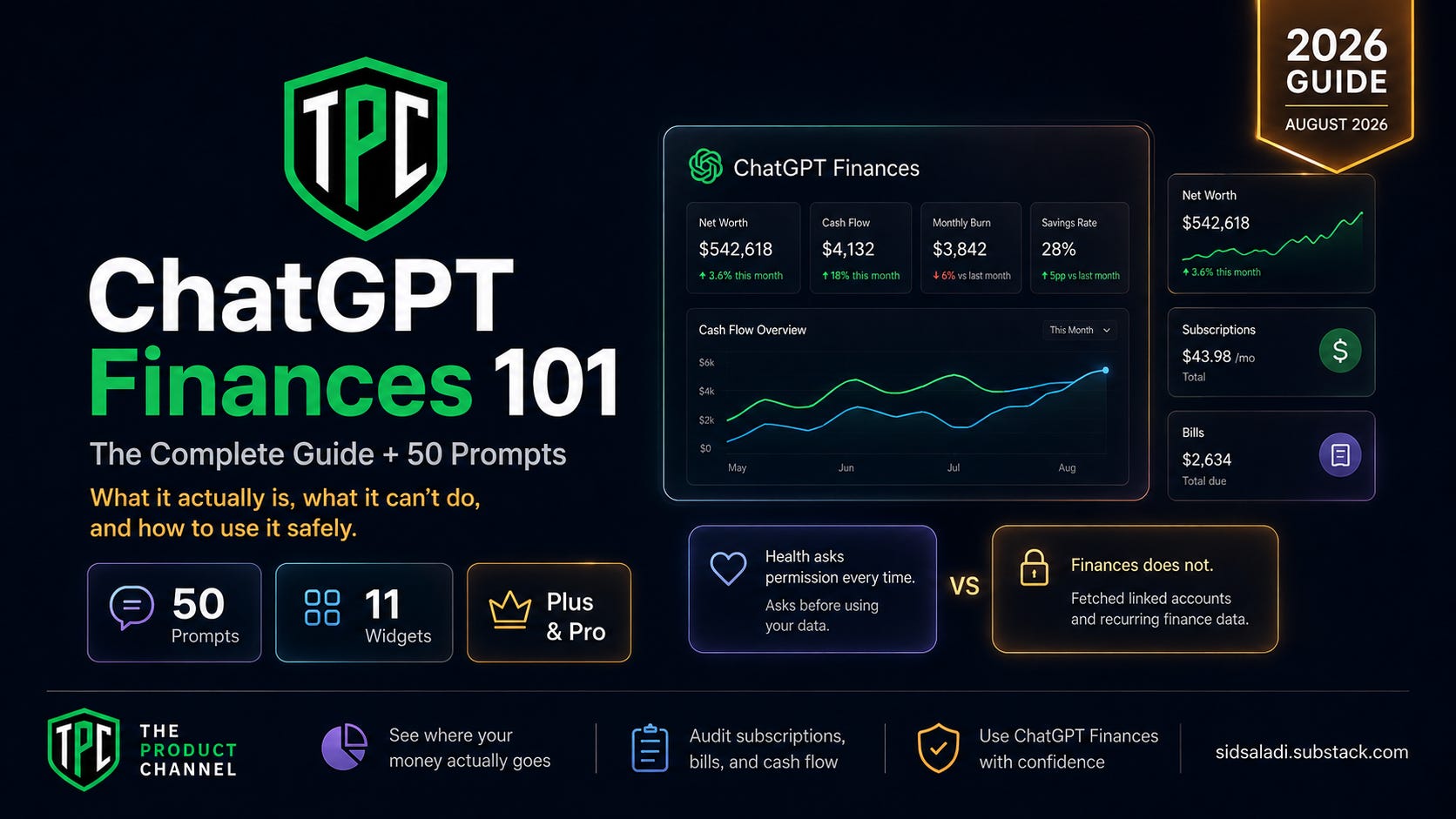
I connected my bank accounts, credit cards and brokerages to ChatGPT, then asked it what I’m subscribed to.
It answered immediately. No permission prompt. No “are you sure.” Just a small green line “Fetched linked accounts and recurring finance data” — and a full breakdown of my money.
That matters, because an hour earlier I’d asked ChatGPT Health about my heart data and it stopped and asked permission first, with four choices. Same company. Two features shipped ten weeks apart. Your medical data gets a consent card every single time. Your financial data doesn’t get one at all.
This is the guide to what Finances in ChatGPT actually is — every screen, the regulatory line you should not cross, the accuracy evidence, and 50 copy-paste prompts. Written after connecting real accounts, not from the press release.
Up front: ChatGPT is not a fiduciary, a registered investment adviser, a broker-dealer, a tax preparer, or a law firm. That’s OpenAI’s own wording. This article is education, not personalized investment, tax or legal advice.
What Actually Launched, and When
April 13, 2026 — OpenAI’s acquisition of AI personal-finance startup Hiro Finance is announced. Roughly 10 employees join. Hiro’s product stopped working April 20; its data-export window closed May 13. Per American Banker, Hiro user data was not transferred to OpenAI.
May 15, 2026 — Finances launches as a preview for Pro users in the US, web and iOS, connecting through Plaid with support for “more than 12,000 financial institutions.”
June 25, 2026 — Expands to Plus, and to Android. (OpenAI’s own release notes say June 26 — the two pages disagree by a day.)
August 3, 2026 (today) — Still US-only, Plus and Pro only. The help centre opens: “Finances is available in the U.S. to Plus and Pro users on web, iOS, and Android.”
That last line is the first thing worth noticing. Health in ChatGPT went to all four tiers including Free. Finances did not. If you’re on the free plan, this article is a preview of something you can’t use yet — ChatGPT Plus runs $20/month.
The model: OpenAI documents that finance conversations default to GPT-5.5 Thinking, with GPT-5.5 Pro for Pro users. Notably, OpenAI has not documented a model upgrade for Finances since launch even as Health shipped on a newer model. I’d avoid stating it’s “stuck” on 5.5; the honest line is that no upgrade has been announced.
People Are Already Doing This — Mostly Without a Net
Roughly a quarter of US adults have already asked an AI chatbot a personal finance question closer to half if you count anyone asking for “financial advice or information”
The part that should change how you read the rest of this guide: 27% of chatbot-finance users acted on the advice — and among those who acted, nearly a third ended up worse off. One in five acted immediately, with no verification, no research, and no human input.
So the behavior is mainstream. The skill isn’t. The gap between the people who got better outcomes and the people who got hurt wasn’t the tool — it was how they used it. Everything below is the “how to use it right” half: what to trust, what to force it to prove, and 50 prompts built to keep you on the safe side of your own money.
ChatGPT Health 101: The Complete Guide — the sister feature, and the permission comparison in this piece
#104 AI Terminology Cheatsheet: 100 Essential Terms — every AI word here, defined
📚 Dive Deeper: AI + Your Money and Career
The Ultimate Perplexity Labs Playbook: 200+ Financial Analysis Use Cases
AI Resume Builder 101: Customize Your Resume for Every Job in 60 Seconds
Finances sits in the left sidebar under Pinned, at chatgpt.com/finances. Read the grey line under the composer, because it’s different from every other part of ChatGPT:
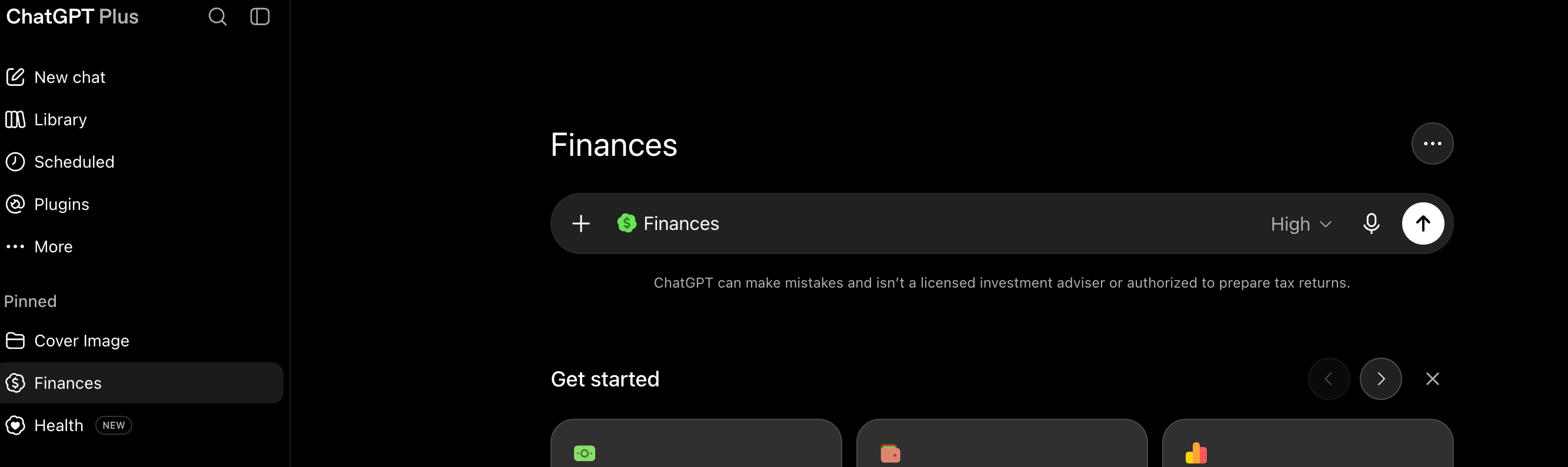
Click Get started → Connect with Plaid → sign in and pick your institutions. Many large banks now route to their own login via OAuth; others use a Plaid-hosted credential form. Sync “usually takes a few minutes, but in rare cases it may take several hours.”
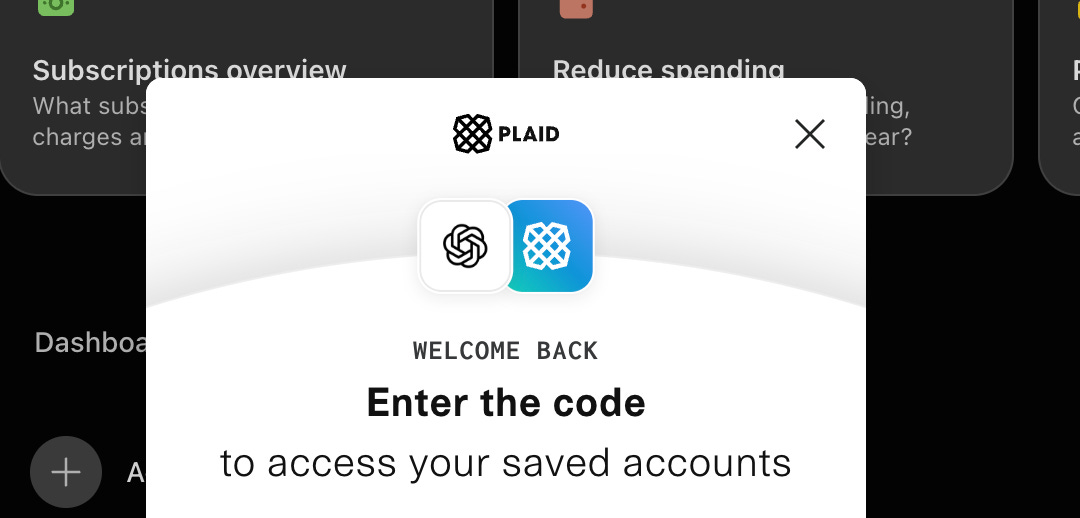
💡 Pro tip: there are no manual accounts. If an asset isn’t Plaid-connected you can describe it in conversation, but it goes into financial memories — not into the dashboard math. For example, if you own a rental property, a pension, or crypto in cold storage, none of it reaches your net worth figure. That number is structurally incomplete and nothing on screen tells you so.
ChatGPT reads balances, transactions, investments and liabilities. It “cannot see full account numbers or make any changes to your accounts.”
It cannot see your credit report or score — those are a separate Plaid product line entirely. Any answer about “why did my score drop” is generated from training data, not your data.
OpenAI also names three connection failure classes and one silent one: an institution can connect successfully and still withhold fields — “an institution may share balances but not full transaction history, investment holdings, loan details, APRs, due dates, or other fields.” Missing APRs quietly break every debt-payoff calculation in this guide.
Go to Accounts. Every account shows its institution, masked last four, balance, and — this is the good part — when it last synced (”13 hours ago”). Accounts are grouped by asset class with a “% of assets” label.
💡 Pro tip: Health gives you no way to confirm a sync succeeded. Finances shows you a timestamp per account. Check it before trusting any number.
Note: the screenshots below use demo data populated for illustration, not my real accounts. The layouts and widgets are exactly what ships.
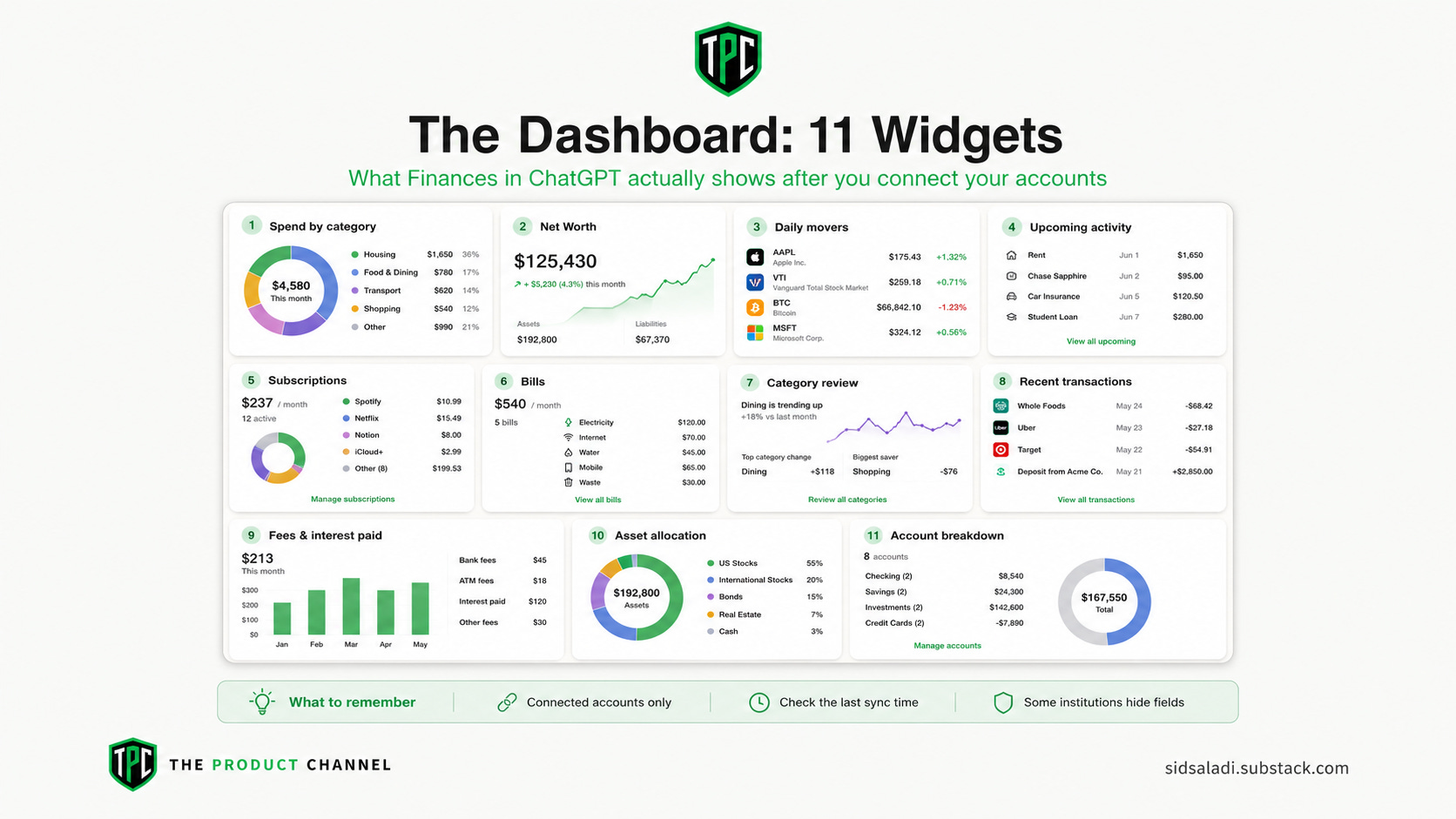
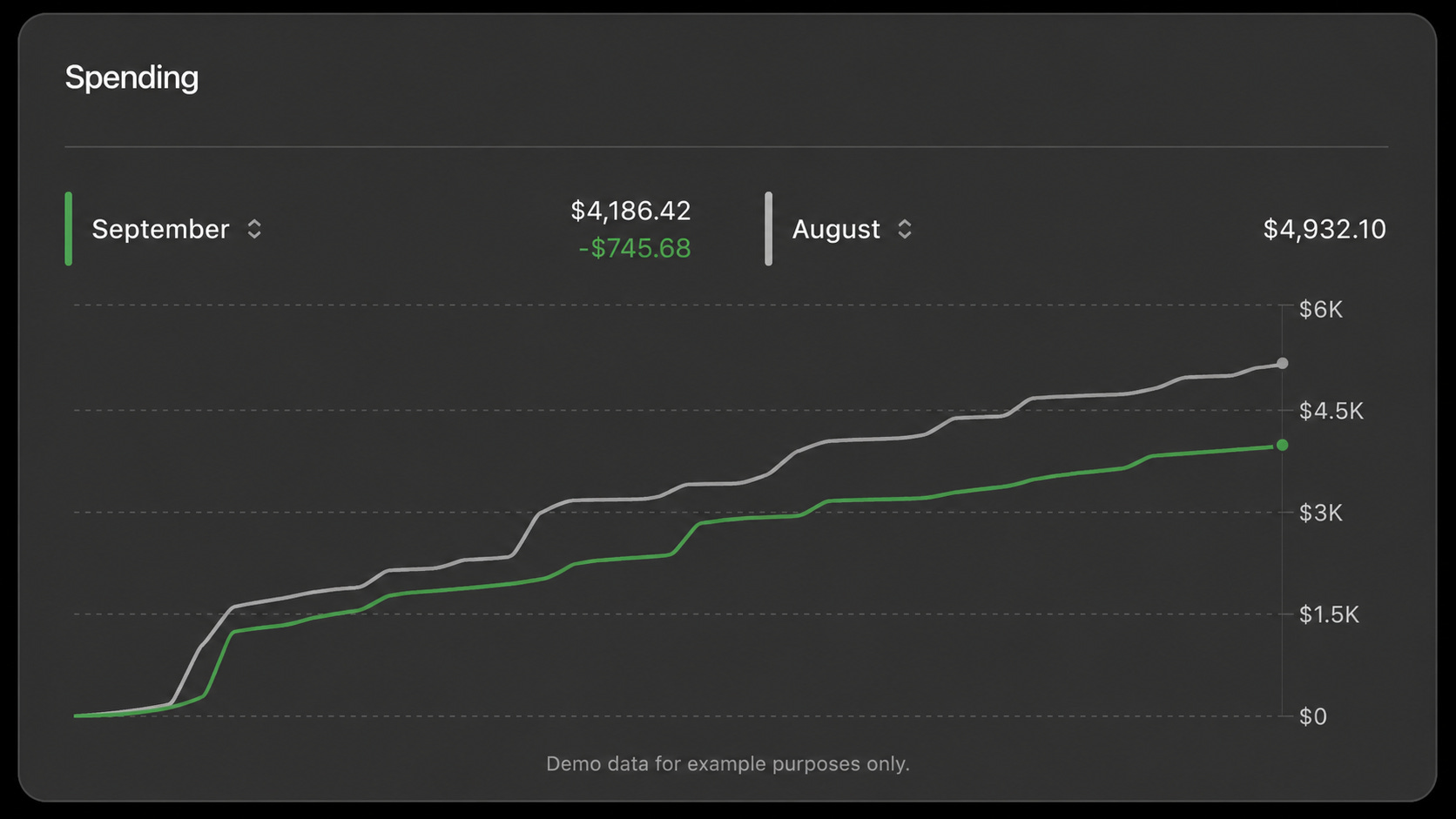
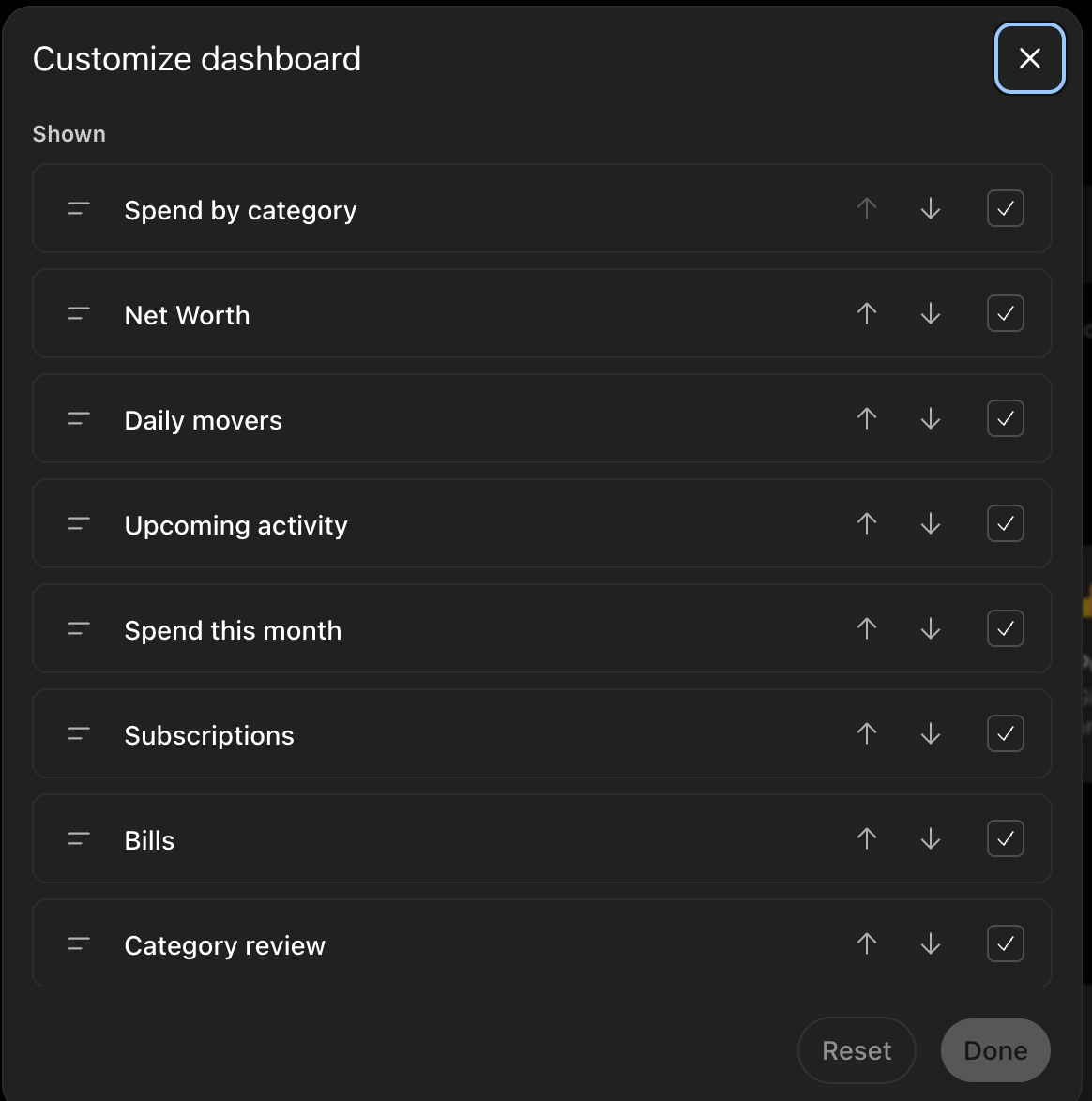
OpenAI’s help documentation lists eight dashboard cards. The shipped product has eleven, and the names have changed. Click Edit dashboard and you get a “Customize dashboard” panel where every widget can be reordered or hidden. Four of them Category review, Recent transactions, Fees and interest paid, and Account breakdown appear in no OpenAI documentation I could find. The product has run ahead of its own docs.
Spend by category
Net Worth
Daily movers
Upcoming activity
Subscriptions
Bills
Category review
Recent transactions
Fees and interest paid
Asset allocation
Account breakdown
Here’s what each one actually does:
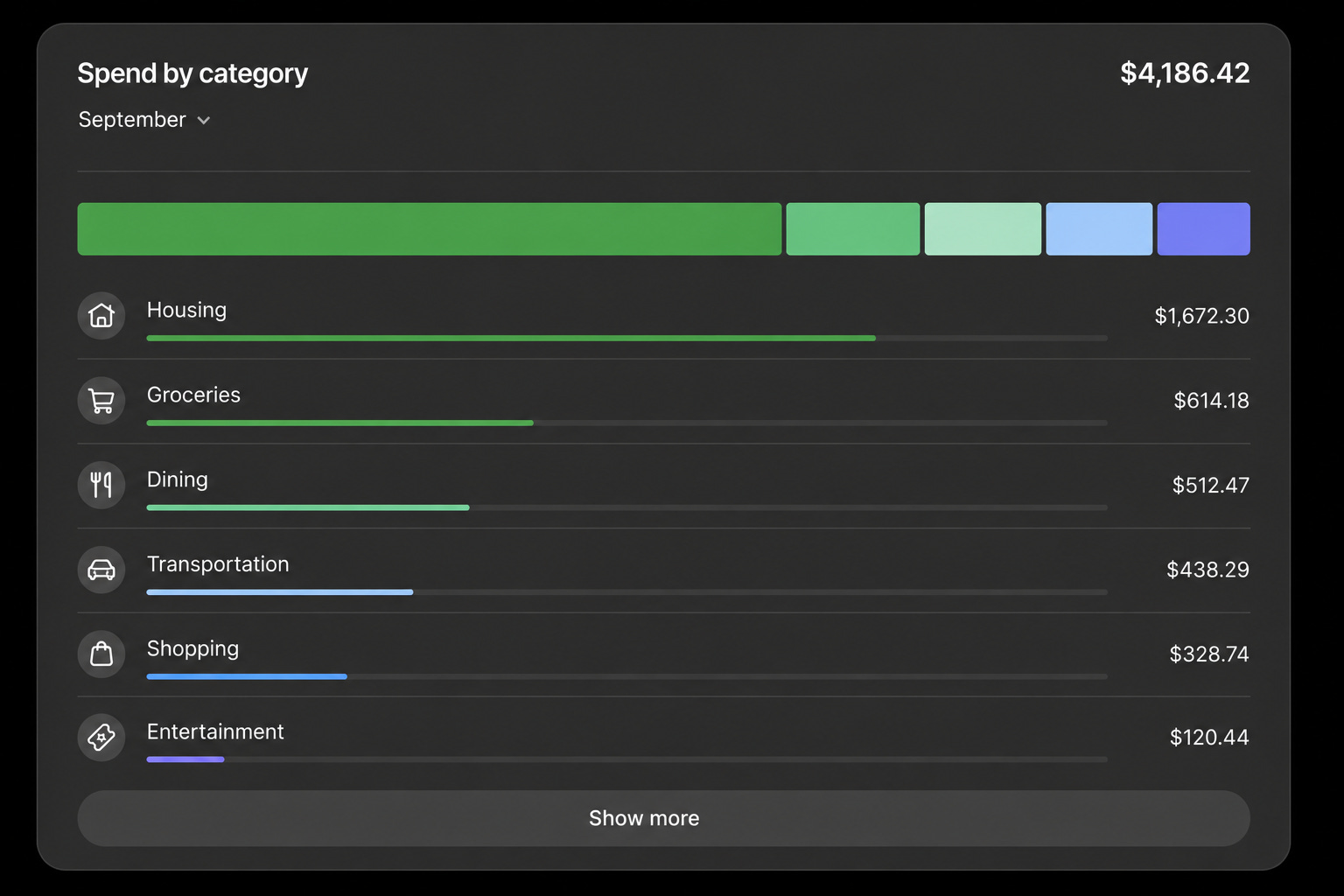
Spend by category — month selector, total, and a ranked category breakdown with bars. This is where the double-counting problem lives (more on that below), so treat the total as a starting point, not gospel.
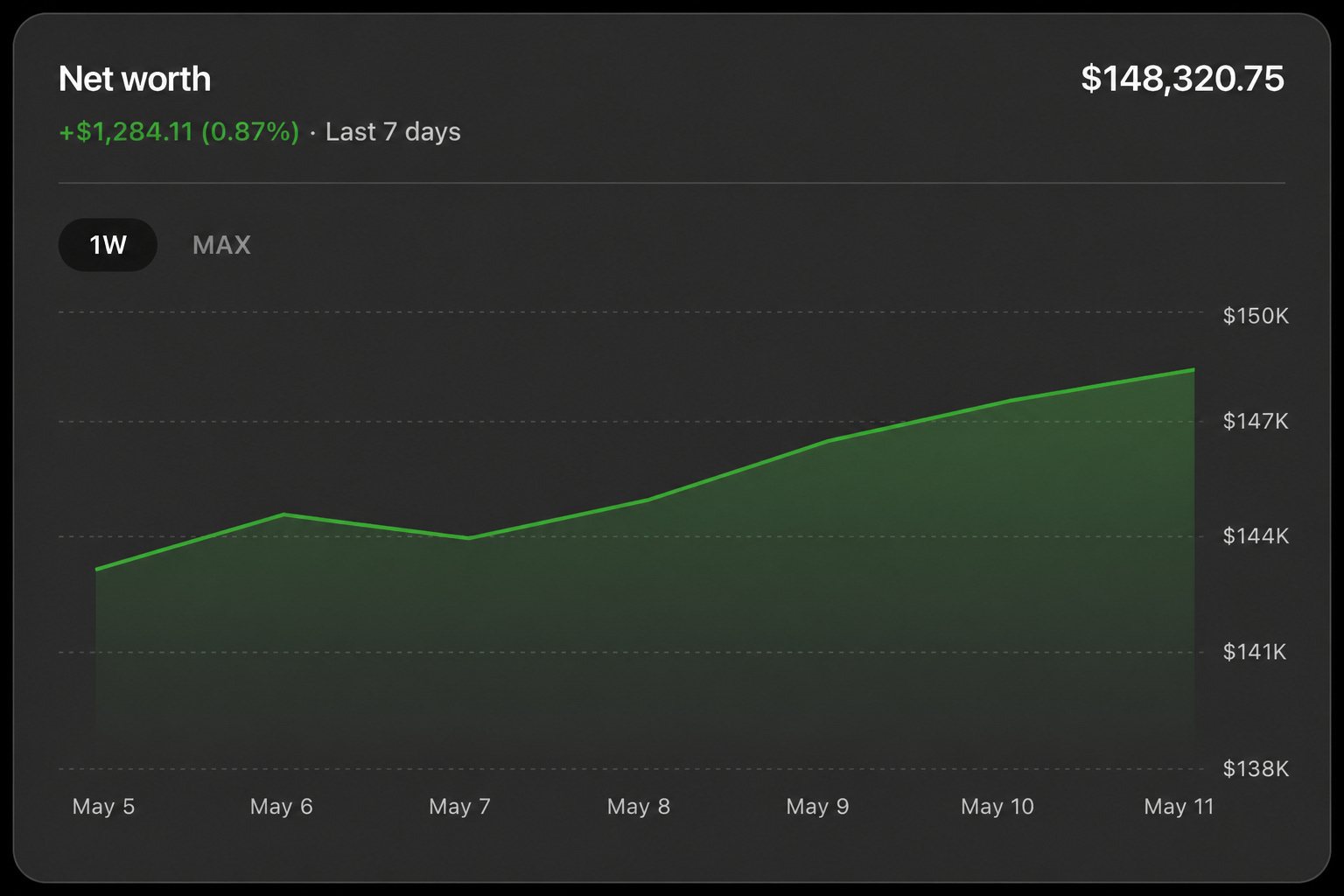
Net Worth — total plus dollar and percent change, with time-range buttons and a line chart. Remember: connected accounts only. No manual assets means this number is structurally incomplete.
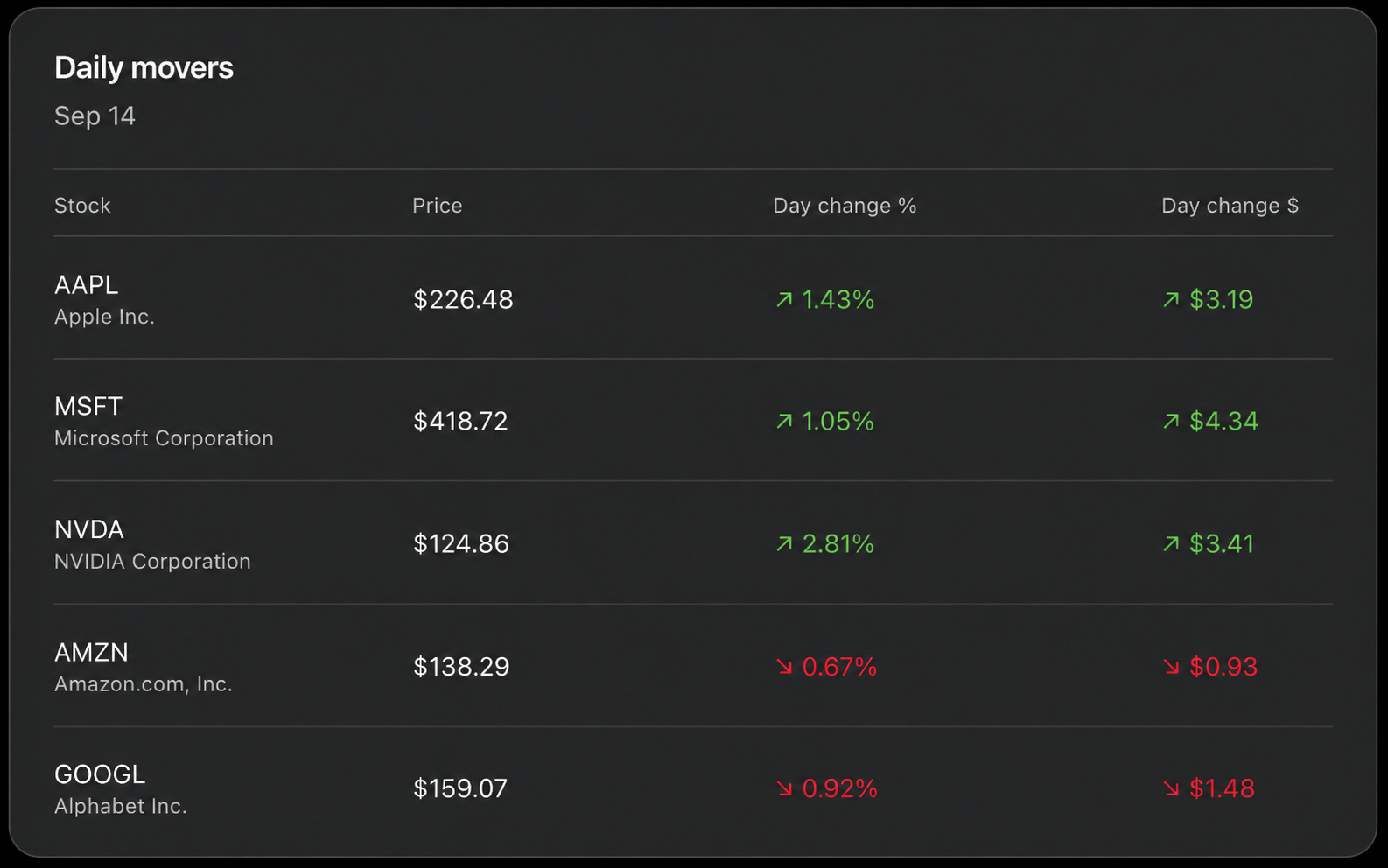
Daily movers — a table of your actual holdings: ticker, price, day change in percent and dollars.
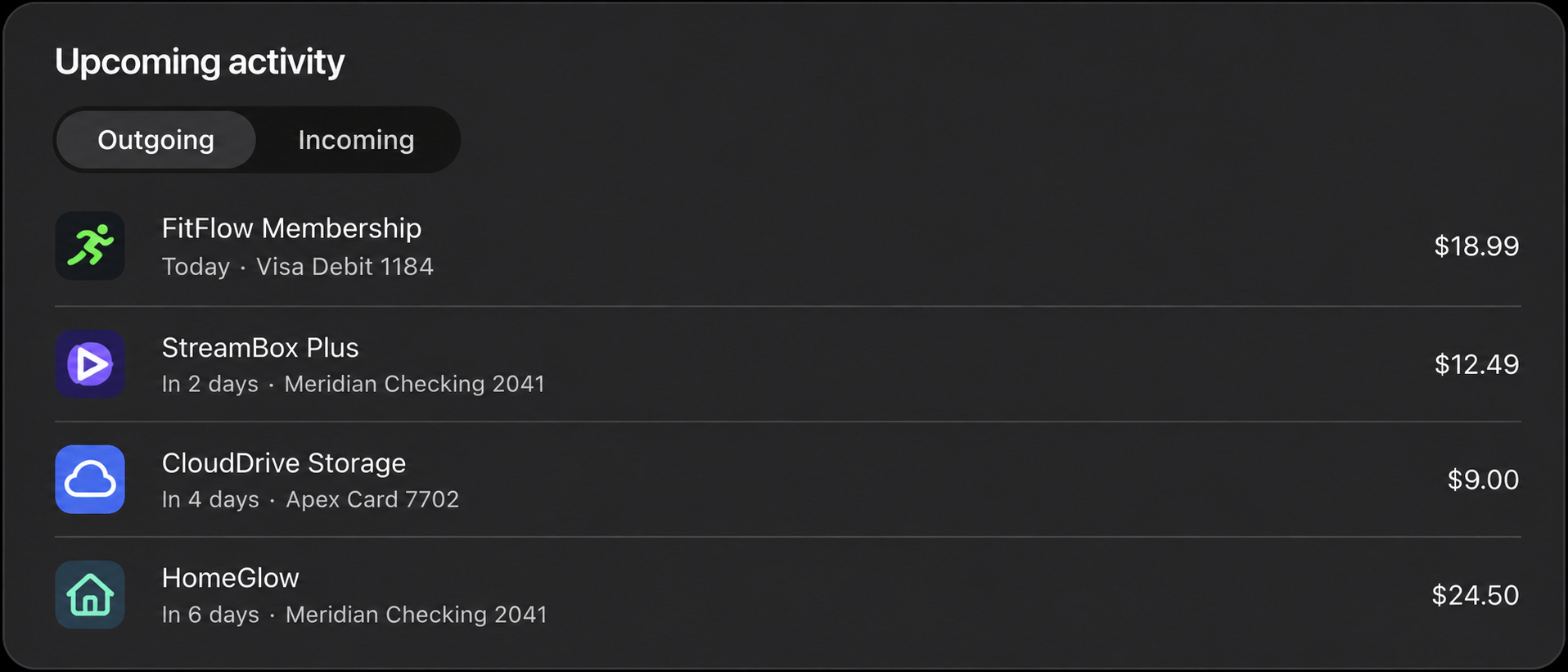
Upcoming activity — an Outgoing/Incoming toggle listing scheduled payments with payee, date, source account and amount. Quietly one of the most useful cards for catching a bill before it collides with a low balance.
Category review — month-over-month spending comparison, this month’s pace against last month’s, day by day.
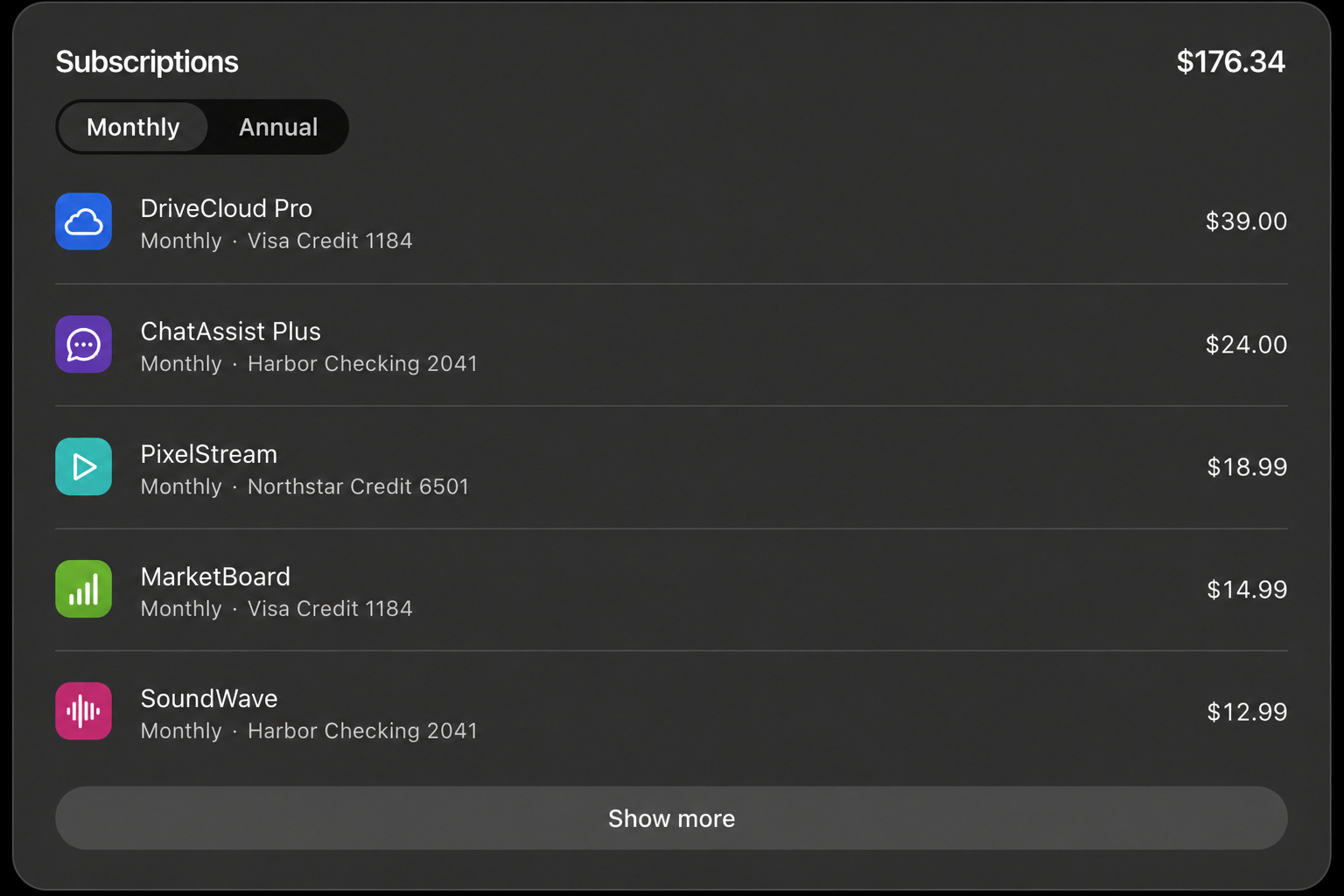
Subscriptions — every detected recurring charge with amount, cadence, and the card it hits. The dashboard version of prompt [3] below.
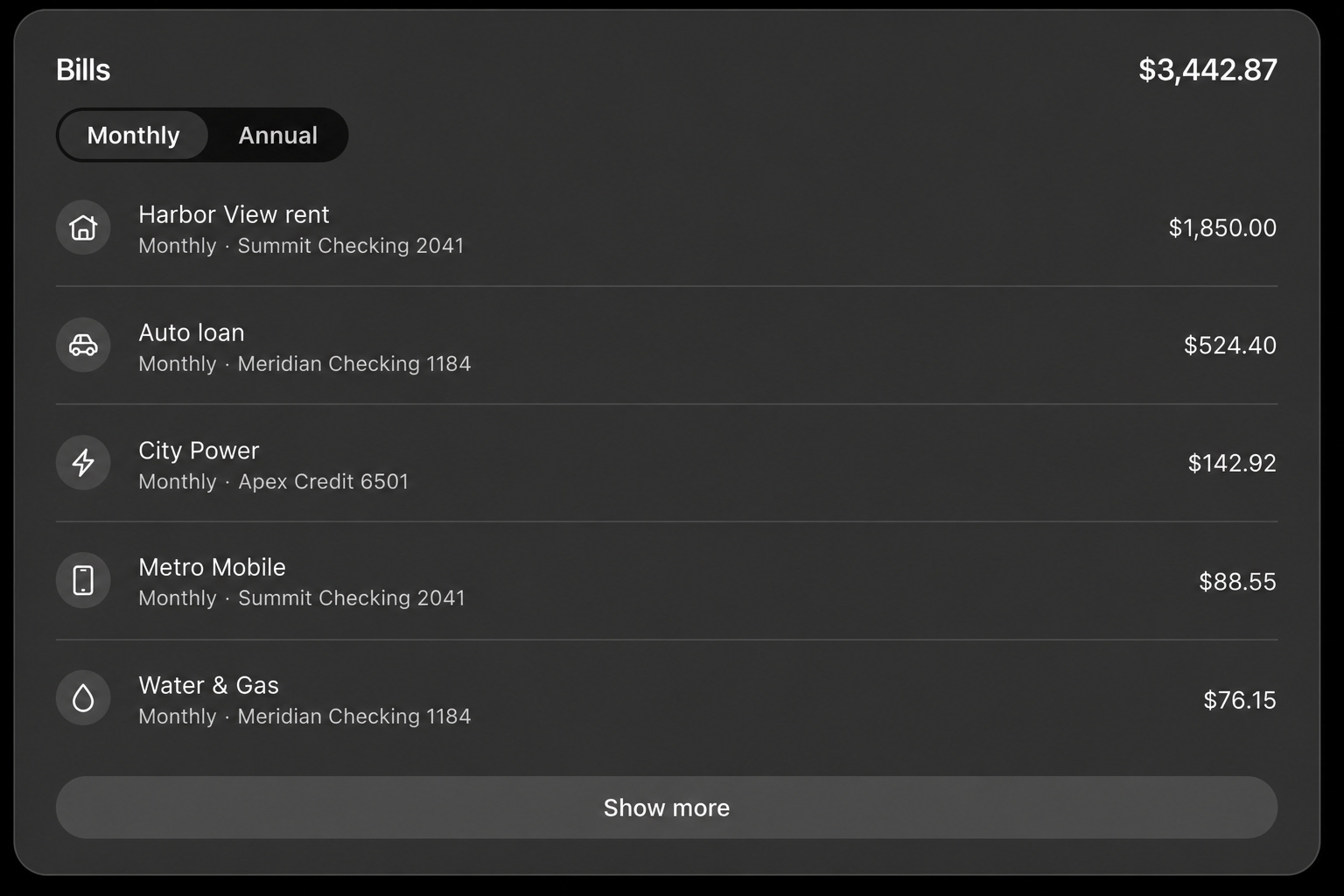
Bills — recurring obligations (rent, loans, utilities) with a monthly/annual toggle. Note how it distinguishes bills from subscriptions — same mechanics, different bucket.
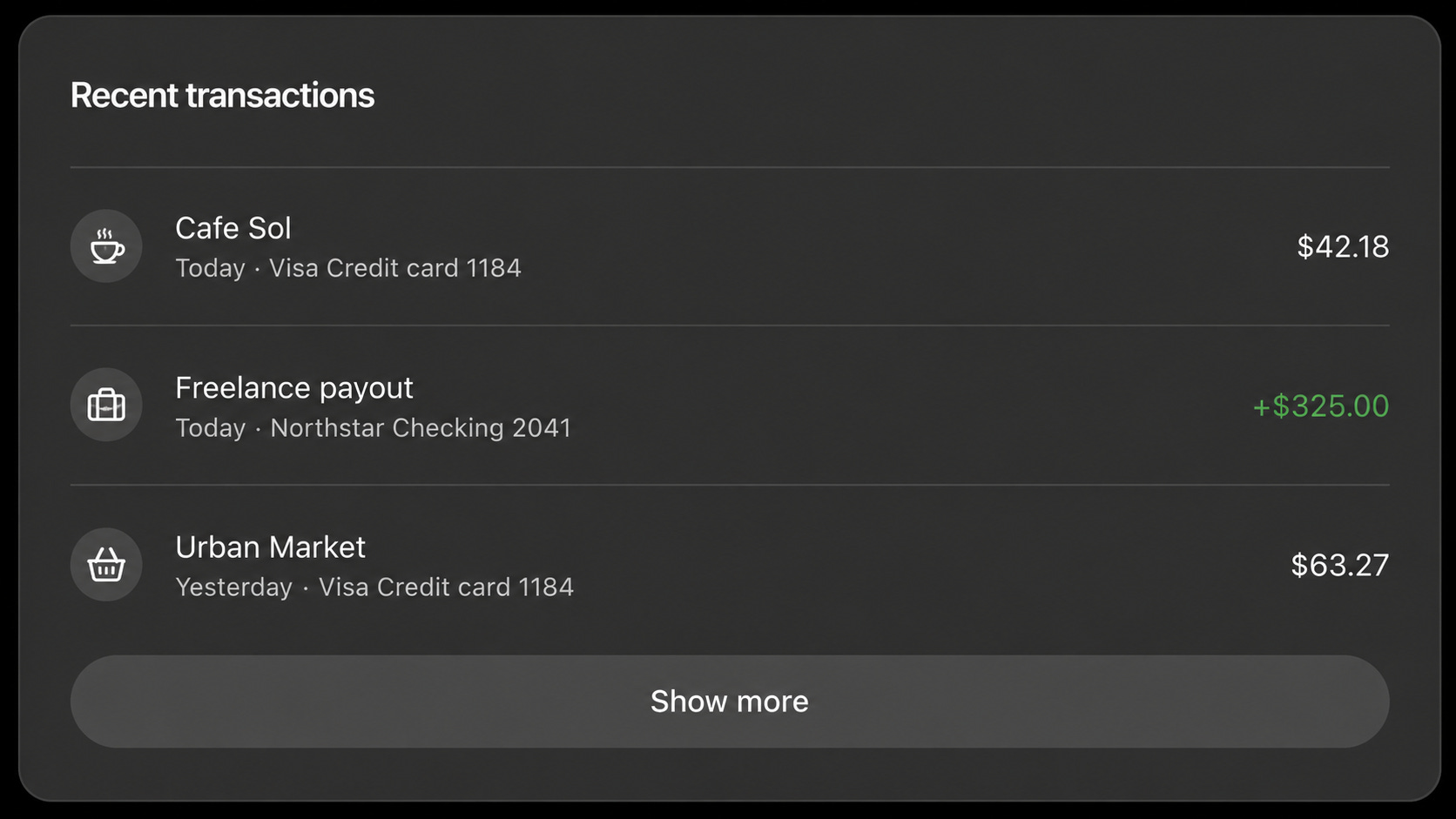
Recent transactions — the latest activity across every connected account in one feed.
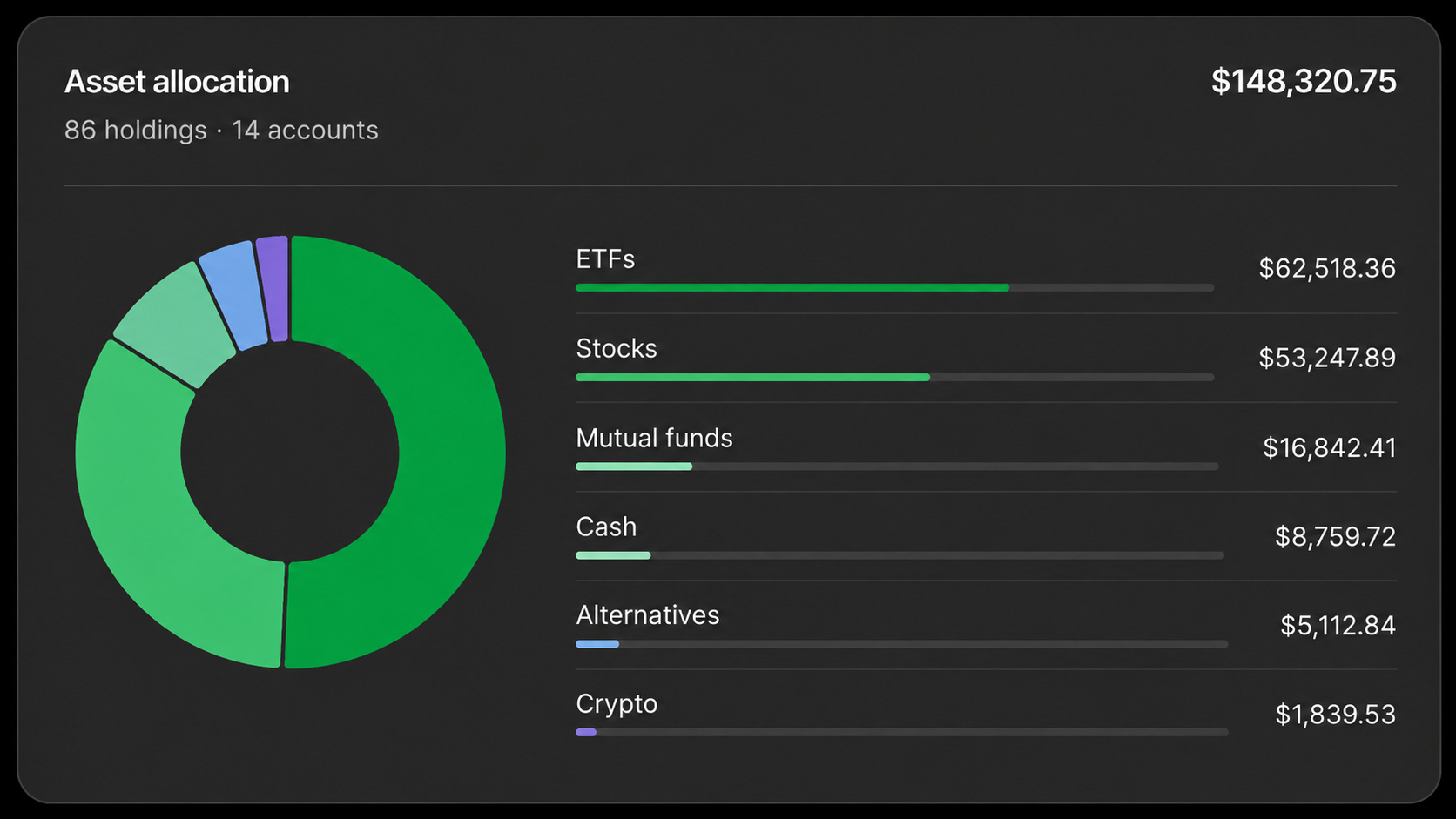
Asset allocation — all investment holdings rolled up by asset class across every connected account.
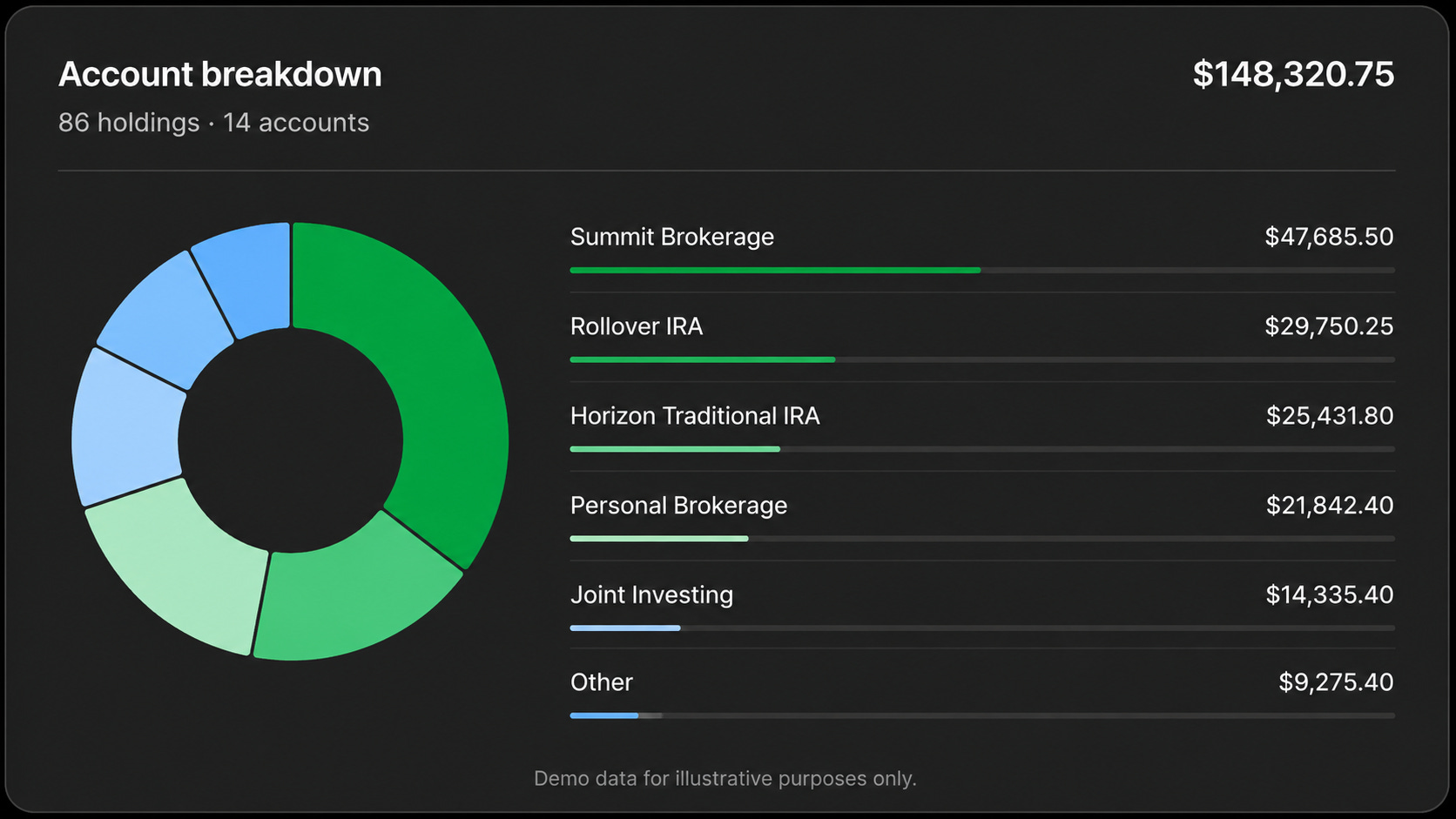
Account breakdown — the same total, sliced by account instead of asset class. Undocumented, and genuinely useful for spotting where the money actually sits.
The remaining widget Fees and interest paid didn’t make my screenshot set, but it does what it says: totals what your accounts are charging you, which pairs naturally with prompt [21], the idle-cash audit.
This is the finding I most wanted to verify, because OpenAI’s Finances documentation never mentions a permission prompt.
I ran a query against my connected accounts. No card appeared. ChatGPT stated its plan, then showed “Fetched linked accounts and recurring finance data” and answered.
Compare with Health, where every single tool call is gated by an explicit card “Allow ChatGPT to use Health?” naming the exact tool, with four levels: always allow, allow for this conversation, allow once, deny.
I’m not claiming a motive. But if you want your financial conversations kept out of model training, you have to go turn it off yourself at Settings → Data controls. Nothing does it for you.
OpenAI publishes an explicit CANNOT list, and it’s the most reassuring thing in the documentation. Finances cannot: move money, pay bills, change account settings, make trades, change retirement contributions, open or close accounts, file taxes, or act as your financial, legal, tax or investment adviser.
Read-only is a deliberate waypoint, not the destination. OpenAI’s own roadmap describes going “from getting a credit card recommendation to understanding their approval odds and submitting an application” — with Intuit support “coming soon.” Today’s guardrail is temporary by design.
Nobody has independently measured ChatGPT Finances with real connected data. OpenAI published a benchmark 82.5 for GPT-5.5 Pro, 79 for Thinking but it’s internal, unreplicated, and a quality/accuracy composite with undisclosed weights. A 79 does not mean 79% of answers were right.
What independent testing on adjacent tasks shows:
💳 Credit-card math is wrong about 1 in 4 times. Georgia Tech tested GPT-5 against real card agreements: roughly a quarter of answers missed. The scary part isn’t arithmetic 70% of errors applied the wrong rule while quoting the right contract language. It sounds correct while being wrong.
💸 Budgeting scored worst of 28 consumer-finance topics in a peer-reviewed study the task everyone assumes is safest.
🪞 “Should I buy X?” is the trap. State a preference and accuracy collapses one model dropped 71% on a finance benchmark once the user leaned one way. And it usually won’t tell you it caved. Ask for analysis before you reveal what you’re hoping to hear.
💰 Bad prompts compound. An MIT Sloan/Stanford lifetime simulation found people who prompted with less financial literacy or no AI experience ended up $50K–$100K poorer by 60 following the same tool’s advice. How you ask is the variable you control — which is why the prompts below are written the way they are.
The best-evidenced upside, meanwhile, is advocacy, not advice: LLM-written CFPB complaints raised the odds of favourable relief by 6.9 points across 1.1M complaints better clarity, same facts (Nature Human Behaviour, Feb 2026).
That’s the pattern. Good at translation, presentation, organisation. Weak at judgment, multi-step math, and anything time-sensitive.
The Regulatory Line (Read This Before the Prompts)
OpenAI’s Usage Policies prohibit “tailored advice that requires a license... without appropriate involvement by a licensed professional.” Legal and medical are named as examples. Finance isn’t — it sits in a separate clause about automating high-stakes decisions without human review.
Where does education end and regulated advice begin? The working line from securities law: a chatbot explaining what an index fund is looks like a publication. A chatbot given your age, income, risk tolerance and balances, then producing a specific allocation, looks like personalized investment advice the thing that requires a license. No court has tested this on a general-purpose LLM, and no AI-specific SEC rule exists as of August 2026. You are in unregulated territory, which cuts both ways: nothing stops the tool from crossing the line, and nothing protects you when it does.
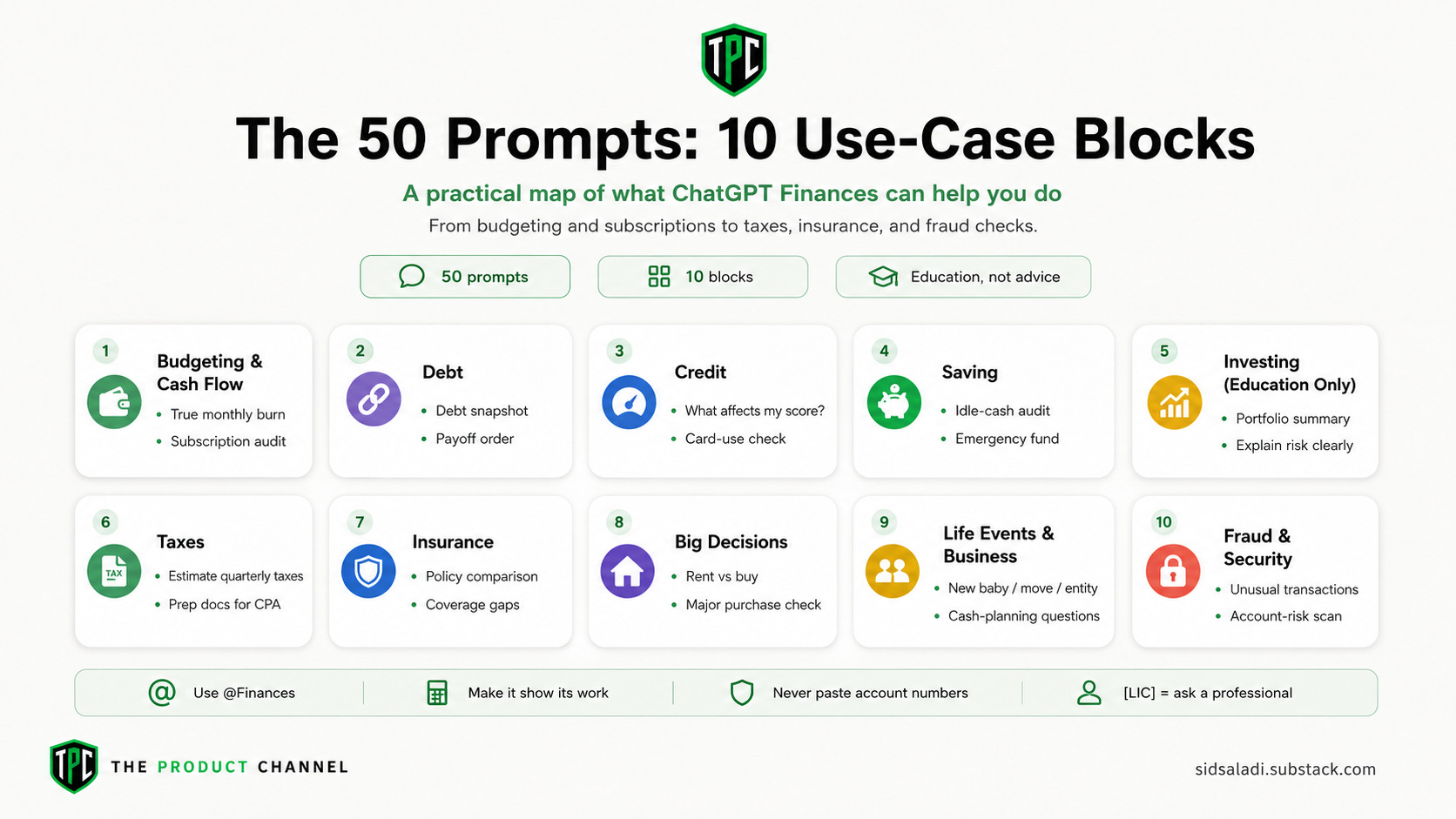
Grouped by what you’re actually trying to do. Block A works for any everyday AI user; blocks E through J will feel familiar to any business professional or founder dealing with equity, entities or quarterly taxes.
Three rules that make every one of them better:
Make it show its work. Any prompt producing a number should force it to print source data and assumptions.
Never paste account numbers, SSNs, passwords or one-time codes into any chatbot. Including this one.
Prefix with
@Financesto force it to use connected data — and watch for the grounding cliff.
⚠️ = real financial harm if wrong. [LIC] = you need a licensed professional (CPA / CFP / attorney), not a chatbot.
Comments
Nothing yet. Say the first thing.
Sign in to join the conversation.