

I have been playing Counter Strike: Global Offensive on Macbook Pro (Retina, 15-inch, Mid 2015) with around 80 FPS. Here is the guide on how to set it up.
You can download free version of Counter Strike: Global Offensive from steam store – https://store.steampowered.com/app/730/CounterStrike_Global_Offensive/
Once installed, go to launch options by right clicking on the game name -> properties -> Set launch options.
Paste following launch options:
-novid -high -threads 8 +fps_max 0 -freq 60 -refresh 60 +cl_forcepreload 1 -nod3d9ex -nojoy
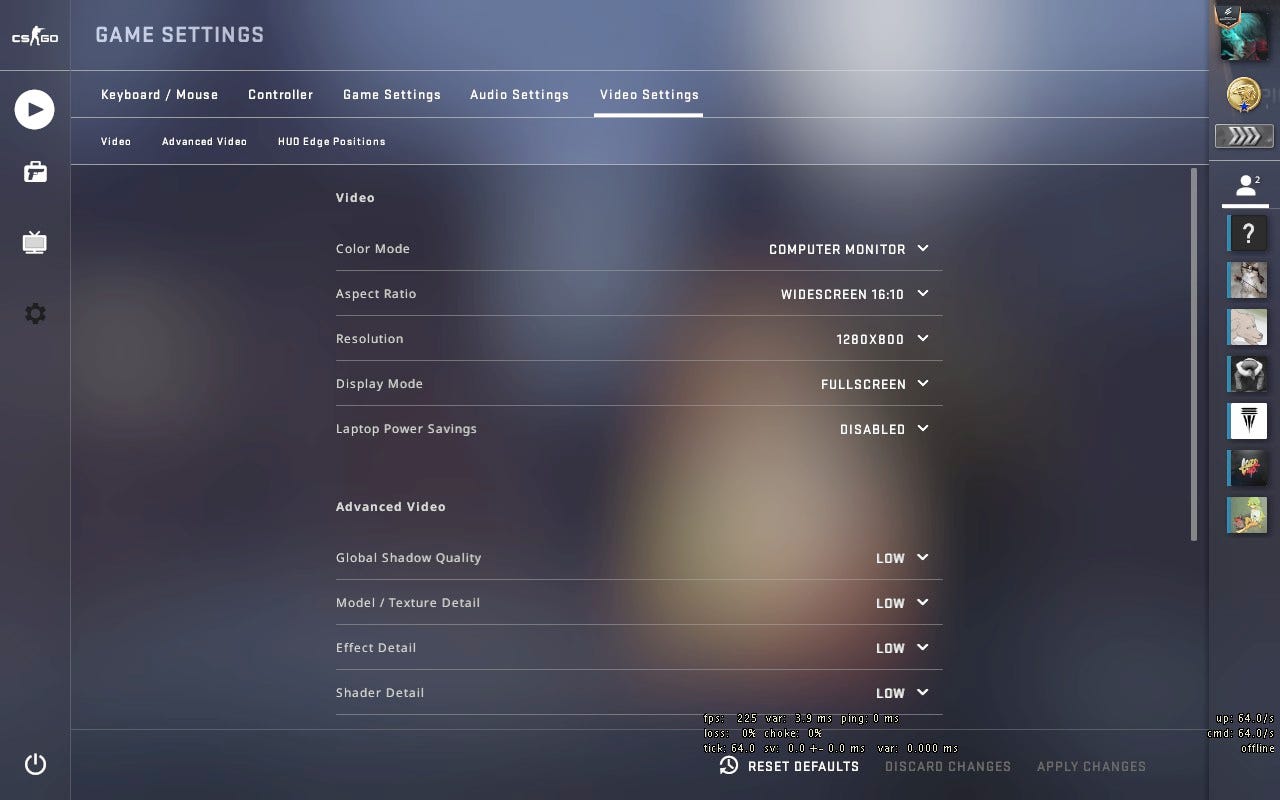
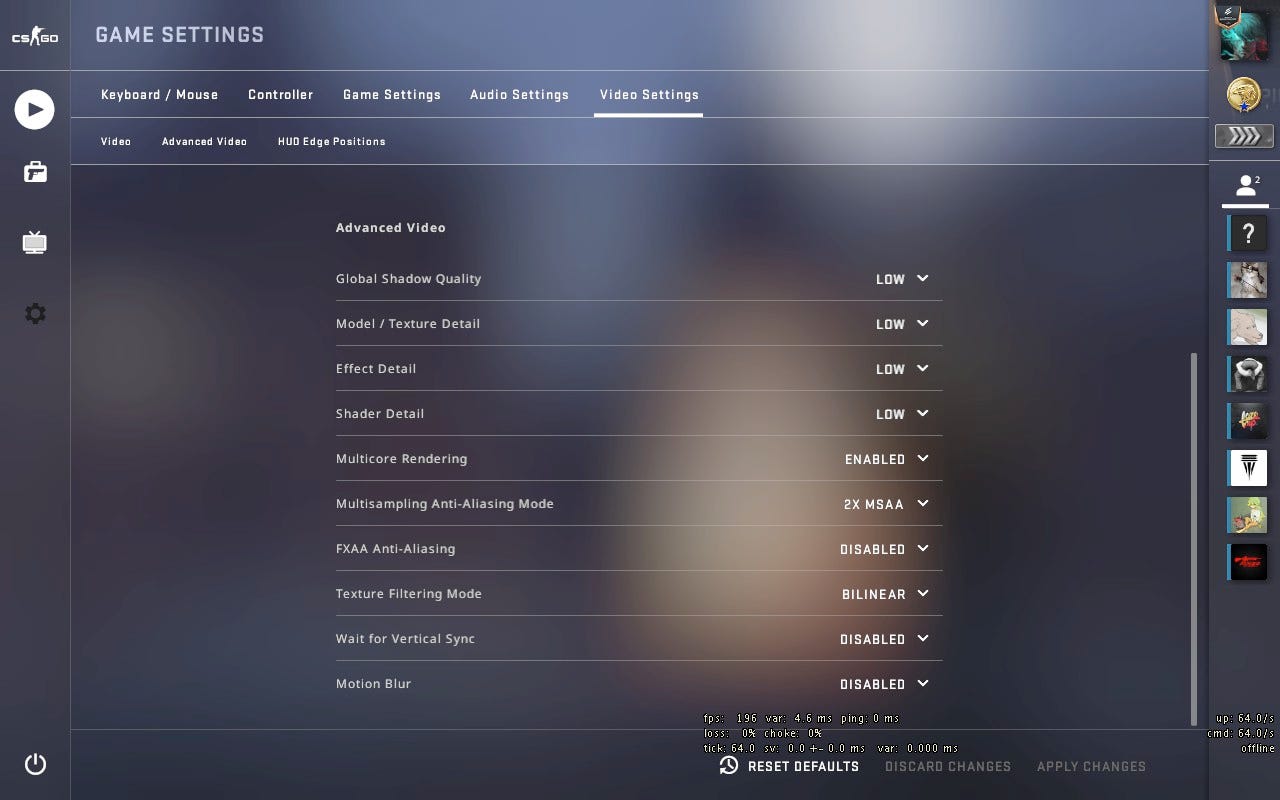
For better FPS, you can have the following video settings:
No posts
Comments
Nothing yet. Say the first thing.
Sign in to join the conversation.