
If you recently upgraded to Apple's OSX Yosemite, you may notice Safari only shows the "root" URL portion of a web address:

This can be especially frustrating if you are a web developer who uses URLs to navigate or if you are a power user who cares about security. Thankfully you can disable this functionality from the Safari preferences menu.
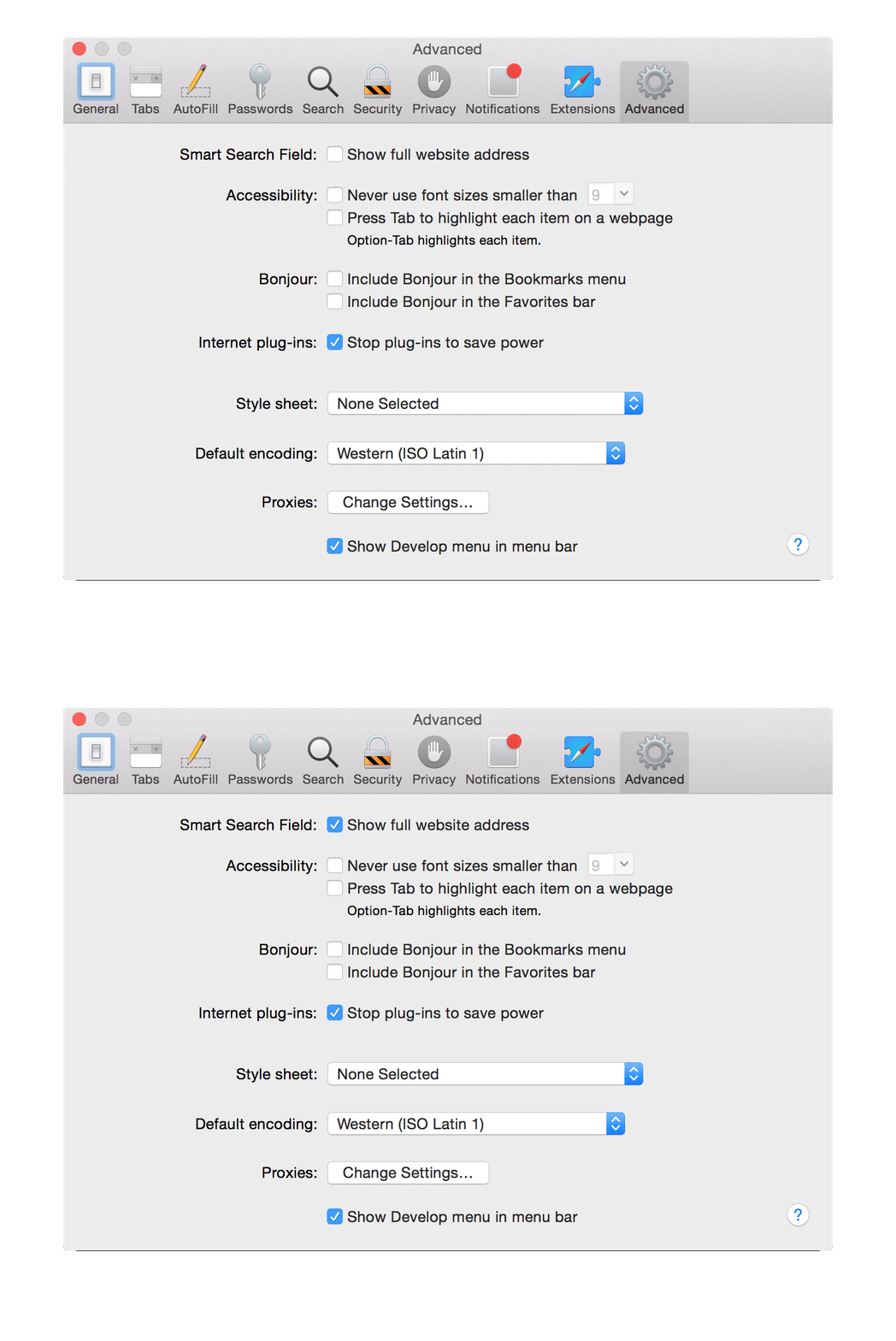
Navigate to Preferences (⌘ + ,), Go to "Advanced", and check the box labeled "Show full website address". Here is an animated GIF to help:
You may also find my post on Focusing the Address Bar with ⌘ + L interesting.
About Seth
Seth Vargo is a Distinguished Software Engineer at LinkedIn. Previously he worked at Google, HashiCorp, Chef, CustomInk, and some Pittsburgh-based startups. He is the author of Learning Chef and is passionate about reducing inequality in technology. When he is not writing, working on open source, teaching, or speaking at conferences, Seth mentors other engineers, advises non-profits, and invests in startups.
Comments
Nothing yet. Say the first thing.
Sign in to join the conversation.