
The Auth. Request Analyser (AuRA) Chromium extension aims to support the analysis of OAuth and OpenID Connect implementations, by offering semi-automated analysis and attack capabilities for Authorization/Authentication Requests.
The implementations are open-source and can be found in Google’s Chrome Web Store and on GitHub:
Features
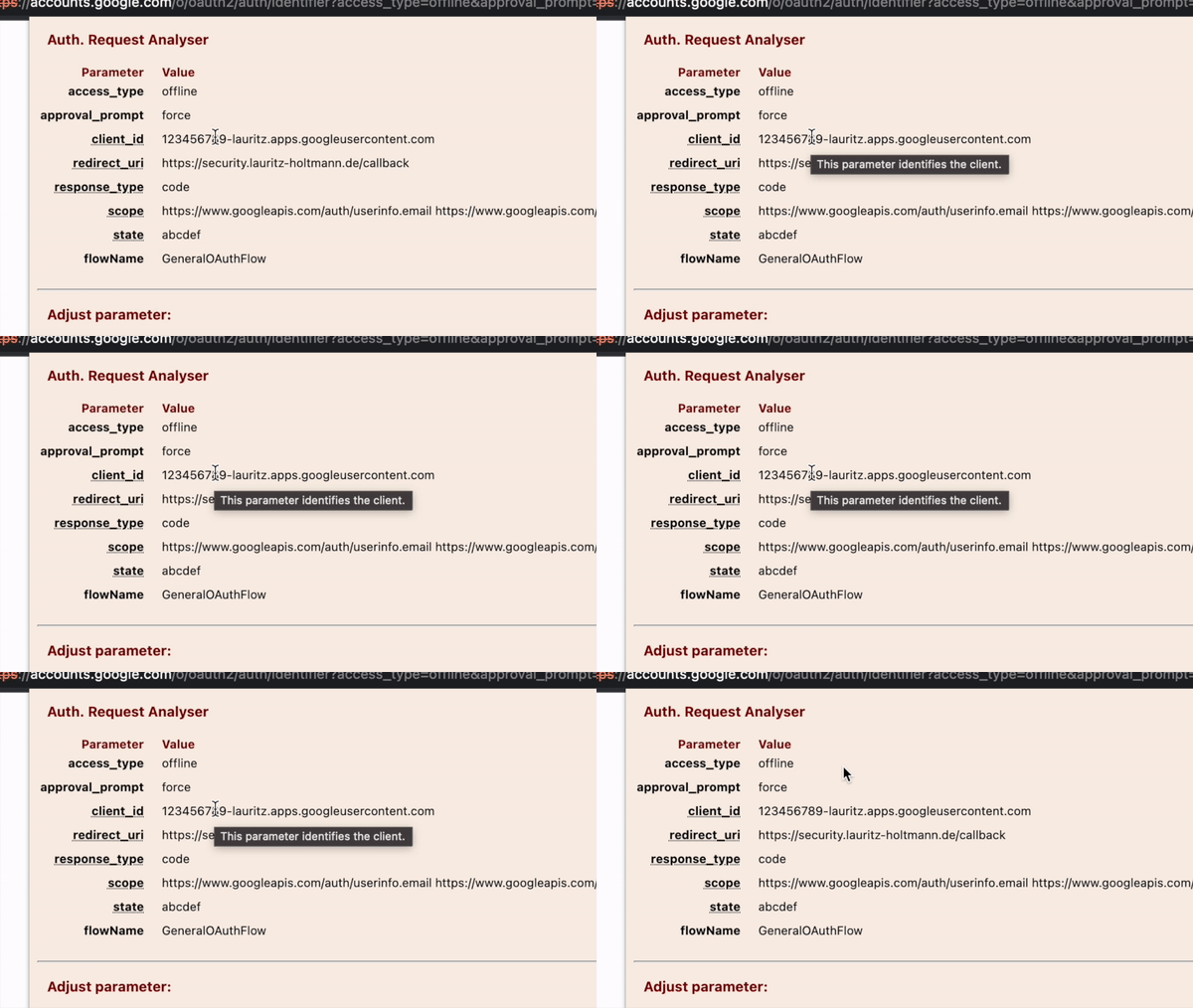
The extension has various features. For instance, it allows observing the request parameters at a glance. You can hover over the parameters for background information regarding known parameters:
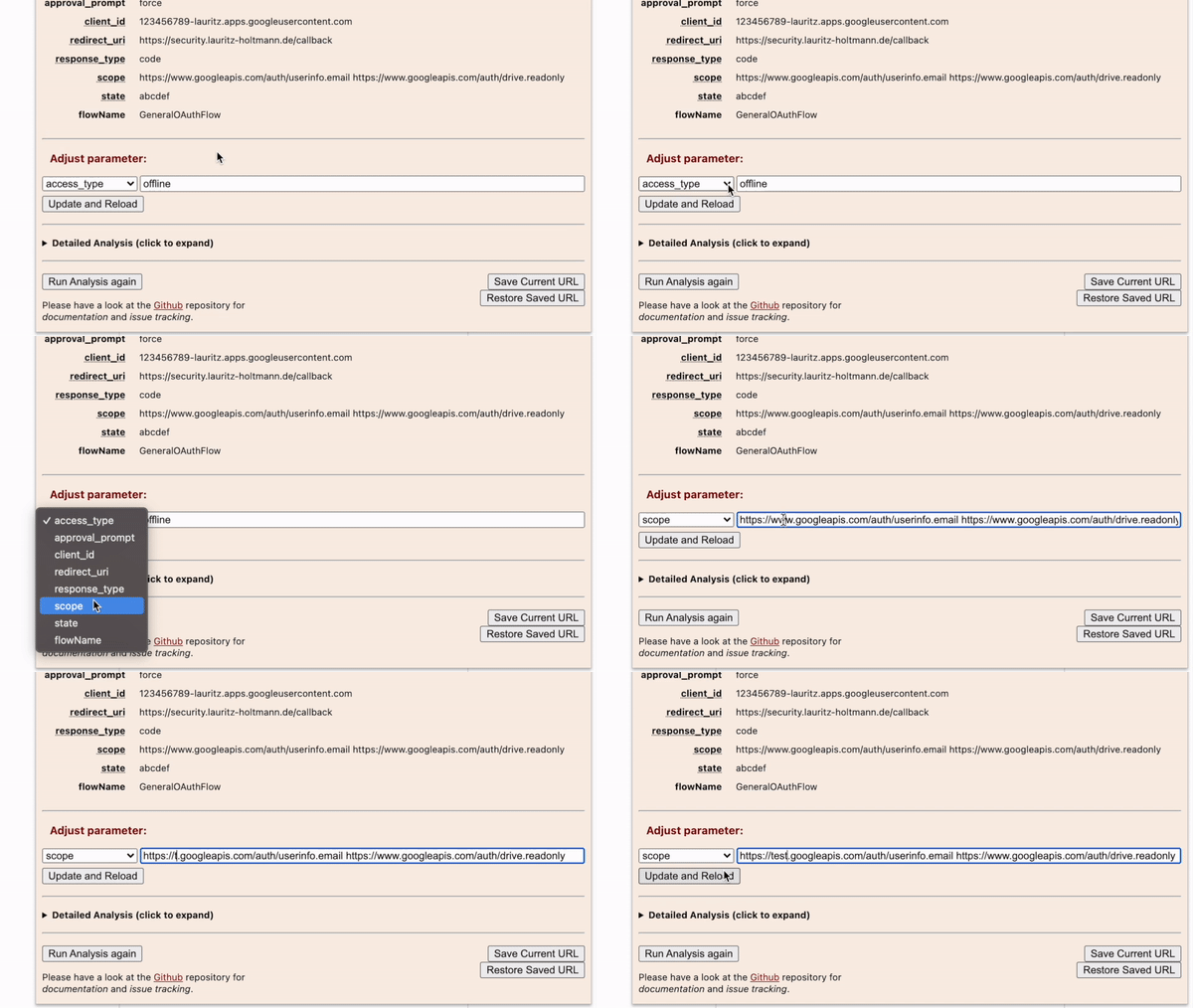
The extension also allows to manually modify the request parameters without needing to fiddle with the URL bar:
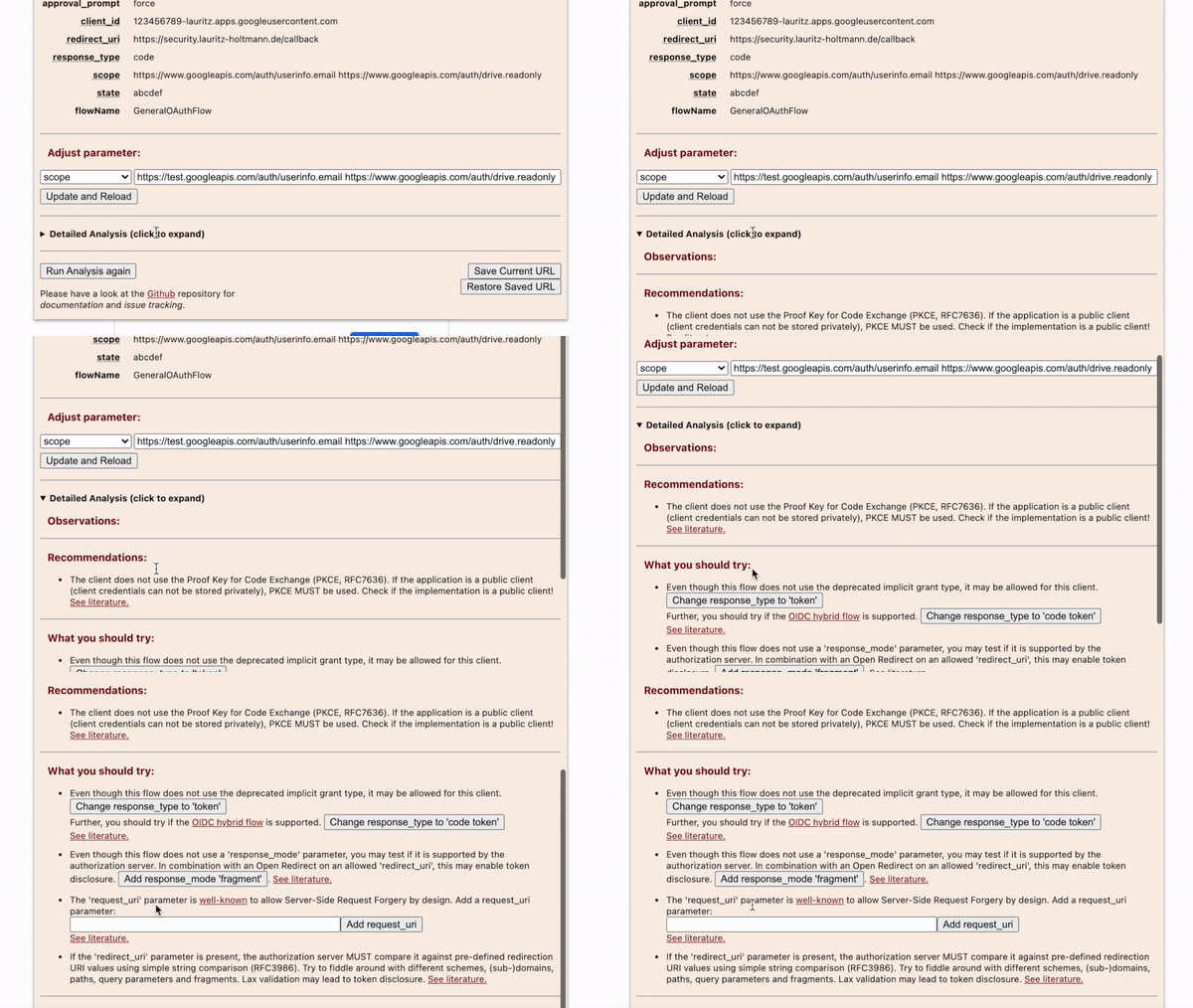
The detailed Analysis of request parameters is organized in the following categories:
- Observations: Informational findings within the Auth. Request.
- Recommendations: Hardening measures directly identified within the current Auth. Request.
- Attacks: Proposed further test cases, can be automatically executed with one click.
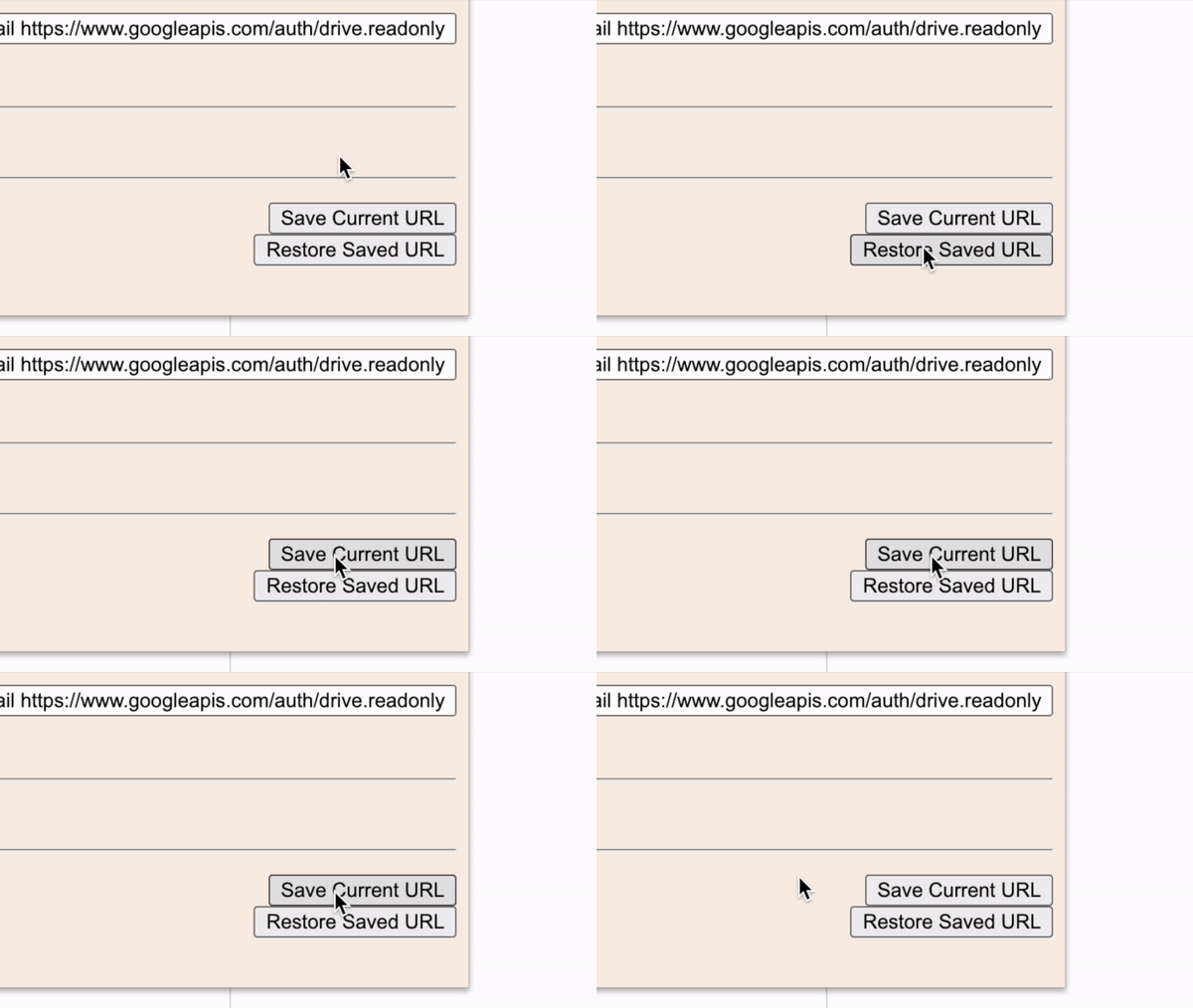
It is further possible to store and reload URLs. This functionality can be used as a clipboard for one valid request. If the application redirects you to an error page, simply restore the saved URL:
There is a badge that is added to the application icon on the fly if an Auth. Request is identified during browsing.
Installation
Always keep in mind that browser extensions have broad access to sensitive data! Therefore, it is recommended to install this extension only to browsers that are solely used for security analysis or development purposes. One great example of this is PortSwigger’s Burp Suite embedded browser.
It is highly recommended to use the latest stable release from Chrome Web Store.
Alternatively, you may either use the latest build published in this repository or directly use the unpacked sources. To use the unpacked sources, follow these steps:
- Clone this repository.
- Visit chrome://extensions/.
- Enable Developer mode (attention, do not enable this option in your “productive” browser!).
- Specify the cloned folder.
If you have any comments or questions, please feel free to reach out via Mastodon, Twitter or LinkedIn. 🙂
Comments
Nothing yet. Say the first thing.
Sign in to join the conversation.