
The ultimate Developer Productivity Hack for working with terminals feels like an industry secret — we don’t talk about it enough! It’s called a terminal multiplexer.
Got disconnected from a remote/SSH session due to patchy internet while you were running a database migration script? You should have used a terminal multiplexer.
Want to have multiple panes or windows on a SSH session without having to reconnect every time you open a new pane? Don’t do panes in your local terminal UI, use a terminal multiplexer!
Laptop running out of battery and you need to switch machines but you’re still waiting on that model to finish training on your remote box? You should have used a terminal multiplexer to keep your session running even while you disconnect/reconnect SSH.
If you’re not already using one, check out tmux — it’s completely free and open source. If you’re a macOS user, I’d recommend using the oh-my-zsh tmux plugin to make set-up super easy. tmux also has its own plugin system — check out tpm on github.
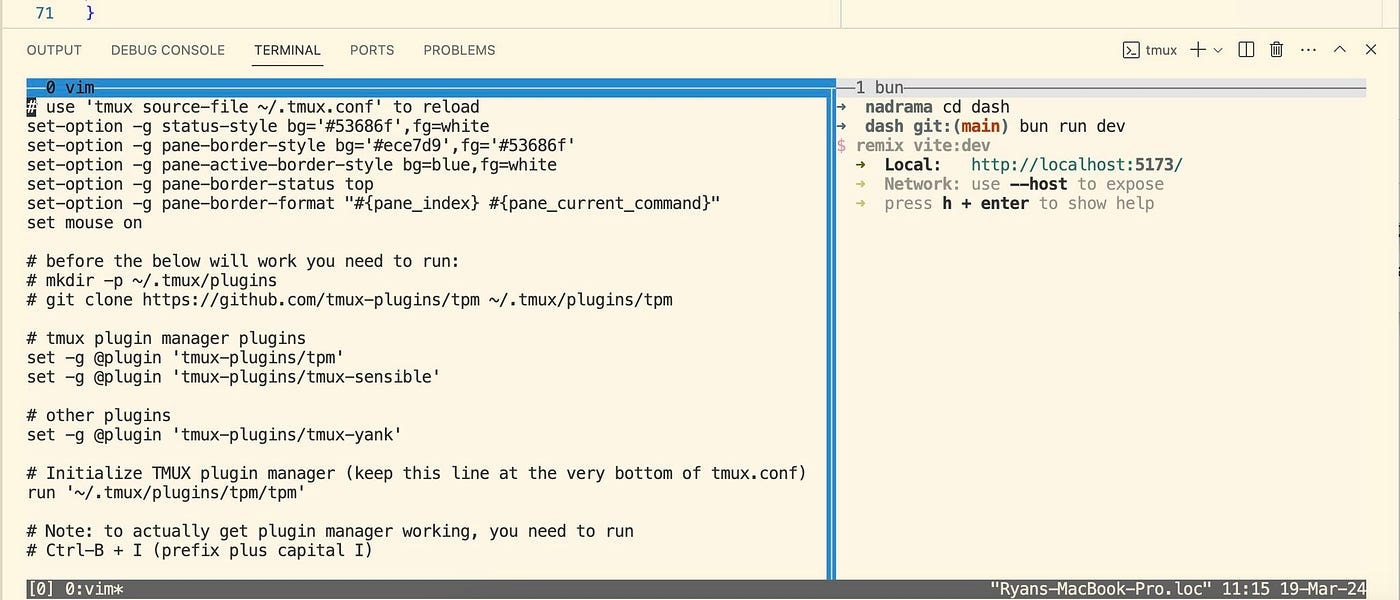
If you want some suggestions for your ~/.tmux.conf file, check out pane 0 in the attached screenshot. And if you’re wondering, the terminal in this screenshot is running inside Visual Studio Code using the built-in Solarized Light colour theme.
Want more tips on developer tools and developer productivity? Subscribe to this substack to get the latest posts direct to your inbox!
Comments
Nothing yet. Say the first thing.
Sign in to join the conversation.