
Summary
Item Sets: Group a big order into named sections, each with its own subtotal. The sections stick with the sale from quote to closeout.
Order from the app: Your customers can now browse your catalog and place orders right from the Rundoo mobile app.
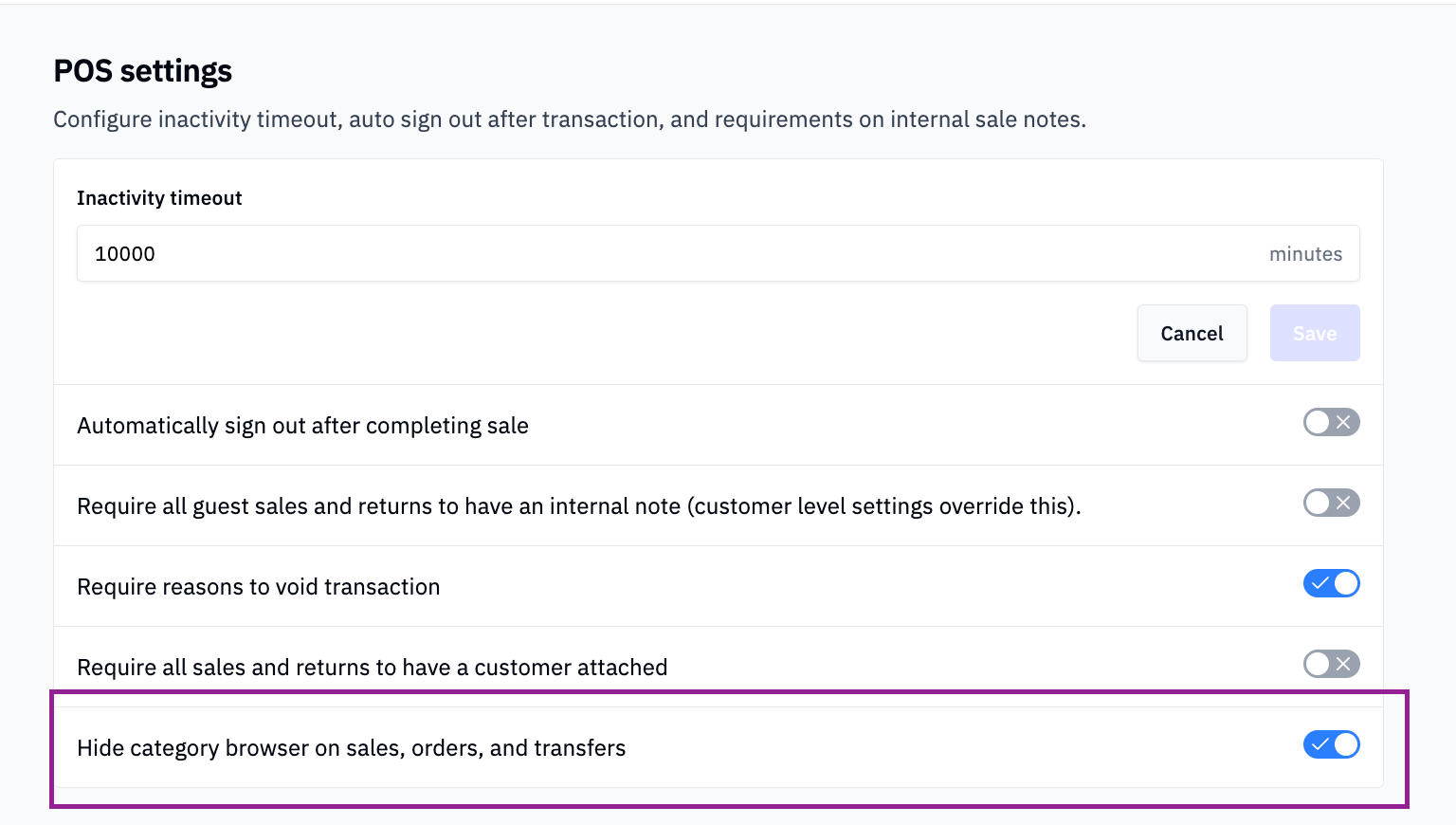
Quick Find setting: A new store setting lets you turn off the category browser that opens at the start of every sale.
Faster new customers: Search a phone number, and it carries over when you create that customer’s account.
What is new with Rundoo?
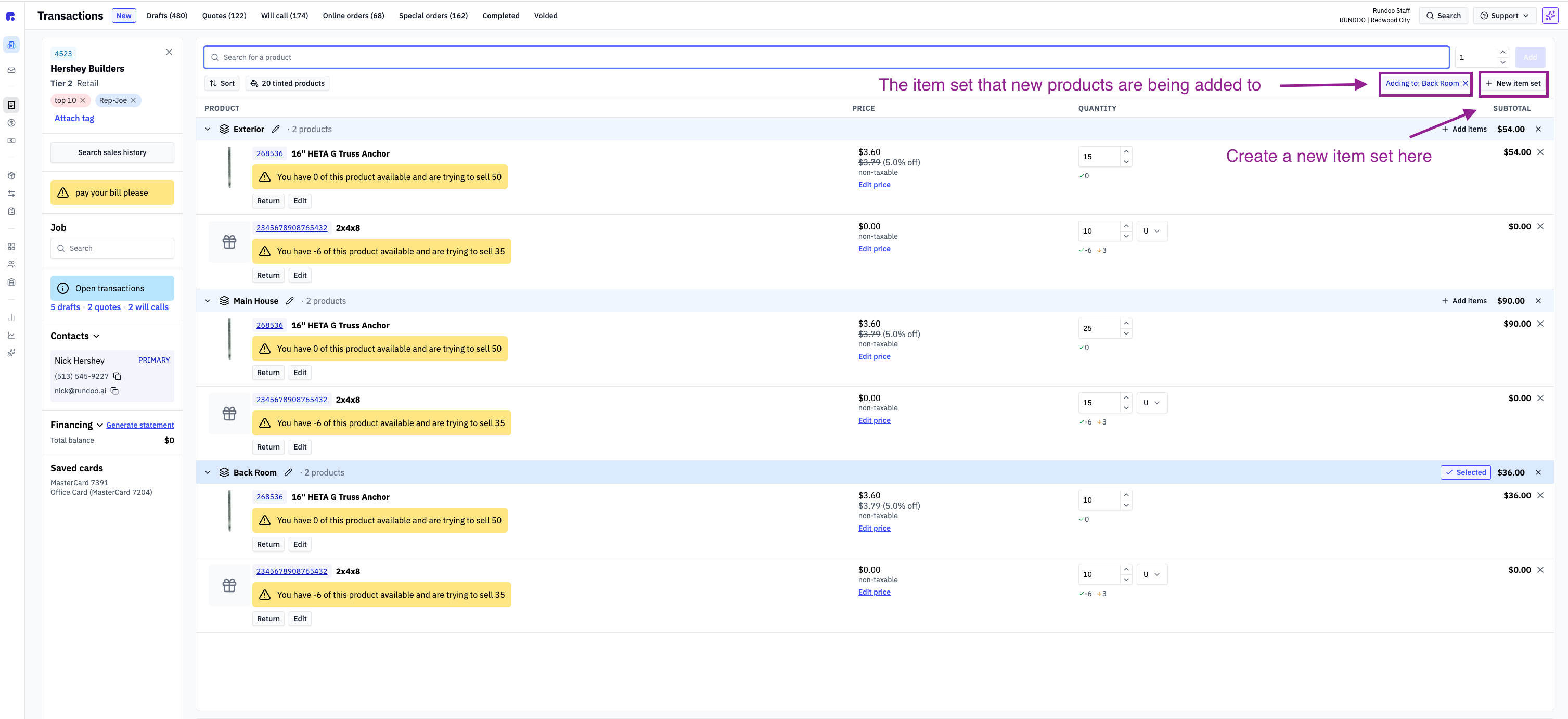
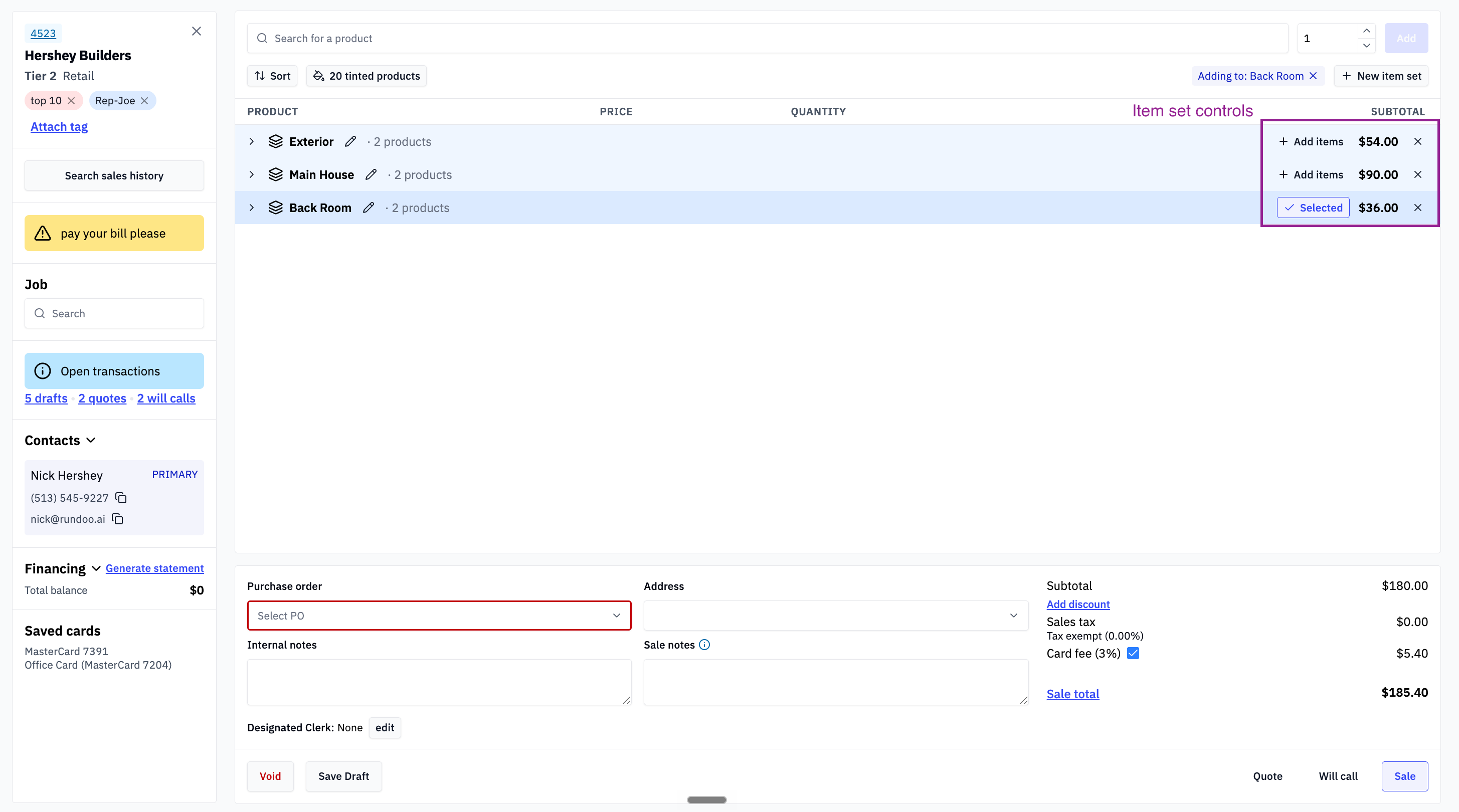
You can now group the items on a sale into named sections called Item Sets. Each set gets its own running subtotal, and the same product can show up in more than one set with its own quantity and price.
What does this mean?
Big orders come in natural chunks. A framing package for a lumber customer might break into “Main Floor,” “Roof,” and “Exterior Walls.” A fencing job at a farm store might break into posts, wire, and gates. A repaint might break into rooms, with the same gallon of ceiling white showing up in three of them.
Before, all of that landed in one long flat list. Now you can build the order the way the job is actually built. Name a set, ring up items, and they land in that section. Need to move a line later? Edit it and pick a new set. Delete a set and nothing is lost. Its items just move back to the top of the cart.
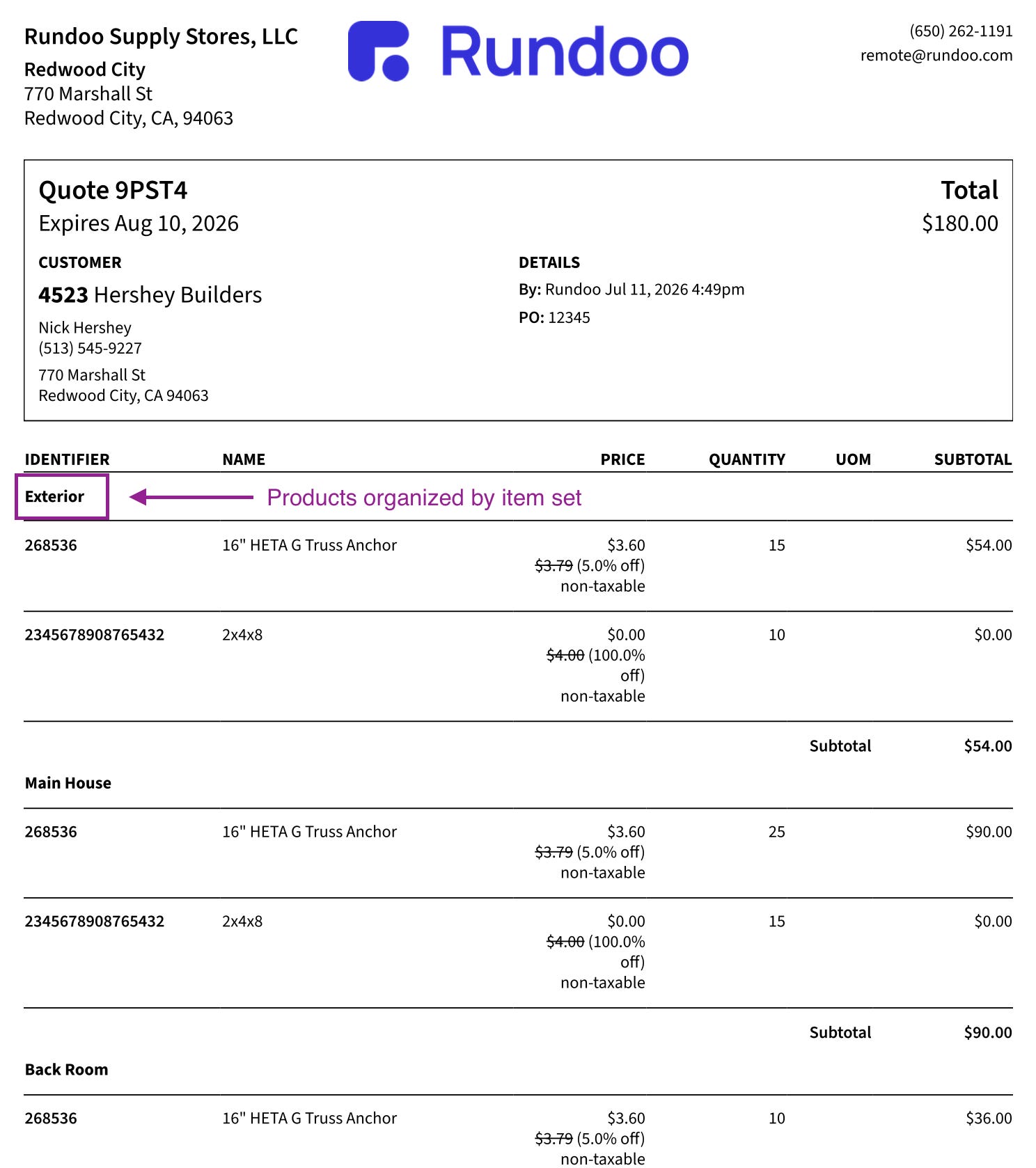
Best of all, the structure follows the sale everywhere. Convert to a quote and the sets carry over. They show on the receipt with subtotals. They survive duplicates, returns, and special orders. Close out part of the order and the finished portion keeps its sets while the rest stays open.
Why is this important?
Contractors do not think in one list of 80 items. They think in parts of a job. When your quote is organized the same way, it is easier to read, easier to approve, and easier to fill in pieces over the weeks a big order stays open. No more grouping by hand or splitting one job across three tickets.
What does this look like?
Thanks to Ethan, Kyle, Ozair, and Umer for building this.
What is new with Rundoo?
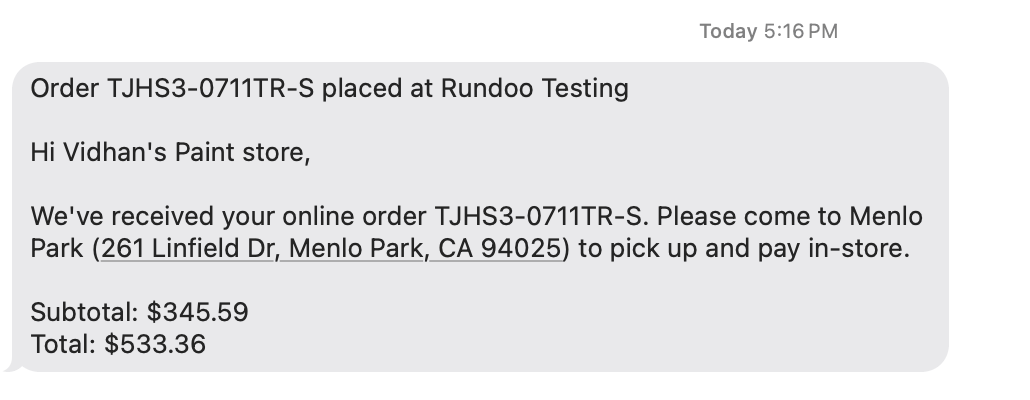
The Rundoo mobile app is now a real online store for your business. You choose which products to sell through the app. Your customers browse those products with their own pricing, add to a cart, and place the order right from their phone. They pay at your store when they pick up.
What does this mean?
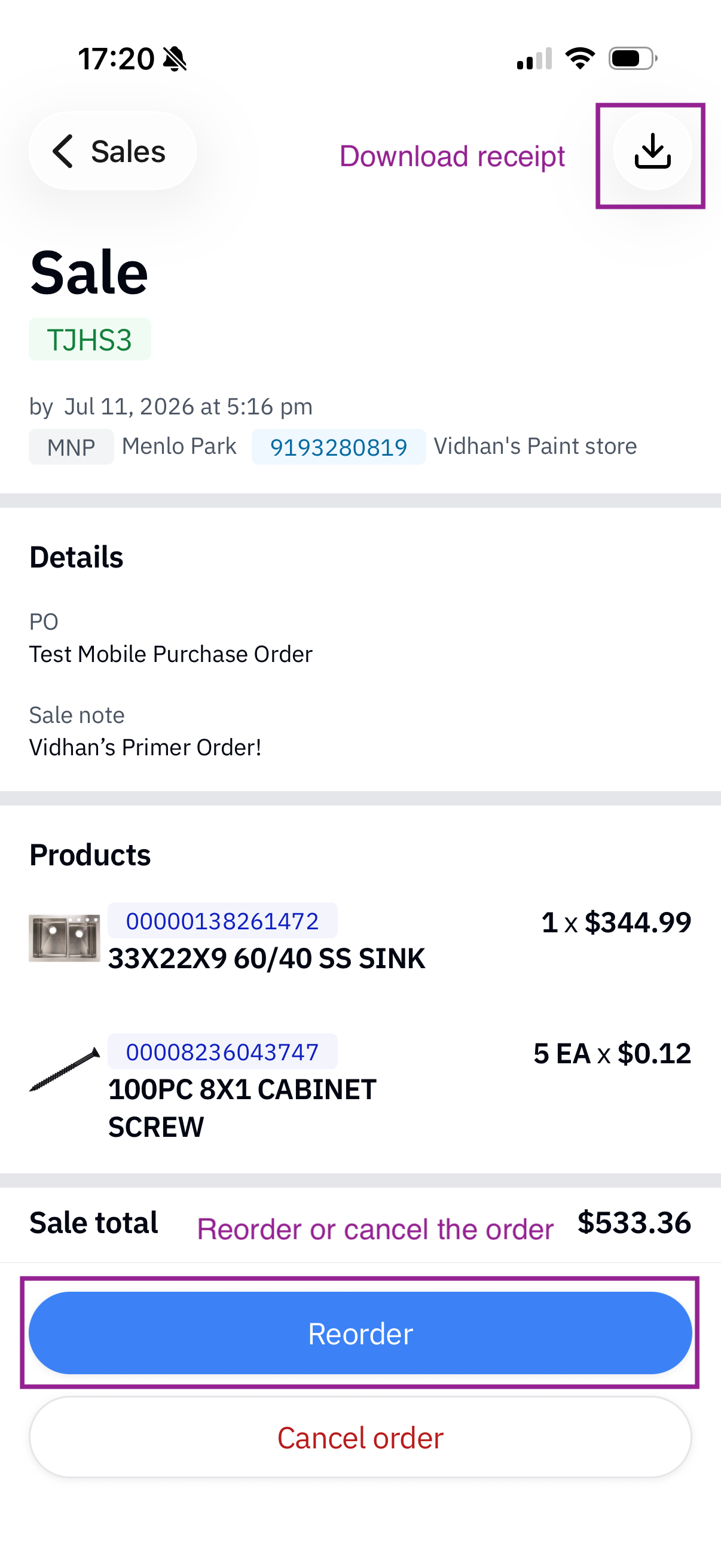
Your customers can finally shop your store online, and the experience is built around them. The prices they see are their prices, including any contractor or account pricing you have set up. They can pull up past purchases and reorder in a couple of taps. If plans change, they can cancel a pending order themselves. And customers with the app could already check their balance and pay their bill, so it all lives in one place.
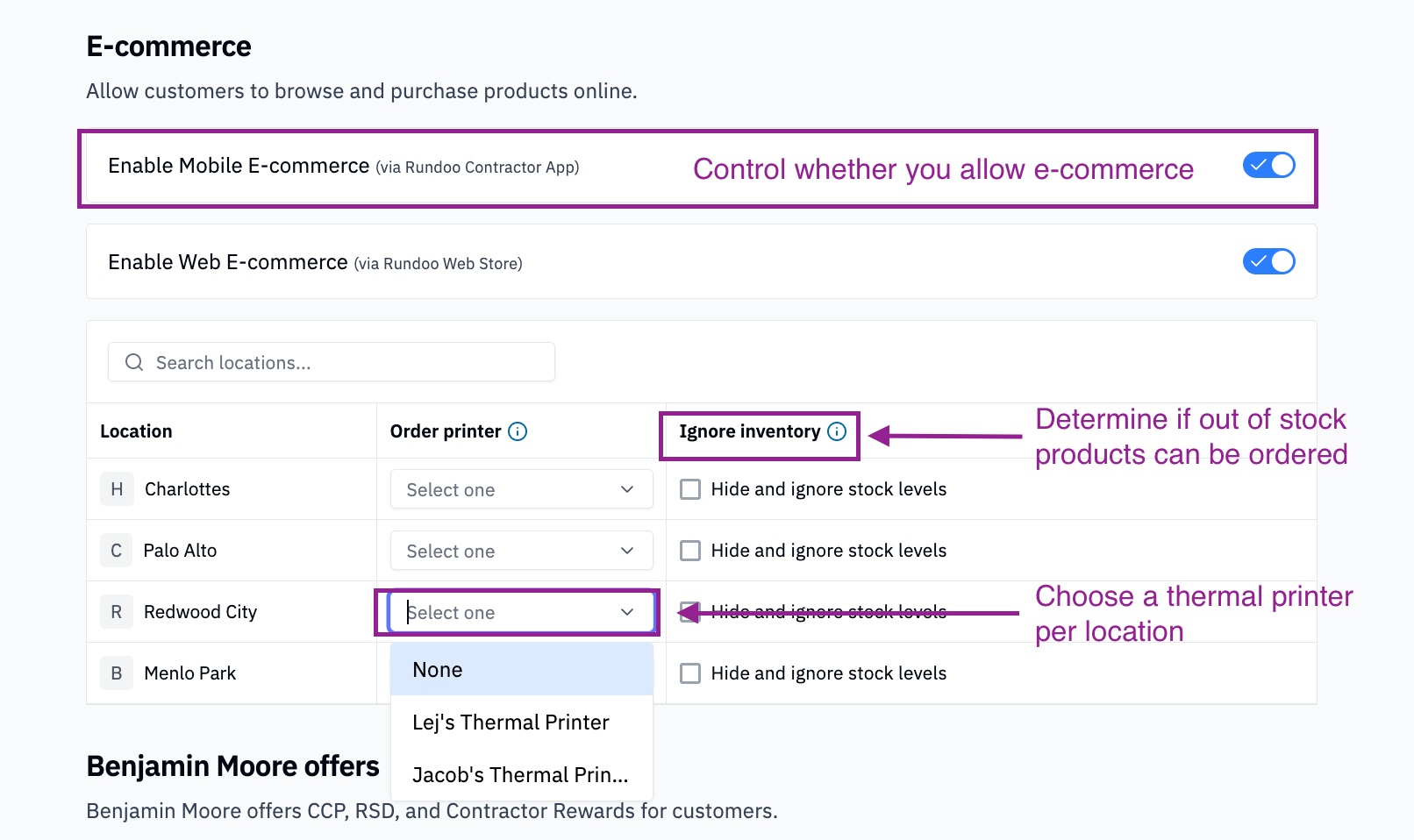
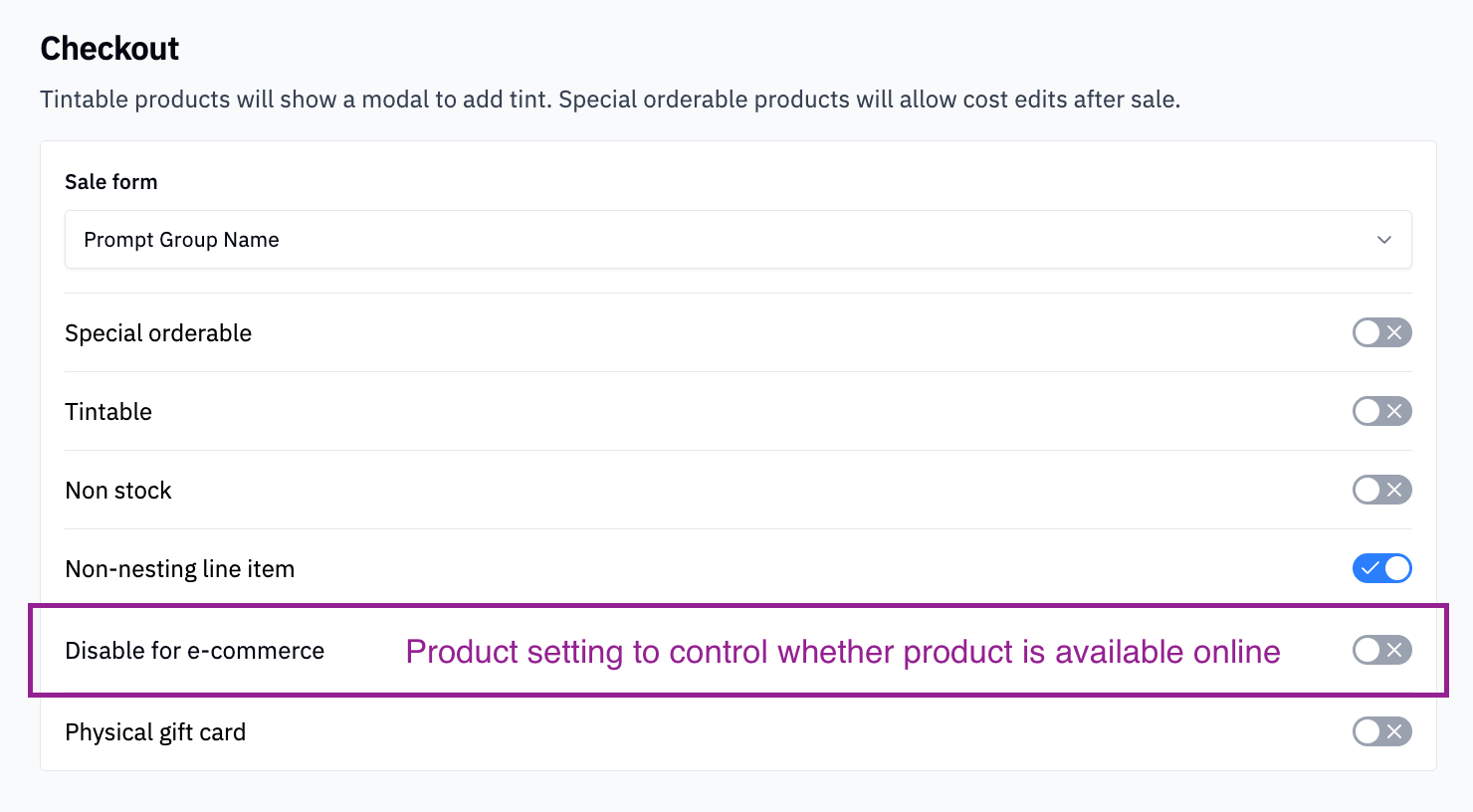
You stay in control of the shelf. Settings in the web app let you turn mobile e-commerce on or off for your store and choose whether customers can see stock levels while they shop. Only the products you designate show up in the app, so you decide what your online store carries.
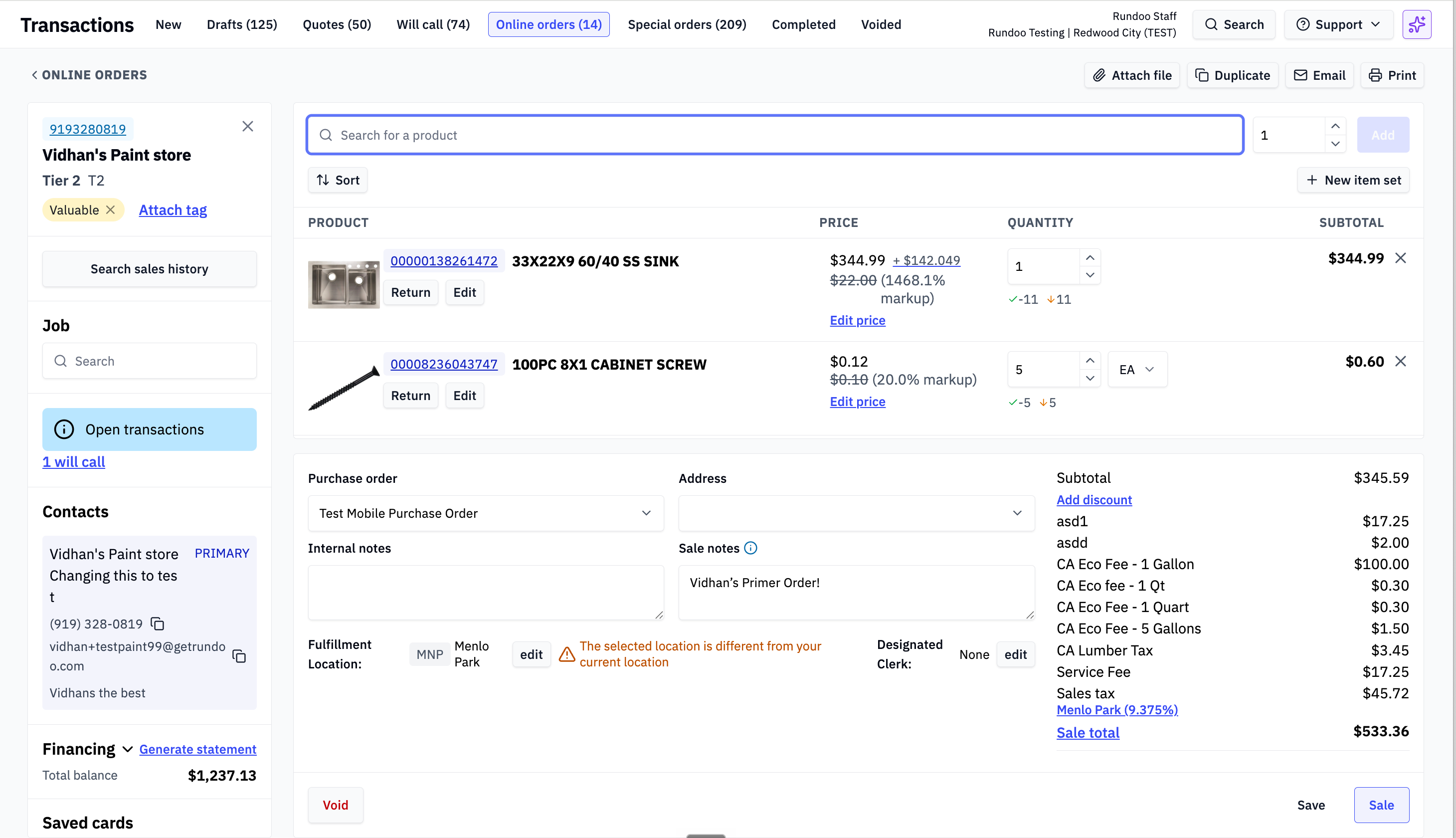
Every order flows straight into your online orders queue, ready for your team to fill. Even better, you can pick a thermal printer, and each new order prints its own ticket the moment it comes in. No phone call to take down. No transcribing. Just grab the ticket and fill it.
Why is this important?
This is the online shopping experience your customers get everywhere else, now at your store. A contractor who runs short at 6 AM can order the deck screws and two more gallons before your doors open, at the price you gave them. A farm customer can reorder last month’s feed from the truck. Your counter stays free for the people standing at it, and your store takes orders around the clock.
What does this look like?
Thanks to Matteo and Fahad for building this. Also, Web e-commerce is coming very soon.
If you are reading the Primer, chances are you know at least one independent store still doing it the hard way: closing out by hand at the end of the night, guessing at what’s on the shelf, quietly dreading the busy season.
If Rundoo would genuinely be a good fit for their store, pointing them our way is one of the better favors you can do a fellow owner, and we’ll thank you for it too.
When a store you refer signs with Rundoo and goes live, you get $500. Refer as many stores as you like, and we handle everything from the demo to go-live.
Quick Find is now optional. When you start a sale, the grid of product category tiles opens on its own. If your store rings mostly by barcode or SKU, those tiles just cover the cart. An admin can now turn them off. Go to Admin > Security > POS and turn on “Hide category browser on sales, orders, and transfers.” With it on, the sale screen stays clean until you start typing a search. Set it once per store.
Phone numbers carry over to new accounts. You look up a customer by phone and they are not in the system yet. Before, the new customer form started blank, so you retyped the number you just entered. Now it is already filled in when you tap “Create customer account.” One less step while someone is waiting at the counter.
Have an idea for Rundoo? Add it to our idea board at rundoo.nolt.io.
Questions? Email us at support@rundoo.ai or visit rundocs.com.
Join the conversation with other store owners on Reddit.
Comments
Nothing yet. Say the first thing.
Sign in to join the conversation.