
Summary
Attach files with drag-and-drop or multi-select across all of Rundoo
Drop an invoice or PO onto a new sale and let Rundoo AI draft it for you
Assign a designated clerk to each sale for spiffs (sales bonuses) and clerk reports
Share quick feedback on Rundoo AI replies, on web and mobile
Voided receipts now show a clear “Transaction Voided” mark
Attaching files just got a big upgrade, and it now works across Rundoo.
Before, you added files one at a time through a pop-up window. Now you can drag a file right onto the page, or grab several at once with the paperclip. It works the same way everywhere in Rundoo, just like the apps you already use every day.
Here is where you will see it.
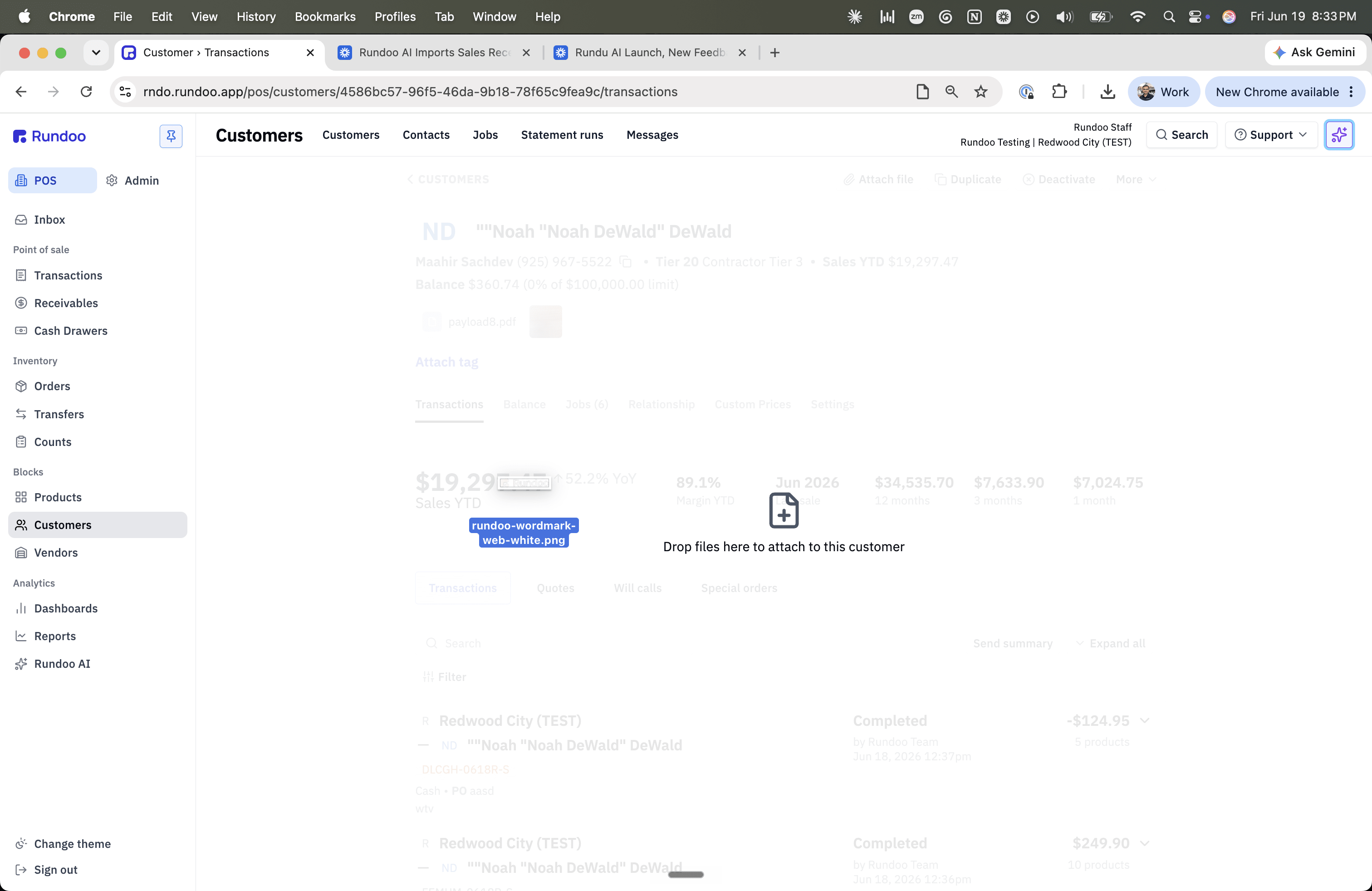
Rundoo AI chat and customer texts. In the full-page chat, the sidebar chat, and customer text messages (SMS), drag files right onto the conversation. Or click the paperclip to pick a few at once. Thumbnails show up right away. Each file shows its own upload progress, and if one does not go through, you can retry just that file. Click any thumbnail to preview it before you send.
Block pages. Products, vendors, customers, locations, gift cards, sales, purchase orders, bills, finance charges, and transfers are now full drop zones. Drop files anywhere on the page, or click “Attach file” to pick a few at once. They land right in the attachments strip. The old upload pop-up is gone.
New sale, order, and transfer screens. Drop in an invoice, a PO, or an order sheet, and Rundoo AI opens with that file already attached. It drafts the transaction from the file, and you review and finish it.
Fewer clicks, less waiting, and no more opening a pop-up for every single file. That saves time at the counter and in the back office. A few ways stores can use it:
Paint store: On a new purchase order, drop in your Benjamin Moore order sheet and let Rundoo AI draft the PO for you to check.
Hardware store: On a vendor’s bill, drag the Orgill invoice straight onto the page to keep it on file.
Farm and feed: Snap a photo of a torn feed bag or a damaged pallet and drop it onto the vendor record, so the proof is right there.
Thanks to Andrew for building this.
If you are reading the Primer, chances are you know at least one independent store still doing it the hard way: closing out by hand at the end of the night, guessing at what’s on the shelf, quietly dreading the busy season.
If Rundoo would genuinely be a good fit for their store, pointing them our way is one of the better favors you can do a fellow owner, and we’ll thank you for it too.
When a store you refer signs with Rundoo and goes live, you get $500. Refer as many stores as you like, and we handle everything from the demo to go-live.
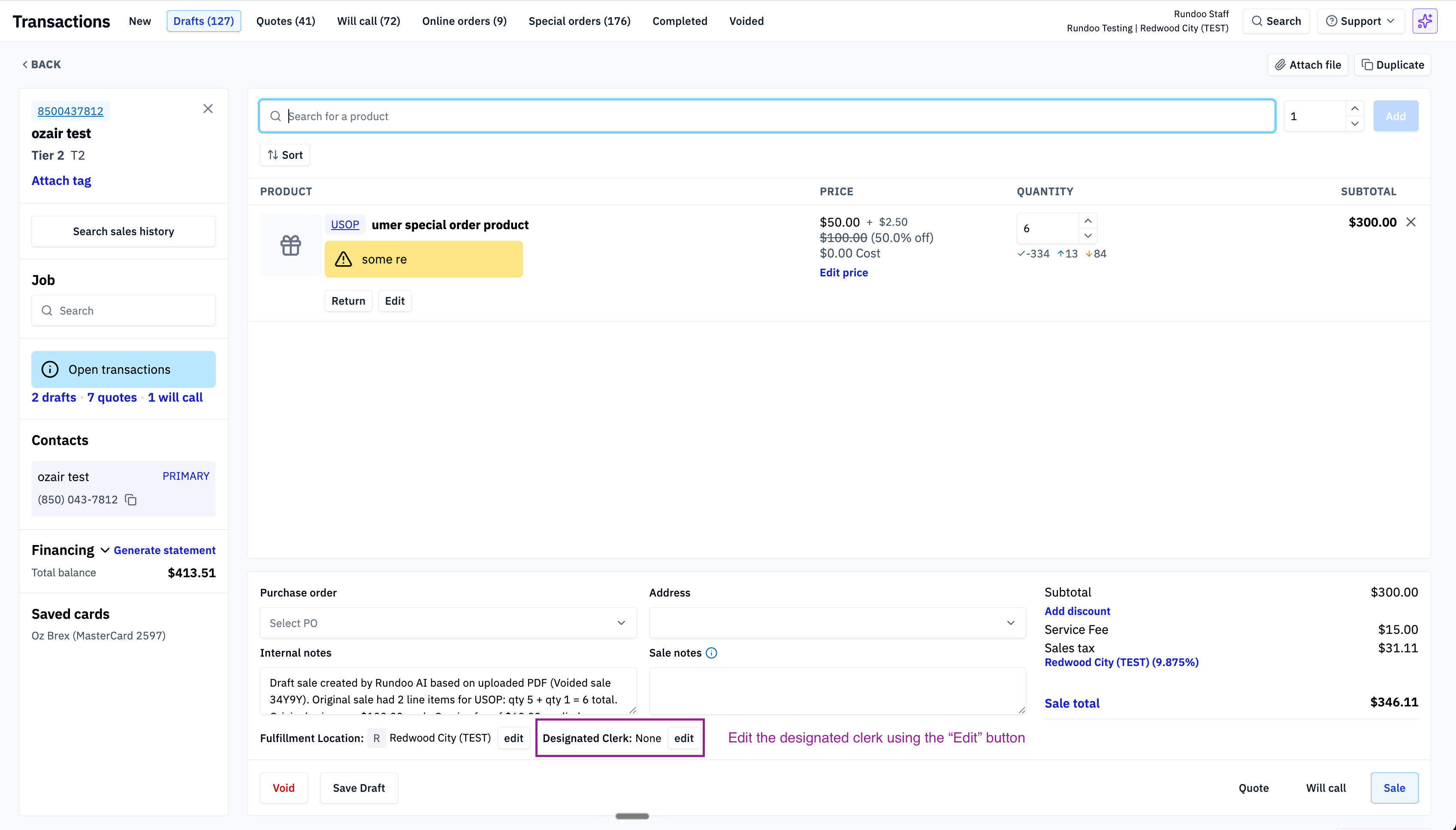
You can now set a designated clerk on a sale. It shows up as its own field that you can edit. It starts as the clerk who first created the sale, and you can change it at any time. This is handy for spiffs (sales bonuses) and clerk sales reports, so the right person gets credit. Changing the clerk is gated behind a new permission called “Edit designated clerk on a sale,” found in the POS permission group, so only the roles you choose can do it.
Thanks to Matteo for building this.
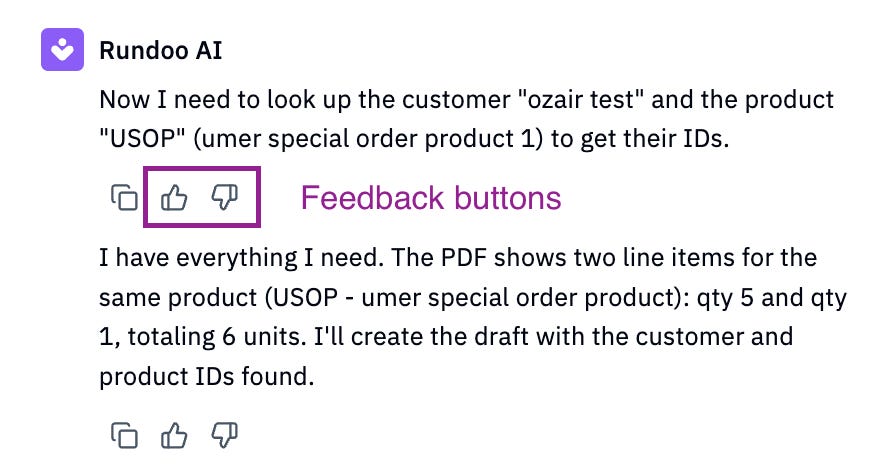
Rundoo AI on web and mobile can now take your feedback on a reply. Just give it a thumbs up or a thumbs down. If an answer was helpful, or if it missed the mark, you can let us know with one tap. That feedback helps Rundoo AI get better over time.
Thanks to Andrew for this one too.
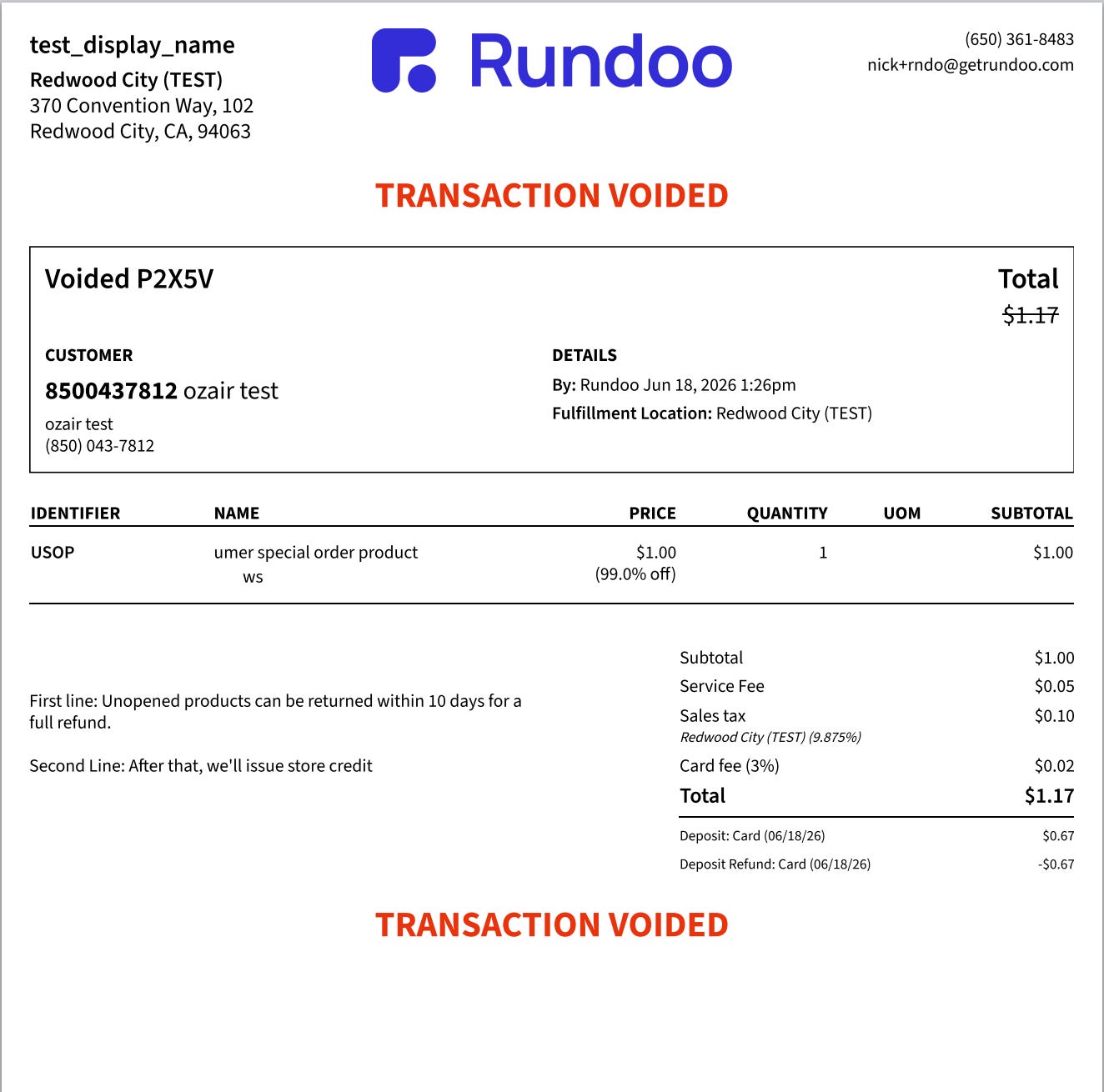
Voided transaction PDFs now show a clear “Transaction Voided” mark in both the header and the footer. No more second-guessing whether a receipt was voided. It is easy to spot at a glance, top and bottom.
Thanks to Ethan for building this.
Have an idea? Add it or vote at rundoo.nolt.io.
Need a hand? Email support@rundoo.ai.
Want the details? Find guides at rundocs.com.
Want to talk shop? Join the community at r/Rundoo.
Comments
Nothing yet. Say the first thing.
Sign in to join the conversation.