
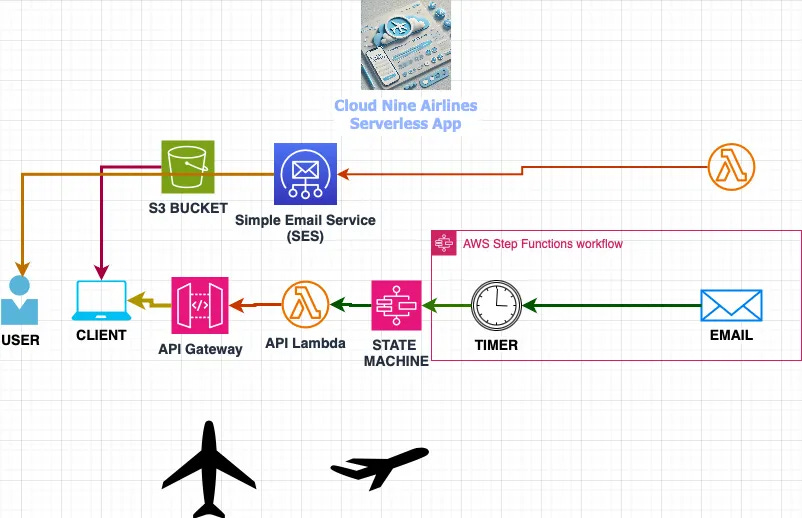
Welcome to another Cloud Nine Airlines Project! In this project, I implemented a serverless application using S3, API Gateway, Lambda, Step Functions, IAM, and SES to send flight status notifications to Cloud Nine Airlines customers. Users are able to access a static website, fill out a form with their email, flight number, travel date, and a wait time. After submitting, they’ll receive an email with the flight status. This project demonstrates the integration and orchestration of AWS services in a real-world scenario.
Here is a brief breakdown of the services used and why they were used concerning this AWS Serverless App:
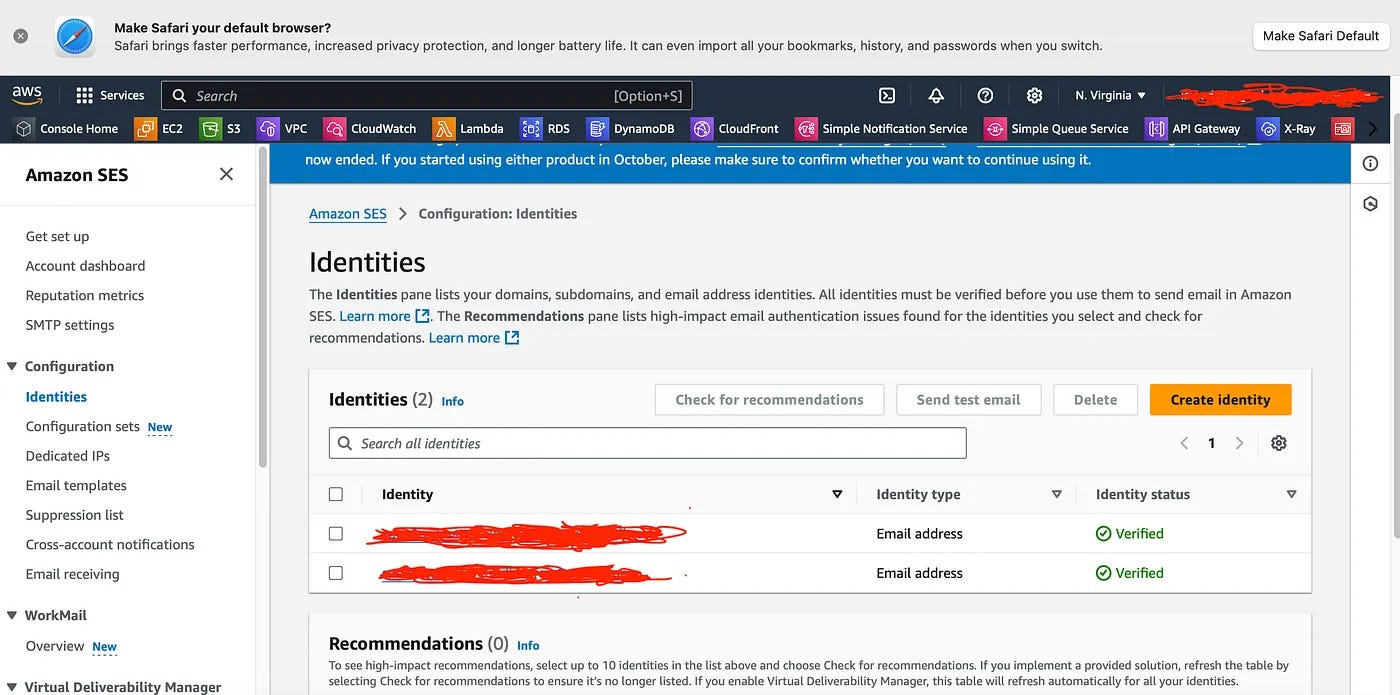
SES was used to Verify Email Addresses:
Purpose: To set up email functionality, enabling flight status updates to be sent to customers.
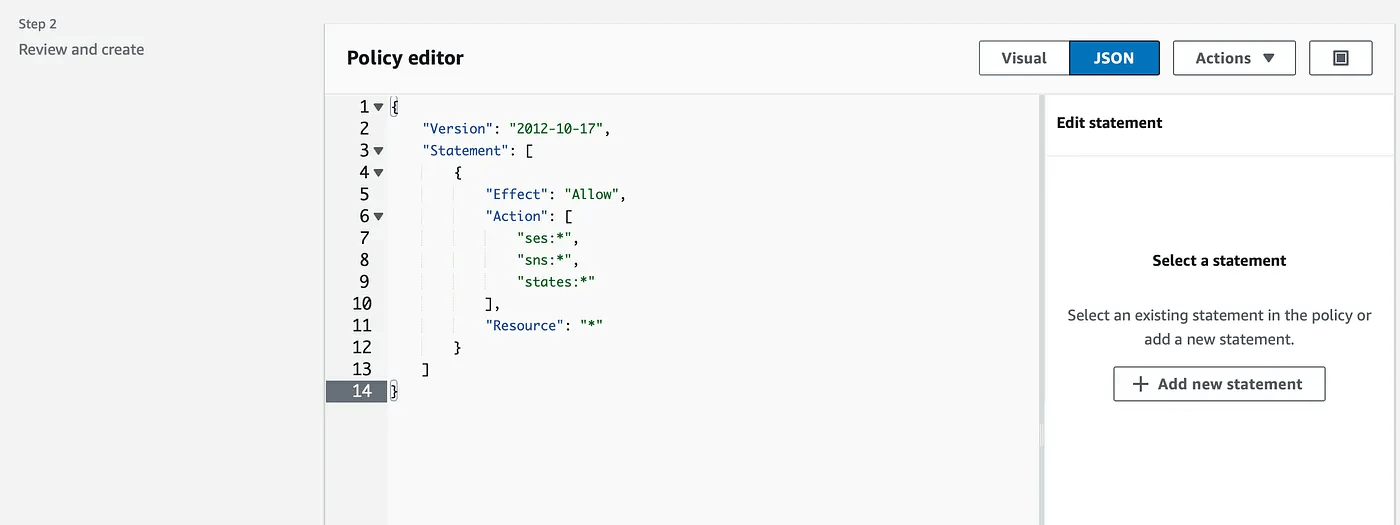
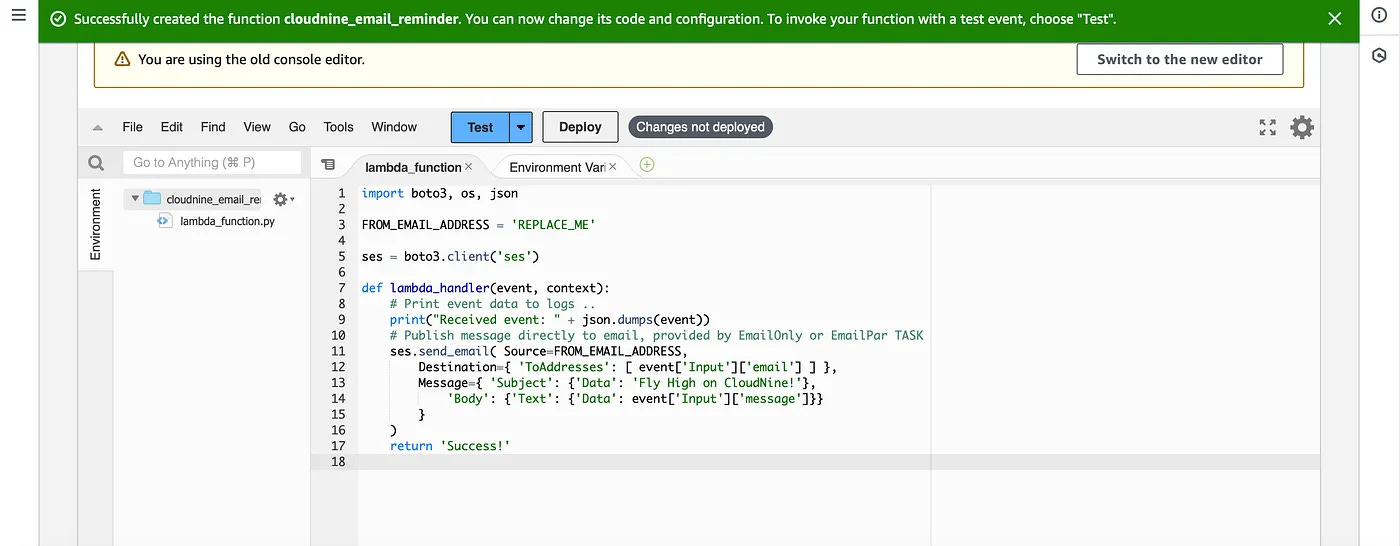
IAM Roles and Lambda Function for Email Notifications:
Purpose: Set up Lambda with permissions to interact with SES for sending email notifications.
IAM Role and Step Functions State Machine
Purpose: Establish the Step Functions state machine to control application workflow, including timed email notifications.
Overview of State Machine Logic:
Purpose: Controls the end-to-end flow, handling timing and invoking services as needed.
Configure API Lambda and API Gateway:
Purpose: Establish the API endpoint to receive data from users, triggering Lambda to start the notification workflow
Create S3 Static Website:
Purpose: Host the Cloud Nine Airlines frontend where users will input their flight and contact information.
Test and Monitor Application:
The nitty gritty right?! We have to ensure our application works, and troubleshoot any issues with functionality, or if we made user errors/configuration errors. Always good to dev/test before processing to production!
Purpose: Ensure functionality and troubleshoot any issues.
Here are some snapshots of the project/demo:
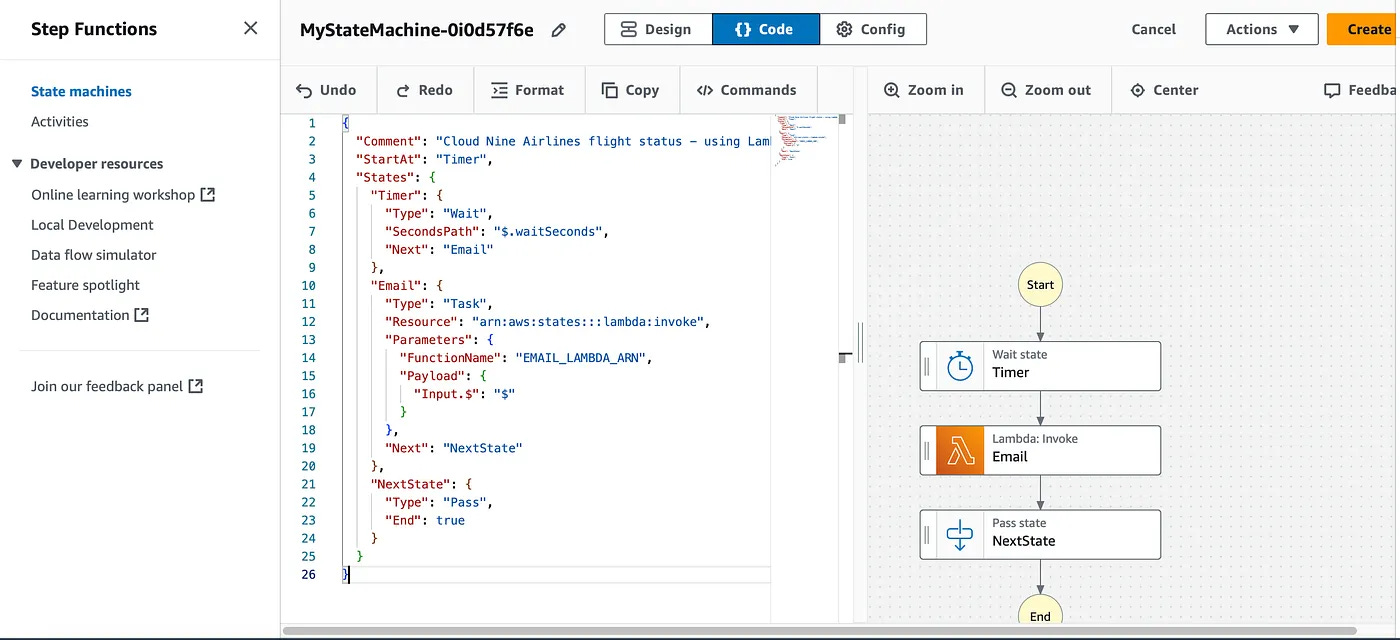
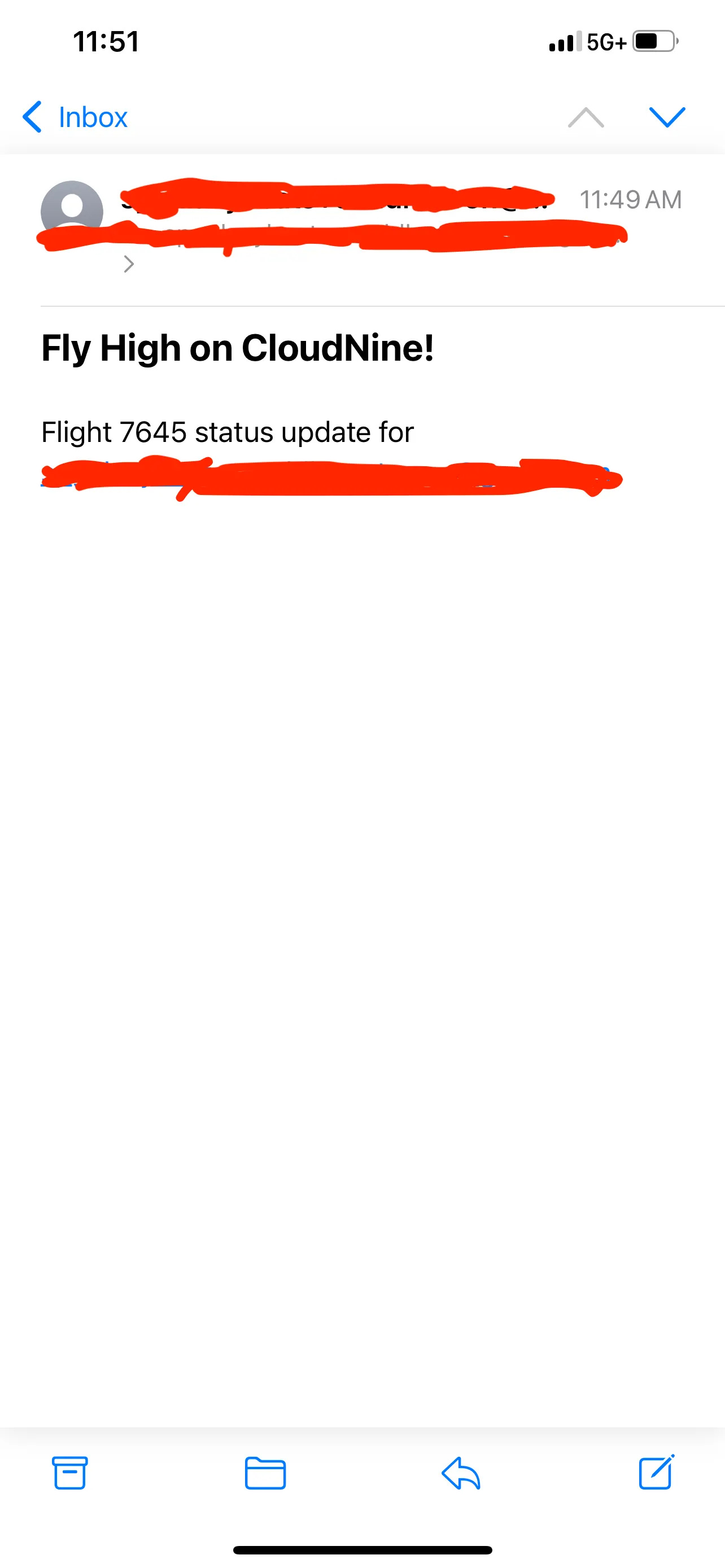
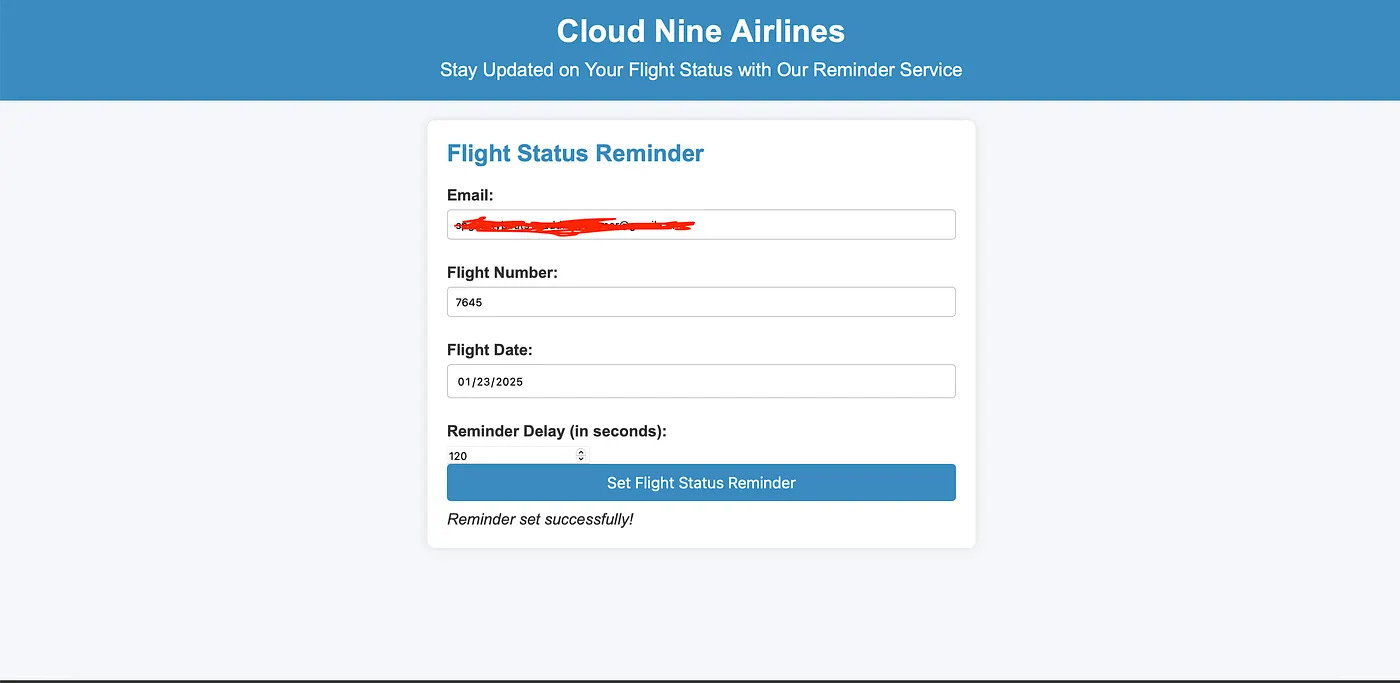
This project showcases the complete architecture of a serverless application, highlighting proficiency with AWS services, IAM policies, and step-by-step integration for a professional customer experience.
I had some issues initially with the IAM roles/permissions to integrate all services together. Once figured out all the services worked seamlessly together. What I find challenging at times is making sure you have the right IAM roles/permissions to ensure all services can interact and work with each other. If they need to work with each each other they need the permission to do so, right? Lol. Just a matter of repetition. Services have to interact together concerning any build/architecture you are working on. Just a tidbit, get used to this, and pay close attention to not give full permissions to certain services, only services that you need. In the real world, in production, permissions are limited. Make this a good habit when working on your own projects/demos.
You can view this full product here on my Medium: https://medium.com/@rafiu.dania/cloud-nine-airlines-serverless-flight-status-application-4055f95a7cf7
All code and policies/permissions can be retrieved here from this GitHub under “code_permissions”: https://github.com/RDannn/AWS-CLOUD-PROJECTS/tree/main/Cloudnine-serverless-app/code_permissions
No posts
Comments
Nothing yet. Say the first thing.
Sign in to join the conversation.