
I had over 600 files piling up in my Downloads folder. PDFs, spreadsheets, photos, Word docs, text files, weeks of accumulation. My W2 was somehow mixed in with software installers. Client data next to random screenshots. Filenames like 1050275427-20211006-090804.pdf that told me nothing about what was inside.
Sound familiar? If not, you are better organized than I.
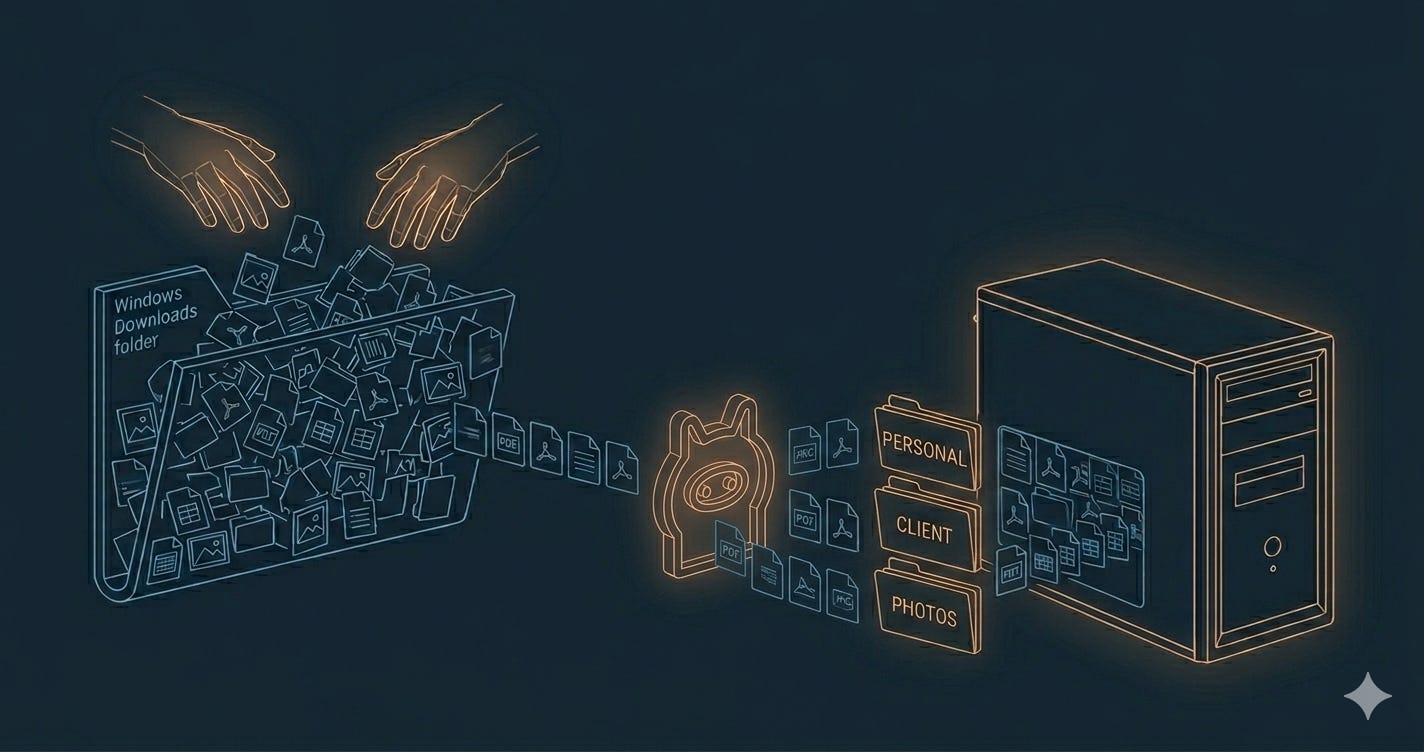
I wanted AI to help me sort out this mess. So I went looking for tools.
I found plenty. Riffo.ai, Renamer.ai, and a handful of open-source projects on GitHub. They all did roughly what I needed.
They all had the same problem — they send your files to a remote API for classification.
This means your private data resides on these systems, and if you have not opted out of training, your data could live there for five years.
For a folder full of sensitive records and client data, that’s a non-starter.
I even considered Claude’s own Cowork tool.
Same issue. Your file contents get sent to Anthropic’s API.
I already wrote about what happens to your data once you send it to an AI provider.
I try not to ignore my own advice.
Usually, I would just buy or download a tool. I don’t like reinventing the wheel. I had done a similar project last year as an experiment so I did not think this would take long.
In less than an hour, I had my local AI-enabled file manager.
Start to finish — searching for a tool, building one, running it against real files — about an hour. Claude chat wrote the sorting rules. Claude Code built the Python scripts. The irony isn’t lost on me:
I used cloud AI to build a system that keeps my data away from cloud AI.
Here’s the workflow:
Pass 1: Rules-based sorting. No AI at all. A tool called Organize uses YAML config files to sort files by pattern, extension, and metadata. I wrote the rules in a five-minute Claude chat after showing it a list of the obscure filenames. This pass handled about 80% of the files — tax documents matched by filename patterns, client screenshots matched by domain names, duplicates identified by file hash.
Pass 2: Local LLM classification. Files that didn’t match any rule went to a Python script that sends the filename and first page of content to Ollama running Llama 3.2 — on my local machine. The model classifies each file into categories and moves it to the right folder. A JSON log records every decision.
Pass 3: OCR + local LLM renaming. The hardest files were scanned PDFs with meaningless numeric filenames. No extractable text, so even the local LLM was guessing blind. A script renders the first page as an image, runs OCR to extract text, then sends that text to Ollama for a descriptive filename. That court document with the garbage filename? Now it has a name that tells me what it actually is.
Everything runs locally. File contents never leave my network.
The point isn’t the file organizer. It’s the pattern.
Claude Code — and tools like it — can build software that runs on your machine, using local models, with no cloud dependency.
The choice isn’t between “use AI” and “protect your privacy.”
You can use AI to build tools that protect your privacy. The cloud AI writes the code. The local AI does the work.
An hour of effort. Six hundred files sorted. Nothing sent to a remote API.
I’m Jeff Huckaby, founder of rackAID. I help established businesses make sound technology decisions — connecting technical activity to business outcomes.
This piece was written with the help of AI agents — managed, not prompted.
No posts
Comments
Nothing yet. Say the first thing.
Sign in to join the conversation.