
Check out the Build Series. Part 1 | Part 2 | Part 3 | Part 4 | Part 5
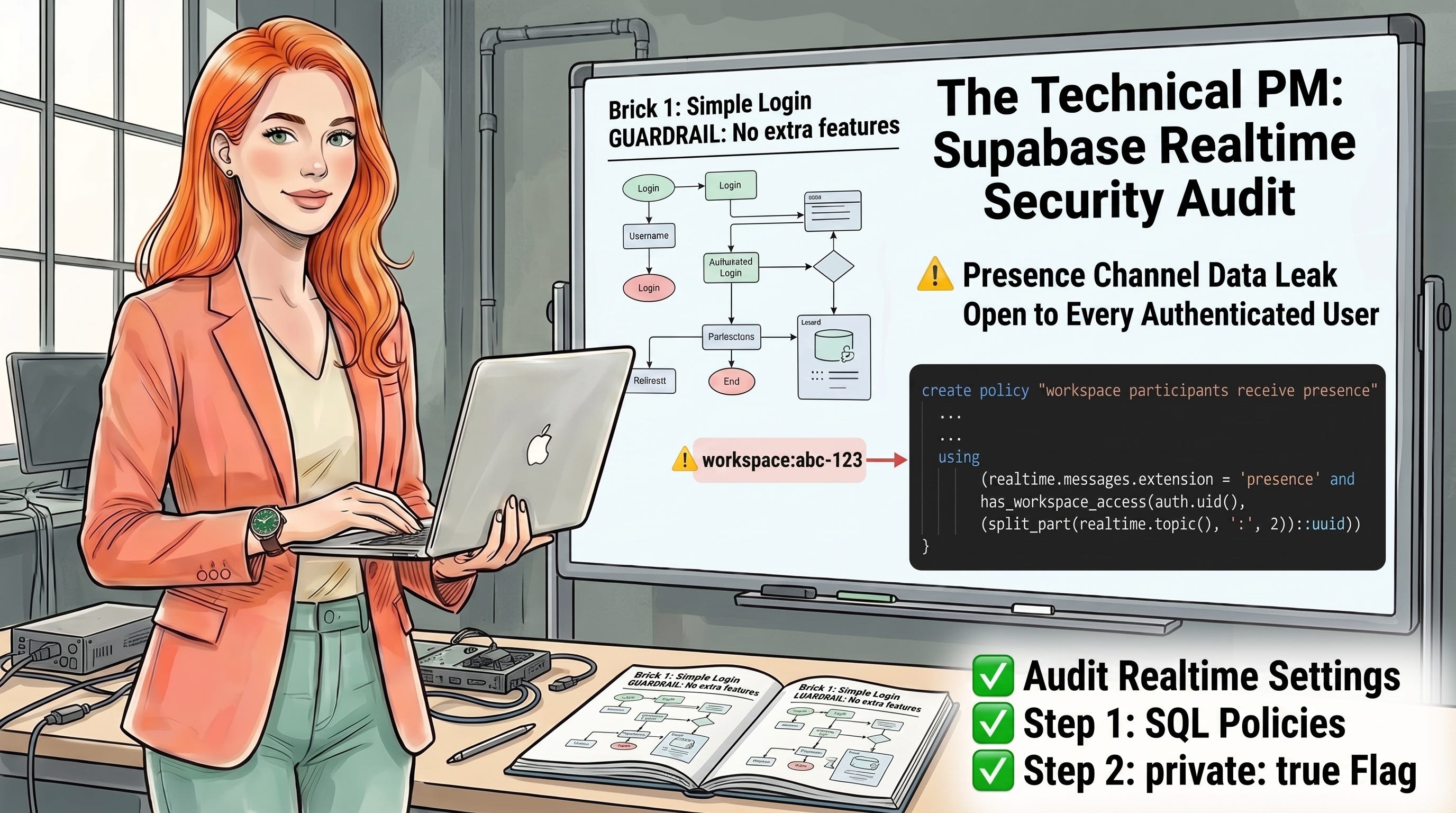
I ran a security audit on every Supabase integration in DraftKit ahead of a product update. Storage, tables, edge functions, Realtime: four surfaces, one checklist. Three came back clean. One did not.
The workspace presence system had been running for months. Green dots showed up when a collaborator was actively editing. The feature worked exactly as designed. What it did not do was check whether the person subscribing to the presence channel actually had access to that workspace.
Any authenticated DraftKit user could subscribe to workspace:abc-123. They would see who was online, their display name, and whether they had unsaved content. The channel name was the only boundary. Channel names follow a predictable format and are not secrets.
This gap does not surface during testing and does not throw errors in production. The feature looks correct. The access layer is simply missing.
If you are building a collaborative product with Supabase Realtime, I can check your channel authorization posture in 20 minutes. Reach out at hello@elenacalvillo.com before this goes live.
Supabase crossed 4.5 million developers in 2025 and is now the default backend for apps built on Lovable, Bolt.new, and similar platforms. Every collaborative app using Supabase Presence for typing indicators, active-user dots, or cursor positions is running on a Realtime channel. Most of those channels are public.
In August 2024, Supabase introduced Broadcast and Presence Authorization: a mechanism for restricting channel subscriptions using RLS policies on the realtime.messages table.
The feature required explicit opt-in, and any implementation built before that date or built after without the configuration is still open to every authenticated user in your app.
Snyk’s research found that AI-generated code is 40% more vulnerable than human-written code, with only 10% of developers scanning AI-generated code before shipping.
Presence and Realtime configuration is exactly the surface that gets skipped: the feature works, data flows, and nothing in the build pipeline flags the access gap.
✅ The gap affects any app using Supabase Presence or Broadcast without explicit RLS on
realtime.messages.✅ The fix requires two steps: one SQL policy and one client configuration flag.
✅ Supabase caches the authorization check on channel connect so there is no per-message latency cost.
✅ The “private-only channels” setting in Realtime Settings enforces authorization globally once your policies are in place.
The pattern repeats every time a platform ships a new authorization feature mid-development cycle. You built the feature before the mechanism existed, everything worked, you shipped, and you never went back to check.
Lovable generates Supabase Realtime subscriptions by topic name. The default output follows a predictable format: workspace:${id} or room:${userId}. Lovable cannot generate the RLS policies on realtime.messages because those policies require knowledge of your specific access model. So they do not ship.
The presence feature arrives in your codebase working, tested, and unscoped. The code that renders green dots is correct. The code that restricts which users can see those dots does not exist yet.
✅ Audit your Realtime Settings before any public launch. Go to Supabase Dashboard, then Project Settings, then Realtime Settings. If “private-only channels” is not enabled, every channel in your project is subscribable by any authenticated user who knows the topic name. This check takes 30 seconds and tells you immediately whether the gap exists.
✅ Write the SQL policies on realtime.messages before adding private: true to the client. If you flip the client flag without policies in place, every channel subscription fails immediately. Write and deploy the policies first, confirm existing channels still connect, then add the flag. This order prevents a production outage.
✅ Use realtime.topic() inside your policy to scope access per channel. This built-in Postgres function returns the full channel name from inside the RLS USING clause. It is the only way to write a policy that applies to one specific workspace UUID rather than granting access to every channel in the project.
✅ Reuse your existing access helper functions in the Realtime policy. In DraftKit, has_workspace_access(user_id, request_id) is already the single source of truth for workspace access. The Realtime policy calls the same function. When your access model changes, one update covers table access and channel access simultaneously.
✅ Test with an account that has zero workspace access. After deploying the policies, subscribe to a known channel from a test account that is not a workspace participant. You should get “You do not have permissions to read from this Topic.” If the subscription succeeds, the policy is misconfigured and you need to check the USING clause logic.
If you want me to audit your Supabase access model before launch, reach out at hello@elenacalvillo.com.
Comments
Nothing yet. Say the first thing.
Sign in to join the conversation.