
So get this: display technology has come a long way. We now have 8K, HDR, deep blacks, higher frame rates, AI upscaling and whatnot.
You walk into any TV store and you see close-ups of leaves with water droplets. You see birds flapping in syrupy slow motion. You see drone shots gliding over cities. You see coral reefs bursting with saturation.
This is what decades of scientific effort has produced. Thousands of engineers working day and night, pushing the limits of human knowledge. They do this so that your TV can display images that throw shade on actual nature itself.
That’s the power of a modern big-ass TV.
And then you connect your laptop to such an engineering marvel and open your ghastly PowerPoint file.
Shame on you.
Once you have made yourself useless enough in the hierarchy of work at your office, you will be asked to make presentations.
Congratulations! You have successfully been promoted to the rank of people who discuss work rather than do actual work.
Presentations are a game of pretend, where you pretend to showcase progress in your work and others pretend they are awake.
There is enough material available on the web on how to create presentations and how to give presentations. But this book is not about generic advice.
So here we go.
There is a school of thought that you should always keep your presentations precise and not more than 10 slides. That’s garbage advice.
I say, put everything in the presentation. Slides with bullet points. Slides with charts. Slides with diagrams. Screenshots of all applications. Videos of people using the application. Attach audio files. Attach your travel suitcase. Make it heavy.
This serves three important purposes:
1. It makes you look like you’ve put in effort.
2. Any enthu-cutlets wanting to ask questions will see “Slide 1 of 127” and have their souls sucked out at the beginning of the presentation.
3. There are wise-ass people who ask for presentations to be mailed to them after a meeting so that they can poke holes in your work. Since these heavy files cannot be mailed, by the time they figure out how a 538 MB presentation can be shared, you are already close to finishing your probation in your next job.
One of the cardinal rules of making a presentation is not leaving blank space on a slide. You should always have content so that the entire real estate of your slide is occupied.
Data or no data, I always make sure there is never white space on my slides.
It might look like I am tooting my own horn, but when I give presentations, I receive feedback like this:
Me (finishing the final slide with four quadrants): And that explains our growth plan for the next three quarters.
My boss: That’s great. And that photo of Urmila Matondkar in the last quadrant really brings the whole strategy together. Impressive work.
80% of making a presentation is arranging rectangles. (Okay, Rounded Rectangles. Fancy pants!)
Have you seen masons building a wall? They use a levelling tool to make sure that the bricks are all aligned to the top. One brick out of alignment and they tap it so that it falls into place. That’s you while making a presentation.
The only difference is that when a mason builds a wall, it is tangible. It makes a house. A family lives there, kids grow up, school buses stop outside, people celebrate, have sex, argue, fall in love, create memories. What a mason builds will be a collection of life events that lasts for generations.
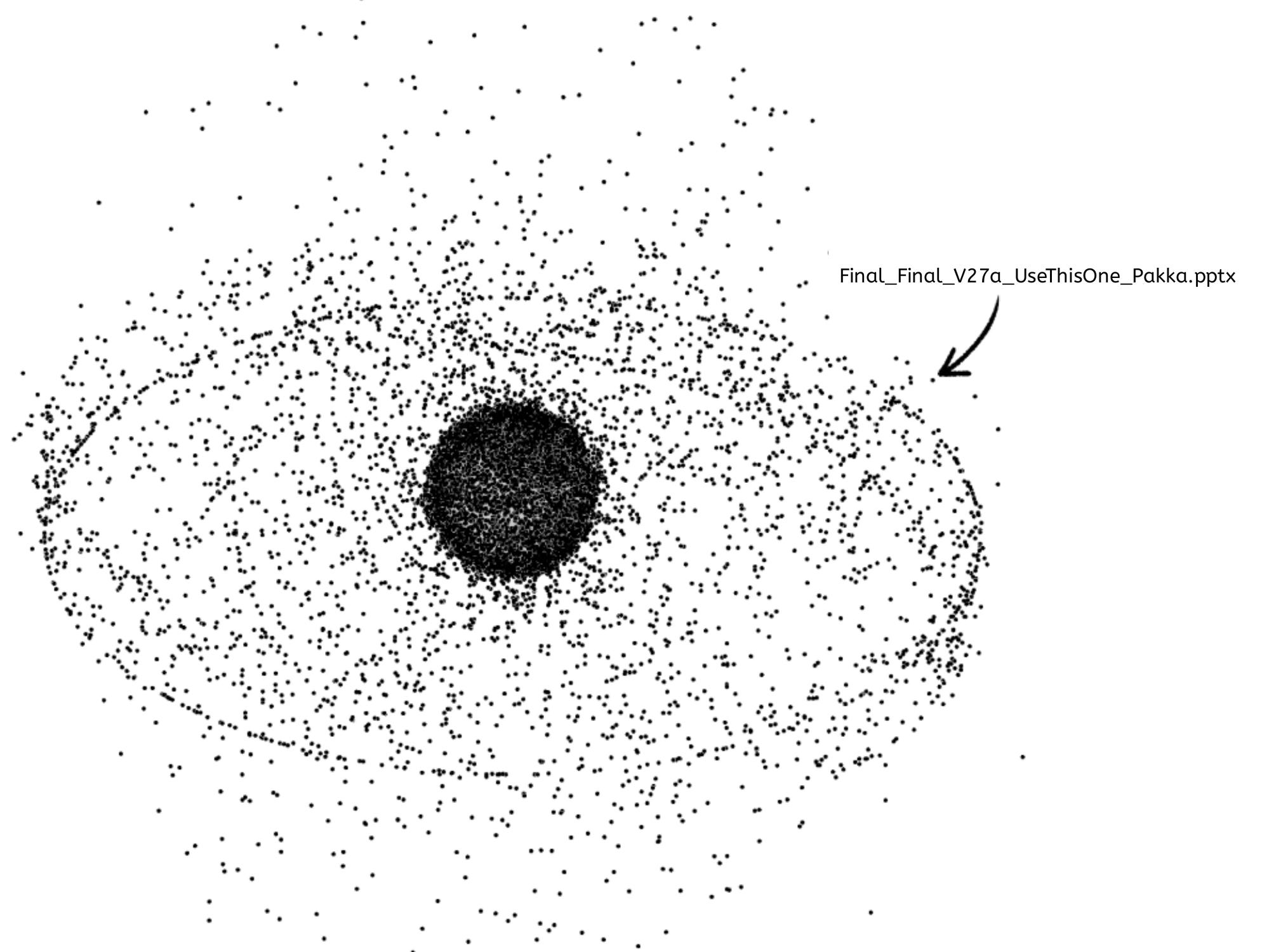
In contrast, your PPT will have the lifespan of a sneeze, floating in the debris of PowerPoint slides lost in low Earth orbit.
I am not a space nerd, but I am convinced that half the space debris is made up of old Microsoft Office files moving from your desktop to cloud storage and eventually escaping the Earth’s atmosphere.
Theme of the Slides
I am not kidding. Themes are the most important part of a presentation.
You have to make sure your fonts and colors are as per the template theme appropriate for the brand. Everything else is secondary.
At this point, some of you are saying, “What rubbish! Content is the most important thing on a slide.”
Well, allow me to educate you.
The human brain processes visual information 60,000 times faster than text. Words take time to be analyzed, but visual information, like fonts, colors and themes, hit the brain instantly.
Don’t believe me yet? Here’s a small experiment.
Imagine the pornhub logo. (When you started this chapter, did you expect that Pornhub will be invoked to make a point?)
Yes, the pornhub logo, black and the orange one. Now if you were to replace the words ‘Porn’ with ‘Sony’ and ‘Hub’ with ‘Liv’. So now you have a solid black recatangle with ‘Sony’ and inside it a solid orange rectangle with ‘Liv’.
When you see that edited logo, would you feel like wanting to binge the next episode of a show on Sony Liv, or do you want to be left alone for 10 minutes?
I rest my case.
When you are planning to deliver a presentation, always go in with the mindset that something will go wrong.
You will design your presentation like a carefully planned heist.
“I will spend two minutes clearing my throat and setting up the context. Someone from my team will step in at slide 4 to share the numbers. By minute 20 we should be at the ‘Key Insights’ slide. At the 22nd minute, I will say, ‘Just to summarize…’. At the 25th minute, I will open for questions, which should take up the last five minutes.”
That’s your plan. In and out in 30 minutes.
But as I said, something always goes wrong.
The most likely saboteur would be a person three grades above you.
Here is what will happen.
You: “Let me quickly set the context about the project…”
Senior: “Oh! Project. That reminds me. Where is Piyush?” “He’s on leave?” “He was to send me some data for another project. Can we call him right now.”
“Yes… Piyush…”
You are now an observer to a the conversation with Piyush for the next 20 minutes, while you wait to move to slide 2.
This is frustrating. You give your heart and soul to the presentation, and your 30 minutes are gone in some lame side quest.
There is no solution to this. All presentations are run by the whims of the highest-paid person in the room.
The reason I say this is so that when you are prepared. You go in knowing fully well the worst outcome. It will save you some disappointment.
When I was a kid, there was this Vicks ad on TV1.
A man narrating a story to his daughter, but his itchy throat disturbed his performative storytelling. Then he would pop a Vicks tablet.
Cut to animation.
Inside his throat, there was a worm-like creature bouncing around, causing all the irritation. The moment the Vicks tablet reaches the throat, the worm cries out in pain and vanishes.
To my six-year-old self, this seemed like a scientifically accurate explanation of what went down in my throat.
As a rule, assume all your seniors have the understanding of a six-year-old.
That’s right, I am calling senior management as smart as a six-year-old. This is not an insult. Take comfort in the fact that even your intellect will keep depreciating as you climb the rungs of power in corporate life. That’s the Dilbert Principle.
So if you are looking to give a presentation and get approvals on something, your best bet is to Vicksify your point.
You don’t say, “Strep throat happens due to infection, allergies or dry air.”
You say, “There is a tiny worm bouncing around our throats, and we need budget approval to get it cleaned.”
If your goal is to get budget approval, don’t try to look smart and use big words. Your seniors will get confused and you will be stuck in an endless loop of meetings and emails.
Instead, Vicksify your points.
Don’t just spoon-feed. Make a chu-chu train of ideas and give them one bite at a time.
Most people are terrified of speaking in front of others.
In a research participants were asked, what do they fear most.
Death was at No. 3
No.1 was Public speaking.
More people feared public speaking than dying.
(For anyone interested, No. 2 spot was taken by ‘driving next to a THAR in Gurgaon”)
As per the recommendation of many public speaking experts, the trick to overcoming this fear is very simple: just imagine your audience naked. Apparently, that helps.
I, too, suffer from stage fright, but my survival strategy is to begin with a joke. If you start with a joke, you ease the audience in and yourself in the process.
Once I was giving a presentation. I went on the stage and started with this stand-up bit (and I hereby give you permission to use this in your future presentations).
The stage was frightening at first. A hall full of staring eyes. My presentation was glowing on a large display behind me. My knees felt weak, but this was my TED Talk moment. I took a long pause and scanned the audience. I let the silence marinate until it became uncomfortable.
Then I said, “I am nervous. And I’ve learnt that if you are feeling nervous, you imagine your audience naked. So… just give me a moment while I gather some confidence.”
And then I stood there, making eye contact with as many people as possible as they uncomfortably shifted in their chairs.
I did that for a whole minute before I was violently carried off the stage.
But here is the thing: I walked in nervous but I went out with confidence.

No posts
Comments
Nothing yet. Say the first thing.
Sign in to join the conversation.