
I haven’t posted anything on Substack since July 2025, and honestly, there’s a good reason for that.
So I took these months to experiment, break things, figure out what actually helps with daily tasks, and what’s just hype.
I wanted to test everything myself before recommending it to you. The silence wasn’t laziness—it was homework.
And now, I think I’ve got something worth sharing. These tools have genuinely changed how I work day-to-day, and I’m ready to show you exactly what I learned.
So, ready to learn AI without spending a dime? I’ve pulled together 27 tools that are actually free and, more importantly, actually useful.
If you’re curious about AI but don’t want to commit money or months upfront, this is a good place to begin. I think. At least, it was for me.
No hidden paywalls halfway through. No “free trial” nonsense. Just resources that work.
Let me walk you through what I found.
I’ve been curating an Artificial Intelligence section on UIUXshowcase.com — a growing library of practical AI tools for designers, developers, artists, and marketers.
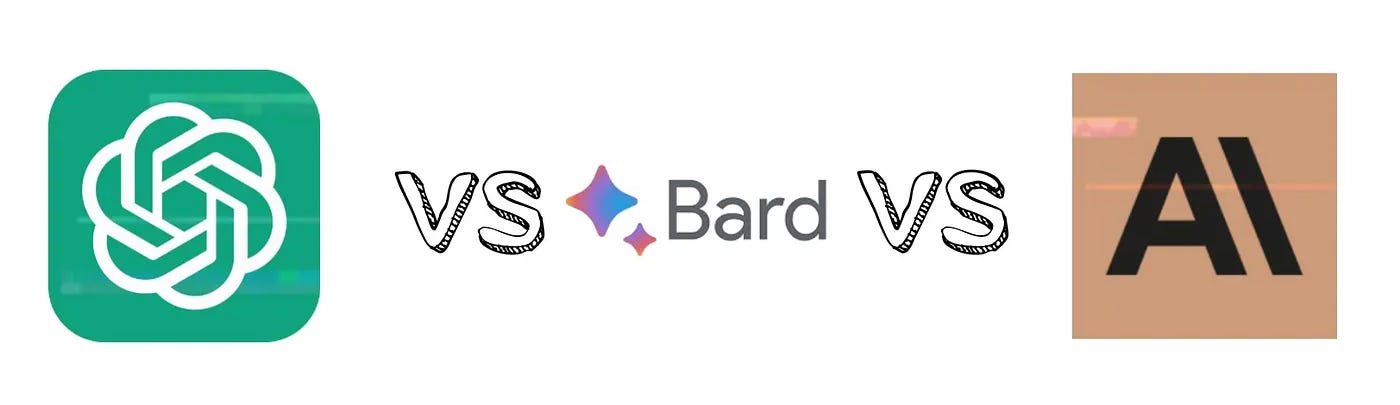
ChatGPT is probably where most people begin, and for good reason. It’s conversational AI that you can... talk to.
Ask it questions, have it explain concepts, or use it to brainstorm.
It’s not perfect—sometimes it’s confidently wrong, which is amusing and frustrating in equal measure—but it’s a solid starting point for understanding how AI responds and thinks (or pretends to think, I suppose).
Then there’s Claude and Bard. Claude feels a bit more thoughtful, maybe? It takes an extra second to consider what you’re asking.
Bard is Google’s version, and it’s suitable for quick research-style questions. Between these three, you can get a feel for how different AI models approach the same problem.
Google Colab changed things for me. You can code without any complicated setup—no installing Python, no configuring environments. Just open it and start writing. It’s perhaps the easiest entry point if you want actually to build something rather than chat with AI.
Kaggle is where I got obsessed, honestly. Real datasets. Real problems. People are competing to build the best models. You can learn by doing, which I think is how most of us actually absorb this stuff. Plus, there’s a community aspect that makes it less lonely when you’re stuck on something at 2 AM.
Fast.ai deserves special mention. They have this philosophy that you should learn by building things, not by drowning in theory first. Their courses are free, and they’re weirdly approachable for something as complex as deep learning. I’m not saying it’s easy, but it feels... possible?
TensorFlow Playground is magical. You can literally see neural networks learning in real-time. Drag the sliders to watch the patterns change. It makes the abstract suddenly concrete, which helped me more than I expected.
Man playing piano in a ship-bottle, illustration
For the creative side—and yeah, AI isn’t all about coding—there’s Midjourney and Stable Diffusion for image generation. Midjourney has some free credits to start with. Stable Diffusion, you can run it yourself if you have the patience. The art these things create is... well, it’s something. Sometimes beautiful, sometimes weird, always interesting.
RunwayML bundles a bunch of creative AI tools together. Video editing, image manipulation, that sort of thing. It’s free to experiment with, though the really heavy-duty stuff needs payment eventually.
Some of these tools I use without really thinking of them as “AI learning” resources, but they are. Grammarly fixes my writing (constantly). Otter.ai transcribes meetings and interviews, which is shockingly accurate. Notion AI helps organize thoughts when my brain won’t cooperate. Remove.bg does precisely what it says—removes backgrounds from images in seconds.
Canva AI now offers design features that suggest layouts and generate images. Copy.ai and Jasper are for content generation, though I’ll be honest, the output usually needs editing. Still, they help beat writer’s block or generate ideas quickly.
If you want structured learning—like actual AI courses—see my previous article for a list of programs. They’re well-regarded in the field. Coursera offers university-level AI courses, many of which are free to audit. You won’t get a certificate without paying, but the knowledge? That’s free.
PyTorch and Scikit-learn both have extensive tutorials. PyTorch is more for building neural networks from scratch. Scikit-learn is better for traditional machine learning—classification, regression, that kind of thing. Both have surprisingly readable documentation, though maybe I’m grading on a curve here.
Hugging Face is a massive repository of pre-trained models. You can download and use models that took teams months to train. It’s a bit like having access to a library of AI tools that you can plug into your own projects.
OpenAI Playground lets you experiment with GPT models directly. You can adjust parameters and see how different settings change the outputs. It’s more hands-on than just using ChatGPT, and you learn more about what’s happening under the hood.
Perplexity AI works as a research assistant. Ask it questions, and it searches, synthesizes, and cites sources. I’ve used it when I need to understand a topic quickly, but don’t want to fall a rabbit hole of articles.
YouTube channels—there are so many. Some better than others, obviously. But free video lessons on everything from beginner Python to advanced transformer architectures. You need to be willing to wade through some mediocre content to find the gems.
GitHub Copilot was previously available only to paid users, but now students and open-source contributors can access it for free. It’s an AI coding assistant that suggests code as you type. Sometimes brilliantly helpful. Sometimes completely off-base. Always interesting to see what it suggests.
Synthesia is used to create AI-generated videos featuring avatars. It has limits on the free tier, but you can experiment with AI video creation without committing to any upfront cost.
Look, I’m not saying these 27 tools will make you an AI expert overnight. They won’t. Some you’ll love. Some you’ll try once and never touch again. But together, they represent something important—a complete toolkit for learning AI without financial barriers.
Hugging Face – Access thousands of models
Google Colab – Code without setup
Grammarly – Writing enhancement
PyTorch Tutorials – Build AI models
Perplexity AI – Research assistant
Midjourney – Create AI art
Scikit-learn – Machine learning basics
Otter.ai – Transcription tool
DeepLearning.AI – Structured courses
RunwayML – Creative AI tools
Claude – Advanced reasoning
YouTube Channels – Free video lessons
Canva AI – Design assistance
Kaggle – Practice with real datasets
OpenAI Playground – Experiment with GPT
Stable Diffusion – Image generation
Copy.ai – Content generation
Fast.ai – Deep learning made simple
GitHub Copilot – AI coding assistant
Notion AI – Smart note-taking
TensorFlow Playground – Visualize neural networks
Jasper – Marketing copy
Bard – Google’s AI helper
Synthesia – Video creation
ChatGPT – Master conversational AI
Coursera AI Courses – University-level content
Remove.bg – Background removal
I think the key is not to try to master everything at once. Pick a couple that match what you’re curious about.
Want to understand how AI thinks? Start with ChatGPT and Claude. Want to build models? Google Colab and Kaggle. Creative applications? Midjourney and Stable Diffusion.
The tools are here. They’re free. What you do with them—that’s up to you.
These resources transformed my understanding of AI. Maybe they’ll do something similar for you.
Or perhaps you’ll find your own path through them. Either way, there’s no excuse that cost is a barrier anymore. The barrier now is just... starting.
Let’s Connect

I’m Prince Pal, a UI/UX designer helping AI startups and SaaS founders turn complex systems into simple, human-friendly experiences. From research to prototyping to polished UI, I design products people enjoy using.
Comments
Nothing yet. Say the first thing.
Sign in to join the conversation.