
Not a hype guide. Just real, usable stuff that doesn’t kill your creativity.
Let’s be honest. AI isn’t here to “replace designers.” It’s here to take the boring stuff off your plate so you can focus on what you enjoy—the thinking, the solving, the making-things-beautiful part.
So, if you’re a designer (or becoming one), here are twelve very real ways to work with AI, not against it. Consider this your creative survival kit.
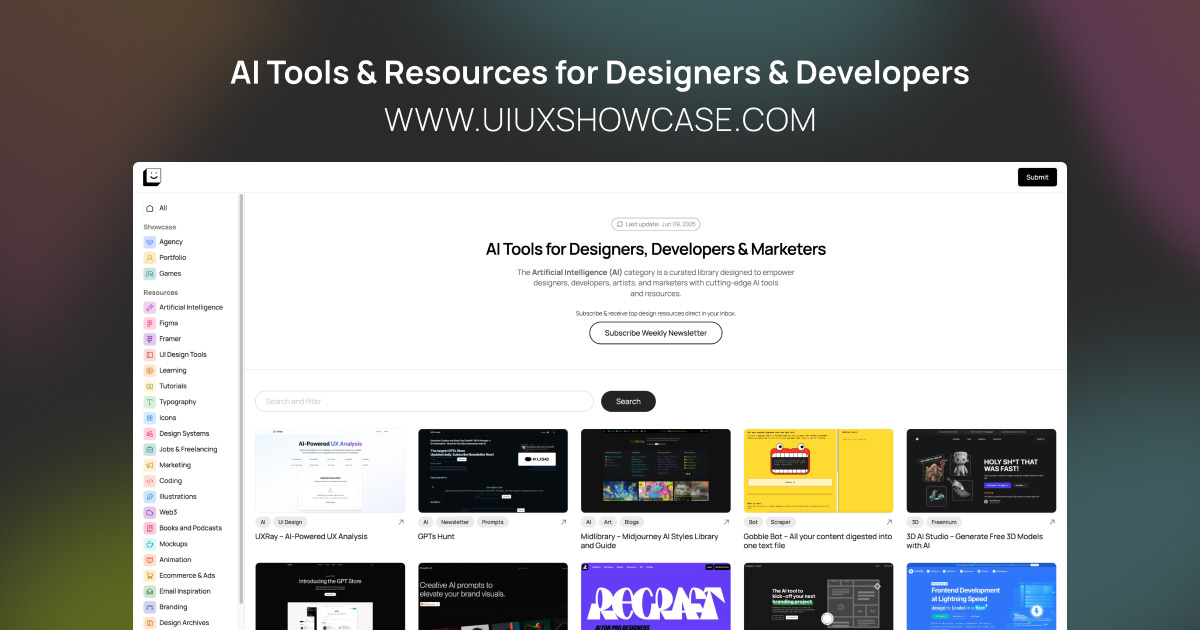
🚀 Drowning in AI tool lists that all feel the same?
Yeah, I’ve been there. Endless directories, random Reddit threads, and half-baked Twitter recommendations—it’s a mess. That’s precisely why I created UIUXshowcase.com—a handpicked, actually useful collection of AI tools for designers, developers, marketers, and creatives who want to stay ahead without wasting hours testing junk.
Whether you're designing a SaaS dashboard, building marketing assets, or experimenting with generative visuals, this curated library has something for you—and it’s constantly evolving.
👉 Explore the AI Tools Collection – and find what works.
The way you talk to AI matters—a lot. A vague prompt gives vague results. But a prompt that reads like a mini art direction brief? That’s where the magic starts.
Mention the tone, colors, style, who it's for, maybe even what not to do. Be specific, but also think like a creative director.
Try this:
Start building your Prompt Library. Seriously. Have folders or Notion pages for branding, UI, iconography, and more. Refine them over time, like how you’d tweak a design system.
Helpful AIs:
ChatGPT (with custom instructions)
PromptHero (prompt inspiration)
Jasper (if you're working with brand voice and tone)
Your gut is great. But what happens when you feed your design tools real user behavior? That’s where AI shines. It needs inputs—numbers, trends, patterns. And when you give it that? It starts giving back insights you might have missed.
Try this:
Hook your Figma design up to product analytics or screen recordings. Let AI tell you where users hesitate or drop off. Use that to redesign smarter.
Helpful AIs:
Useberry (user testing + feedback)
UXCam (mobile app behavior tracking)
Amplitude (for product analytics)
Pinterest is lovely, but you blink and two hours can pass quickly. AI lets you skip the scroll-fest and get to a visual direction faster, without compromising quality.
Try this:
Give a creative brief to a generative AI image tool. Describe the mood, references, and even typography direction. Boom—moodboard, done.
Helpful AIs:
Mokker.ai (for branding/visuals)
You know that awkward blank screen before wireframing? Let AI take the first stab. It won’t be perfect. However, it’ll provide a structure to edit, critique, and refine.
Try this:
Use layout-generating tools directly inside Figma or standalone apps to whip up a wireframe. Then sculpt it into something polished.
Helpful AIs:
Uizard (turns scribbles into mockups)
Magician for Figma (text → UI magic)
Builder.io (visual dev powered by AI)
No more “lorem ipsum” placeholders. AI can write button labels, CTAs, and onboarding tips that genuinely resonate with users.
Try this:
Describe your screen’s purpose and the audience. Then use AI to generate copy in different moods—playful, assertive, reassuring. Choose what fits.
Helpful AIs:
ChatGPT (microcopy + tone control)
Writer (AI writing for teams with voice consistency)
Copy.ai (for UX copy & marketing blend)
Sometimes your favorite design... doesn’t work. But it’s hard to admit that without feedback. AI gives you fast, no-nonsense critique—contrast, accessibility, layout clarity.
Try this:
Feed your design to a contrast checker or accessibility scanner. Or, describe your layout and ask AI what’s unclear or off-balance.
Helpful AIs:
Stark (accessibility + contrast tools)
Fable (inclusive testing feedback)
Attention Insight (AI heatmaps)
Coming up with variations is often where teams slow down. AI removes that friction. It can quickly provide you with 5-10 variations to test—different layouts, copy, and tones.
Try this:
Frame a hypothesis like “Will a playful headline get more clicks?” Then generate five headline variants around that idea. You’re already ahead.
Helpful AIs:
CopyMonkey (A/B ad copy)
ChatGPT (headline generation)
Design. Write. Animate. Prototype. AI makes it easier to juggle it all, especially when you’re solo or in a lean team. You're not cheating, you're just not burning out.
Try this:
Tackle an entire campaign—from social post to landing page—with AI tools doing 70% of the heavy lifting. You stitch and refine.
Helpful AIs:
Genmo (AI-generated motion graphics/video)
Figma AI (for design iterations)
Runway (for video, animation, and edits)
Ever wondered what your design feels like to someone new? AI can roleplay a fresh user. It walks through your flow, points out friction, and flags what feels...weird.
Try this:
Ask GPT to act like a user: “You’ve just downloaded a budgeting app. Narrate your thoughts as you try to make your first plan.” You'll be surprised.
Helpful AIs:
ChatGPT (persona + journey simulation)
Maze (lightweight user testing)
PlaybookUX (user interviews, AI-analyzed)
This one’s wild: You describe an idea in plain text, and AI creates interactive screens you can click through. No pixel pushing needed (yet).
Try this:
Write: “An app that helps users track hydration. Screen 1: Welcome. Screen 2: Set daily goal...” and let AI generate the base UI. Then finesse.
Helpful AIs:
Design at the Speed of AI - Transform ideas into UI designs for mobile and web applications.
Visily - Communicating UI ideas shouldn’t require complicated design software. If you can imagine it, you can design it in Visily.
TeleportHQ - TeleportHQ is a collaborative front-end platform with AI capabilities and integrations for headless content management systems. A powerful visual builder to create and publish your static and dynamic websites instantly.
We all say we’ll do it—go back, review old projects, and figure out what worked and what flopped. But AI can help you do that in minutes. Feed it a past case study, presentation, or feedback summary, and ask it to extract patterns, mistakes, or even client objections.
Try this:
Ask ChatGPT to analyze the language used in client feedback across three projects. What keeps coming up? What did people love—or hate?
Helpful AIs:
ChatGPT (for summarizing and pattern recognition)
Notion AI (if your project notes live there)
Writing emails, preparing meeting notes, summarizing workshop insights... It’s all essential, but it eats time. AI can step in to help you draft, refine, and even personalize your communication, so you stay professional and human without the mental load.
Try this:
After a client Zoom call, feed your notes into AI and ask it to draft a recap email with action items and a friendly but confident tone.
Helpful AIs:
ChatGPT or Gemini (for summarizing and drafting)
GrammarlyGO (tone-aware client communication help)
AI isn’t the enemy of creativity. It’s a tool—sometimes clunky, sometimes surprisingly brilliant. But if you treat it like a collaborator, not a threat, it opens up time. Space. Possibility.
Designers who adapt don’t lose their edge. They sharpen it.

I’m Prince Pal, a UI/UX designer helping AI startups and SaaS founders turn complex systems into simple, human-friendly experiences. From research to prototyping to polished UI, I design products people enjoy using.
Comments
Nothing yet. Say the first thing.
Sign in to join the conversation.