
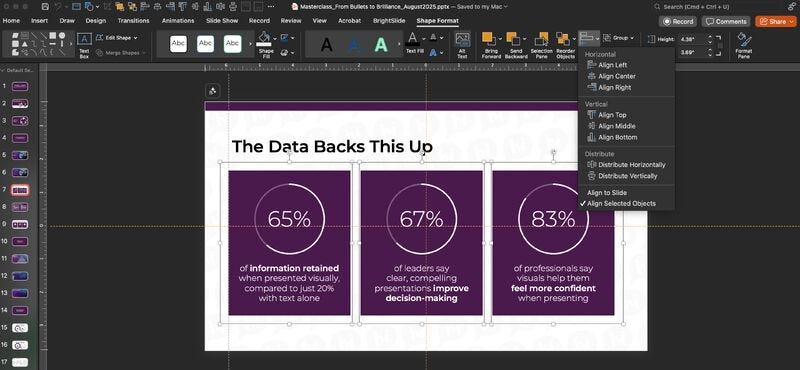
Today’s share is simple — but seriously one of the easiest ways to make your slides look instantly better.
ALIGNMENT.
Left, right, centered — it doesn’t matter.
What does matter is taking those extra moments to align your objects on each slide.
Think:
🟣 Headline + subcopy + body text
🟣 Centering an image
🟣 Evenly spacing shapes or icons
Just select them by holding down shift key → find the "Shape Format" tab on the far right → Select Align → and let the magic happen.
Alignment instantly cleans up your slide, makes it easier for the eye to move around, and keeps your audience focused on what actually matters — your story.
Wanna take it a step further?
Make sure your slides are aligned to the same margins throughout your deck. It’s wild how much consistency can change the whole feel of your presentation.
A few minutes of formatting = a cleaner story and a more connected audience.
No posts
Comments
Nothing yet. Say the first thing.
Sign in to join the conversation.