Microsoft 365 Pulse Roadmap webcast – Episode 297
Episode 297 of the Microsoft 365 Pulse Roadmap webcast is now out on YouTube. Join Tamara Bredemus and Thomas Duff as we cover this week's updates.

Learning new Microsoft Office tricks in "just a minute"
Live Last read · last published · next check
Episode 297 of the Microsoft 365 Pulse Roadmap webcast is now out on YouTube. Join Tamara Bredemus and Thomas Duff as we cover this week's updates.
On the Microsoft Copilot side, there's a bit of a switch involving the Learning Coach agent. It's going to be replaced with the Learning agent. Here's the Microsoft announcement…
It seems like never a week goes by without Microsoft announcing that some feature is getting retired or deprecated. This week, it's the use of Loop components in OneNote for the web. Here's the announcement by Microsoft. The main takeaway is that you won't lose any data, however…
Episode 296 of the Microsoft 365 Pulse Roadmap webcast is now out on YouTube. Join Tamara Bredemus and Thomas Duff as we cover this week's updates.
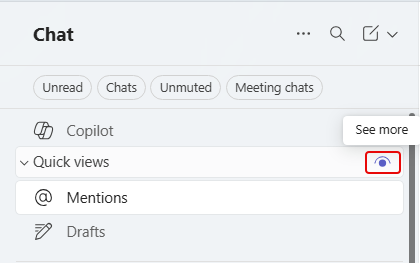
Microsoft made a change to the Quick Views area for chats. By default, those quick view categories only show up if there's an unread item that qualifies for one of the categories. If something like @Mentions has no unread items, it doesn't show up. However, you do have the option to change that on each of the chat quick views. Here's how you do that…
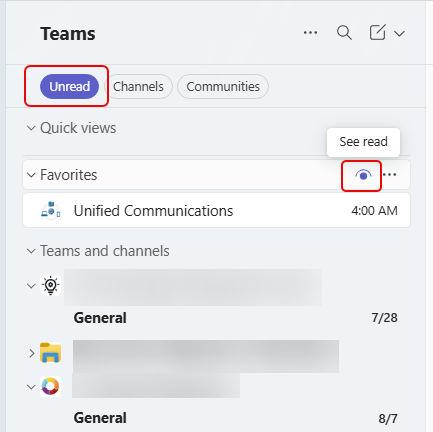
In Microsoft Teams, you can choose to filter your chats and channels to only show unread items. However, that makes it difficult to see or get to other channels that do not have unread items. Now you can use a special icon to see chats and channels with read items so you can quickly navigate to them. Here's how that works…
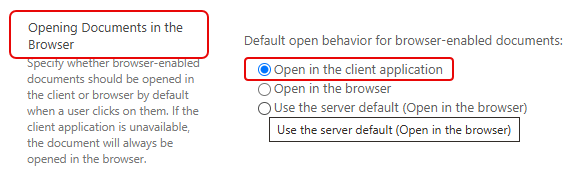
This is a classic tip that I had someone ask me about this last week. They wanted to be able to have files in their SharePoint site open in client applications instead of the browser. I was able to show them how to make a change to the Document Library settings to make that happen. Here's how that works…
Microsoft has announced some changes for its Whiteboard product. The most important one pertains to the Microsoft Whiteboard standalone application. Here's what's happening…
Episode 295 of the Microsoft 365 Pulse Roadmap webcast is now out on YouTube. Join Tamara Bredemus, Jennifer Mason, and Thomas Duff as we cover this week's updates.
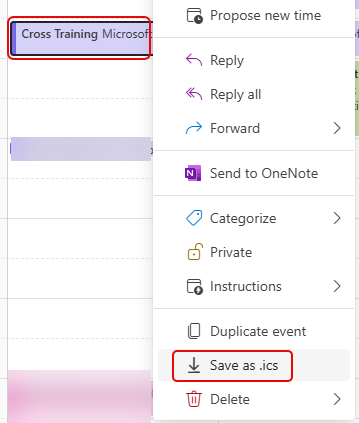
I just found a new option this morning in the Outlook calendar (for New Outlook and Outlook on the web) that makes it SO easy to create a .ics file for a calendar entry. If you don't know, a .ics file is a link to add a calendar entry to your own Outlook calendar. The .ics file has been around forever, but creating one can be cumbersome. Now it's a simple right-click option. Here's how it works…