
Hello!
This is 🕹 prodmgmt.world | Becoming Top PMs Together
🆕 In today’s edition:
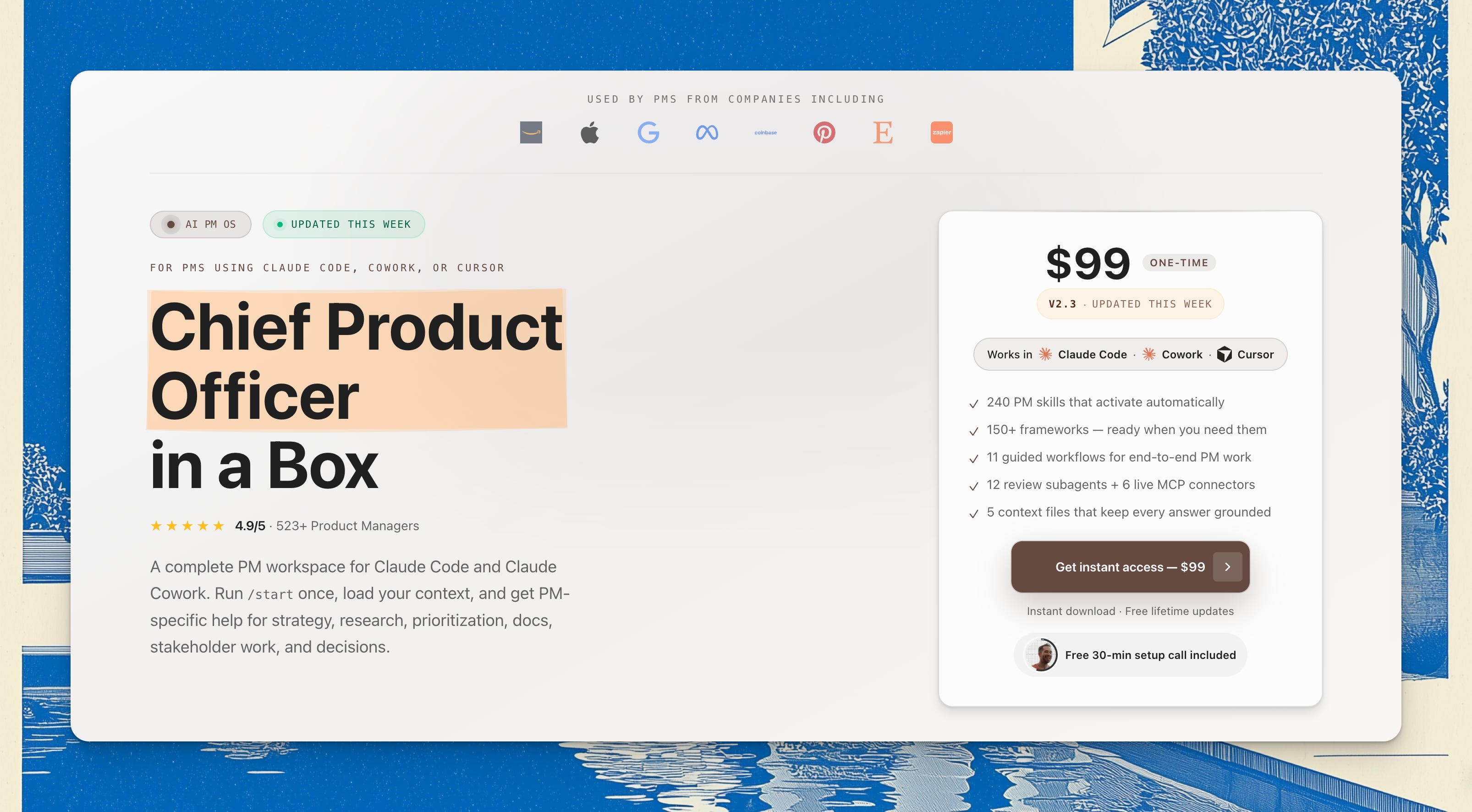
🆓 PM OS 2.3
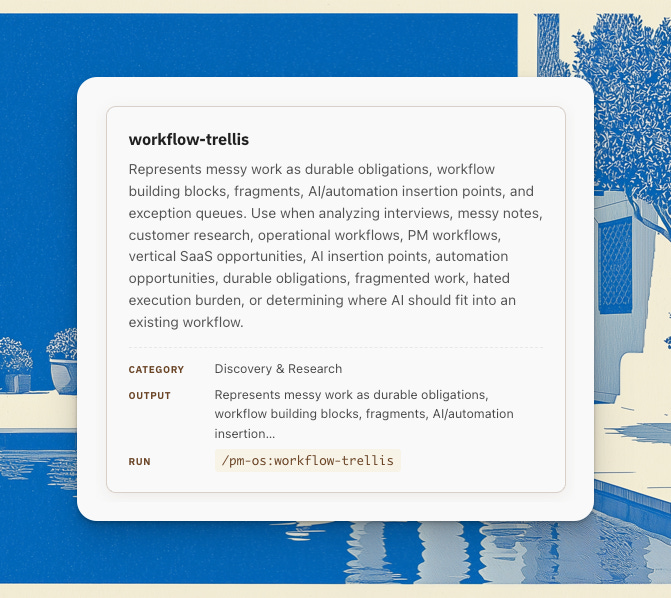
🆓 /workflow-trellis
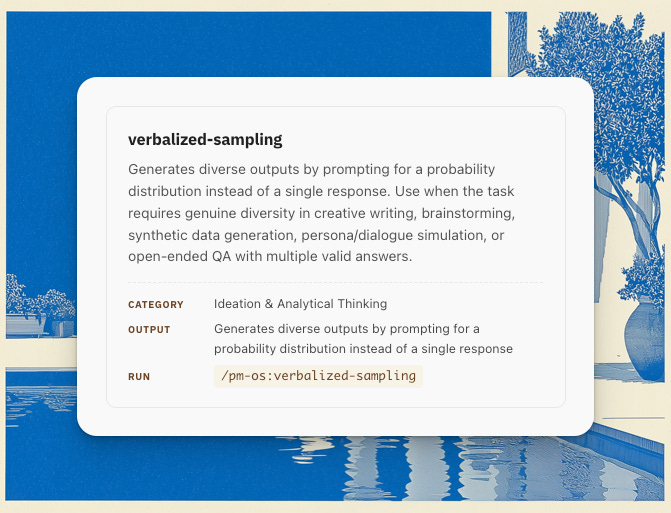
🆓 /verbalized-sampling
🔒 New AI Skills
PM OS now helps with the moments that usually live outside the roadmap doc.
A stakeholder wants their request moved up two quarters.
A team gives you a polished explanation for why the date slipped again.
You need to walk into a tense room and know who you are really speaking to.
You are deciding whether to push back, escalate, or let something go.
v2.3.0 adds four new org-navigation skills for those moments. They are grounded in Shreyas Doshi’s work on influence, execution, optics, and stakeholder pressure, with a bounded use of Machiavelli and the 48 Laws of Power. Each skill has an explicit safety boundary: it advises and drafts, but it does not act for you.
prep-the-room helps you prepare for a meeting, 1:1, exec review, or tense stakeholder conversation. It helps you read the people, set the real purpose of the conversation, spot traps, and choose your opening moves.
respond-under-fire helps when something just happened and your first instinct might make it worse. Use it for missed dependencies, negative feedback, passive-aggressive comments, drama, or moments where people feel steamrolled.
manage-the-upward-channel helps you manage what leadership hears. It covers launch-date commitments, exec updates, visibility work, and shielding your team from pointless process while still giving leaders what they need.
pick-your-battles helps you decide whether a fight is worth political capital. It checks your motive, the leverage, the cost, and the downside before recommending a GO or NO-GO.
These now sit under Stakeholders & Politics and act as fast-path gates inside the stakeholder and meeting workflows. If you are doing deliberate stakeholder planning, the existing workflows still work. If you are under pressure right now, PM OS gets you to the operating skill first.
de-clever helps strip cleverness out of product thinking.
Use it on strategy docs, PRDs, decision rationale, or drafts that sound smart but may be hiding weak claims. It catches coined terms, framework-name drops, contrarian inversions, vague altitude statements, and other writing that feels insightful without becoming specific.
The goal is plain: say the true thing directly.
PM OS now includes Soleio’s luck skill, a decision framework based on Assembly Theory.
Use it when you are choosing between uncertain paths, designing experiments, evaluating opportunities, or trying to create conditions where good outcomes become more likely.
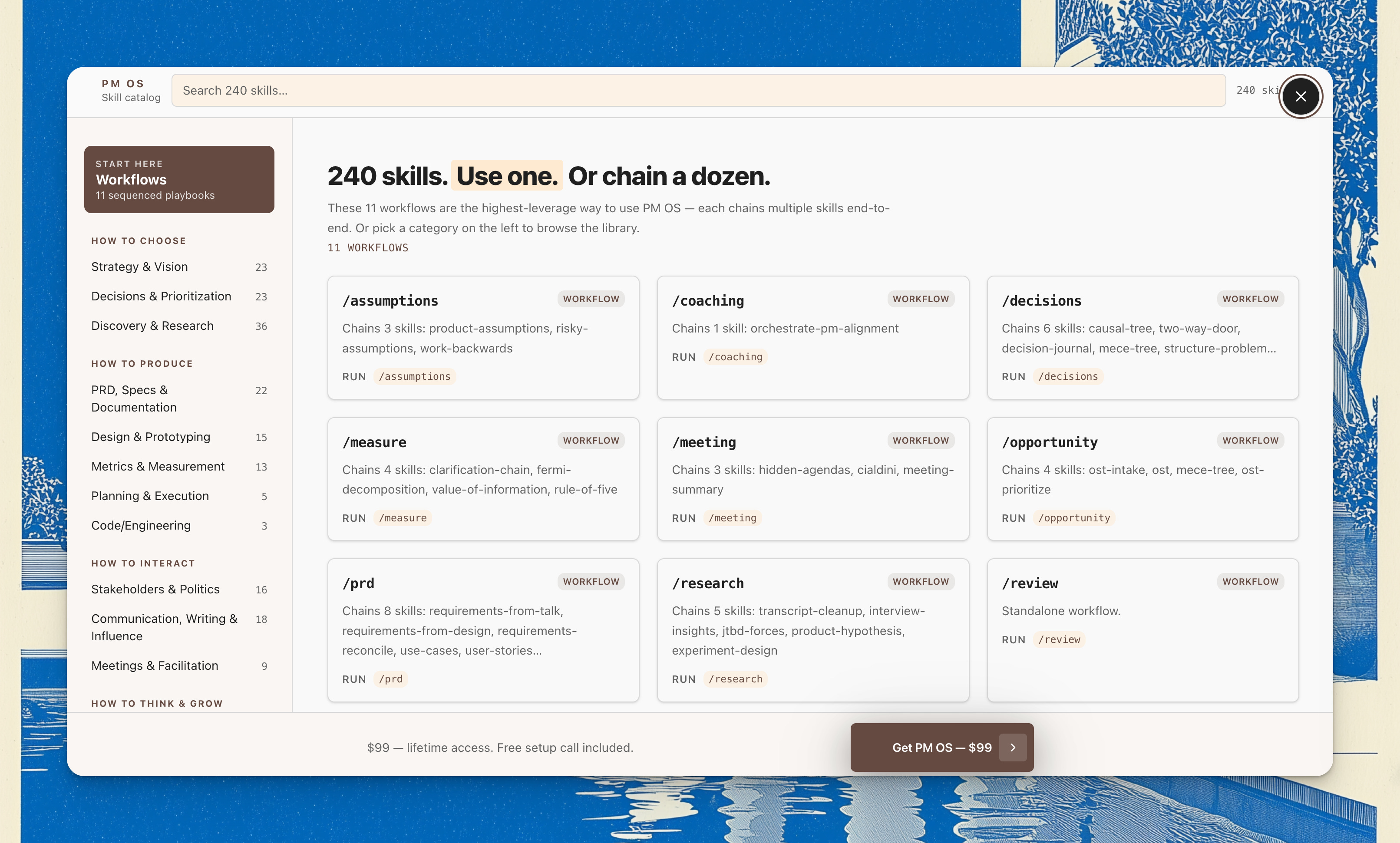
PM OS now has 240 skills. Don’t forget to use /skill-browser to browse all the skills.
The bigger change is that PM OS is better at the moments where product work stops being clean.
It helps you prepare for tense rooms.
It helps you respond without widening the blast radius.
It helps you manage dates and visibility.
It helps you decide whether a fight is worth it.
And underneath that, the system is sturdier: the catalog is accurate, version drift is guarded, workflow saves go where they belong, and external skill syncing is more portable.
If you’re a B2B PM and your org told every team to ship an AI feature this quarter, don’t fight the mandate.
Get smarter about where, inside each workflow, AI belongs.
The popular extrapolation right now says all B2B software will go headless because AI agents can crawl the web on their own, but that framing hides the product decisions a PM has to make.
Inside every B2B SaaS there are workflows enabling jobs to be done, and most teams treat “workflow” as one blob when the better question is smaller, with two halves: which steps inside this workflow are under pressure to disappear, and which still need a control surface?
I built /workflow-trellis to answer that question. I run it whenever the team gets handed an “add AI to X” mandate without a clear shape, which is most of the time these days.
The default move when a team is told to add AI: pick a mechanism first (last few years it was a chatbot, today it’s agents), then go shopping for places to insert it. You see it in every AI-feature pitch deck right now, and it skips the part of the work that earns PMs their salary.
The right sequence inverts this: you represent the work first, decide which parts should disappear, decide which parts still need someone accountable to see what happened and intervene if something went wrong, and only then pick a mechanism. When you go in that order, the AI insertion points become structurally obvious instead of an opinion someone has to defend in standup.
The method requires this sequence. You can’t get to the mechanism layer without first passing the workflow through three gates and then placing each step on a 2x2.
Most teams hit this the same way. The VP announces every team ships an AI feature this quarter, and three teams come back with three drafts. Team A wants AI in customer onboarding. Team B wants AI on the renewals dashboard. Team C wants an AI assistant inside the product.
Workflow Trellis runs each draft through three gates first.
Gate 1: durable obligation. Does this work have to happen, and would something break if it didn’t? Onboarding has a contractual deadline and a churn risk attached. Renewals have a billing cycle and a revenue meeting behind them. The in-product “AI assistant” mostly doesn’t have an obligation underneath it, because it helps users do things they could already do without help. Gate 1 separates candidates that have a load-bearing reason to exist from ones that are looking for a problem.
Gate 2: fragmented representation. Is the truth about this work split across systems, formats, humans, and time? Renewals: CRM, product usage, billing, account emails, the customer’s own Slack DMs. Onboarding: checklist tools, customer admin portals, email threads, internal Slack. Both pass loudly. If a workflow’s truth lives cleanly inside one system and one person already knows it, AI has nothing to assemble.
Gate 3: hated execution burden. Someone has to be complaining about the work, and it has to be producing Sunday-night dread, errors, or escalations. If nobody hates the work, automating it produces a feature without an advocate, which is how features die in production without anyone noticing.
Most “add AI to X” drafts fail one gate, and the ones that pass all three go to the 2x2.
In my experience, most PMs don’t have a 2x2 like this and wouldn’t build one by hand. One axis is relief pressure, how badly the user wants this work removed from their direct execution. The other axis is control demand, how much accountable control the user or the org needs over what happens. The four quadrants give you very different products.
High relief, low control: ambient absorption. The system does the work, the user never touches a UI. Inbound categorization. Payment matching. Routing a support ticket to the right queue. A receipt log somewhere if anyone ever audits it. This is where most of the silent productivity gains live, and it’s also where chatbots make zero sense because there’s nothing the user needs to ask.
High relief, high control: a control surface. Money moves, customers see the result, someone has to sign off. The right surface is usually a queue or an exception card with the system’s suggested answer, the evidence behind it, and an approve or override action. Renewal-risk review queues live here, and so does the contract amortization step nobody wants to do by hand but nobody wants to trust to an unsupervised LLM either.
Low relief, high control: human-led with AI as critic, prep, or memory. Pricing calls. Legal sign-off. The PM’s own roadmap decisions. The AI doesn’t drive; it prepares the brief, surfaces the prior precedent, drafts the counter-argument. The human stays in front.
Low relief, low control: nobody cares. Skip them entirely, because the “AI assistant in the sidebar” that Team C drafted usually lands here once you populate the other three quadrants.
When the three “add AI to X” drafts go through this filter, what survives looks nothing like a chatbot. Renewals becomes a control surface: a queue with renewal-risk scores and suggested actions. Onboarding becomes ambient automation for the steps that always happen the same way, plus a chase-draft surface for the steps that get stuck waiting on the customer. Team C’s assistant goes back to the bench with the note: no obligation, no fragmentation, no advocate, no product.
Once you’ve placed each step on the 2x2, the mechanism choice narrows fast. Workflow Trellis names ten mechanism families: API integration, rules and state machines, OCR and document extraction, LLM text generation, LLM reasoning over messy context, embeddings and semantic search, prediction and scoring models, optimization and scheduling, workflow orchestration, and human-in-the-loop review. The LLM is one of them, not the default. Defaulting to “we’ll put an LLM with tools on it” because that’s what the board wants to hear is the 2018 blockchain mistake reskinned.
Teams keep defaulting to the chatbot because it’s the only mechanism most have seen demoed. The phrase “human in the loop” makes the human sound like a safety widget bolted onto a machine, which is the wrong mental model for almost every workflow with real consequences. The older language for this from cybernetics is sharper: control and communication, expressed through goal, action, signal, interpretation, and correction. Without state visibility, an error signal, and a way to intervene, you don’t have control of the work; you have a viewing window into it. The control demand axis measures how much that distinction matters. It rises when consequences are real, when answers are uncertain, when mistakes are hard to undo, when someone has to answer for what happened later, when others need to accept the decision, and when the system has to decide what’s worth interrupting a human about. A chat box doesn’t answer any of those questions, which is why it fails the moment control demand rises.
The same method runs in reverse on the PM’s own list of AI features they think they’d ship if they had a free quarter.
Take whatever’s sitting in your “AI features I’d build” doc. Run each idea through the three gates first. Plenty die at Gate 1, because the work isn’t load-bearing for anyone. Some die at Gate 2, because the truth about that workflow lives cleanly inside one system and one team. The survivors go to the 2x2.
On the 2x2, more ideas land in “nobody cares” or get downgraded to “human-led, AI as critic.” The few that survive into ambient or control surface are the ones worth shipping.
When you do this on a real list, the survivors aren’t usually the impressive-sounding ideas. They’re the unglamorous ones: the renewal review queue with a confidence badge, the contract amortization exception card, the onboarding chase-draft for stuck customers, the audit trail that absorbs an obligation nobody wants to think about. They look boring on a roadmap slide, but they’re the AI features that get adopted in production because they sit on real obligation, real fragmentation, and real annoyance.
The wishlist exercise also exposes how many of your favorite ideas were really “AI assistant for X” with a different label on top. When you push them through the 2x2, most land in the bottom-right quadrant, which is good to know before you spend a sprint pitching one.
You can do this mental work without AI. People have been doing it for decades inside operations consultancies and the better B2B product orgs.
In practice, humans under deadline skip the hard parts. They skip the control demand axis entirely and think about relief pressure only. They default to “AI assistant” because chatbots are the demo they’ve seen. They reach for an LLM because the LLM is what their org wants to hear about. They never name the mechanism family explicitly, so they end up with a generative model doing work that an API integration, a rules engine, or a small prediction model would do better, faster, and more reliably.
Using the skill forces you to complete every section every time. The framework covers three gates, four quadrants, and ten mechanism families. Skip any layer and the placement gets soft, which is what produces the flashy AI features that demo well in the all-hands and flatline in adoption a quarter later.
The skill turns a vague “where do we put AI?” into a 2x2 with each workflow step placed on it, an audit of which mechanism family fits each placement, and a short list of the steps that should never be automated at all. The output takes about five minutes to read and would take a couple of hours to draft by hand, assuming you remembered to draft it at all.
Workflow Trellis is one of the 200+ skills inside PM OS, the Product Manager’s AI Operating System. It runs in Claude Code, Claude Cowork, or Cursor on top of your company context files, so the gates and the 2x2 come back grounded in your product, your users, your team’s obligations, and your real constraints instead of generic advice anyone can find in a blog post.
PM OS wires Workflow Trellis into the broader operating layer alongside /problem-first for decomposing the team’s compressed solution into the problem underneath, plus workflows for research, decisions, stakeholder work, and measurement. The skill pays off when it becomes your default approach to every “add AI to X” mandate the org drops on the team.
If you’re a PM who has asked Claude or ChatGPT for five product ideas, then regenerated four times because each batch was a reskin of the first, you’ve met the gravity well of typicality bias.
But a 2025 paper called Verbalized Sampling fixes it. And yet most PMs haven’t heard of it.
It’s a training-free prompting technique that counteracts what they call typicality bias. That’s the tendency of aligned LLMs to converge on their most probable outputs, regardless of how many you ask for.
The practical version of that finding for product work: when you ask Claude or ChatGPT for five ideas, you are not getting five ideas. You are getting one idea sampled five times with the language slightly rearranged. The model is doing exactly what its training optimized it to do, which is show the highest-probability completion. Asking for five of them gives you five highest-probability completions, all in the same neighborhood of the answer space.
The paper proves this empirically across creative writing, ideation, and persona simulation. It also proposes a workaround that takes about 30 seconds to apply.
The technique is instead of asking the model for items, ask it for a distribution.
You ask for a distribution rather than items. You force the model to assign a probability to each output. You tell it to sample from the tails, which is the unlikely region.
The result, per the paper, is a 1.6 to 2.1 times increase in output diversity on creative and ideation tasks. That’s a category change, not a marginal gain.
“Give me 5 ideas” again, but harder. The model is sampling from the head of the distribution. Asking again samples from the same head. You get variations on the most common answer every time.
Crank up the temperature. Higher temperature randomizes which token gets picked at each step. That changes wording. It does not change solution space. You get five differently-worded versions of one idea.
Regenerate the prompt 5 times. Same mechanism. Five regenerations are five samples from the head. The model has no signal to leave the neighborhood.
Persona-swap. “Act as 5 different experts and give me 5 ideas.” It does not work the way PMs expect. Personas mostly produce stylistic variation. Structural diversity is not the same as a different voice on the same idea.
Verbalized Sampling beats all four because it changes the sampling target. You are no longer asking for the model’s best guess. You are asking the model to enumerate its guesses with probabilities, then return the rare ones. The model has to reason about its own distribution to comply, and that reasoning is what pries the cluster open.
Authors of the paper are honest about the failure modes. Two of them are worth knowing as a PM.
Overfit-topic gravity. If your brainstorm topic is something the model has seen ten million times in training, the tail of the distribution is still inside the well-known cluster. Think weight loss, productivity hacks, exercise routines. p<0.01 does not help. Mainstream self-help has too much gravity. The fix is either an exclusion constraint (”no idea that would appear in mainstream wellness journalism”) or a more specific frame (”from underrepresented training subcultures”).
Context starvation. Thin prompts produce thin diversity. “More retention ideas” with no other context gives generic-category outputs even at p<0.05. The more proprietary and specific the prompt context, the further into the tail VS can reach. That means naming company stage, real constraints, what you have already tried. This is the part most PMs skip and then blame the technique.
The fix for both failure modes is the same: load context before you sample. Name the constraints. Name the subproblems you want covered. Name what you have already tried. Then ask for the distribution.
Every PM I show this to wants to copy the prompt template, paste it once, and move on. That mostly does not work, because Verbalized Sampling rewards one upstream move: knowing how to decompose your problem into the subproblems you want the model to cover.
The prompt is downstream of the framing. If you cannot name the five solution dimensions you want diversity across, the model will not generate them. If you can name them, you have already done the hard part. The prompt just enforces it.
This is the line between using AI as a vending machine and using AI as a thinking partner. Vending-machine PMs paste the template and accept whatever falls out. Thinking-partner PMs treat the template as a forcing function for their own problem decomposition.
Writing the VS prompt from scratch every time, with subproblem coverage and probability constraints and tail thresholds, is a tax. Most PMs will not pay it. They will use it twice, then go back to “give me 5 ideas” and forget the technique exists.
I encoded Verbalized Sampling as a named skill in my AI PM OS, the operating system for AI-native product managers.
The skill fires automatically inside the workflows that need diversity, like brainstorm-genius, opportunity mapping, strategy alternatives, and ideation. You do not paste a template. The workflow runs the technique on the problem you are working on, with the subproblem coverage already calibrated for that workflow’s job.
PM OS has 200+ skills like this. Each one is a named, version-controlled, auditable prompt pattern wrapped in the workflow that should run it. The goal is to encode the moves that good PMs make and the techniques that AI research is shipping. You stop rediscovering them. You start running them by default.
Today’s skills are engineering-focused, but I think we PMs should not shrink from this, especially if you’re AI-pilled and “vibe coding”.
/de-clever: Strip cleverness from product thinking so claims operate at the level of truth rather than clever proxies. Inspired by Shreya’s Doshi’s tweet:

Shreyas Doshi@shreyas
If you’re already very good at product, you can immediately get better at product with this one weird trick: try to sound less clever when thinking about & discussing product insights and ideas. This forces you to deal at the level of truth rather than clever proxies. This is
11:46 PM · Jun 12, 2026 · 27.2K Views
21 Replies · 17 Reposts · 326 Likes
/luck: A decision-making framework grounded in Assembly Theory for increasing the likelihood of fortunate outcomes. Use this skill when facing ambiguous choices, formulating experiments, designing strategies, evaluating opportunities, building things meant to persist, or when the user asks about improving their luck, fortune, resilience, or why some ideas, products, or systems thrive while others don’t
Comments
Nothing yet. Say the first thing.
Sign in to join the conversation.