
Hello!
This is 🕹 prodmgmt.world | Becoming Top PMs Together
🆕 In today’s edition:
🆓 How I Use Agents Today
🆓 PM OS 2.6: Improved skills + Good PM/Bad PM layer.
I’m sorry for the delay in sending the newsletter. I have been unwell for the past 2 weeks. I have also been working on improvements to the PM OS. These took longer than I expected. I did not use AI for this work. This meant I had to review everything myself.
This release includes:
modernised existing skills
enhanced skill triggering mechanisms
refined progressive disclosure to reduce token use
I removed some skills that did not meet the required standard. I expect to review them again in the future. Models are improving all the time. They can now do tasks that used to need specific skills. Some models are so good that the skill they used was not very complex. I have removed some skills and expect to remove more.
But I expected to delete more than I ended up deleting. Skills still help. They give structure. They also guide the model. This means you do not need to remember specific prompts.
Also, lately, the AI space has felt a bit slower for me. The pace of meaningful AI development has changed.
It felt like a revolution in the six to eight months after Claude Code was released. Everyone adopted agents. New primitives, memory capabilities, graphs, loop engineering, and goals emerged almost every week, spawning new exciting use cases.
But the AI space feels like it’s getting oversaturated. The technologies are moving into enterprise, where things naturally go quieter and slower.
So I have not been excited enough about recent AI developments to write about them. I do not want to add to the low-quality content many newsletters produce. I tried to write with AI, but I did not enjoy it. It felt inauthentic.
I use Cursor, Claude Code, Factory, Claude Cowork, Codex, Devin, and the Hermes Agent. My entire note base resides in Obsidian.
On any given day, I often have multiple sessions and projects open simultaneously.
Below is after a massive clean up of tabs and chats. These are not stale, these are currently running, doing something.
Cursor windows not shown, but there are at least 5, with at least one thread, if not more, in each.
All in all, I probably have between 5 and 20 threads running at one time. I leave a few running into the night with Max effort to go long without my guidance.
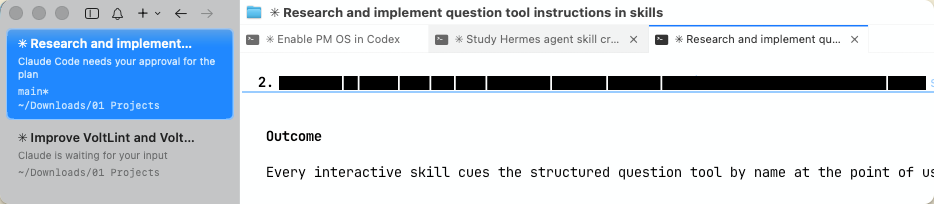
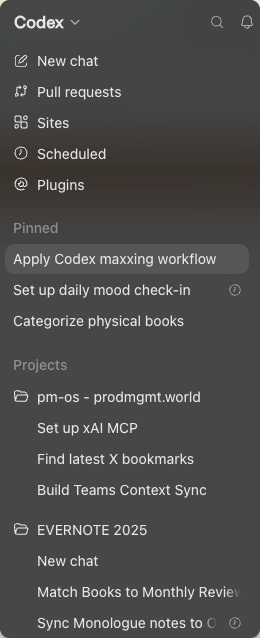
I admit this can get overwhelming, and it’s likely not a standard or ideal workflow.
However, I find myself compelled to work this way due to the constant influx of ideas. While I can spin up new agents instantly, this creates a queuing issue where I must address all the responses they generate, which is consistently problematic.
This btw made me write up this article and explore with prototypes.
I believe this is something I’ll need to refine as I gain more experience. A significant contributing factor is my lack of a definitive tool of choice.
This is partly due to personal preference for certain use cases or projects.
I also have a substantial number of tokens available for Cursor, which I use as my daily driver. I prefer Cursor for its flexibility in how I can approach tasks.
I still favor Claude Code. While I don’t use its desktop application, I prefer CMUX for interacting with Claude Code. However, even with CMUX, I’m encountering some configuration challenges, preventing me from getting into a consistent groove. I plan to try herdr next as a terminal-based solution for running Claude Code.
For reasons I can’t quite pinpoint, the desktop version of Claude Code never resonated with me; it feels too much like a black box, making it difficult to understand its internal workings. I dislike that feeling.
I primarily use Claude Cowork for specific use cases like editing PDFs and getting to inbox zero, and it’s the most likely candidate to be replaced by Codex.
Although Codex arrived later, it offers unique features that would make me consider it even if I disliked ChatGPT and OpenAI.
One aspect I particularly appreciate about Codex is its seamless mobile-to-desktop workflow.
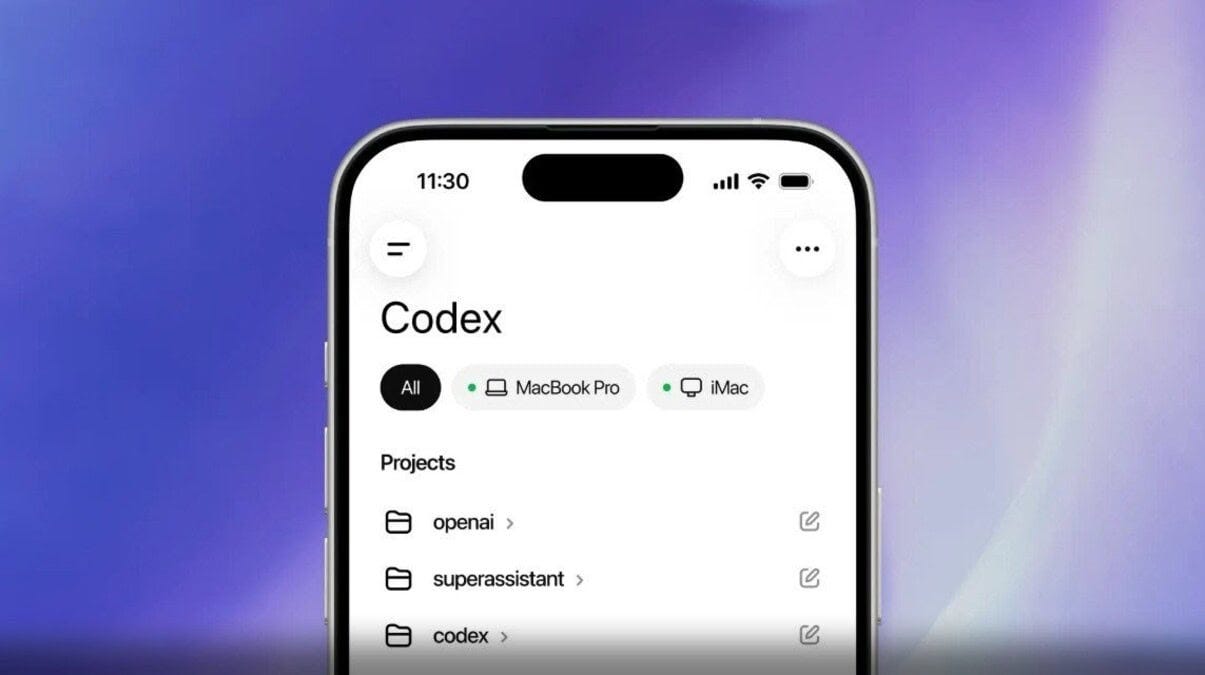
It securely connects to my desktop via a remote connection, enabling use cases that I struggled to implement even with the Hermes Agent. Allowing Hermes to connect to my laptop from a VPS hosted on Railway has not been straightforward, and I haven’t fully resolved it. Codex, however, makes this process incredibly simple; I didn’t need to set up anything. The availability of both mobile and desktop applications allows for an immediate connection, enabling me to start a task on my phone and complete it on my desktop, or vice versa. On mobile, it also has access to all my Obsidian notes, which is a significant advantage.
Regarding Hermes, my experience with Hermes felt experimental. I opted not to purchase a Mac Mini (I also never fully engaged with OpenClaw). Instead, I set up a virtual machine on Railway, which has been working quite well and was relatively easy to configure (if you let Claude Chrome extension help debug any issues in the UI).
Similar to OpenClaw, I found it difficult to identify compelling, consistent use cases for Hermes. A major drawback for me is using Telegram as the interface for an agent; I simply don’t like Telegram.
However, one use case has proven valuable: integrating Hermes with Readwise Reader. When I save a new article to read, it passes through a robust pipeline that includes sophisticated language analysis tools. These tools help me make on-the-fly connections between the content I’m consuming and summarize the articles. This results in a daily digest of saved articles, accelerating my learning and improving my understanding of arguments presented in them.
Factory and Devin are the only tools that operate primarily in the background for the type of work I do. I’ve configured Factory to manage all incoming Dependabot issues and resolve them automatically. Devin is integrated into my GitHub CI workflow; it checks for issues and bugs whenever I push a Pull Request, and I’ve been very pleased with its performance so far.
In reality, I use the Anthropic tools the least and am often on the verge of canceling my Claude Pro subscription. However, something keeps drawing me back to Claude Code. I can’t quite explain it, but there’s an appeal to its form factor within the terminal. It’s fast, and I appreciate its user experience. While it may not be for everyone, I find it valuable.
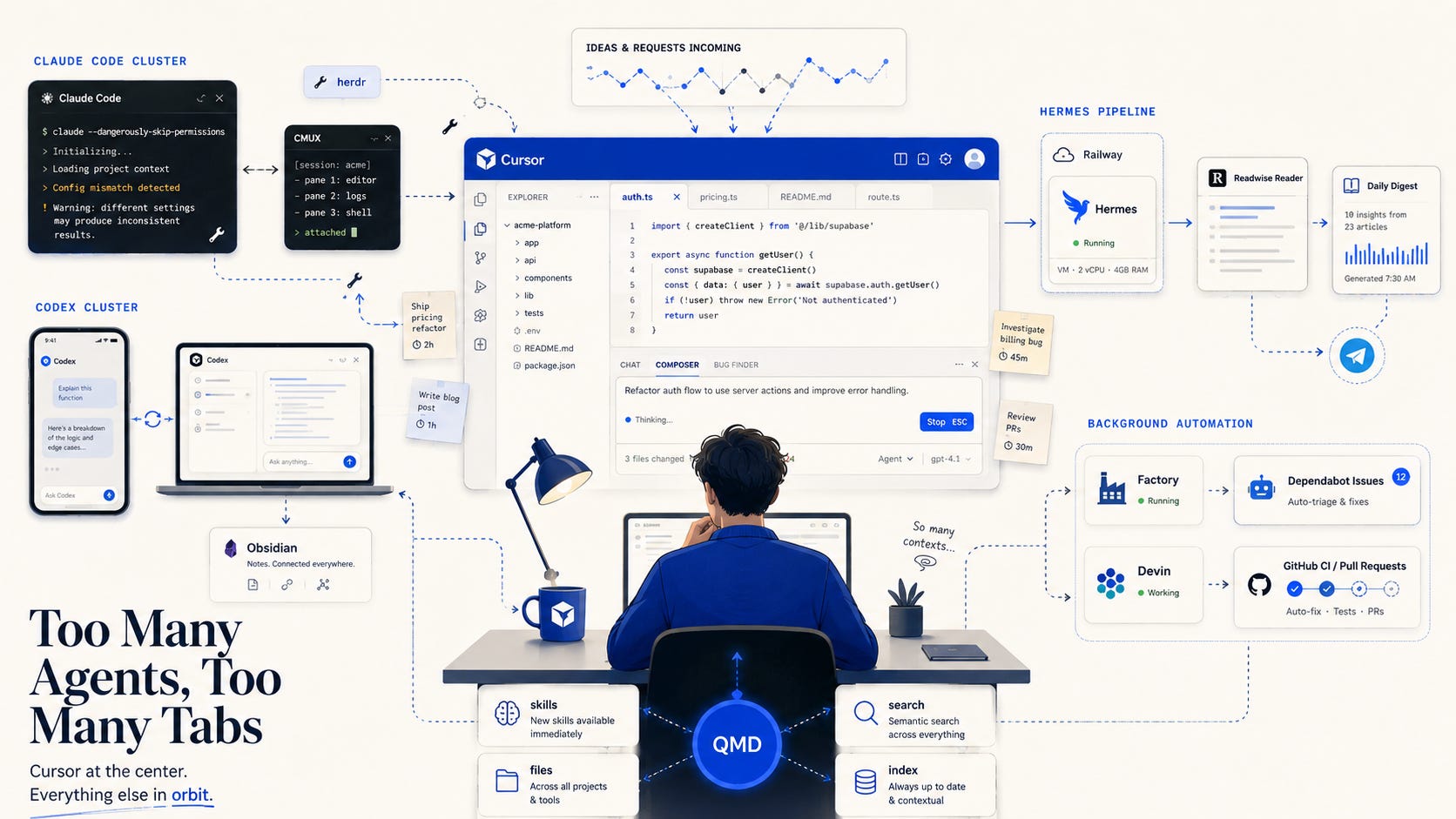
As mentioned, Cursor remains my primary tool.
I make all my skills accessible for all harnesses. Several scripts ensure all skills are indexed and searchable via QMD, my local vector database search tool from Toby Lütke from Shopify.
You probably know I have a bunch of PM skills in my OS; I was apalled to find out some PMs on my team have never created a skill before. People think skills are somehow sacred and must be treated like code back in the day. But skills are easy to change, combine, and improve. It is inexcusable not to create your own skills now.
That’s all there is to share; I don’t believe I’ve offered anything particularly groundbreaking. The only thing crazy to me is how quickly this became the norm and I don’t even remember what we used to do before. I don’t think we used to do anything before that. This is so brand new, but so normal now.
Here are some of the latest posts on X, btw:
/good-question-brainstormer: better questions = better answers
/causal-tree: see ahead with 2nd/3rd order effects of decisions
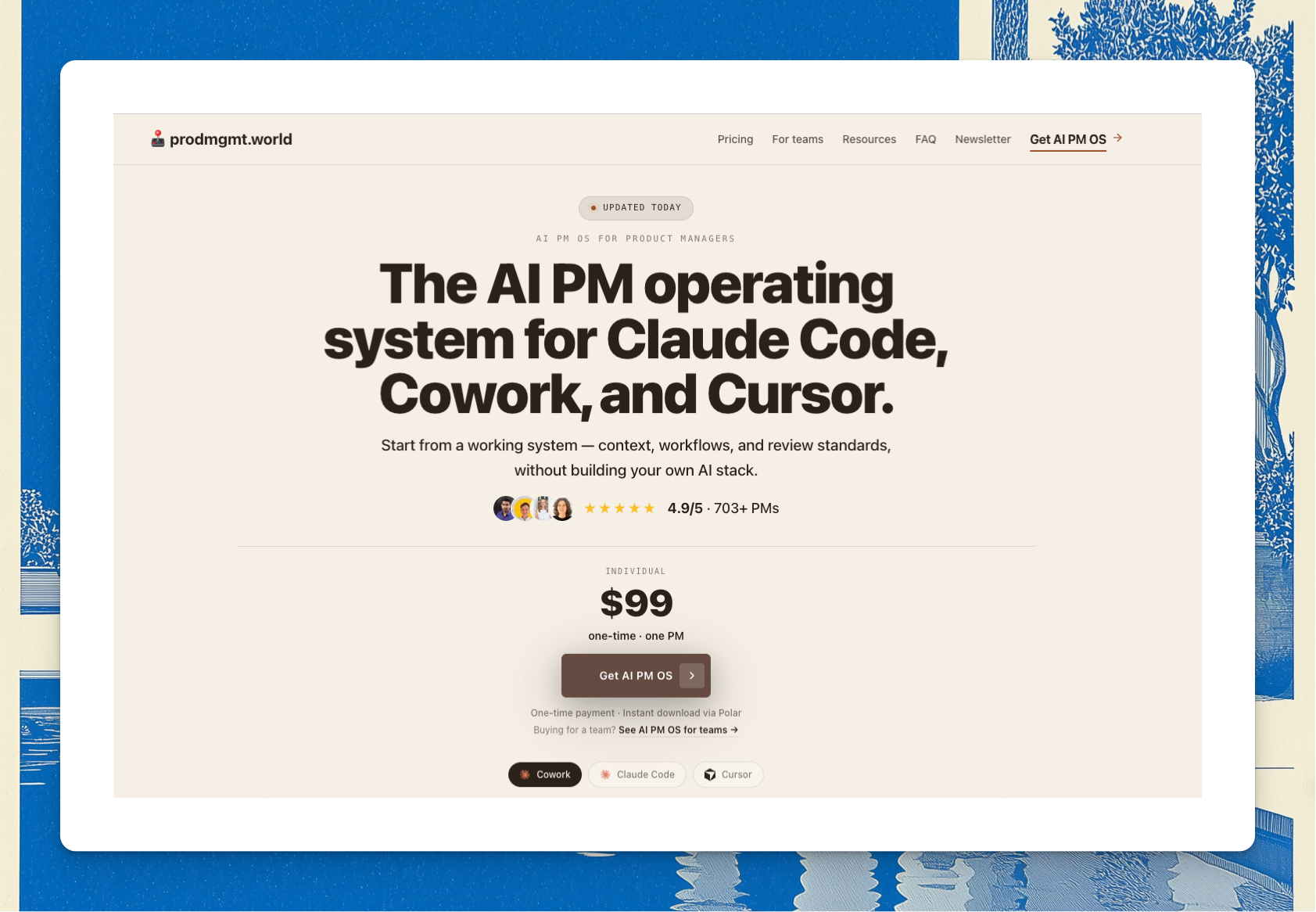
This release includes two updates. One is a new feature. The other is a rewrite of 243 existing skills.
The system highlights unhelpful thinking patterns.
For example, it might change:
“The CEO wants this, just write the PRD” to “How does this PRD align with the CEO’s stated priorities?”
“Summarize these 10 interviews into 5 bullets” to “What are the key themes from these 10 interviews?”
“That’s not my job” to “Who is responsible for this task?”
“Customers said they’d love it” to “What specific customer feedback supports this claim?”
The system reviews your project history. It asks specific questions based on your documents. For instance, instead of asking “Have you validated this?”, it might ask, “Your strategy document states activation is the priority; does this initiative support that goal?” This uses your own words, making it harder to ignore.
The system also analyses your responses. If you answer directly, it accepts your answer and remembers it. This prevents it from asking the same question again. If you avoid answering directly, it asks one follow-up question before stopping. It does not create an annoying loop. If you seem to be struggling, it offers support instead of pressure.
A single question rarely changes thinking. If the system detects a recurring pattern, it can offer a coaching session. Your project context will be loaded into the session. You can choose to decline this offer.
You can also use the system to evaluate your own performance. If you ask, “Am I being a bad PM?”, it will check your work for issues. These include PRDs without research, unmeasured strategies, or too many open projects.
You can set the system’s proactivity level when you set it up. You can choose from off, soft, or proactive. You can change this setting at any time. Your project history is stored locally and is not shared.
The system is based on 35 anti-patterns. These are drawn from Ben Horowitz’s “Good Product Manager/Bad Product Manager” framework.
The library has 230 skills, down from 243.
A skill is only useful if the AI selects it for the right situation. Many skills were written before we had a clear way to define when to use them. The descriptions were unclear. Some skills were too similar. This caused the AI to sometimes choose a related skill instead of the intended one. This often went unnoticed.
Now, each skill starts with a specific “Use when...” condition. This describes the situation the skill is for, instead of relying on keywords. Each skill also lists similar skills and links to them. If the AI selects an incorrect skill, it can be directed to the correct one.
Each step now includes a condition to determine when it is finished. This stops workflows from stopping too early and being marked as complete.
Download the latest version from the portal & run /pm-os:pm-os-upgrade. It merges the new system files and leaves your Context, Work, and customizations alone.
That's a wrap for today. Stay focused and see you next week! If you want more, be sure to follow me on Twitter (@nurijanian)
Who's George?

I’m an underdog product manager. I’ve had to learn the craft the hard way.
To become better, I learn and explore new ideas every day, relentlessly.
Then I share high-quality, tried-and-true ideas that can be used right away.
See you next week.
— George.
Comments
Nothing yet. Say the first thing.
Sign in to join the conversation.