
How to use Wayback Machine (Slides)
- Use the controls on the right bottom of the screen.
- Watch out: sometimes there is not only left & right, but also top & down.
- Press
ALTkey (CTRLin Linux) and click on any element to zoom towards it. Click again to zoom back out. - For an overview about the slide structure press
ESC. - To end the presentation go back with the browser.
1. Wayback Machine Start Page
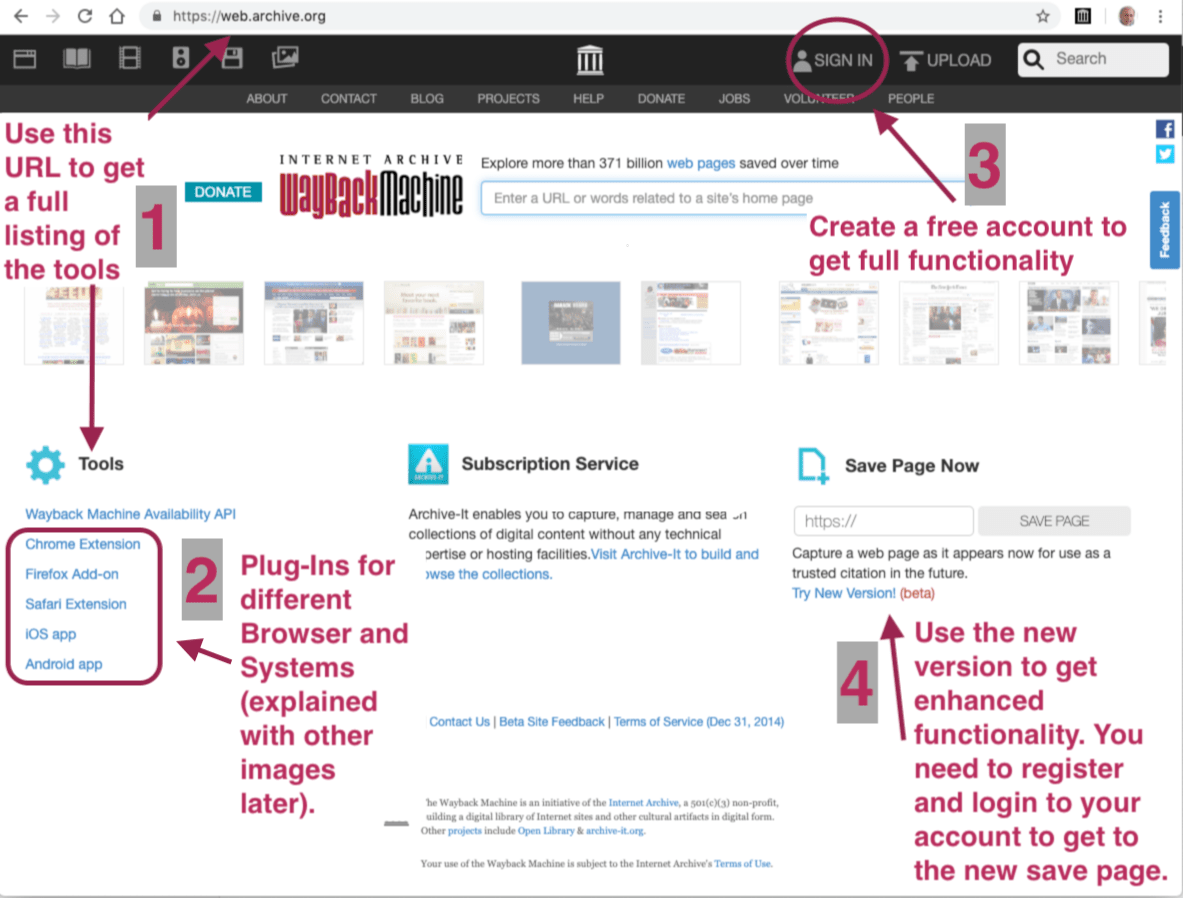
2. Choose Save Page Now
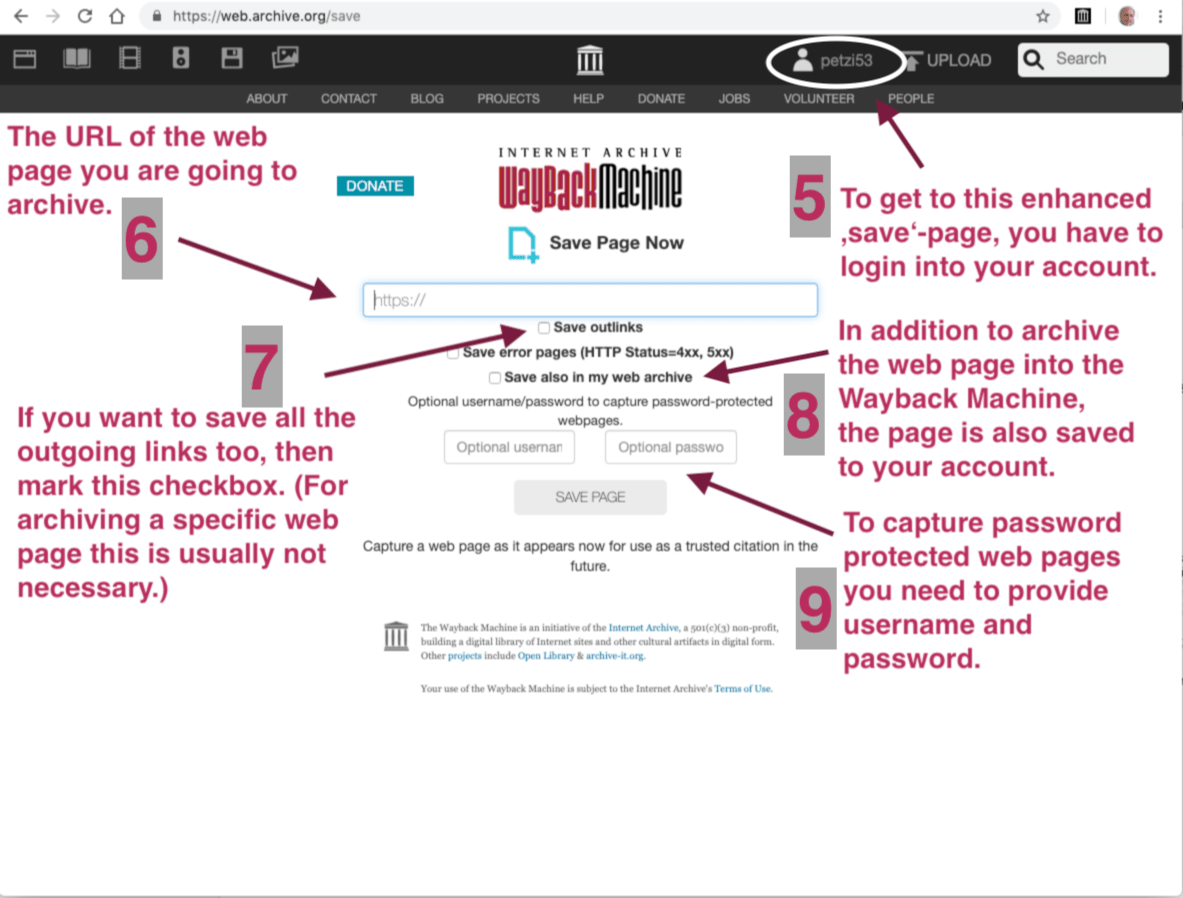
3. Saving Page (without Outlinks)
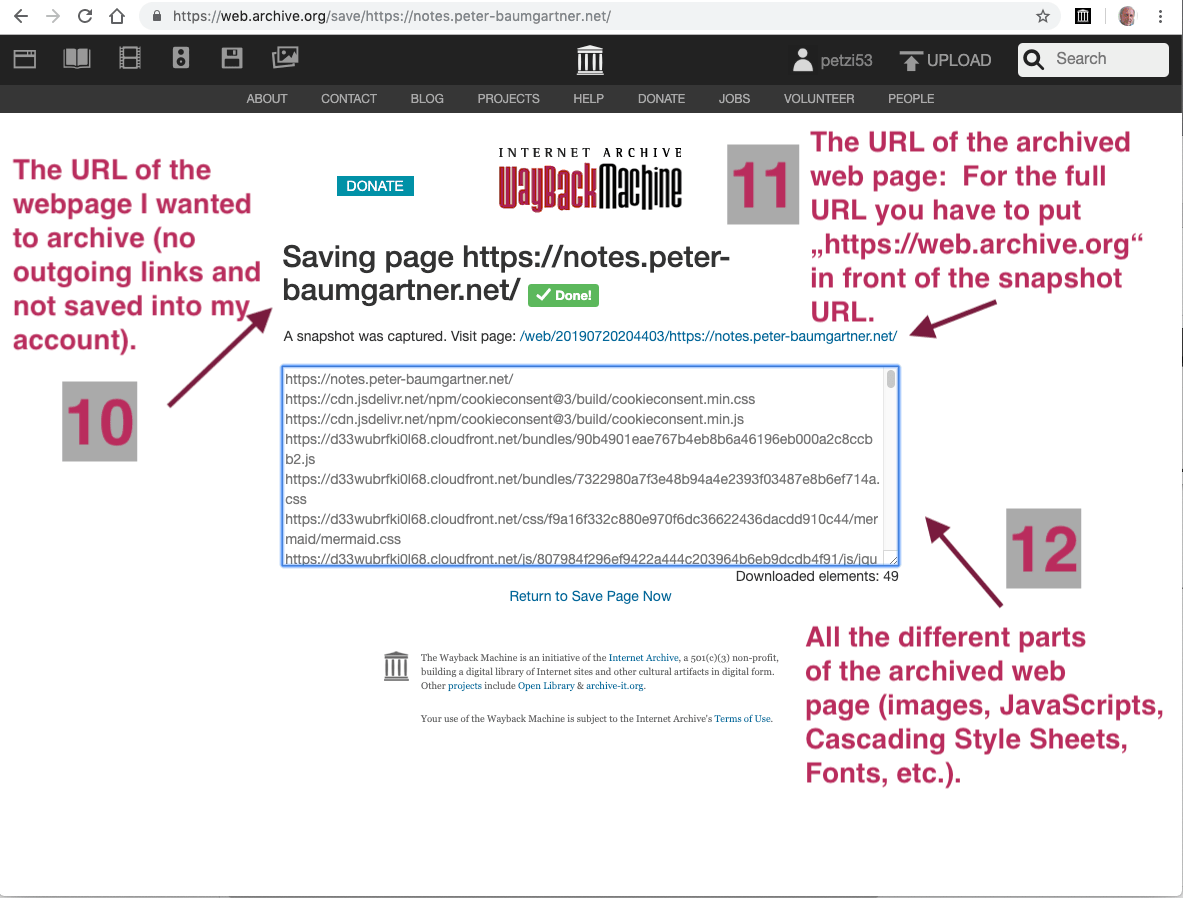
4. Saving page (with Outlinks)
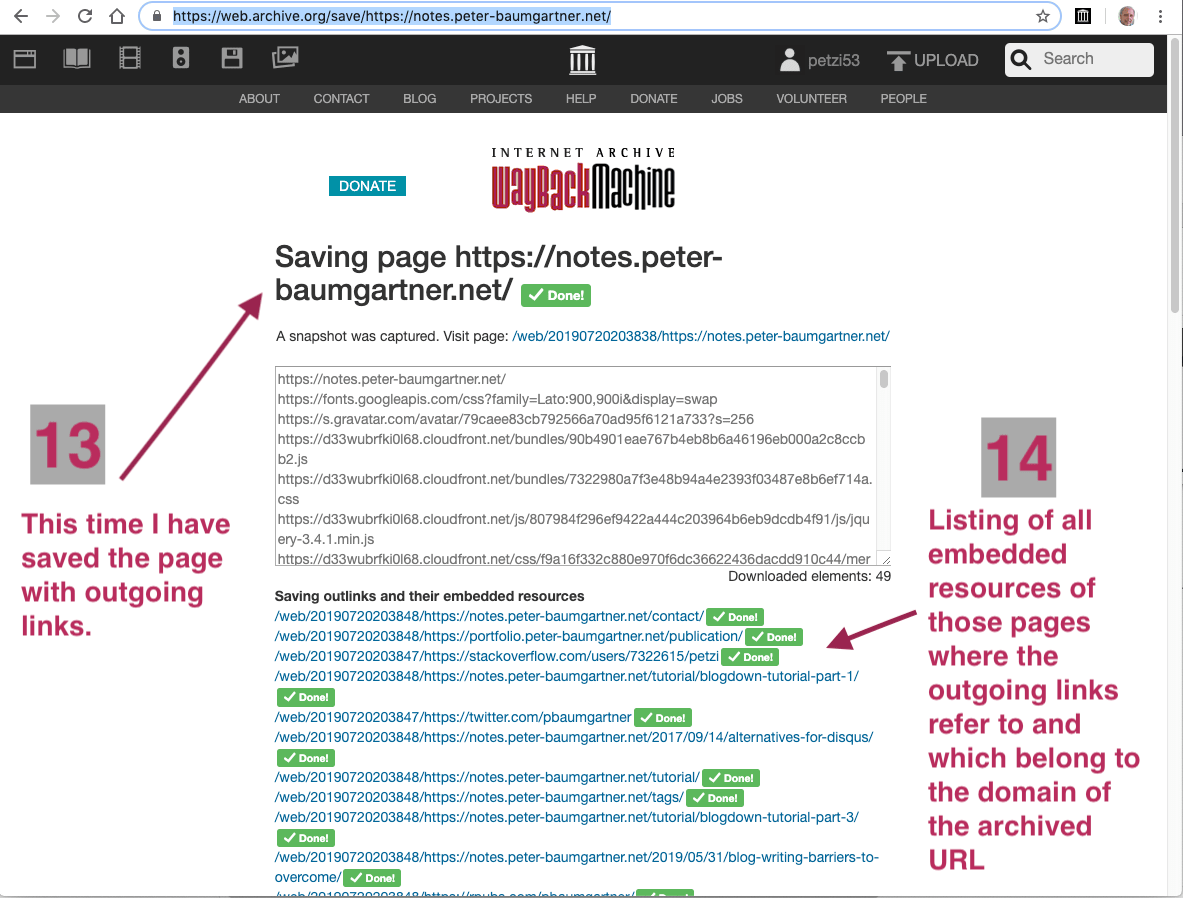
5. Captured page
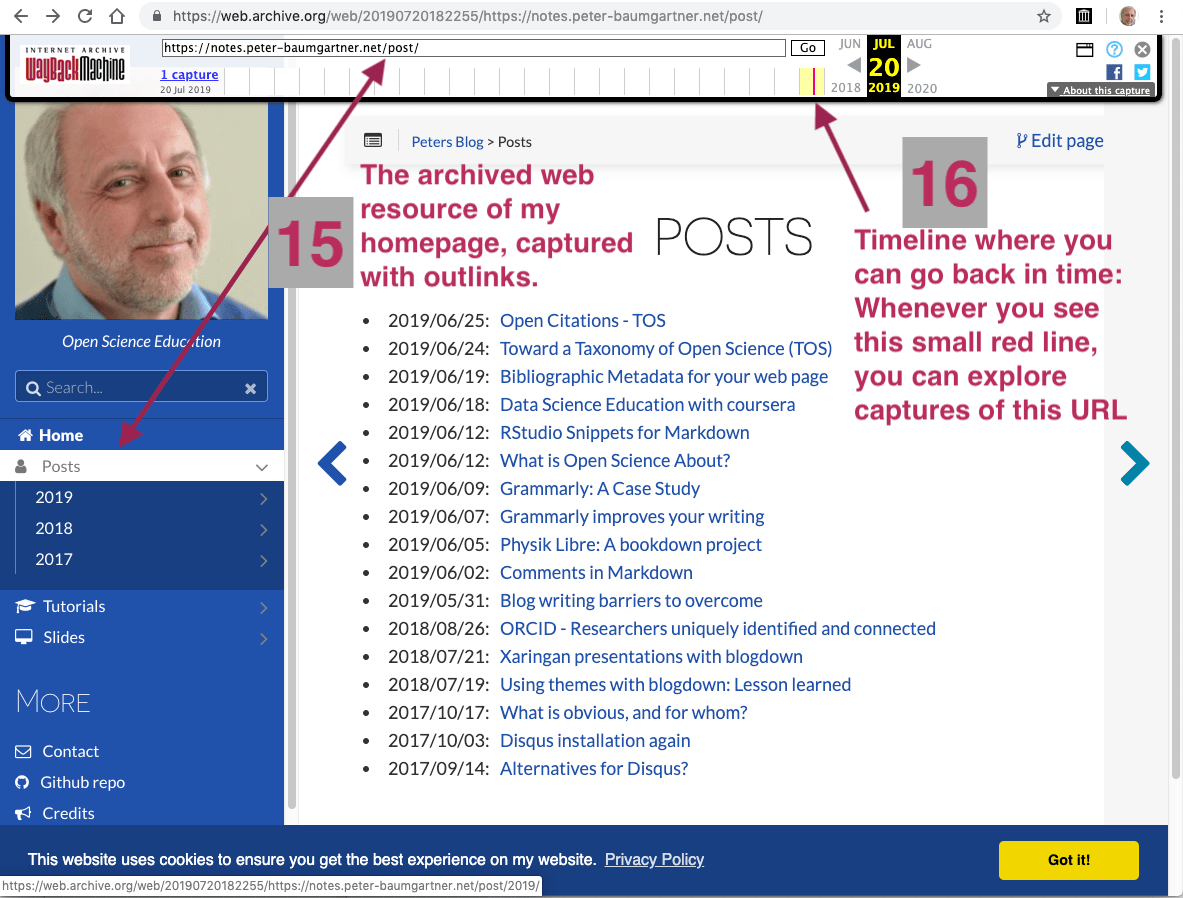
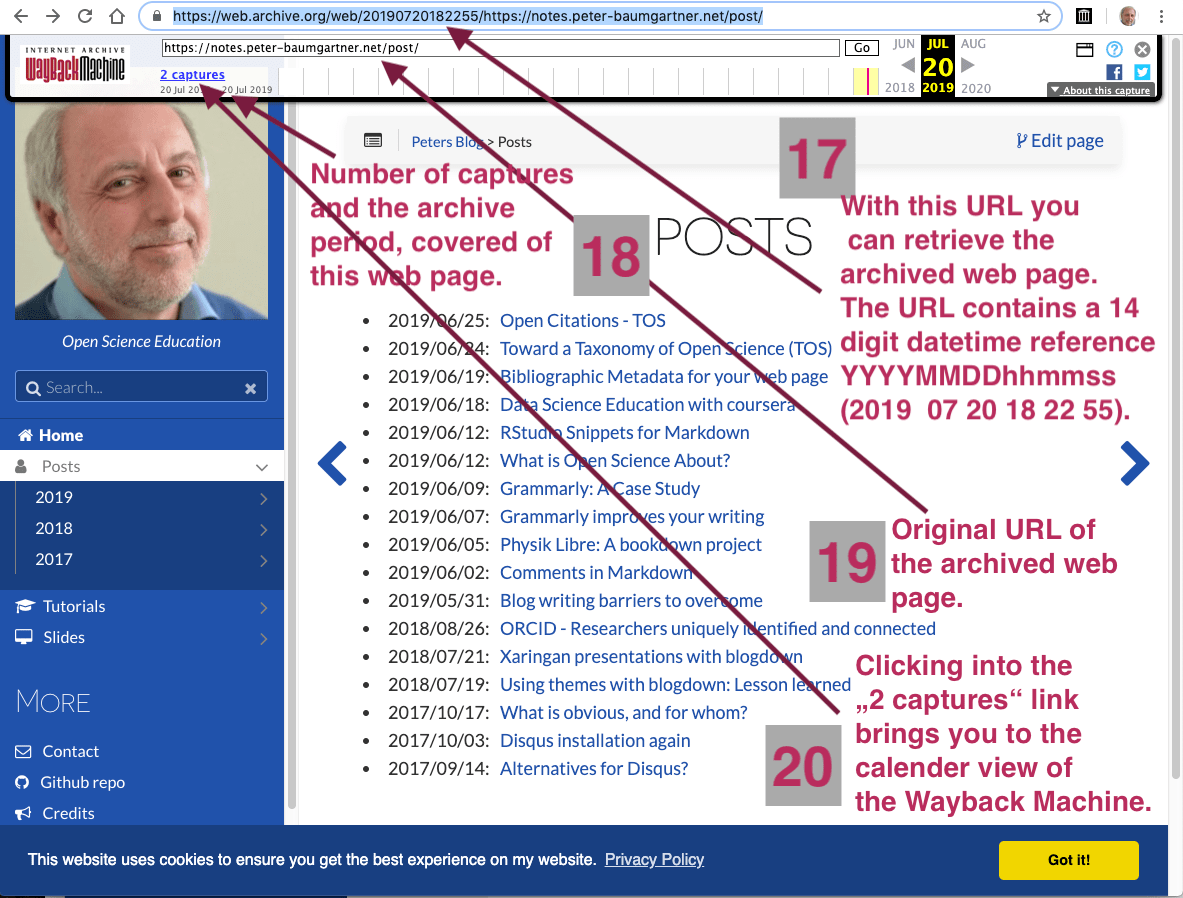
6. Retrieving archived page
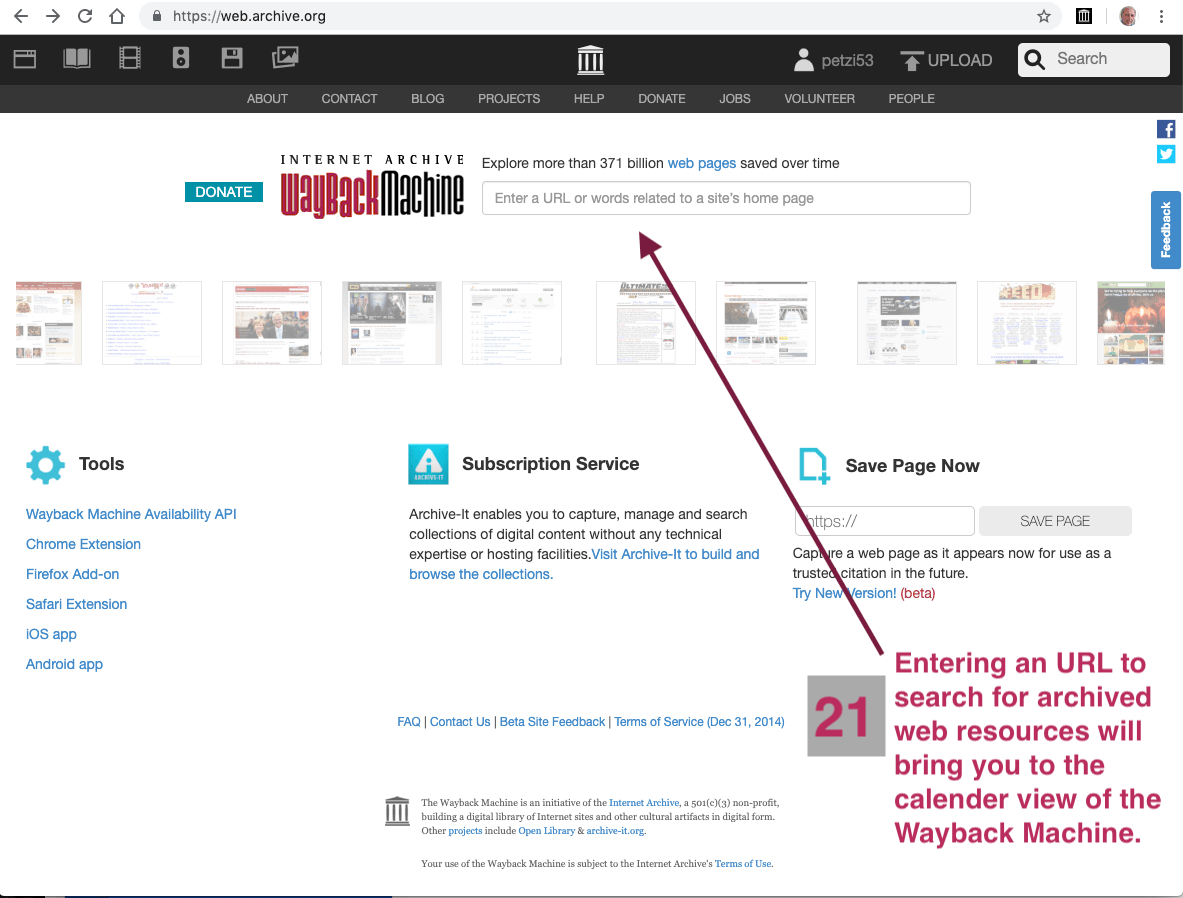
7. Search for archived page
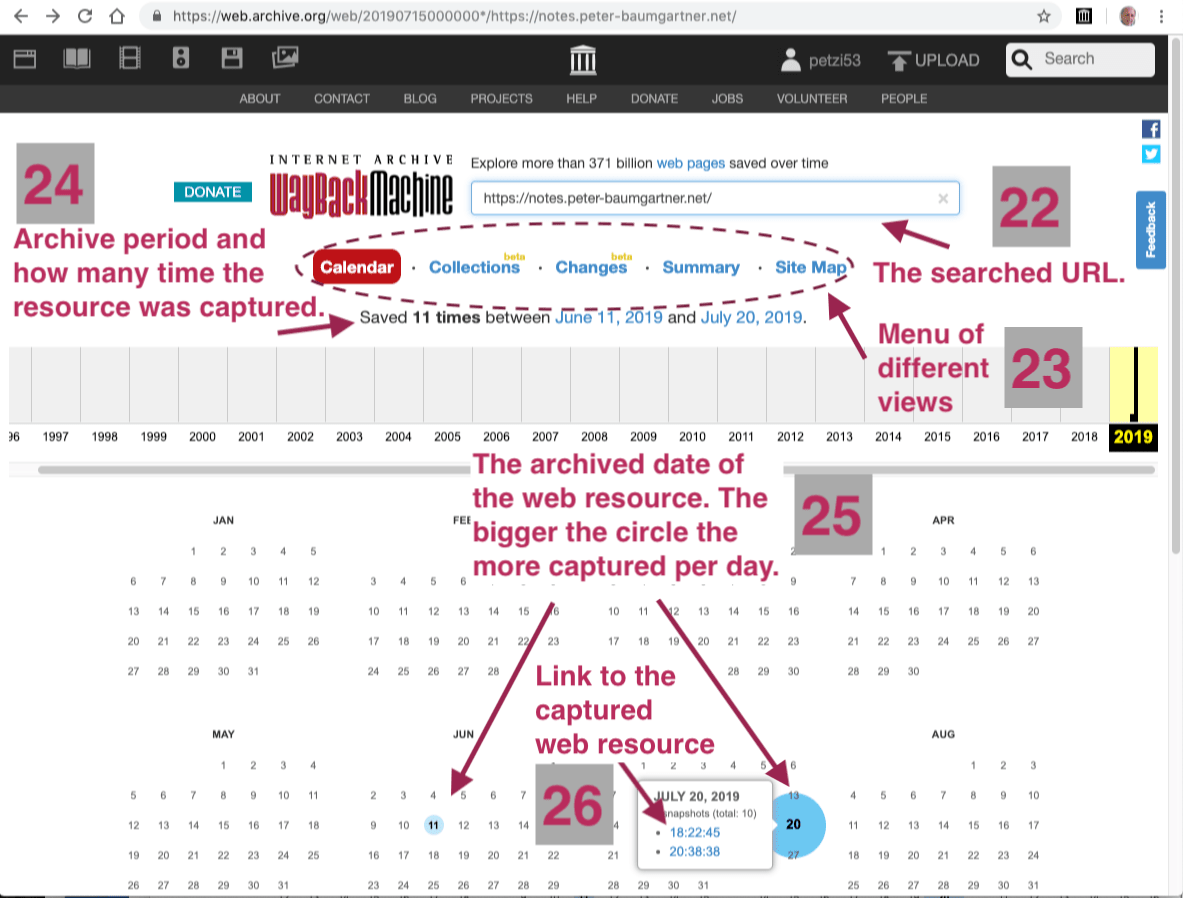
8. Calender view of archived page(s)
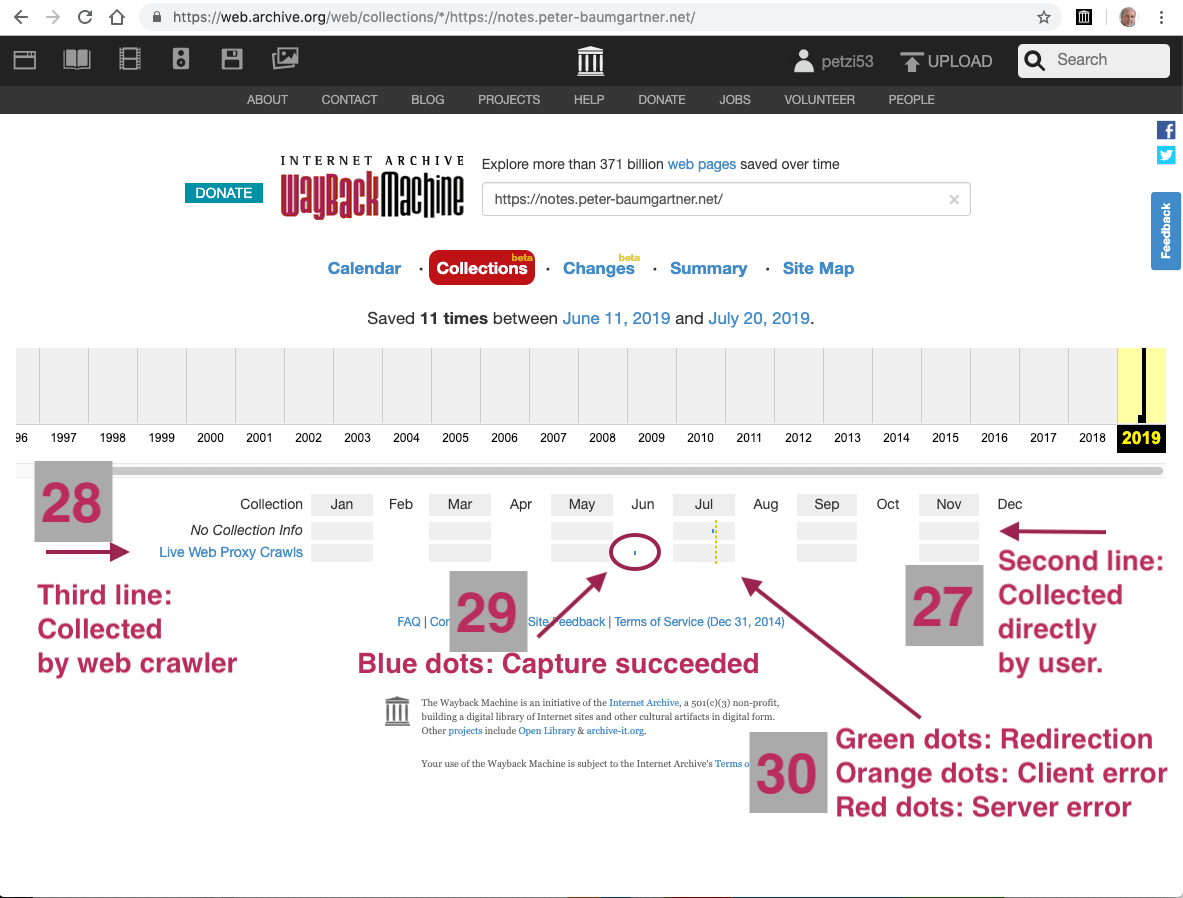
9. Collections of archived page(s)
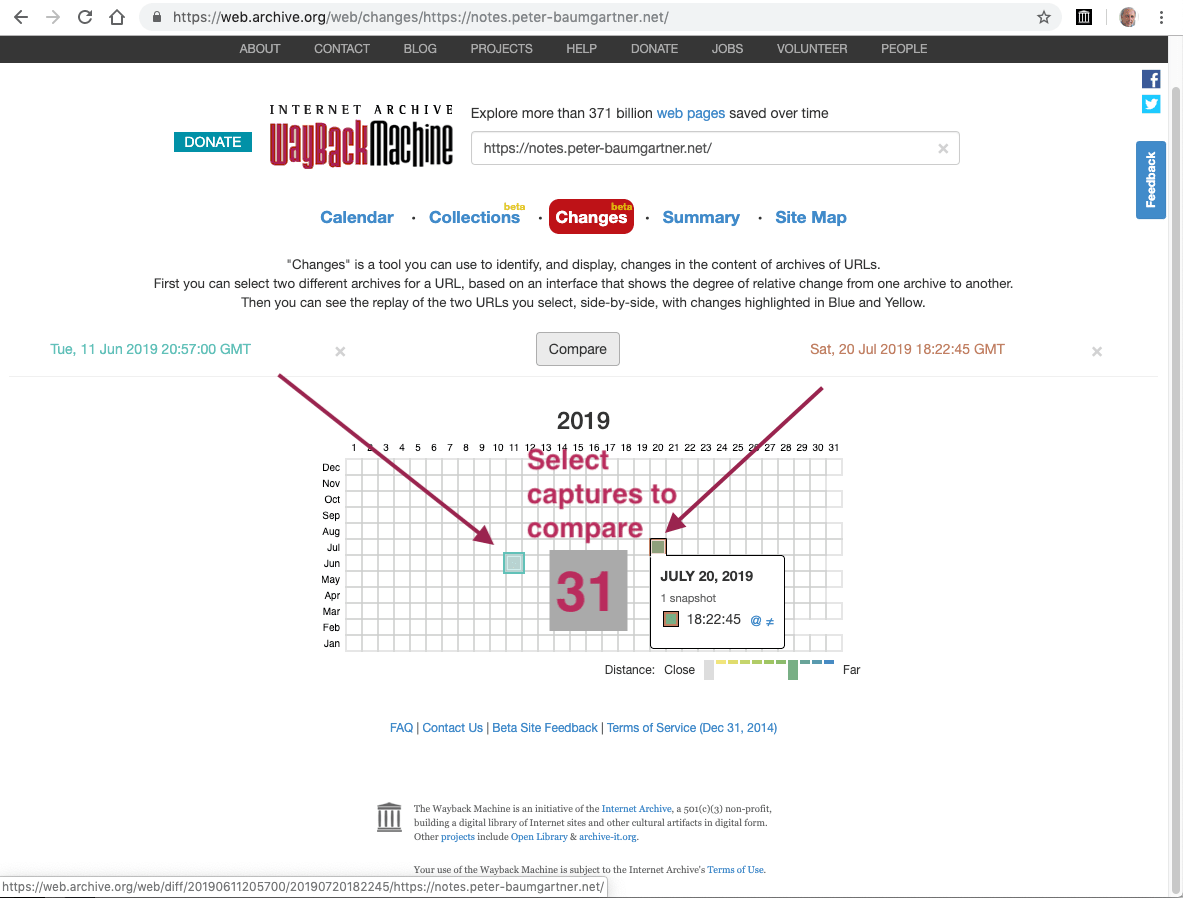
10. Select captures to compare
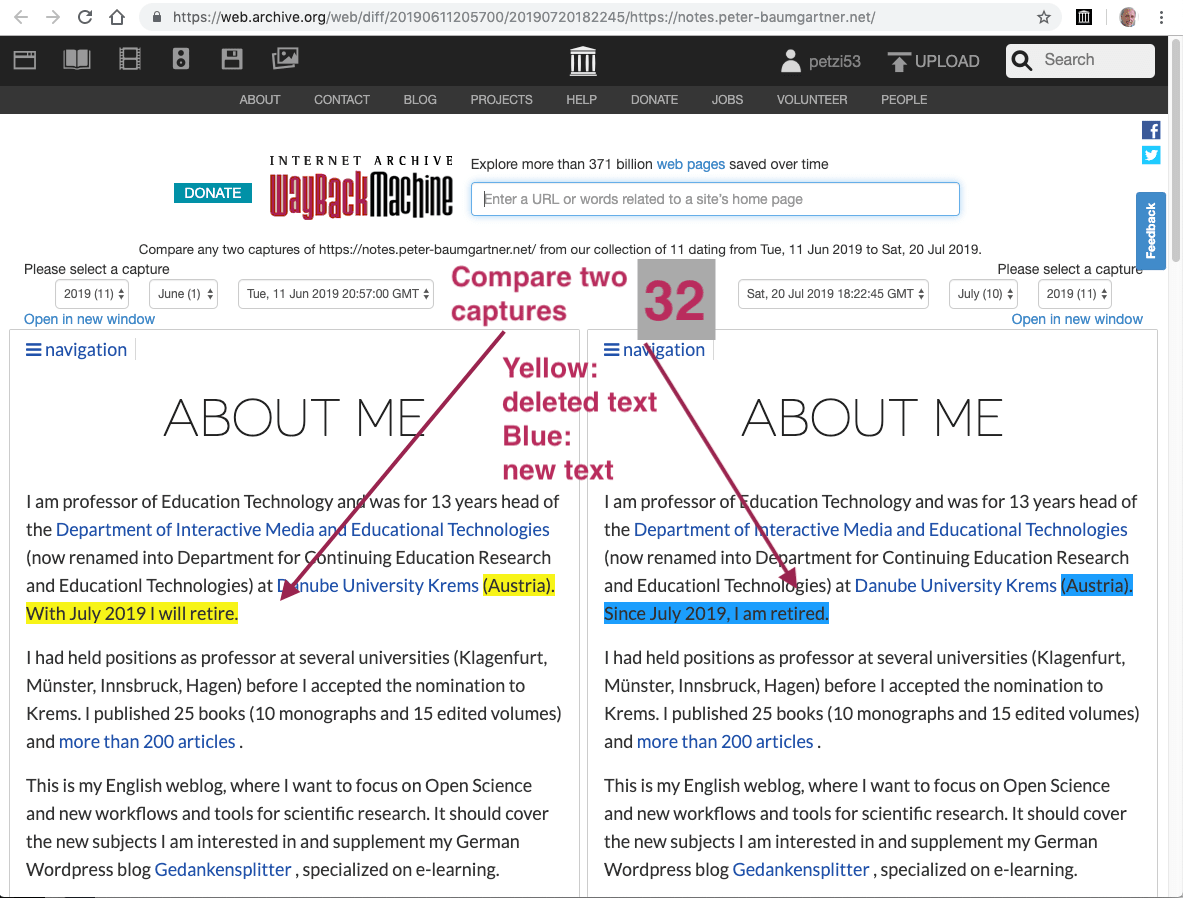
11. Compare two captures
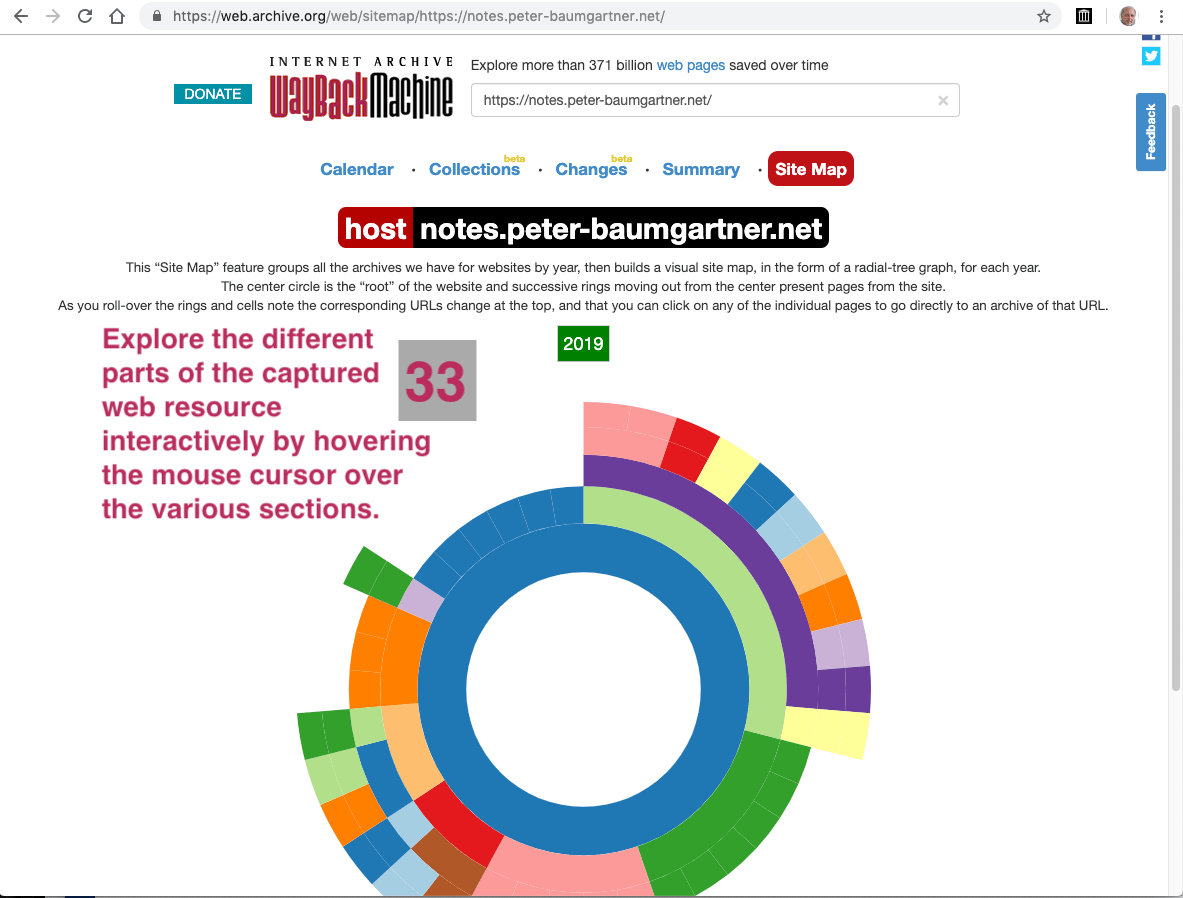
12. Capture(s) in Site Map view
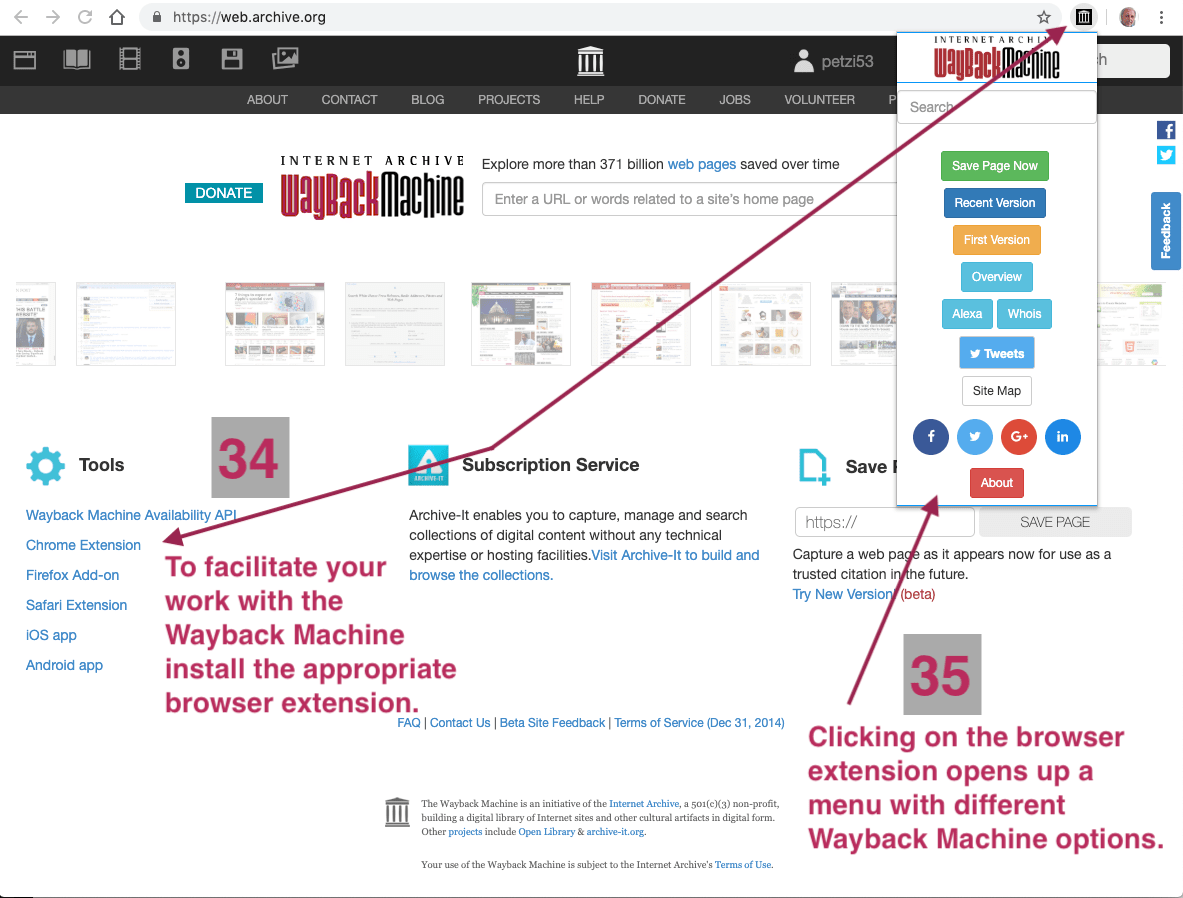
13. Install browser extension
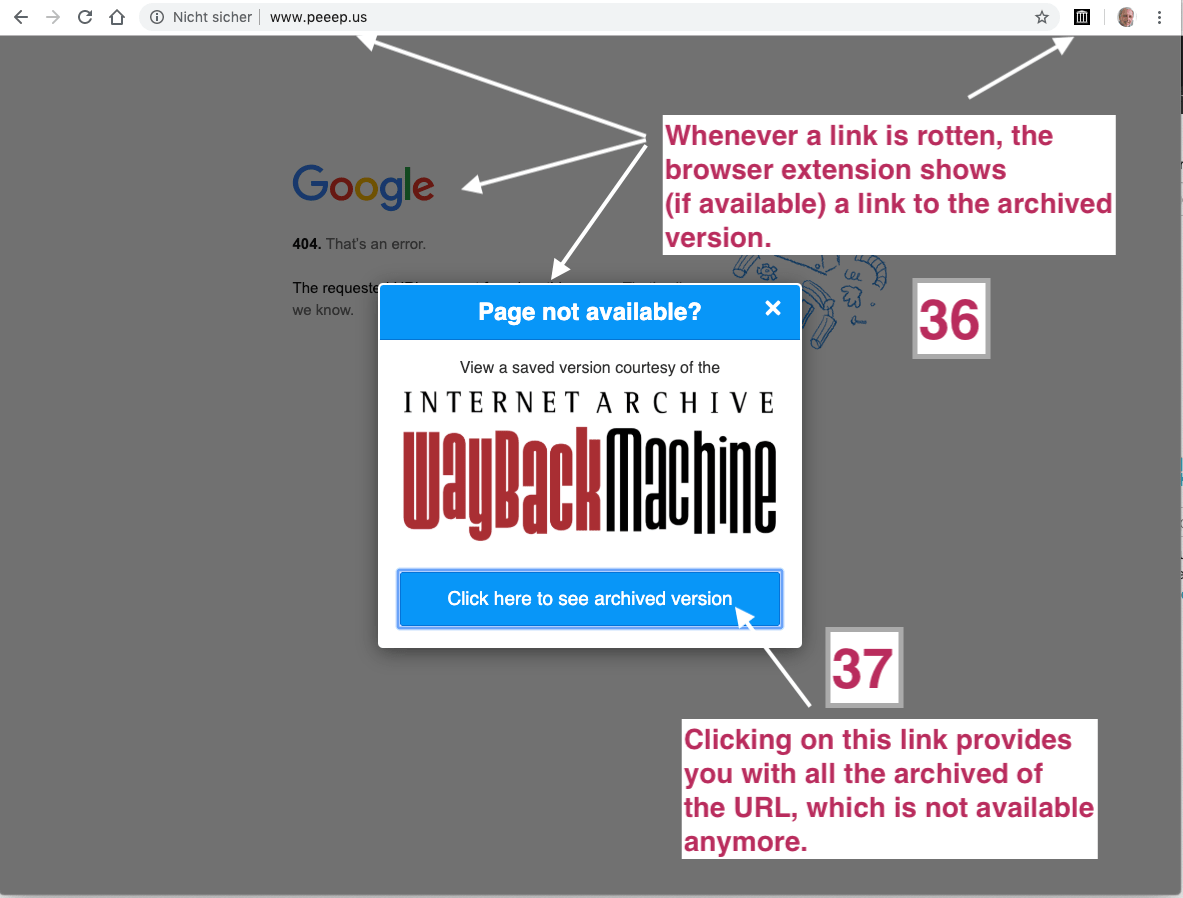
14. Web page not available
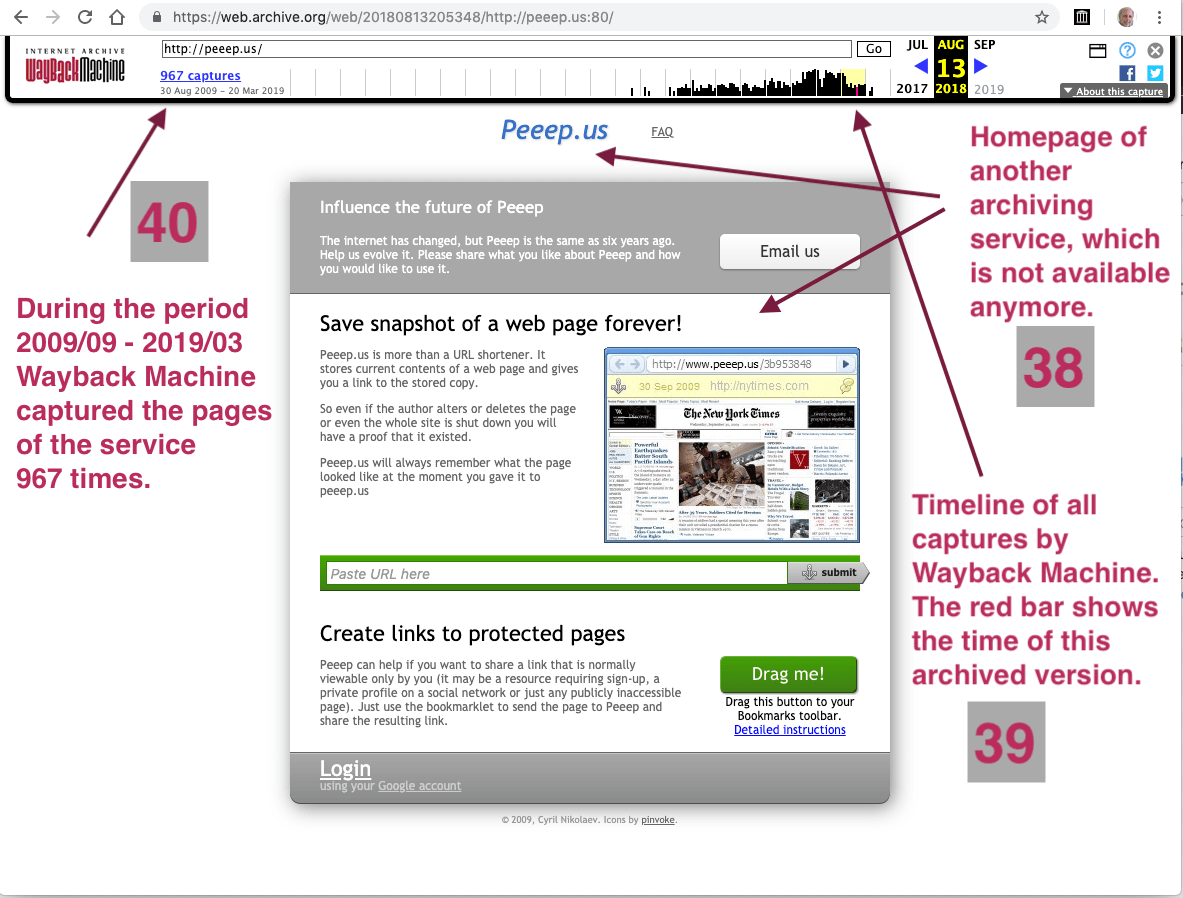
15. Retrieved web page
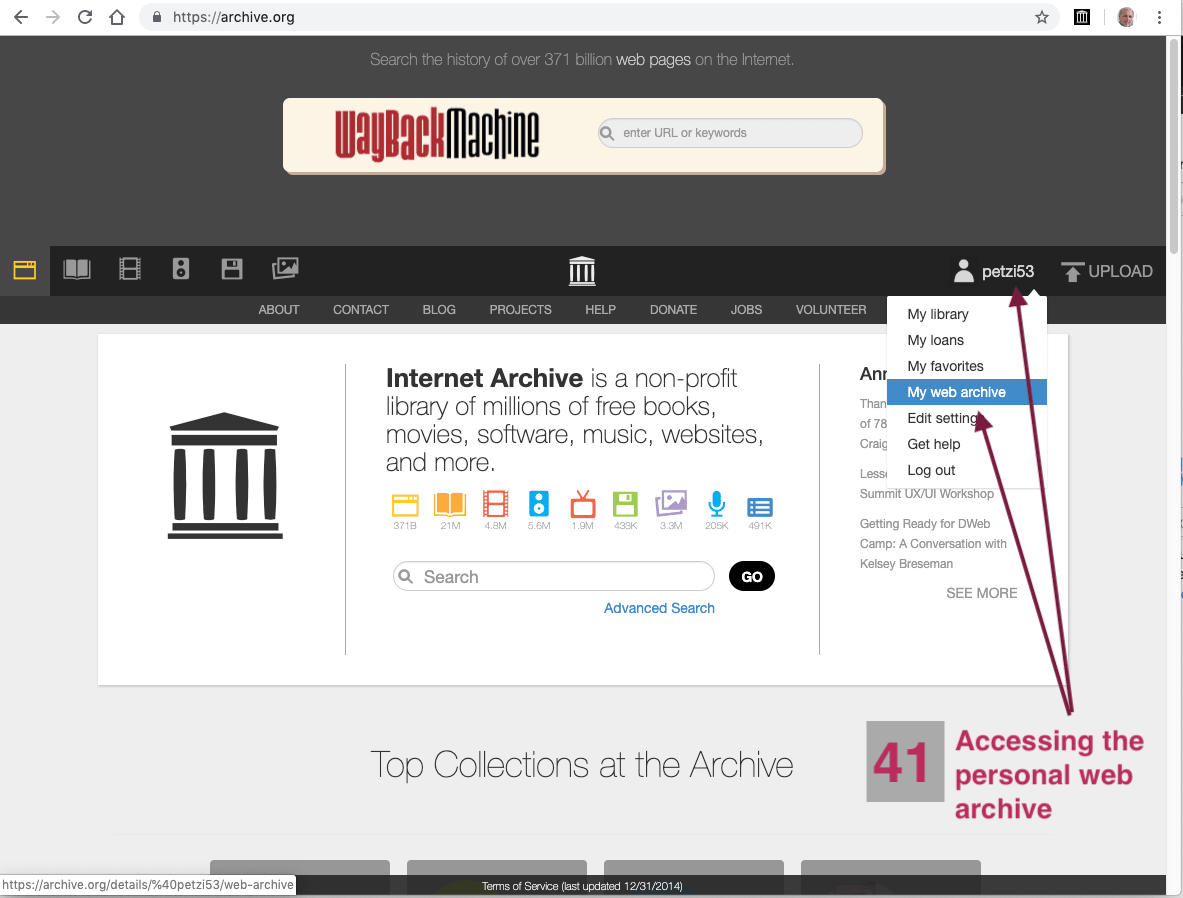
16. Access personal web archive
17. Personal web archive
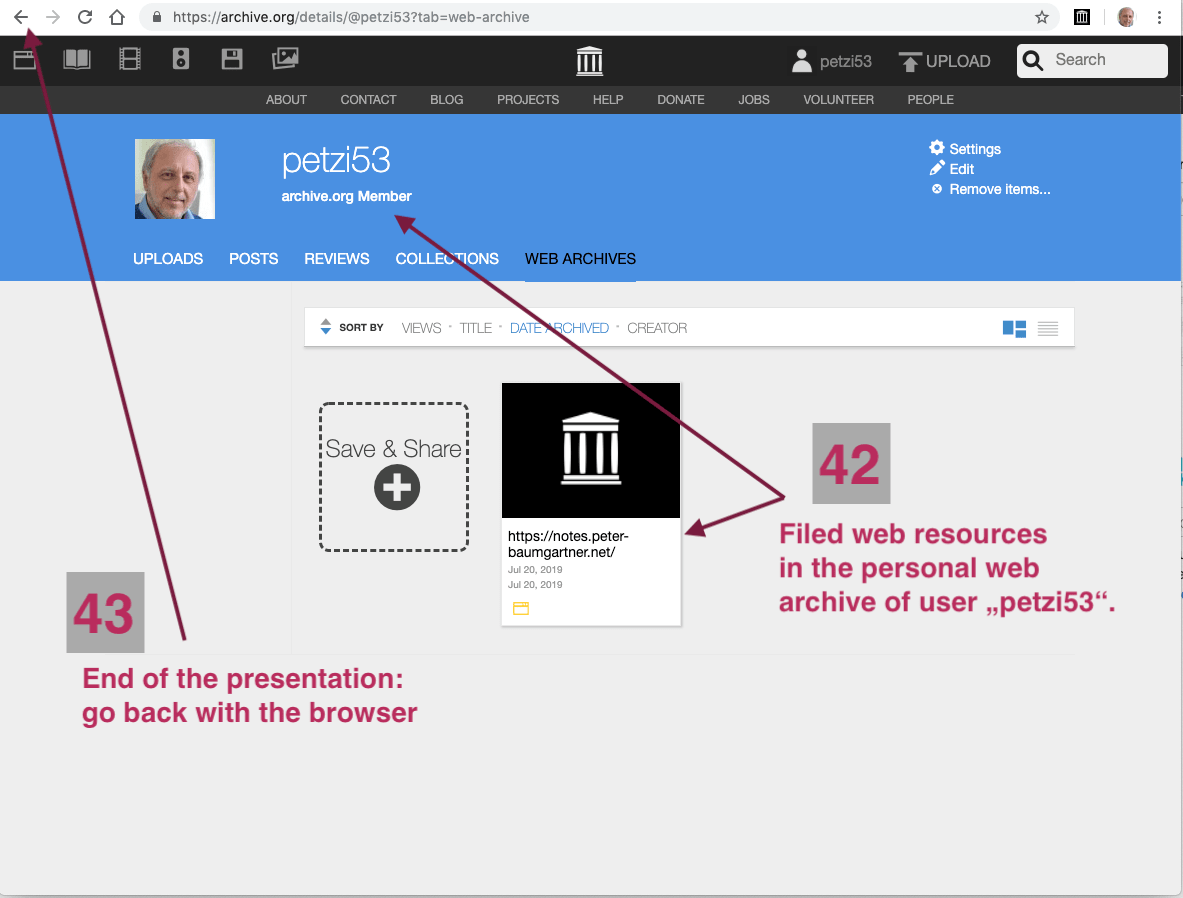
Close presentation
Press back button of your browser.
(not back button of the slide!).
Comments
Nothing yet. Say the first thing.
Sign in to join the conversation.