
How to use this presentation?
- Use the controls on the right bottom of the screen.
- Watch out: sometimes there is not only left & right, but also top & down.
- Press
ALTkey (CTRLin Linux) and click on any element to zoom towards it. Click again to zoom back out. - For an overview about the slide structure press
ESC. - To end the presentation go back with the browser.
LATEX Installation: Requirements
At first you have to install
- R latest version and
- RStudio (Preview > v.1.1).
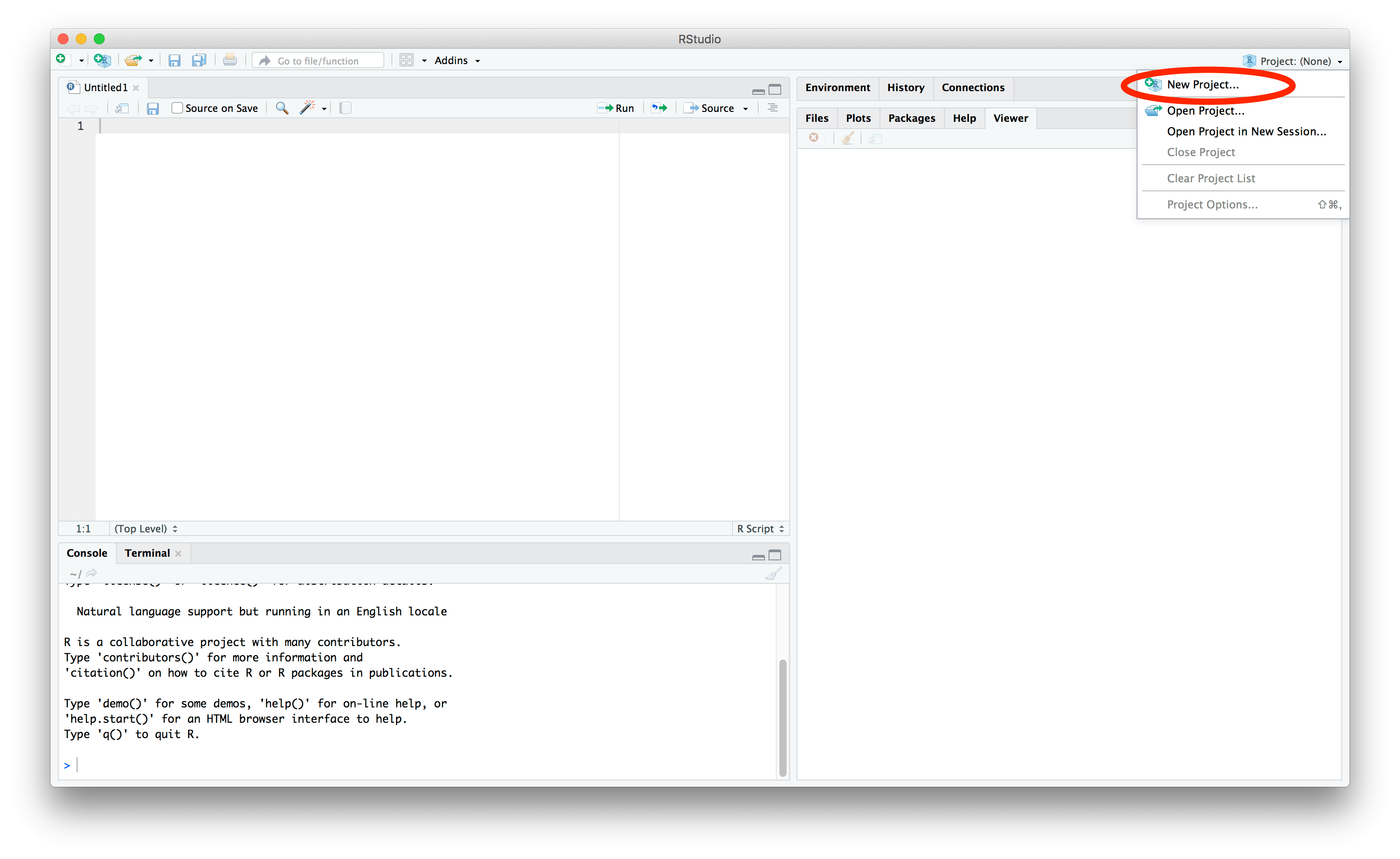
Then start RStudio: You will see the following window…
1. Create new project
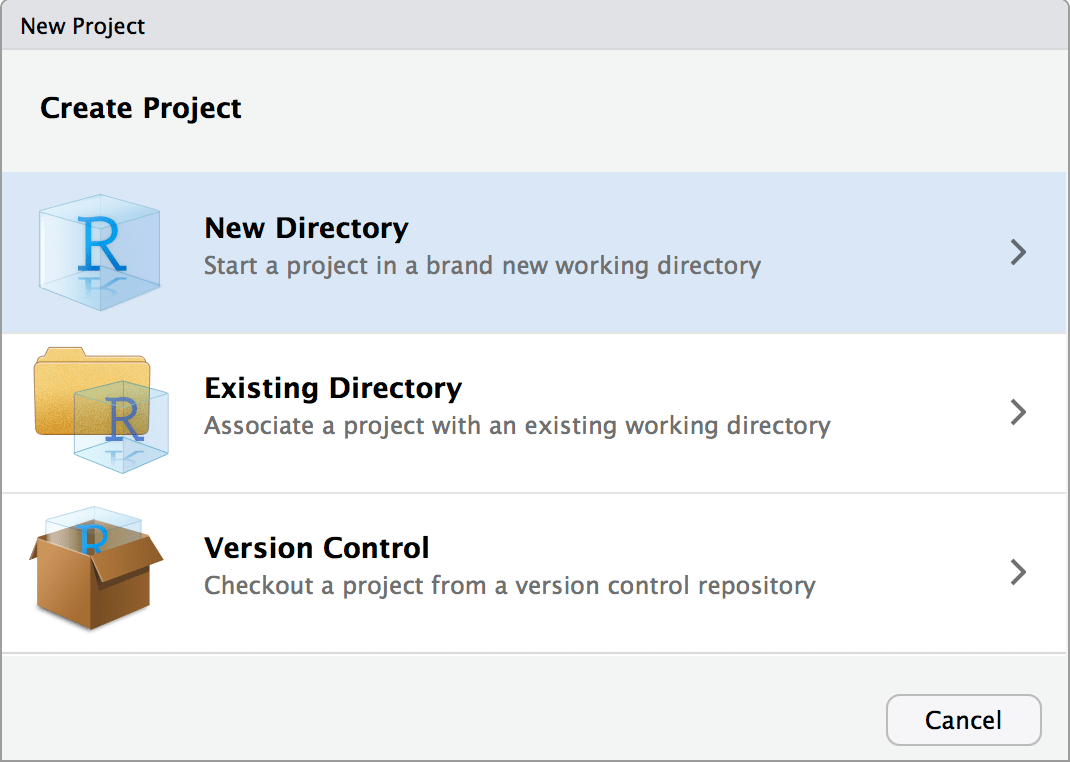
2. Choose new directory
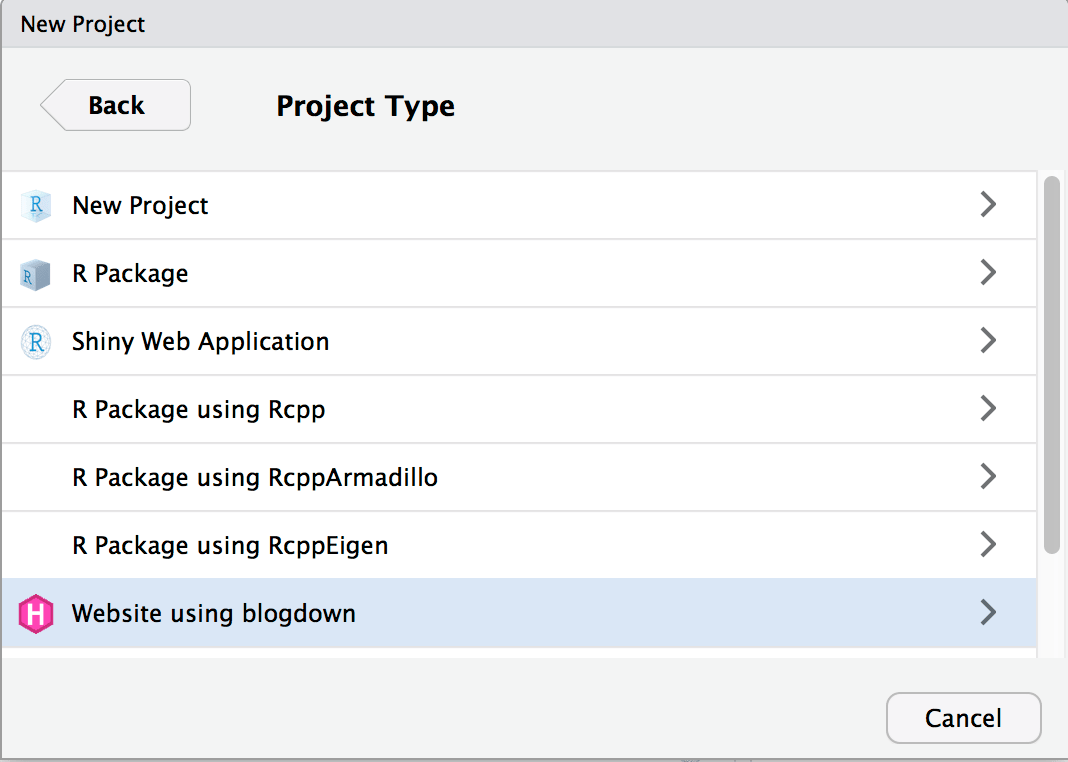
3. Select website using blogdown
4. Choose directory name & location
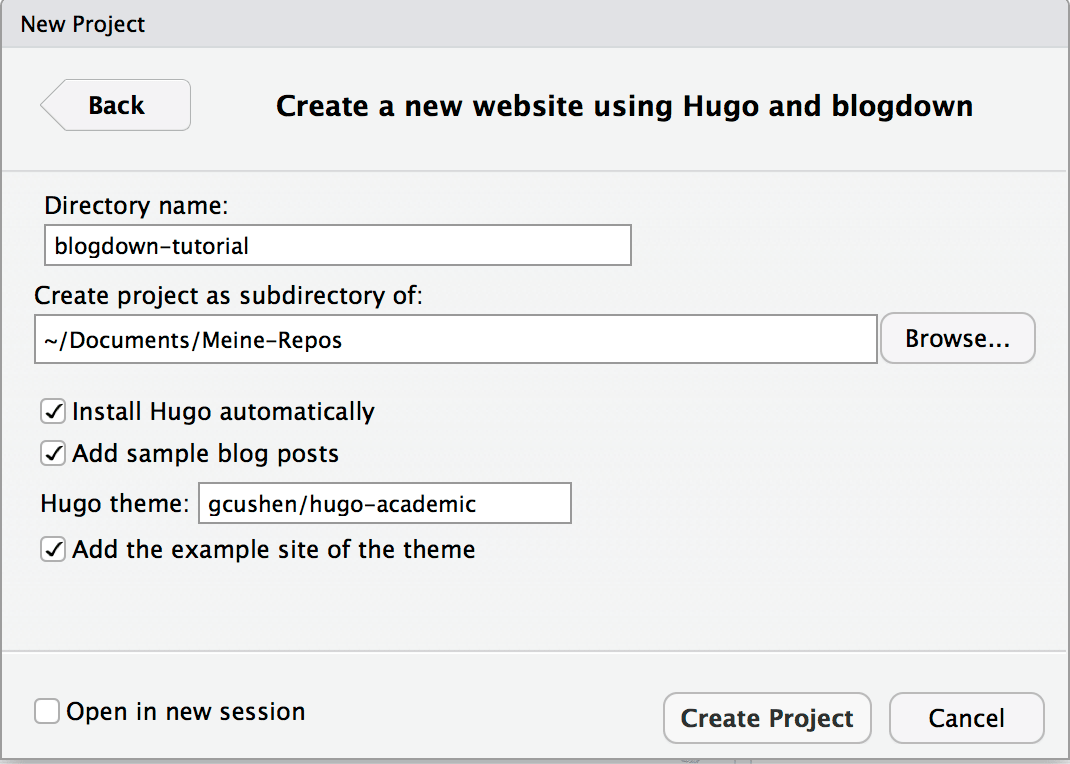
4a Pick your preferred theme
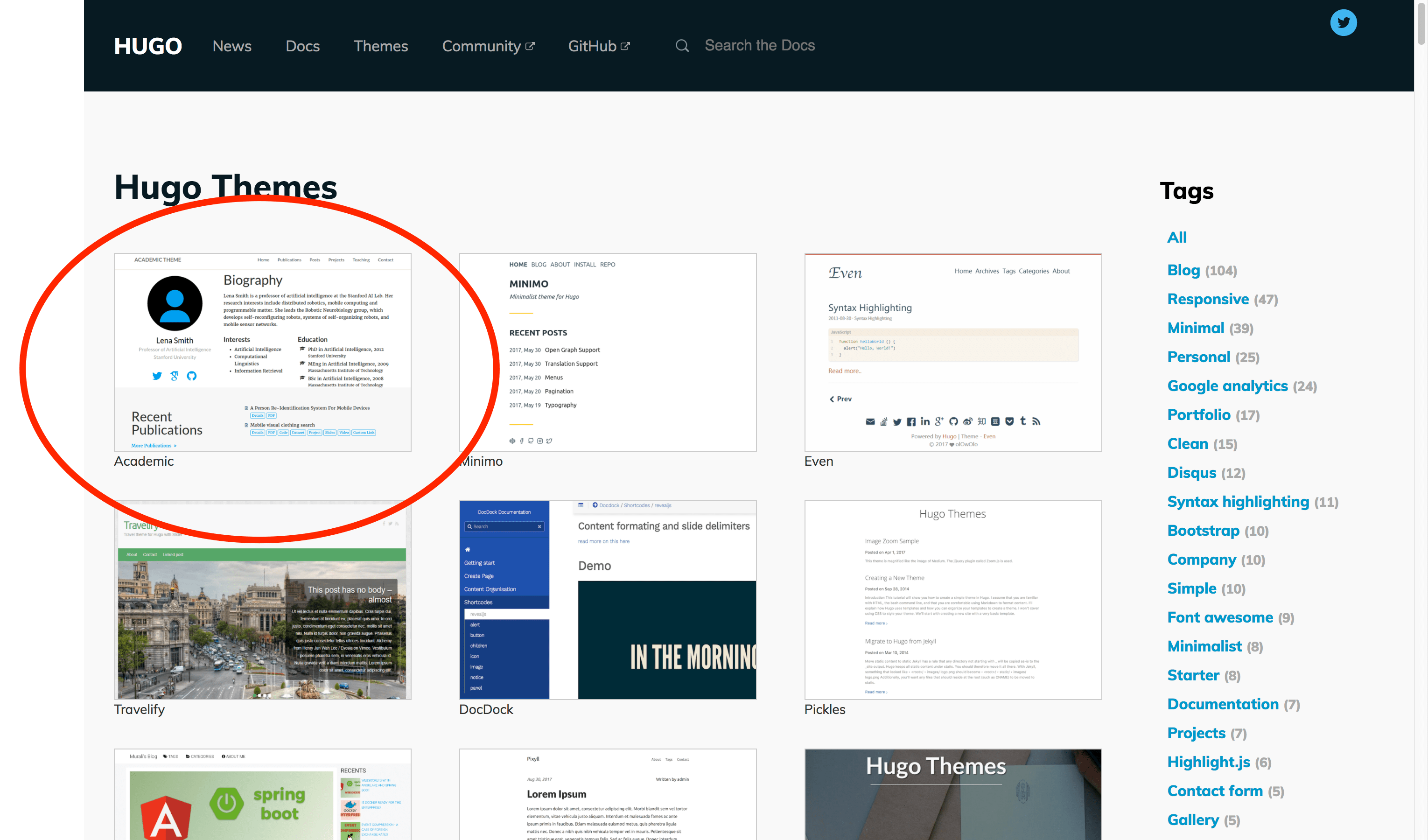
4b Select theme & get URL
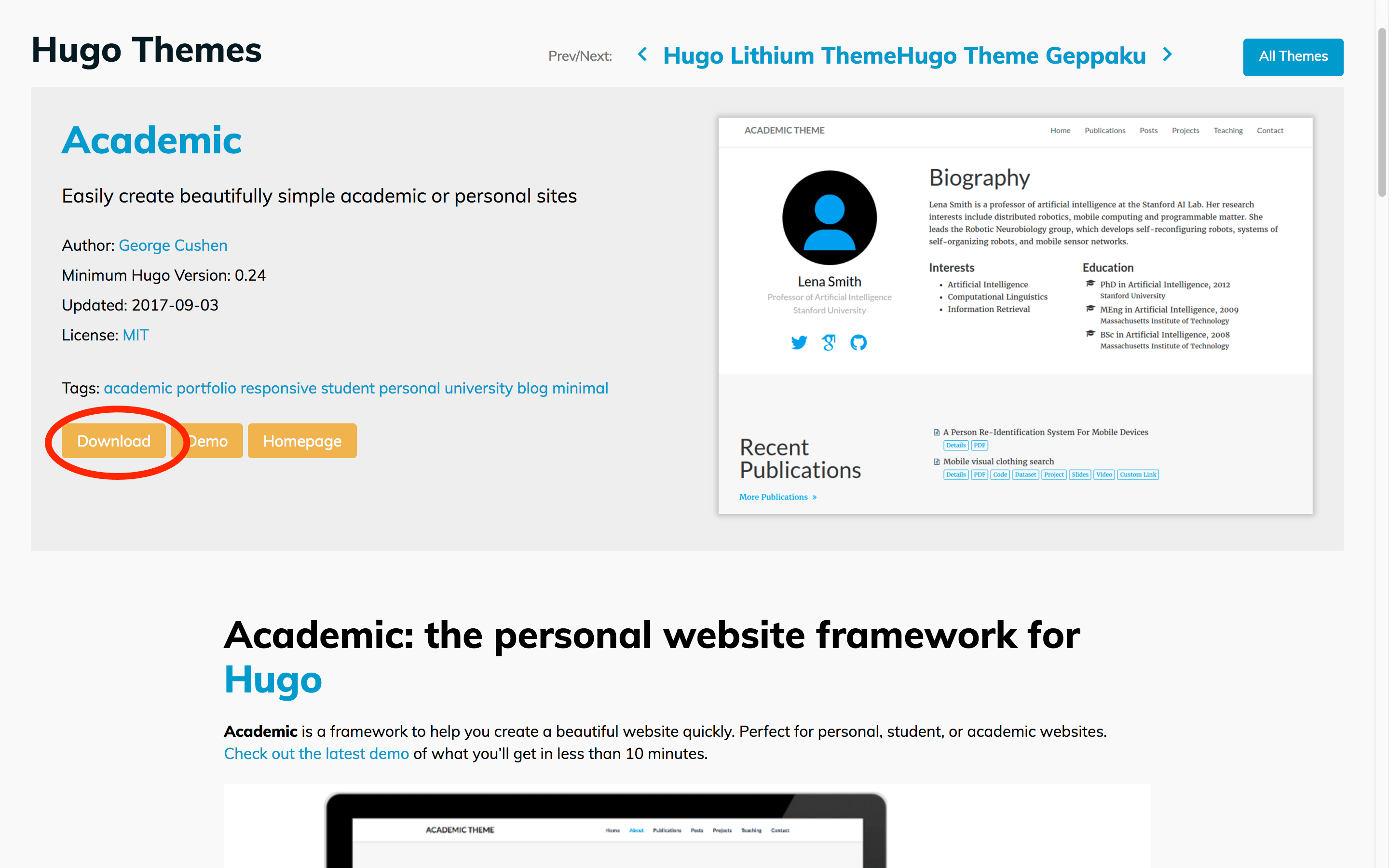
4c Finish form and install
4d Click “Create Project” button
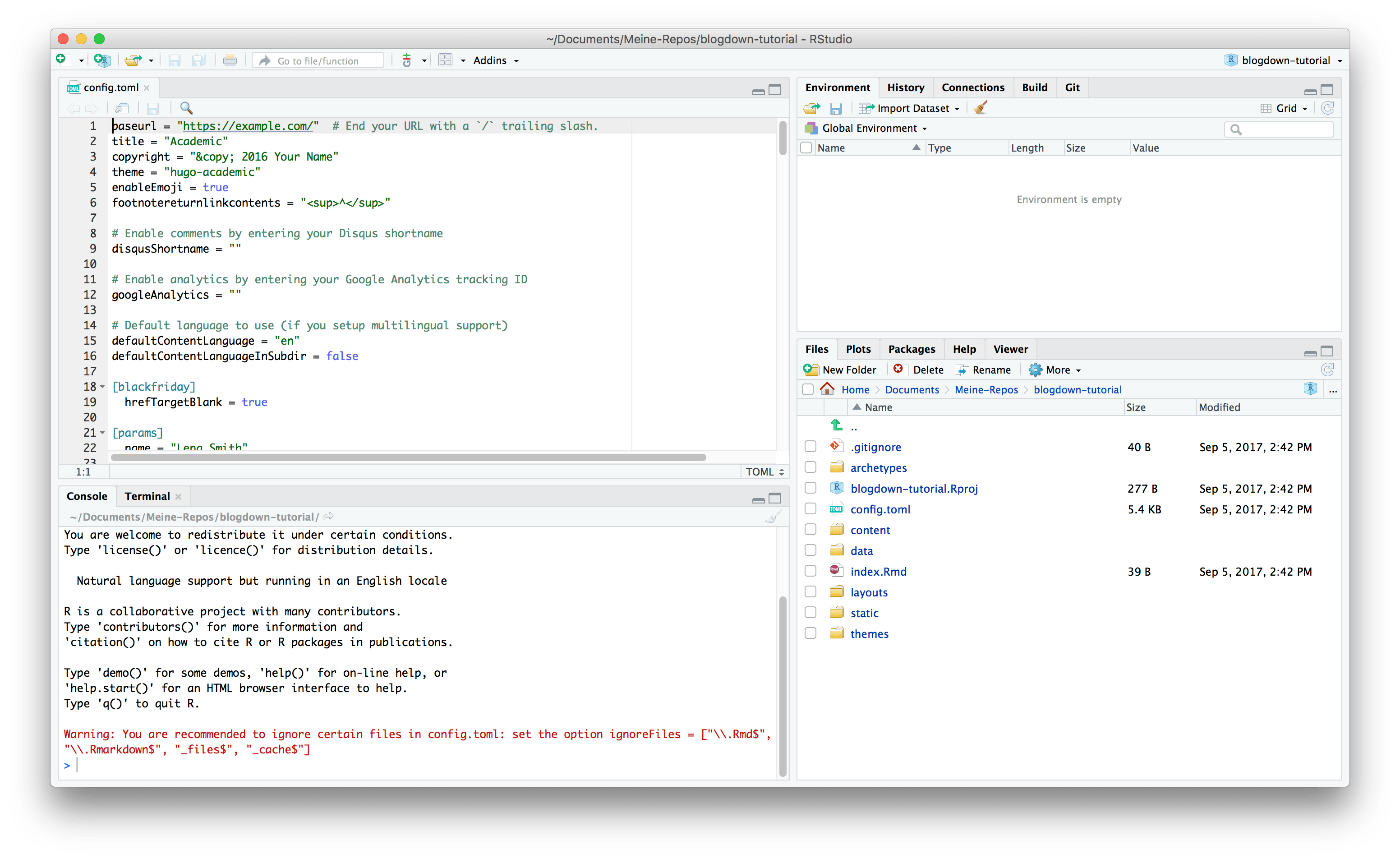
Click “Create Project” Button and wait some seconds. RStudio will install
- Hugo
- your selected theme and
- blogdown with all dependencies
5 Installation is finished!
Close presentation
Press back button of your browser.
(not back button of the slide!).
Comments
Nothing yet. Say the first thing.
Sign in to join the conversation.