
Happy to announce another tool we’ve built for photographers - this time, a free, privacy-first photo resizing and compression tool. We created this for anyone who’s ever run into issues with image file sizes when submitting work to NOICE, or just needed a quick way to batch resize photos for any purpose.
We’re always thinking about what tools we need ourselves, and then building them so we can share with the community. This is the latest in that series: a simple, fast, and installable photo resize tool, available now here.
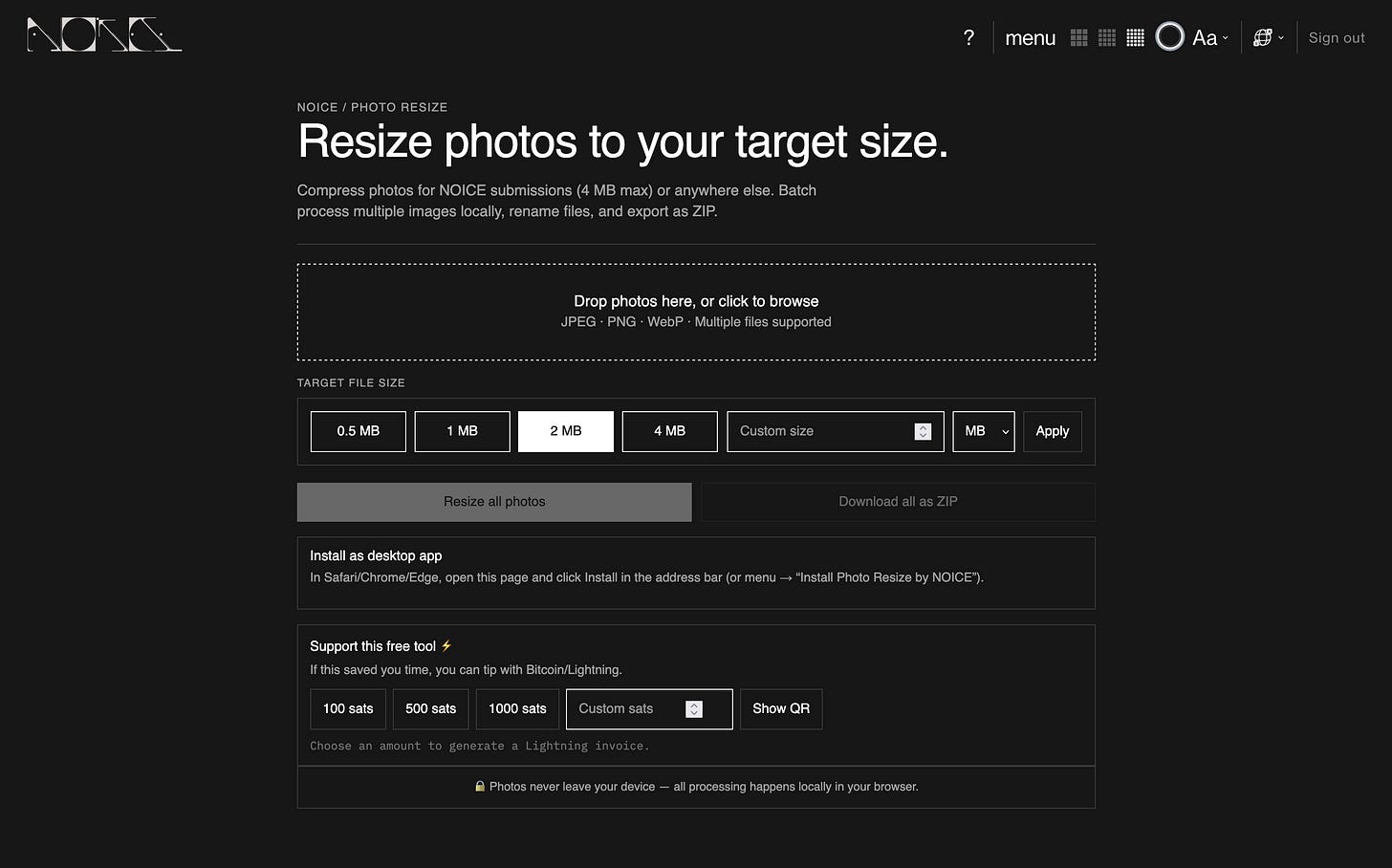
Here’s a quick rundown of what it does:
Batch Upload: Drag-and-drop or browse to add as many JPEG, PNG, or WebP images as you want - no file count limit.
Target File Size: Choose from presets (0.5 MB, 1 MB, 2 MB, 4 MB) or set a custom size in MB or KB. The tool will automatically compress and resize to fit under your target.
Smart Algorithm: Uses a two-pass approach - first resizing, then adjusting quality - to get the best results under your chosen size, always preserving aspect ratio.
Rename & Manage: Inline rename for each file, remove individual images, or clear all with one click. See original and new sizes, plus compression ratios.
Export as ZIP: Download all resized images at once as a ZIP file, or grab them individually.
Works 100% Locally: All processing happens in your browser - your photos never leave your device.
Installable: Add it to your desktop as a PWA (Progressive Web App) for offline use.
Bitcoin/Lightning Tips: If you find it useful, you can tip us with Bitcoin/Lightning - just for fun, and to help keep these tools free.
We noticed a lot of photographers were running into the 4 MB file size limit when submitting to NOICE, and there just wasn’t a simple, trustworthy tool that worked offline and respected privacy. So we built one for ourselves, and now it’s yours too.
We hope this makes your workflow a little smoother - whether you’re submitting to NOICE, prepping for Instagram, or just organizing your archive.
And as always, let us know what you think or if there’s another tool you wish existed. We’re always building.
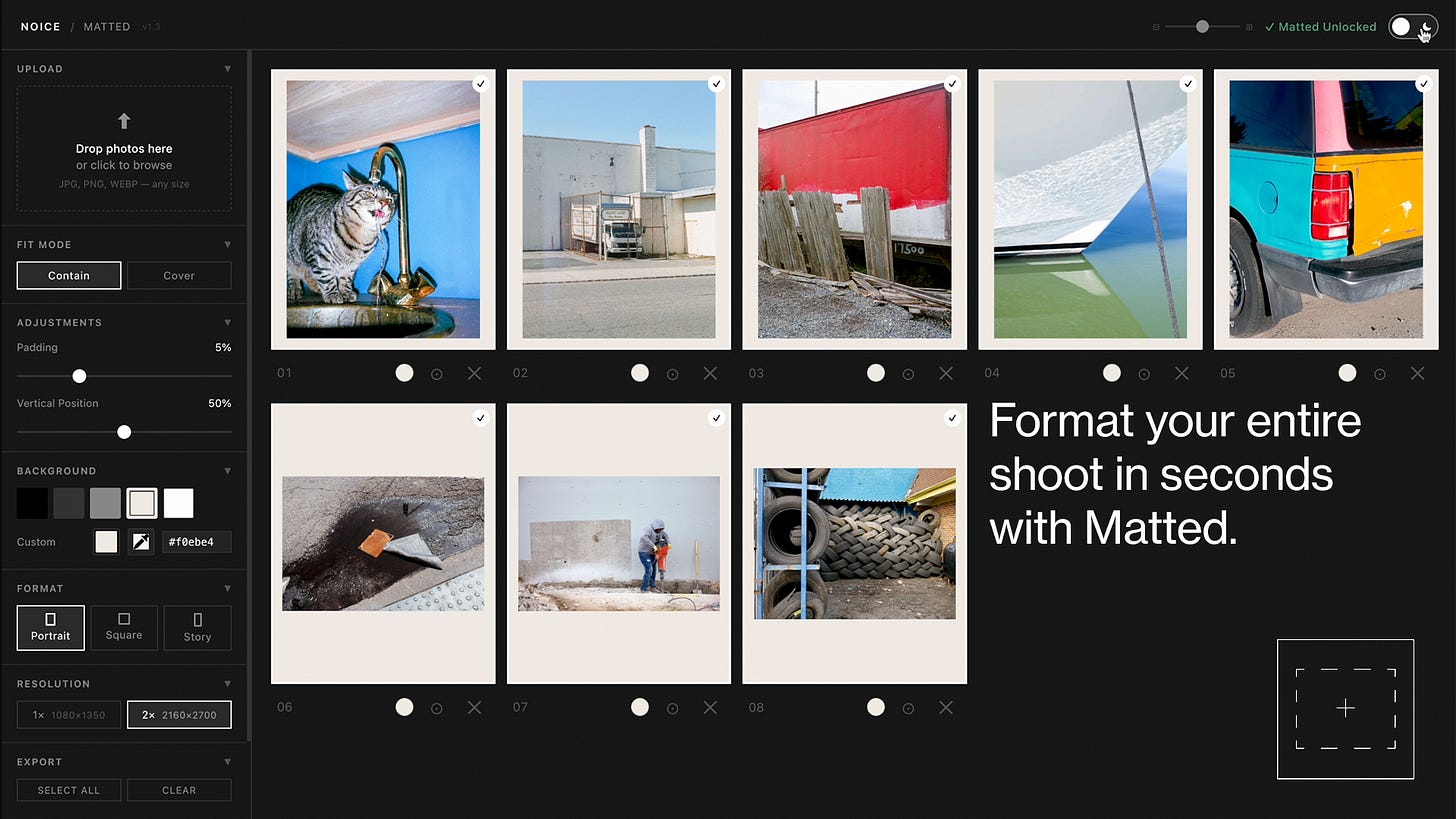
If you want to see Matted in action, I made a video walking through exactly how it works and how I use it day-to-day. I think it’s helpful to see the workflow and features in real time - check out the video here on our YouTube.
There’s a free trial - no pressure. If you find it useful, you can buy the full version. I’d love to hear if it’s useful for you, and what features you’d like to see next.
Submissions are currently open for 2026. You have the option to submit a regular series, or opt in for a personalized portfolio review, where you will receive feedback that encourages and guides you to refining your craft. Beginner or pro, all is welcome at NOICE. All submissions also come with a FREE pdf guide on editing and sequencing your photographs.
If you’d like to go deeper, you can join our new membership called NOICE+, which is a membership built around growth, education, and being seen by people whose taste you trust. Not an algorithm. Not a transaction. A creative home - and one that keeps getting better.
A note from us: As a small, independent publication, we rely on submissions from talented individuals like you to help us keep our website running. We don’t accept advertising or paid marketing, and your contributions are what enable us to pay the bills and keep the lights on. Thank you for considering NOICE for your work - we appreciate your support!
No posts
Comments
Nothing yet. Say the first thing.
Sign in to join the conversation.