
Confession: I’ve never used a VPN before. A VPN aligns with my ethics and ethos, but they intimidated the hell out of me.
But now, the world is basically insisting that we all learn how one works. And I figured, if I have to figure it out, I might as well share the process.
In this guide:
The basics of what a VPN is, and why they matter
Which VPNs I researched and which I would recommend
My step-by-step experience setting one up on my personal mac
Privacy Guide has the best write-up I could find. Just read that! But basically:
HTTPS obfuscates (aka encrypts) some of what you’re typing or reading from your ISP. However, your ISP can still see what domains you’re requesting.
How do they know what domains you’re requesting? Through IP addresses.
For example, if the observer knows that
privacyguides.orgis at198.98.54.105, and your device is requesting data from198.98.54.105, there is a good chance you're visiting Privacy Guides.a VPN encrypts this kind of traffic, along with other stuff
hides your traffic from your ISP
hides your downloads
hides your IP from third-party websites and servicse, helping you blend in and preventing IP based tracking
allows you to bypass geo-restrictions
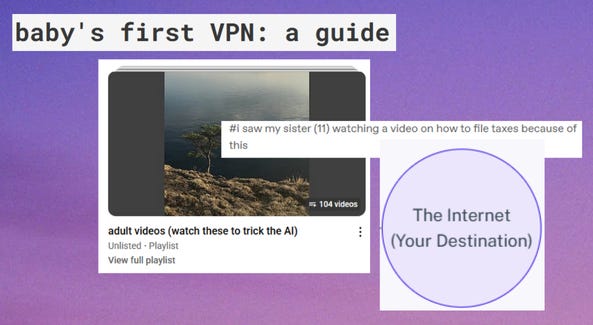
This last one has become a very immediate emergent issue over the past few months. In the US, Youtube will be using AI to determine if you’re a minor, then blocking content unless you verify your ID. Dreamwidth will be blocking Mississippi IP addresses effective 9/1/25 because of the state's social media age verification law and an ongoing legal case. As of July 1st, South Dakota and Wyoming enacted laws requiring any website that hosts any “sexual content” (a definition which includes stuff like classic literature) to implement age verification measures.
With all these examples, it will become imperative that people in those states learn how to avoid censorship and remain anonymous, via VPN, Tor, and other measures.
I read a bunch of guides. These are the best ones:
Opera with built-in VPN (kind of)
Vivaldi with built-in Proton VPN
Firefox with Proton VPN browser extension
First of all, STOP USING CHROME. STOP IT RIGHT NOW. Any of the three above are far better options, and all of them support uBlock Origin.
Browser VPNs only protect the stuff you do inside that browser. They’re OK for casual use, but not great for privacy if you use a lot of desktop apps like Discord, Twitch, etc. If you're looking for full-device encryption and stricter no-logs policy, use a proper VPN.
I’m starting with Proton’s free option. Now, usually if a VPN is free, they’re selling your data — the opposite of what you want a VPN for. In Proton’s case, the free servers are subsidized by the paid servers. Proton has a good score from r/VPN and Privacy Guides. Both vouch for Proton’s free option, so I felt safe downloading it.
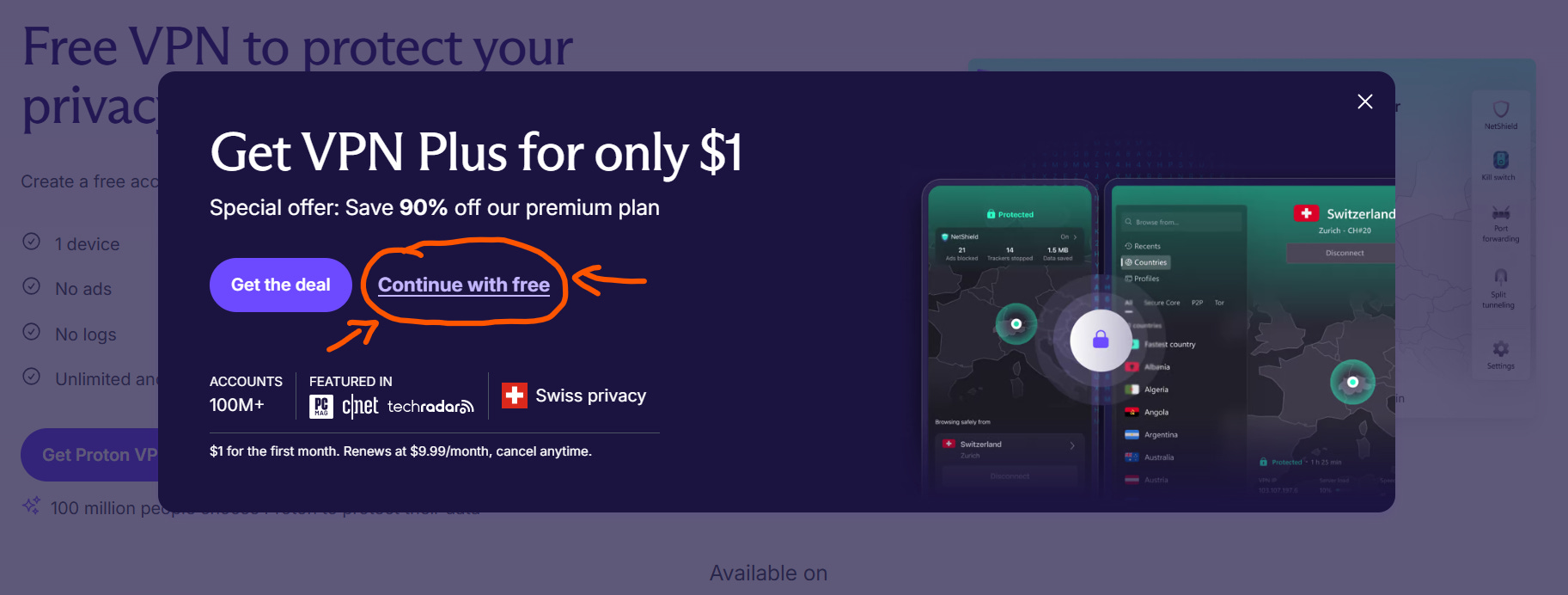
Start here. When you click “Get Proton VPN Free,” Proton does that classic pop-up trying to trick you into signing up for the paid option instead. Just click “Continue With Free.”
After that, it was a very easy download and application set up. You have to know what iOS you’re running on mac, which is an easy “about this mac” lookup. (Proton has “Ventura or newer” and I was like, mac says I have Sequoia? I had to google: Sequoia is in the “or newer.”)
Mac asks you whether you really want to do this — yes, you really want to do this. Fuck you, ghost of Steve Jobs.
Then the VPN is up and running. There’s a very prominent “Quick Connect” button. I pressed it. It started routing, but did not end up connecting anywhere. It said “disconnected” still. 60 seconds later, I pressed it again. This time, it connected. You may have to press that quick connect more than once, but give it a minute between tries.
You need an account per device. So to put this on my phone, I’ll have to make another account, but thankfully I don’t use my phone for hardly anything at all.
A few weeks later, things I’ve noticed:
The free option slows things down, sometimes significantly. Running tumblr in one tab and streaming a show in another slowed it down a lot, but not every time. If you were doing something like video games or photoshop, I think you would have a bad time. You could just get the free option and then disconnect when you were doing something hardcore like video games.
On the very first try, in my Firefox browser, I was force-logged out of all my google stuff. I then was unable to log back in. I closed the browser, disconnected, and reconnected. The log-in screen worked this time, and I logged back in to google. This is the kind of small ticky-tacky thing I ran into a few times. It reminded me of when I first started running Privacy Badger — there are just small weird things sometimes, and you have to
Can I watch Channel 4 in the UK? Answer: no. Gotta pay for that. That’s okay, if I’m only using a VPN to hide my data and be more secure — I don’t need more content, let’s be so for real. However, I appreciated the great-for-dummies streaming guide list that helped me understand how any VPN would work to watch these things. You’d follow basically the same steps no matter which VPN you chose.
If you do P2P (iykyk), the free version straight up will not work. Every once in a while, I’d be streaming too much that it would disconnect me and tell me I couldn’t do P2P on the free version — I think I’d just hit a cap or something. But I could just reconnect immediately with no issue. This is a minor inconvenience.
Getting the free version did make me want to just cut out other stuff (like my discord nitro) and pay for the paid version, so I can have it running 100% of the time. Getting a paid version would fix all the issues above, because even though they’re minor inconveniences, they can add up, and I can see where it would dissuade someone less stubborn than me from using a VPN.
Currently, the US lives under a model of surveillance capitalism,
“an economic system centered around the capture and commodification of personal data for the core purpose of profit-making.”
This is bad enough, and enough reason to try to stay as anonymous as possible, getting ad blockers, disabling cookies, getting VPNs. But let’s be so real: most of us consider this an annoyance, rather than a true threat. You may have said, “well, they already all have my data, what’s the point?” I admit, I’ve felt and said the same before.
Meanwhile, Mass Surveillance is:
the intricate effort to monitor the "behavior, many activities, or information" of an entire (or substantial fraction of a) population. It often refers to government programs, such as the ones disclosed by Edward Snowden in 2013, or the tech used by law enforcement such as drones and automated license plate readers. It can also be carried out by corporations, either on behalf of government agencies or by their own initiative.
Surveillance Capitalism bleeds directly into Mass Surveillance in this way:
You accept all cookies on a website, including “marketing cookies.”
Your data is now with a Data Broker.
EFF’s Cover Your Tracks test shows how much info your browser is currently giving over to data brokers.
The government intimidates the data broker for personal data requests. The Data Broker ignores privacy law and provides it.
Your data is now with the government.
If you’re reading this, you probably don’t have to be convinced how this affects you and our democracy. How privacy especially impacts POC or the queer community. Or how fascist states push through flimsy laws (like the ones in Mississippi, Texas, Wyoming, South Dakota… and soon, at the federal level) to detain and disappear people who disagree with the regime.
Do you want to attend a protest without police state repercussions? Mask up, and don’t ever post about protests on social media.
Do you want to text about current events without those texts ending up in a police database? Download Signal and read about groups like the Weather Underground and how information needs to be coded in order to evade keyword scrapers.
Do you want to cross the border without being detained for tweeting about how JD Vance looks like a scrotum with a botched botox job? Create multiple identities and embrace anonymity, and look into Tor.
Do you want to be able to read posts like this without the surveillance state punishing you for it? Just a VPN will be a great start.
You should be able to do all these things without fear. And it’s very overwhelming to think about this stuff. One of the best articles I read when I was researching this said “privacy is like broccoli:” when you want to improve your health, you start with improving small habits. You don’t eat broccoli for 24 hours straight; that just gets overwhelming, you get frustrated and quit. Instead, you make small incremental changes — which includes getting to the end of this article!
A VPN was never anything to be scared of. It’s just another app that runs in the background, and invisibly helps me. Getting Paypal set up was more difficult than getting Proton VPN set up. Through writing this, I learned a lot and feel more empowered than ever. I highly rec clicking through some of the EFF & Privacy Guide links and reading up yourself. If hopelessness is learned, so is empowerment.
If you know someone who needs a baby’s first VPN guide, share this! It helps me immensely!
Comments
Nothing yet. Say the first thing.
Sign in to join the conversation.