
When you think of recent AI developments, chatbots are what usually come to mind.
ChatGPT, Grok, Perplexity, Claude.
They are all essentially a well engineered wrapper around large language models that allow an end user to “chat” with that large language model.
Let’s go through the basics of a chatbot and some code snippets around building one (sneak peek into my next video on YouTube 😃)
There are three things that need to happen and be built for a chatbot to work.
Take a user’s input
Store and maintain message history
Invoke the LLM and return the response
A chatbot has a lot of engineering around it to make these seem fast and so the user of the chatbot doesn’t have to think about them.
They just know it works.
It’s fairly simple to think about but a key component of a chatbot is that a user needs to be able to “prompt” or “chat” with the chatbot.
It can be as simple as a text input or can look as modern chatbots do, like this one from ChatGPT.
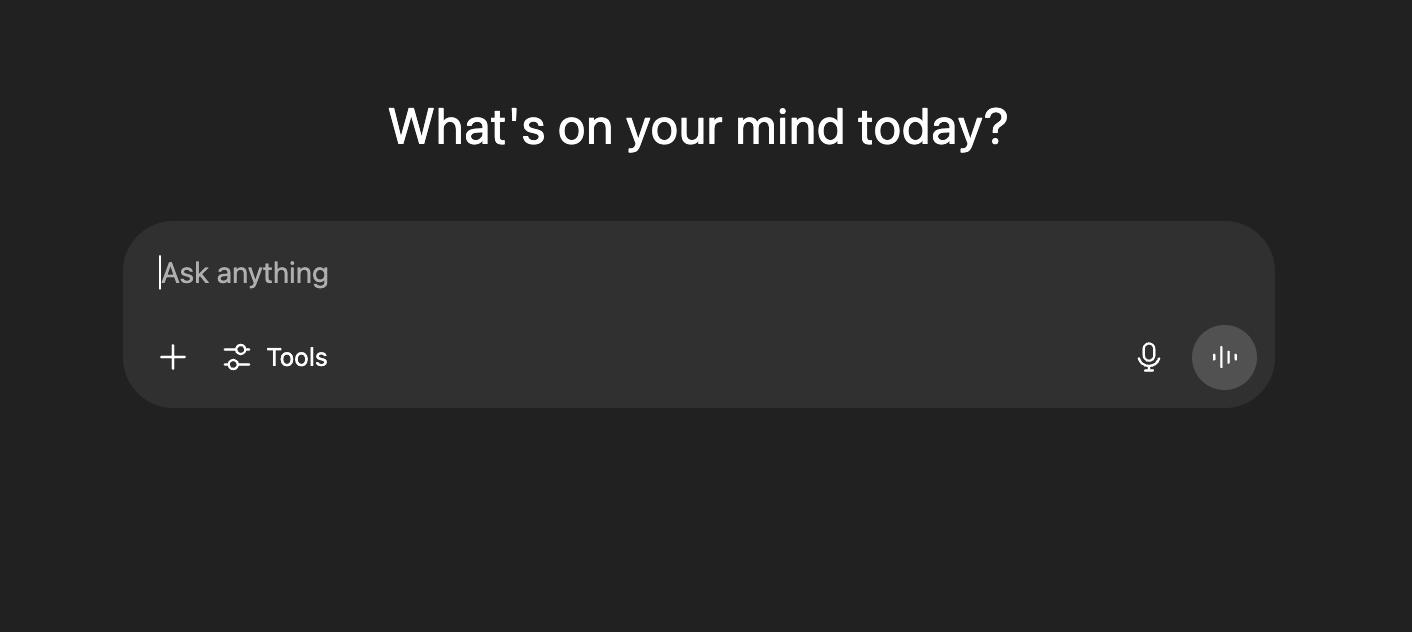
With a simple chatbot, your code can be this simple for creating the chat input.

That is just one line for accepting an input with Python and Streamlit.
The real goal of the input is to allow the user to start and continue conversations.
Advanced chatbots will give you more tools and options, such as an image upload, web search, model selection, and more.
Chatbots are going to save your message history so you can continue the conversation.
This can be done in a few different ways.
Using a database
Keeping the messages in the local cache
Storing them in an online cache
From my experience with building chatbots, you most likely are going to be using a combination of the three.
For example, you can use just a local cache like this in Streamlit:
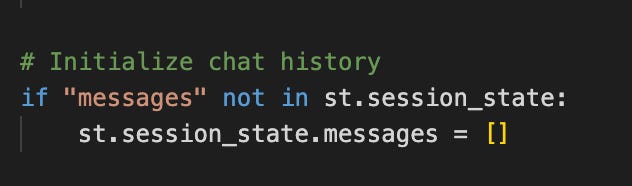
All you do in this code is take the current session and are going to make a list of messages.
Every time a user or the assistant responds, you’ll store the message in that session list.
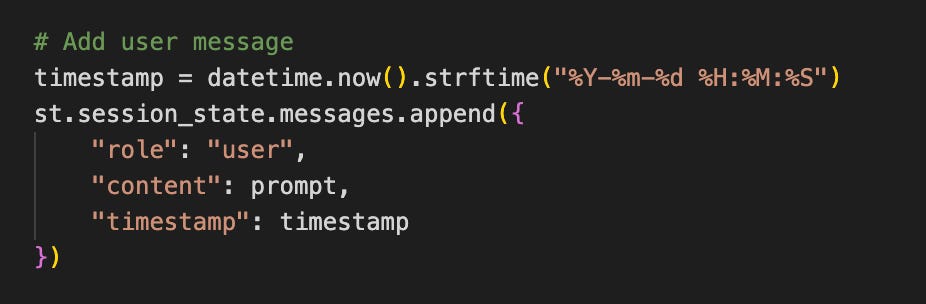
A message usually has two essential pieces.
The role - for simplicity we’ll stick with “user” and “assistant”
The content - the user’s input or the output from the assistant
Keeping track of all of the messages is important because it helps provide the correct context for a chatbot when we invoke the model.
It also will help the user with the overall experience and flow of using a chatbot.
Ironically, with all the engineering that is being built around the chatbot, invoking the LLM is the easiest part.
Let’s take this simple version for invoking the Gemini LLM (Google’s model):
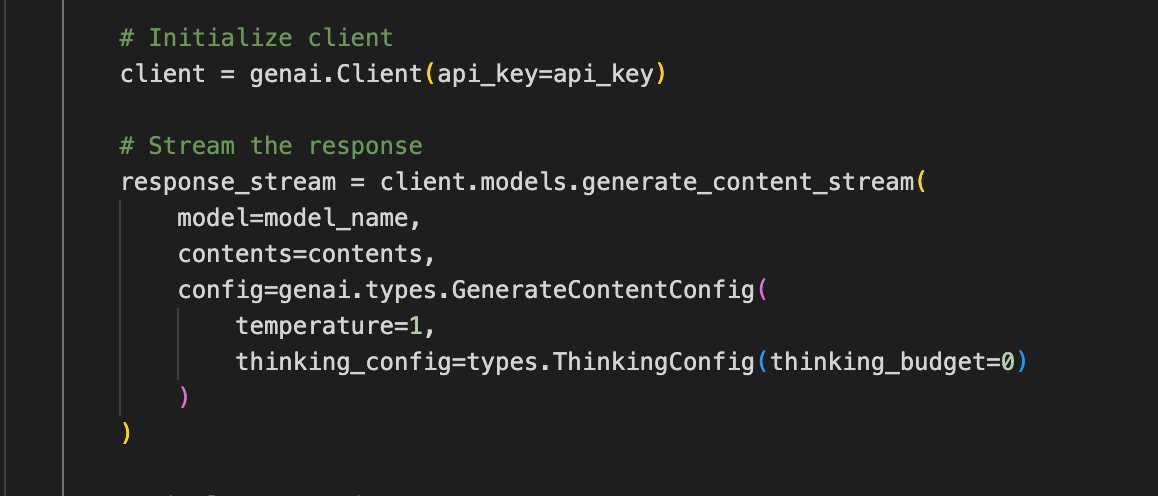
All we are doing is creating the connection with their api using our api key.
Then we use that connection to invoke their model.
We give it the model we want to run (for example we’d say “gemini-2.5-flash”).
We give it the message history in the “contents” parameter.
And we can also give it some other configurations like temperature, thinking, system instructions, and more.
You can play around with the configuration and there are a lot of things we can do on the LLM invocation to get desired results.
Usually with a chatbot, you want to leave it more open ended unless you are building something specialized.
Once you have invoked it you need to pass that message back to the end user.
You might have seen the word “stream” in there.
This is a method that chatbots are using to get the words or chunk of words back to you as fast as possible.
ChatGPT uses this when they stream you back the answer:
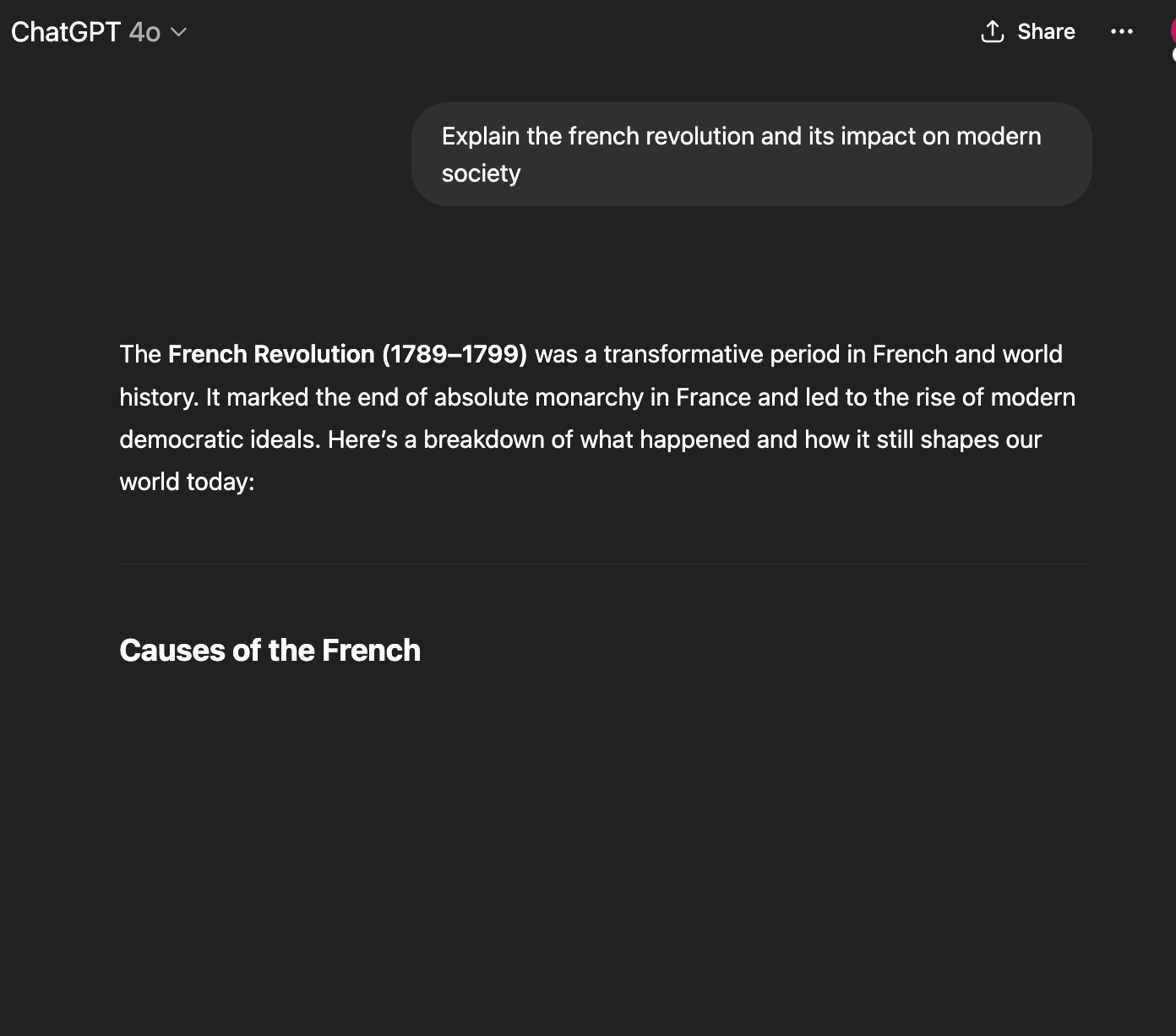
It doesn’t come back as just one big chunk, but rather it makes it look like it is typing out the answer.
This is a key component of a chatbot and really helps with the end user experience.
That is how we build a chatbot and some of the engineering that goes into it.
I’ll be releasing a video on how to build a simple chatbot using pure Python in the next little bit so be sure to keep an eye out for it on YouTube 😃
No posts
Comments
Nothing yet. Say the first thing.
Sign in to join the conversation.