
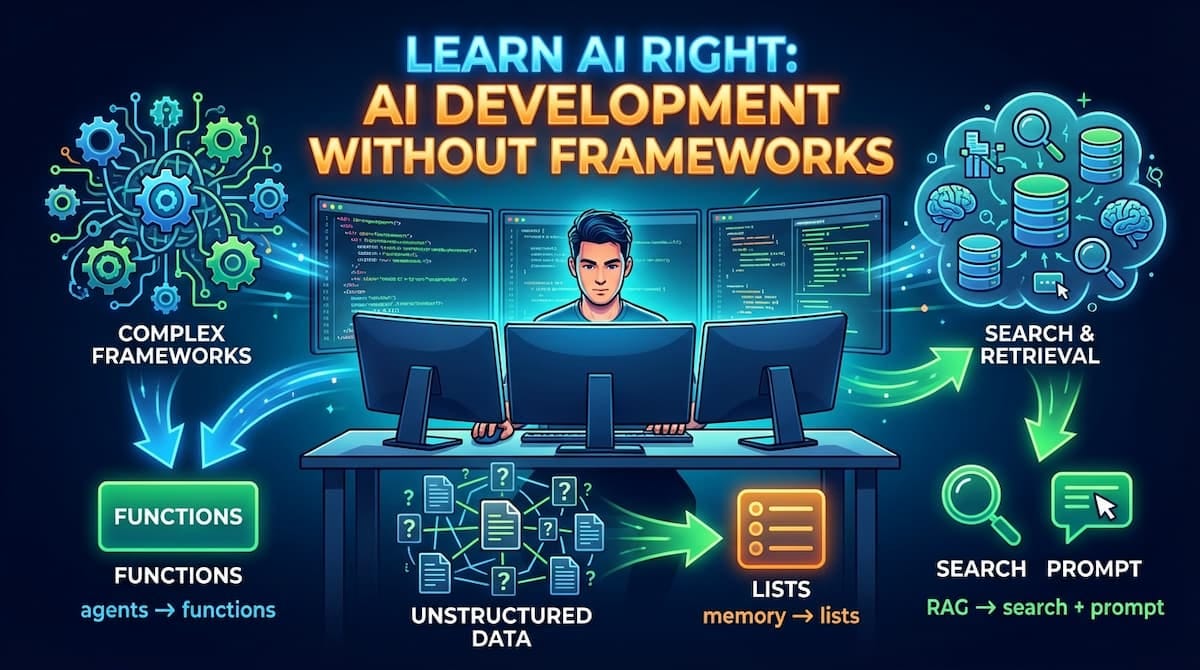
Here's the repo. Give it a star if you find it useful.
You can build a full AI app in minutes now.
RAG pipeline. Tool calling. Streaming chat interface. The whole thing. An IDE will generate it for you while you watch.
Then something breaks. An API returns an error you’ve never seen. The tool loop runs forever. The “memory” stops working and you don’t know why.
You built something you can’t debug.
Sure, you can ask the AI to fix it. Sometimes that works. But when you’re debugging AI code with AI and you don’t understand what correct looks like, you’re just stacking patches until the error goes away. The complexity compounds. The slop accumulates. And eventually you have a codebase nobody can reason about.
I know because I was that person. I was calling abstracted functions, shipping features, and had zero understanding of what was happening underneath. Everything worked until it didn’t, and when it didn’t, I was completely stuck.
So I stripped it all down. No abstractions. Just raw API calls.
What I found was almost anticlimactic.
There’s barely anything there.
The AI industry loves complex terminology. Here’s what things actually are:
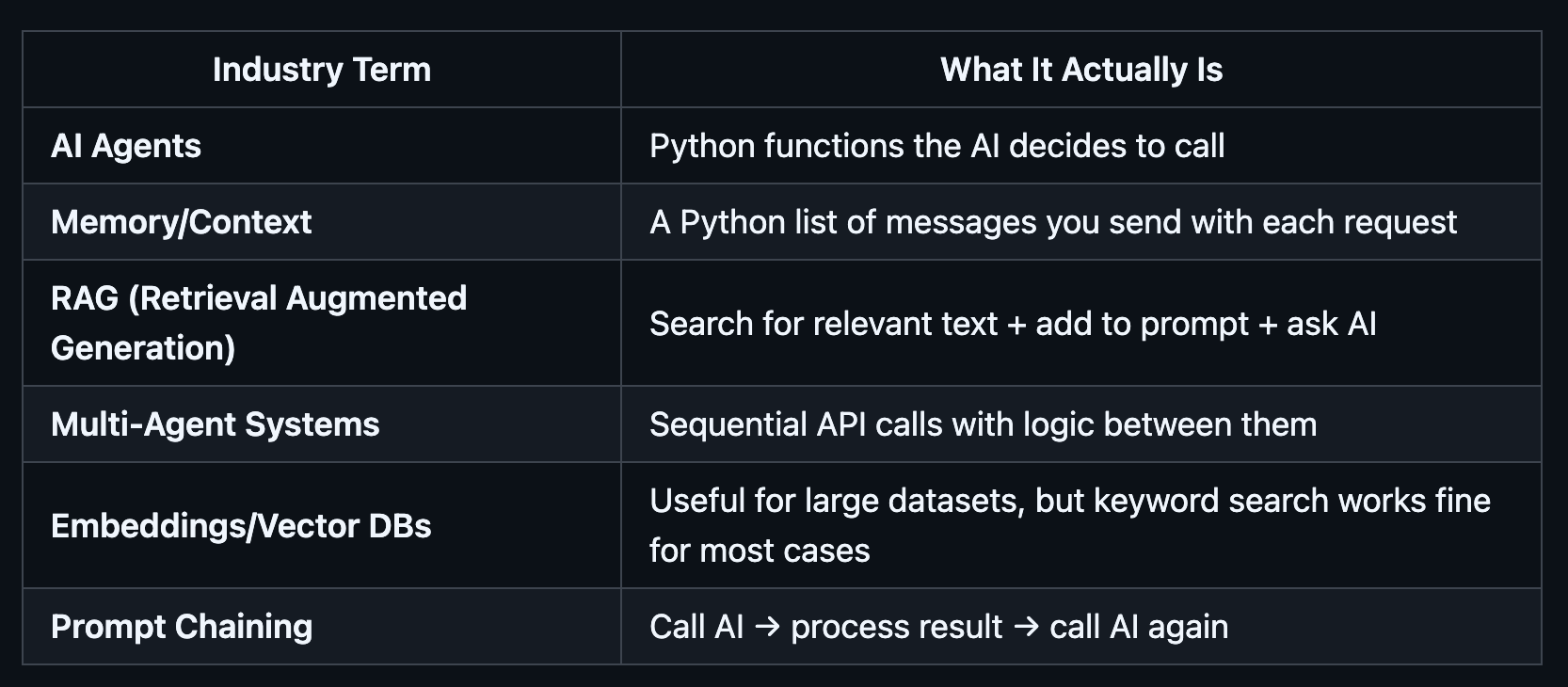
AI Agents? Functions the AI asks you to call.
Memory/Context? A Python list you resend every time.
RAG? Search docs, paste into prompt, ask.
Multi-Agent Systems? Sequential API calls with logic between them.
Structured Outputs? JSON with a schema and validation.
Prompt Chaining? Output of call 1 becomes input of call 2.
That’s the entire field. API calls and basic programming.
I took these patterns and built a free, open-source course around them. 10 modules, progressive, heavily commented, working code you can run.
Want the code? The full course is free and open-source: github.com/jmedia65/learn-ai-right
The course was originally 7 modules. I just completed a full overhaul: updated to current SDK patterns (including the OpenAI Responses API), added structured outputs, added a convenience memory module, and added a capstone that ties everything together.
Let me walk you through the key concepts.
This is the one that changed everything for me.
Most “memory” in AI is not what people think it is. The model remembers nothing. Every time you call it, it starts fresh. What feels like memory is just your code resending the conversation history on every request.
conversation = []
while True:
    user_input = input("You: ")
    # Step 1: Add to the list
    conversation.append({"role": "user", "content": user_input})
    # Step 2: Send the ENTIRE list
    response = client.responses.create(
        model="gpt-4.1",
        input=conversation,
    )
    answer = response.output_text
    print(f"AI: {answer}")
    # Step 3: Add AI response to the list
    conversation.append({"role": "assistant", "content": answer})
    # Loop. That's it. That's "memory."
A list. An append. A loop.
That’s the entire “memory system” everyone makes sound so complex. ChatGPT does this. Custom chatbots do this. Every conversational AI does this.
Once you see it, you can’t unsee it. The magic becomes ordinary software.
And ordinary software is something you can debug, extend, and reason about.
Here’s a problem you’ll hit fast: the model returns text, but your code needs data. You ask for JSON, sometimes you get JSON, sometimes you get markdown fences around it, sometimes you get a polite paragraph explaining the JSON.
Structured outputs solve this. You define a schema, the model fills it, you validate it.
from pydantic import BaseModel, Field
class LessonSummary(BaseModel):
    topic: str = Field(description="Main topic name")
    difficulty: str = Field(description="beginner, intermediate, or advanced")
    key_points: list[str] = Field(description="Top concepts to remember")
response = client.responses.parse(
    model="gpt-4.1",
    input="Summarize this lesson on FastAPI...",
    text_format=LessonSummary,
)
summary = response.output_parsed
# summary.topic, summary.difficulty, summary.key_points
# Typed. Validated. No string parsing.
This is the bridge between demos and real applications. If your AI output feeds into other code (and it always does eventually), you need structured outputs. I added this as its own module because too many tutorials skip it and then people wonder why their tool calling feels brittle.
This one surprises people.
The AI doesn’t execute functions. It can’t. It looks at your function descriptions, decides which one would help, and asks you to run it. You execute the Python. You send the result back. The AI incorporates it into its response.
# You define your function
def get_weather(location: str) -> dict:
    return {"temp": 75, "condition": "Sunny"}
# You describe it to the model
tools = [{
    "type": "function",
    "name": "get_weather",
    "description": "Get weather for a location",
    "parameters": {
        "type": "object",
        "properties": {"location": {"type": "string"}},
        "required": ["location"],
    },
}]
# Model says: "I want to call get_weather with location='Miami'"
# YOU run it: result = get_weather("Miami")
# YOU send the result back
# Model says: "It's 75°F and sunny in Miami!"
That’s “AI agents.” The model orchestrates. You execute. Loop until the model stops requesting tools.
Every agent system, every AI assistant that “takes actions,” follows this exact pattern.
The industry says you need vector databases, embedding models, and complex chunking strategies.
For many use cases? You don’t.
RAG is three steps:
# 1. RETRIEVE: search your documents
relevant_docs = keyword_search(question, documents)
# 2. AUGMENT: build a prompt with context
prompt = f"""Based on these documents:
{relevant_docs}
Question: {question}
Answer based ONLY on the documents above."""
# 3. GENERATE: ask the model
response = client.responses.create(
    model="gpt-4.1",
    input=prompt,
)
That’s it. Search your docs, paste the relevant text into the prompt, tell the model to answer from that context.
Simple keyword search handles a surprising number of real-world use cases. I’ve built production systems serving thousands of users with keyword matching. No vectors. No embeddings. Just search, concatenate, send.
Start simple. Add complexity only when simple breaks.
Ever wonder how ChatGPT types responses word by word?
stream = client.responses.create(
    model="gpt-4.1",
    input="Explain Python in two sentences.",
    stream=True,
)
for event in stream:
    if event.type == "response.output_text.delta":
        print(event.delta, end="", flush=True)
That’s streaming. You get chunks as they’re generated instead of waiting for the full response. Users perceive it as faster even when total time is similar, because they can start reading within milliseconds.
Note: The flush=True is important. Without it, Python buffers the output and you lose the real-time effect.
“Multi-agent AI workflows” sound complex.
They’re sequential API calls with logic between them:
# Step 1: Research
research = client.responses.create(
    model="gpt-4.1",
    input=f"Research key facts about: {topic}",
).output_text
# Step 2: Write (using Step 1's output)
draft = client.responses.create(
    model="gpt-4.1",
    input=f"Write an article based on: {research}",
).output_text
# Step 3: Edit (using Step 2's output)
final = client.responses.create(
    model="gpt-4.1",
    input=f"Edit for clarity: {draft}",
).output_text
Output of one call becomes input to the next. That’s a “research agent.” Three API calls. Add conditional branching (classify, then route to different handlers) and you’ve got most “agent architectures” covered.
The course ends with a capstone project that combines everything into a single application: an AI Learning Coach.
One user request flows through structured output routing, keyword retrieval, tool calling, prompt chaining (plan, then answer, then polish), and streamed final output. All with conversation memory via previous_response_id.
This is the same pipeline pattern you'd use in production. The distance between this and a shipped product is real: error handling, authentication, rate limiting, input validation, edge cases, observability.
But the core architecture? The flow of data through these patterns? That doesn't change. Understanding the primitives is what lets you make good decisions about everything else.
I built this because I needed it.
When I started with AI development, every tutorial assumed you needed a framework. Layers of abstraction hiding what’s actually simple. When things broke, I couldn’t debug. When I needed to optimize, I didn’t know where to look. When a client’s AI application failed, nobody on the team understood why.
Then I saw the raw API calls and realized how little is actually there.
These 10 patterns are the foundation. Every AI application you use runs on them. Once you understand them, you can evaluate any tool, any framework, any “revolutionary new approach” and know exactly what it’s doing underneath.
The course is free and open-source. Each module has working code examples for OpenAI (and Anthropic Claude companion examples for most modules). Every file is heavily commented. Every README includes a quick exercise and a “what breaks in production” section so you practice debugging, not just building.
The only prerequisite is Python.
I’m not against frameworks or AI-assisted coding. I use both daily. But understanding the primitives changes how you evaluate every tool you touch.
I build AI-powered applications and help businesses implement AI that drives real results. See what I'm working on at maxbraglia.com.
No posts
Comments
Nothing yet. Say the first thing.
Sign in to join the conversation.